Automated Bank Reconciliation in Zoho Books
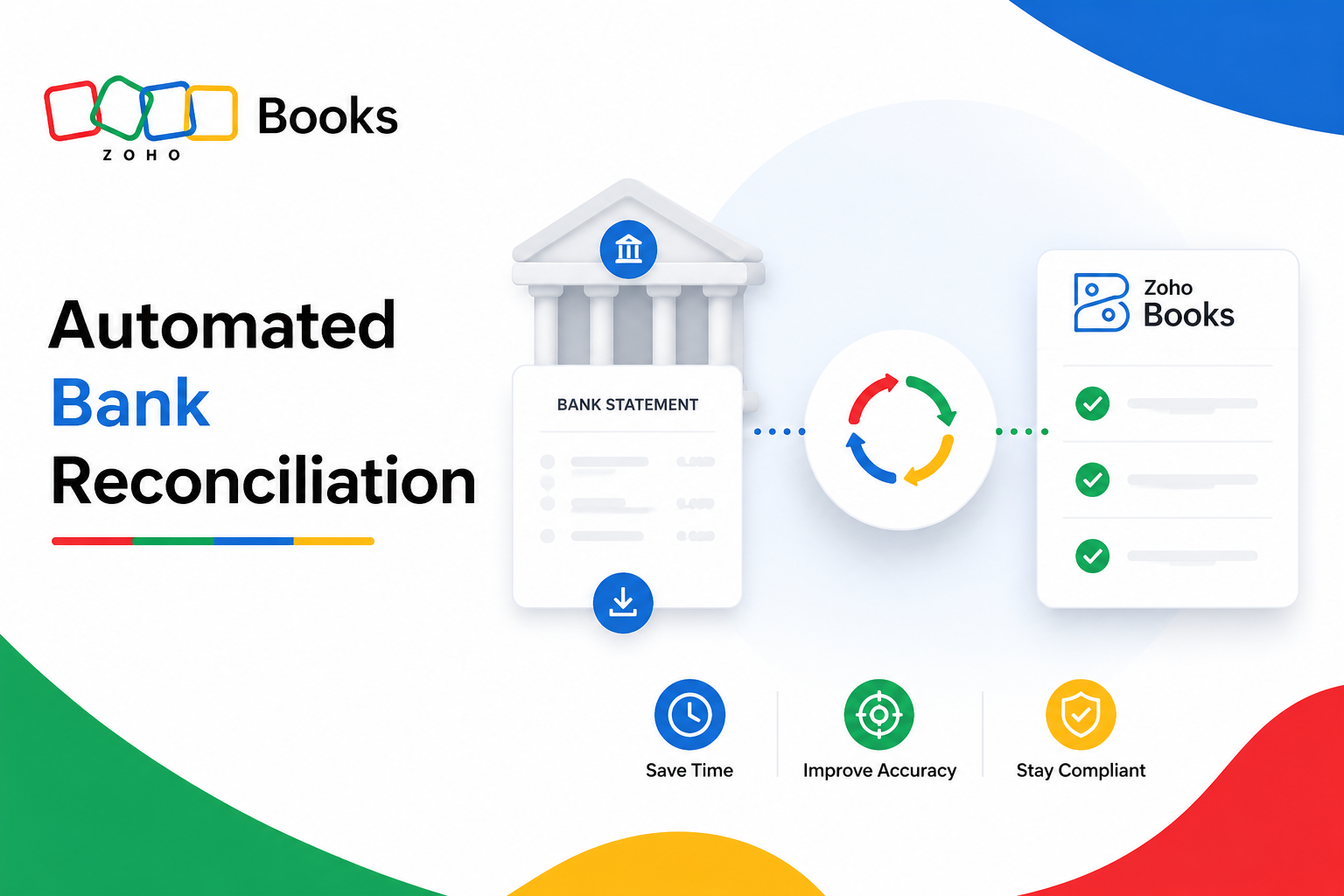
Closing the books at the end of every month shouldn’t feel like a scavenger hunt through bank statements, spreadsheets, and email attachments. Yet for many finance teams, that’s exactly what bank reconciliation still looks like: manually comparing every deposit, withdrawal, and fee against internal records, then chasing down the inevitable discrepancies. Fortunately, accounting software has caught up with this pain point, and few platforms illustrate the shift better than Zoho Books.
This article explains what automated bank reconciliation actually involves, how the process works step by step, and why it matters for businesses of every size. Along the way, we’ll look at the specific tools that make reconciliation faster and more reliable, plus how partnering with an experienced implementation team can help you get the most out of your setup.
Table of contents
Quick Summary
- Bank reconciliation confirms that your accounting records match your actual bank balance, catching errors, fraud, and missing transactions early.
- Zoho Books automates this process through live bank feeds, an intelligent matching algorithm, AI-powered field prediction, and configurable bank rules.
- Automated feeds can save a typical small or mid-sized business between 5 and 10 hours per month compared to manual data entry.
- Zoho Books automatically detects duplicate transactions, supports multi-currency accounts, and reconciles corporate card activity alongside standard bank feeds.
- A structured, repeatable reconciliation process, ideally weekly or monthly, helps businesses close their books faster and stay audit-ready.
- Working with a digital transformation partner such as Solution For Guru ensures your Zoho Books setup is configured correctly from the start and integrated with the rest of your business systems.
What Is Zoho Books, and Why Does Automated Reconciliation Matter Here?

Zoho Books is a cloud-based accounting platform built for small and growing businesses that need to manage invoicing, expenses, taxes, and banking from one place. Among its core capabilities, the Banking module stands out because it directly tackles one of accounting’s most repetitive and error-prone tasks: reconciling bank statements with recorded transactions.
Rather than requiring users to manually type every transaction into a ledger, Zoho Books connects directly to bank accounts through secure feeds, pulls in transaction data automatically, and then applies an intelligent matching engine to pair each bank entry with its corresponding record in the system. As a result, what once took hours of manual cross-checking can often be completed in minutes.
This is precisely why automated bank reconciliation deserves a closer look. As businesses grow, transaction volume increases, multiple bank accounts and credit cards enter the picture, and the margin for manual error grows right along with it. Zoho Books addresses this by combining automation with intelligent, self-improving matching logic, so finance teams spend less time on data entry and more time on the analysis that actually drives decisions.
With that context in place, let’s examine what bank reconciliation involves and exactly how Zoho Books automates each stage of the process.
What Is Bank Reconciliation, and Why Do Businesses Need It?
What Does the Reconciliation Process Actually Confirm?
Bank reconciliation is the process of comparing the transactions recorded in your accounting system against the transactions that actually appear on your bank statement. The goal is straightforward: confirm that both records show the same closing balance for a given period. When they don’t match, that difference points to a missing transaction, a duplicate entry, a bank fee that wasn’t recorded, or in rare but serious cases, fraudulent activity.
Why Does Skipping Reconciliation Create Risk?
Without regular reconciliation, small discrepancies can go unnoticed for months, compounding into larger accounting errors that are much harder to trace later. Furthermore, inaccurate books can lead to poor cash flow decisions, incorrect tax filings, and a loss of confidence from investors, lenders, or auditors who rely on those numbers being correct. Consequently, most accountants recommend reconciling accounts at least monthly, and weekly for businesses with high transaction volume.
How Often Should Businesses Reconcile Their Accounts?
The right frequency depends largely on transaction volume and business complexity. The table below offers a general guideline.
| Business Type | Recommended Reconciliation Frequency |
|---|---|
| Low-volume small business | Monthly |
| Growing SMB with multiple accounts | Bi-weekly to weekly |
| High-volume retail or e-commerce | Weekly |
| Businesses with corporate cards | Weekly, alongside expense report cycles |
Because Zoho Books automates so much of the matching work, moving from monthly to weekly reconciliation no longer means a proportional increase in manual effort, which makes more frequent reconciliation realistic even for lean finance teams.
How Does Automated Bank Reconciliation Work in Zoho Books?
How Do Bank Feeds Get Data Into the System?
Everything starts with data. Zoho Books offers two main ways to bring bank transactions into the platform: automatic bank feeds and manual statement imports. Automatic feeds connect directly to your bank through secure third-party aggregators, pulling in new transactions daily without any action required on your end. Alternatively, users can manually import statements in CSV, TSV, XLS, OFX, QIF, or CAMT.053 formats, which is useful for banks that don’t yet support live feeds or for importing historical records.
Notably, recent updates extended how far back businesses can pull data. Users can now fetch up to a full year of bank feeds through Plaid, rather than being limited to the previous 90-day window, which is particularly helpful when migrating from another accounting platform.
How Does the Matching Algorithm Identify “Best Matches”?
Once transactions land in Zoho Books, the system’s matching engine compares each bank entry against existing records using details such as date, amount, and reference number. It then surfaces a “best match” along with other “possible matches,” so users can confirm the correct pairing with a single click rather than searching manually. This approach handles more than simple one-to-one matches, too: Zoho Books can match multiple line items to a single bank deposit, which is especially useful for consolidated payments, partial payments, or installment plans.
How Does AI Field Prediction Reduce Manual Data Entry?
A newer addition to the platform pushes automation even further. Previously, users still had to manually enter details like category, account, and vendor for each transaction, even though the date and amount were already populated. Zoho Books’ AI-powered Field Prediction now suggests these values automatically, drawing on patterns from past transactions or, if no history exists, analyzing the bank statement itself to make an informed guess. This single enhancement meaningfully cuts down the manual workload for finance teams handling transactions across several accounts.
What Step-by-Step Process Does Zoho Books Follow for Reconciliation?

Understanding the underlying mechanics is helpful, but it’s equally useful to see the reconciliation workflow laid out as a sequence. Below is the general process most Zoho Books users follow.
- Record all transactions. Ensure invoices, bills, and expenses are entered or synced before starting.
- Import or sync bank feeds. Connect live feeds or upload a statement covering the reconciliation period.
- Set up bank rules. Configure rules that automatically categorize recurring transactions, such as bank charges or recurring vendor payments.
- Initiate reconciliation. Navigate to the Banking module, select the account, and click “Reconcile Account.”
- Enter statement details. Input the start date, end date, and the exact closing balance shown on your bank statement.
- Review matched transactions. Zoho Books automatically compares system records against bank feed data and confirms matches based on date, amount, and reference number.
- Handle unmatched items. Investigate any transactions that don’t have a clear match and record missing entries as needed.
- Confirm the balance and lock the period. Once the difference between your book balance and bank statement equals zero, finalize and lock the period so no further changes can alter closed records.
Because steps four through seven happen largely through automation, this process moves considerably faster than manual reconciliation, where every single line item would otherwise need individual verification.
What Features Make Zoho Books Stand Out for Reconciliation?
Beyond the core matching engine, several supporting features round out the reconciliation experience and address common pain points that other platforms often leave to manual work.
| Feature | What It Does |
|---|---|
| Duplicate detection | Automatically identifies and removes duplicate transactions pulled from bank statements |
| Bank rules | Auto-categorizes recurring transactions like fees, rent, or recurring vendor payments |
| Multi-line matching | Matches multiple line items against a single consolidated bank payment |
| Customer-vendor offsetting | Matches a single payment that offsets both an incoming customer payment and an outgoing vendor payment |
| Corporate card reconciliation | Reconciles corporate card activity and flags transactions pending approval in Zoho Expense |
| Multi-currency support | Handles foreign currency transactions and associated exchange adjustments |
| PDF reconciliation reports | Generates exportable reconciliation statements filtered by date or account |
Taken together, these features move Zoho Books well beyond basic transaction import. Instead, the platform actively manages the messy edge cases, partial payments, consolidated transfers, foreign currency differences, and pending approvals, that traditionally require manual intervention in less automated systems.
How Does Automating Reconciliation Save Time and Reduce Errors?

What Time Savings Can Businesses Realistically Expect?
Time savings vary by business size, but the pattern is consistent: automation removes the most repetitive parts of reconciliation. For a typical small or mid-sized business, automated bank feeds combined with intelligent matching can save between 5 and 10 hours per month that would otherwise go toward manual data entry and cross-checking. For businesses managing multiple accounts, that number climbs further, since automation scales more efficiently than manual review as transaction volume grows.
How Does Automation Reduce the Risk of Human Error?
Manual reconciliation inevitably introduces small mistakes: a transposed digit, a missed entry, or a transaction recorded under the wrong category. Because Zoho Books applies consistent matching logic to every transaction and flags discrepancies immediately, these errors surface early rather than compounding silently over several accounting periods. In addition, automatic duplicate detection prevents the common mistake of recording the same transaction twice after importing overlapping statement periods.
How Does Reconciliation Accuracy Affect Tax Filing and Compliance?
Accurate reconciliation isn’t just an internal housekeeping exercise; it directly affects tax compliance. When bank records and book records don’t align, income and expense figures used for tax filings can be understated or overstated, which creates risk during an audit. By keeping reconciliation current and accurate throughout the year, businesses avoid the scramble of reconstructing missing records right before a filing deadline. Moreover, locked reconciliation periods in Zoho Books create a clear, unchangeable audit trail, which auditors and tax authorities can review with confidence.
How Does Faster Reconciliation Improve Financial Visibility?
When reconciliation happens weekly rather than only at month-end, finance teams gain a far more current view of cash position. This matters because decisions about payroll timing, vendor payments, and short-term borrowing all depend on knowing exactly how much cash is actually available right now, not what the books showed three weeks ago. By making frequent reconciliation practical, Zoho Books effectively shortens the gap between a transaction happening and that transaction being reflected in decision-ready financial data.
How Does Zoho Books Compare to Manual or Spreadsheet-Based Reconciliation?
Why Do So Many Businesses Still Use Spreadsheets?
Despite the availability of automated tools, many small businesses still reconcile accounts using spreadsheets, largely because it feels familiar and requires no additional software cost. However, spreadsheet-based reconciliation places the entire matching burden on the person doing the work: every transaction must be manually checked, categorized, and cross-referenced against a bank statement, usually by copying and pasting figures between documents.
What Are the Practical Drawbacks of Spreadsheet Reconciliation?
This manual approach introduces several recurring problems. Formulas break when rows are inserted or deleted, version control becomes messy once multiple people edit the same file, and there’s no built-in mechanism to catch duplicate entries or flag suspicious discrepancies automatically. Furthermore, spreadsheets don’t generate a locked, tamper-proof audit trail the way Zoho Books does once a period is reconciled and closed.
How Does the Comparison Look Side by Side?
| Factor | Spreadsheet Reconciliation | Zoho Books Automated Reconciliation |
|---|---|---|
| Data entry | Manual copy-paste from bank statements | Automatic via bank feeds |
| Transaction matching | Manual, line by line | Algorithm-suggested best matches |
| Duplicate detection | None built in | Automatic |
| Categorization | Manual for every transaction | AI-assisted field prediction and bank rules |
| Audit trail | Easily altered, no lock mechanism | Locked periods with exportable reports |
| Scalability | Degrades quickly with volume | Scales with transaction growth |
As the comparison shows, spreadsheets can work for a handful of transactions a month, but the approach quickly becomes unsustainable once a business adds more bank accounts, more transaction volume, or more team members touching the same records. Transitioning to Zoho Books effectively replaces a fragile, manual process with a structured system built specifically for the task.
What Happens When Bank Balances Don’t Match?
A mismatch between the bank statement’s closing balance and the amount cleared in Zoho Books usually points to one of a few causes: an unrecorded bank fee, a transaction still in transit, or a duplicate entry. Zoho Books highlights this difference clearly during the reconciliation step, showing exactly how far off the balances are so users can investigate targeted transactions instead of re-checking the entire ledger.
How Does Zoho Books Handle High-Volume Recurring Transactions?
Businesses with frequent recurring charges, such as subscription payments, loan installments, or regular vendor invoices, benefit significantly from bank rules. Once configured, these rules automatically categorize matching transactions going forward, which means a rule set up once for a monthly software subscription will continue applying correctly without additional setup each time that charge appears.
What About Businesses Operating Across Multiple Currencies or Countries?
Global and multi-entity businesses face an added layer of complexity: exchange rate differences and region-specific banking connections. In addition, Zoho Books addresses multi-currency reconciliation directly within the platform, and its third-party banking partnerships continue to expand regional coverage, including newer support for direct bank connections in additional markets. As a result, businesses operating across borders don’t need a separate reconciliation workflow for each currency or country, since the platform applies the same matching logic regardless of where the transaction originated.
How Should Businesses Set Up Zoho Books for the Best Reconciliation Results?

Getting the most out of Zoho Books’ automation depends on how well the account is configured from the start. Consider the following setup checklist:
- Connect bank feeds early. Enable automatic feeds wherever your bank supports them, rather than relying solely on manual imports.
- Build bank rules proactively. Set up categorization rules for recurring transactions before they accumulate as unmatched items.
- Reconcile on a consistent schedule. Choose a cadence, weekly or monthly, and stick to it rather than letting transactions pile up.
- Review “possible matches” carefully. Don’t accept the top suggested match automatically without a quick review, especially for larger or unusual transactions.
- Lock reconciled periods. Always finalize and lock completed periods to prevent accidental changes to historical records.
- Keep supporting documents accessible. Store bank statements and receipts alongside transaction references to maintain a clean audit trail.
Following this checklist helps ensure that Zoho Books’ automation works with clean, well-organized data rather than compensating for gaps in setup, which ultimately leads to faster and more accurate reconciliation cycles.
How Should Teams Divide Responsibility for Reconciliation Tasks?
Even with strong automation, reconciliation runs more smoothly when responsibilities are clearly assigned. Typically, one team member owns the day-to-day review of matched and unmatched transactions, while a second person, often a controller or finance manager, periodically audits reconciled periods before they’re locked. This separation of duties adds an extra layer of accuracy and also supports stronger internal controls, since no single person handles the entire process from data entry to final approval without oversight.
What Role Does Documentation Play in a Smooth Reconciliation Process?
Beyond the software itself, maintaining clear internal documentation, such as a written policy on reconciliation frequency, escalation steps for unresolved discrepancies, and guidelines for setting up new bank rules, helps teams stay consistent even as staff changes over time. Because Zoho Books already centralizes bank data and reconciliation history, pairing that with a simple internal process document ensures that institutional knowledge doesn’t disappear when a team member moves on to a new role.
Conclusion: What’s the Bottom Line for Businesses?
Manual bank reconciliation is time-consuming, error-prone, and increasingly impractical as transaction volume grows. Automated reconciliation flips that equation by using live bank feeds, intelligent matching, and AI-driven field prediction to handle the repetitive work that used to consume hours of a finance team’s month.
Zoho Books demonstrates what this shift looks like in practice: transactions flow in automatically, the system suggests accurate matches and categorizations, duplicates get flagged before they cause problems, and finalized periods lock in place for a reliable audit trail. Combined with configurable bank rules and support for multi-currency and corporate card reconciliation, the platform handles far more of the reconciliation process than most businesses expect from accounting software.
That said, technology alone doesn’t guarantee results. Setting Zoho Books up correctly, connecting it to the rest of your business systems, and training your team to use its automation effectively makes the real difference. Partnering with an experienced implementation team like Solution For Guru ensures your Zoho Books environment is built for accuracy and scale from the very beginning, so your finance team can close the books faster and with far more confidence.
Frequently Asked Questions
With automated bank feeds and intelligent matching in place, reconciling a standard monthly statement typically takes just minutes rather than hours, assuming transactions were categorized consistently throughout the period. Businesses with higher transaction volumes or multiple unmatched items may need a bit more time to review flagged discrepancies, but the process still moves significantly faster than manual reconciliation.
Yes. Zoho Books supports reconciliation across multiple bank accounts, credit cards, and currencies within a single organization. Each account maintains its own reconciliation history, and the platform handles currency conversion adjustments automatically, which makes it a practical choice for businesses operating in more than one region or currency.
When no clear match exists, Zoho Books flags the transaction as unmatched rather than forcing an incorrect pairing. Users can then manually record the missing entry, adjust for fees or discounts, or investigate further before completing reconciliation. This approach prevents inaccurate matches from slipping through and keeps the final reconciled balance trustworthy.
What Are the Benefits of Partnering with Solution For Guru for Zoho Books Implementation?
Adopting a platform like Zoho Books is a meaningful step toward automated, accurate financial management, but getting the configuration right, connecting it to existing systems, and training a team to use it effectively takes more than simply signing up for an account. This is where an experienced digital solutions partner such as Solution For Guru becomes valuable.
Solution For Guru specializes in web development, automation, and AI integration, helping businesses modernize the technology behind their day-to-day operations. When it comes to implementing accounting automation like Zoho Books, this expertise translates into several concrete advantages:
- Customized setup and configuration: Instead of a generic, one-size-fits-all rollout, Solution For Guru tailors bank rules, workflows, and integrations to match your specific business processes and reporting needs.
- Seamless system integration: Because Solution For Guru works across web development, automation, and AI, the team can connect Zoho Books smoothly with your website, CRM, or other internal systems, avoiding the friction of managing multiple disconnected vendors.
- Faster, smoother onboarding: With direct experience guiding businesses through digital transformation, Solution For Guru helps teams move from manual, spreadsheet-driven processes to automated reconciliation more quickly and with fewer setup mistakes.
- Ongoing optimization: Beyond initial setup, Solution For Guru offers continued support to fine-tune bank rules, categorization logic, and reporting as your transaction volume and business needs evolve.
- Scalable digital foundation: A properly architected implementation makes it easier to add further automation down the line, whether that’s expanding to new bank accounts, currencies, or additional Zoho modules.

In short, Zoho Books supplies the automation engine for accurate, efficient bank reconciliation, while a partner like Solution For Guru ensures that engine is set up correctly and connected to the rest of your digital operations from day one.
Recommended:
- Zoho Books for SaaS Companies
- The Hidden Cost of Xero: Add-ons, Integrations, Implementation
- FreshBooks for SaaS Businesses: Managing Subscription Revenue and Expenses
- Using FreshBooks to Track Project Profitability
- FreshBooks for Startups: What Founders Need to Know Before Choosing an Accounting Platform
- FreshBooks for Expense Tracking: Financial Benefits for Growing Companies
- How FreshBooks Supports Better Budgeting and Financial Planning
- How FreshBooks Helps Business Owners Improve Financial Visibility
- Cash Flow Management and Reporting in Xero for Decision-Making
- What Financial Reports Should Every FreshBooks User Monitor?
- FreshBooks Time Tracking: Is It Accurate Enough for Client Billing?
- Zoho Books vs Xero: Cloud Accounting Platforms Compared
- Zoho Books vs QuickBooks: Technical Comparison
- Xero Pricing Plans: Early/Starter, Growing/Standard, Established/Premium
- Overview of the Xero App Marketplace (1,000+ Integrations): What Are the Most Popular Ones?
- FreshBooks vs Xero for Technology Companies: Which One Should You Choose?
- FreshBooks Reporting Features: What Financial Insights Can You Actually Get?