How Does Smartsheet Support Portfolio and Resource Management for Growing Teams?

A growing team rarely fails because of a lack of effort. It fails because work multiplies faster than visibility. Projects overlap, people split their time across too many tasks, and leaders lose sight of which initiatives deserve priority.
This article explains how Smartsheet helps growing teams bring order to that complexity. It covers portfolio management, resource management, reporting, costs, limitations, and the steps that turn the software into a reliable operating system for your work.
Table of contents
What Is the Quick Summary of This Article?
- Smartsheet combines a familiar spreadsheet-style interface with project management tools, so teams adopt it quickly.
- Control Center and Portfolio WorkApps standardize how projects start, run, and report, which gives leaders a portfolio-level view.
- Resource Management adds capacity planning, utilization heatmaps, skills-based assignments, and forecasting.
- Some key features, including Control Center and Resource Management, require premium add-ons or higher plans, and Resource Management has documented limits such as no Gantt views or dependencies.
- Careful setup, clear governance, and expert guidance from a partner such as Solution for Guru help growing teams capture the full value.
What Is Smartsheet Project Management, and How Does It Relate to Portfolio and Resource Management?

Smartsheet Project Management is a cloud work management platform that lets teams plan, track, and report on projects in one place. Users work in sheets that look like spreadsheets but offer much more: Gantt, grid, card, calendar, and Kanban views, forms, file attachments, dashboards, reports, and automations. Reviewers consistently note that people who already know Excel pick up the interface quickly.
Why Does the Platform Fit Growing Teams?
Growing teams need structure without heavy bureaucracy. Smartsheet gives them a flexible starting point. A small team can launch with a single project sheet, and a larger organization can layer on portfolio tools and resource planning as its needs mature. This path avoids a painful migration later.
How Does Smartsheet Connect Projects to Portfolios?
A portfolio is a group of projects that serve shared business goals. Smartsheet links individual project sheets to portfolio-level reports and dashboards, so leaders see health, budget, and risk without opening every plan. Control Center, a premium app, automates much of this connection by creating projects from standard templates and rolling data upward.
How Does Smartsheet Connect Projects to Resources?
Every project consumes people, time, and money. Smartsheet’s Resource Management product connects project plans to workforce data. It gives managers a real-time view of skills, workload, and availability, so they staff projects with the right people. Therefore, portfolio decisions and resource decisions share the same data.
What Does a Growing Team Gain from One Shared Platform?
Separate tools create separate truths. A project manager tracks tasks in one app, a resource manager tracks capacity in another, and finance tracks budgets in a third. When these tools disagree, meetings turn into debates about whose data is right. A shared platform reduces that friction, because everyone reads from the same record and updates it in one place.
Why Do Growing Teams Struggle with Portfolio and Resource Management?

Growth exposes weaknesses that small teams can hide. Understanding those weaknesses helps you judge which Smartsheet features matter most.
What Problems Appear as Teams Scale?
Several patterns repeat across growing organizations:
- Each team builds projects differently, so reports never line up.
- Leaders cannot compare projects because the data uses different formats.
- Managers staff projects from memory, which leads to overloaded stars and idle talent.
- New project requests arrive through email, chat, and hallway conversations.
- Finance receives time and budget data too late to act on it.
How Do These Problems Affect Results?
Disorganization hides risk. A project falls behind, but nobody notices until a deadline passes. A key engineer works at 130% capacity, and burnout follows. Meanwhile, a skilled specialist sits underused on another team. Each problem costs money, and together they slow growth.
Which Capabilities Solve Which Problems?
| Problem | Smartsheet Capability | Result |
|---|---|---|
| Inconsistent project setup | Control Center blueprints | Every project starts from the same structure |
| No portfolio visibility | Portfolio WorkApps and rollup reports | One view of health, budget, and risk |
| Scattered requests | Demand intake process | One place to submit and approve work |
| Overloaded staff | Capacity planning and heatmaps | Early warning on over-allocation |
| Skill mismatches | Skills-based assignments | Better matches between people and tasks |
| Late financial data | Time tracking and budget reports | Timely cost and fee insight |
How Does Smartsheet Support Portfolio Management?
Portfolio management means choosing the right projects, running them consistently, and tracking results across the whole set. Smartsheet addresses each part through a combination of standard features and premium apps.
What Does Control Center Do?
According to Smartsheet, Control Center is a premium app that manages a project portfolio at scale and standardizes how projects get created, changed, and reported. Its main capabilities include:
- Blueprints: Reusable templates replicate workflows and project plans, so new projects start from the same structure.
- Demand intake: A central process collects and approves requests for new projects.
- Automated project creation: Approved projects appear from a central console.
- Change management: Managers push updates from one console to both new and existing project plans.
- Rollup reporting: The system aggregates data across projects for portfolio-level visibility.
- Project archiving: Completed projects freeze and move into storage for trend analysis and compliance.
Confirm plan requirements with Smartsheet sales, because the product page directs visitors to contact the company instead of listing the tier.
What Is Portfolio WorkApps?
Smartsheet introduced Portfolio WorkApps in 2022. The feature combines Control Center, which deploys standardized project plans, with WorkApps, which give users a single place to access and report on a portfolio. According to Smartsheet, the app automatically adds new projects as teams create them, and it aggregates key performance metrics through a portfolio-level dashboard.
Portfolio WorkApps also lets administrators control roles, pages, and permissions centrally. Executives, project managers, stakeholders, vendors, and contractors each see an experience that matches their role. Smartsheet states that the feature works for new Control Center programs on Smartsheet Advance or on an Enterprise plan with Control Center added.
How Does Demand Intake Protect Your Capacity?
Uncontrolled requests drain teams. When anyone can start a project by sending a message, the portfolio fills with low-value work. A central intake process changes that. Requesters submit a form, reviewers assess value and effort, and approvers decide which projects proceed. Because Control Center creates approved projects automatically, the process stays fast. Teams therefore protect their capacity for the work that matters most.
How Do Dashboards and Reports Help Leaders?
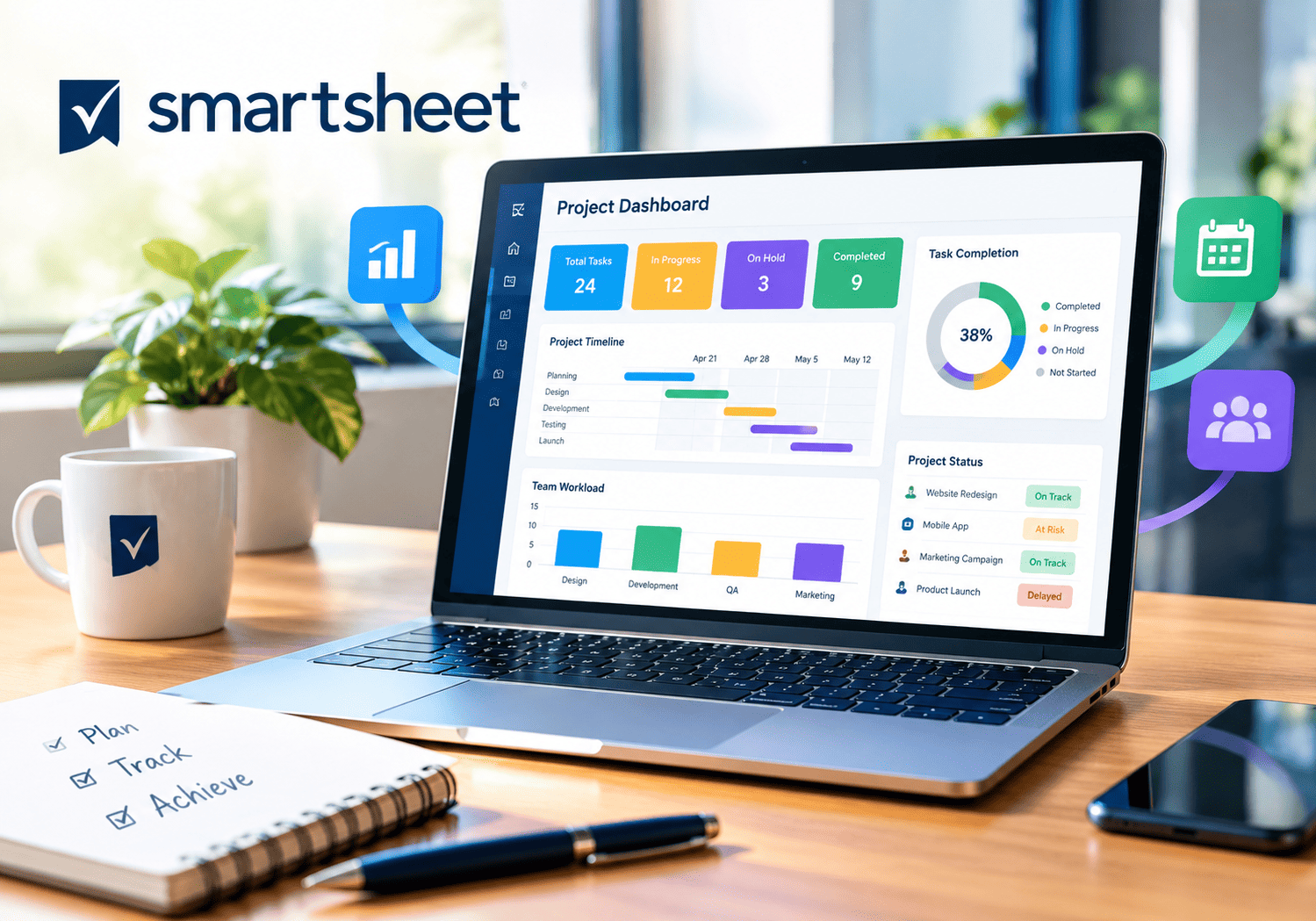
Dashboards translate data into decisions. A portfolio dashboard might show the number of projects by status, budget against plan, and upcoming milestones. Reports pull rows from many sheets into one view, so a program manager can list every overdue task across the portfolio in seconds. Consequently, leaders spend meetings discussing actions instead of hunting for numbers.
How Does Standardization Improve Governance?
Standard templates create comparable data. When every project uses the same fields and phases, you compare them fairly and spot outliers. Moreover, central change management lets you update a template once and apply the change everywhere. This control matters for compliance-heavy teams, which must prove that every project follows the same process.
How Does Smartsheet Support Resource Management?

Resource management answers one question: do the right people have the right capacity at the right time? Smartsheet offers a dedicated Resource Management product for this purpose.
What Features Does Resource Management Include?
Smartsheet describes Resource Management as a premium product that gives a real-time view of workforce skills, workload, and availability. Key features include:
| Feature | What It Does |
|---|---|
| Capacity planning | Accounts for PTO and holidays and highlights over- and under-allocated people |
| Utilization heatmaps | Shows how heavily teams and individuals work, up to department level |
| Resource allocation | Matches tasks to people by skills, location, or qualifications |
| Interactive scheduling | Assigns people to projects and tracks percent allocation across projects |
| Forecasting | Projects future staffing needs and exposes skill gaps |
| Placeholders | Plans roles before naming specific people |
| Time tracking | Collects timesheets by project phase or category |
| Budget tracking | Follows expenses and time against plan |
| Reporting | Provides time and fees, expense, budget, and utilization reports |
How Do Heatmaps Prevent Burnout?
A heatmap uses color to show workload. Red cells mark people above capacity, and light cells mark people with room. Managers scan the map each week and rebalance work before overload causes mistakes or turnover. This simple visual replaces long email threads about who has time.
How Do Placeholders Support Hiring Decisions?
Growing teams plan roles before they hire. Placeholders let you add a “senior designer” to a plan without naming a person. When the plan shows unfilled demand across several projects, you justify a hire with evidence. After you hire, you swap the placeholder for the real person.
What Does a Weekly Resource Review Look Like?
A short, regular review keeps the data honest. The example below shows one possible rhythm for a growing team.
| Step | Owner | Action |
|---|---|---|
| 1 | Resource manager | Opens the utilization heatmap and flags anyone above capacity |
| 2 | Project managers | Confirm upcoming demand and update placeholders |
| 3 | Resource manager | Proposes reassignments based on skills and availability |
| 4 | Team leads | Approve changes and inform affected staff |
| 5 | Resource manager | Records outcomes and notes recurring bottlenecks |
How Does Time Tracking Improve Future Estimates?
Team members log hours, and the data shows how long work really takes. Over time, you compare actual hours against baselines and improve your estimates. Smartsheet notes that team members do not need to track time to use the product, so you can introduce the habit gradually.
How Does Resource Management Connect to Control Center?
Smartsheet states that Resource Management integrates with Control Center. You can create or update projects, including dates and custom fields, and generate tasks from Smartsheet data. As a result, portfolio and resource views share one source of truth.
What Are the Strengths of Smartsheet for Growing Teams?
Several strengths explain why many growing organizations choose Smartsheet.
Is Smartsheet Easy to Learn?
Yes, for most teams. Reviewers describe the interface as approachable, especially for people who already work in spreadsheets. Startup Savant notes that the spreadsheet-like layout helps Excel users adapt quickly. Consequently, teams reach productive use faster than they do with tools that demand long training.
How Flexible Are the Views?
Smartsheet offers grid, Gantt, card, calendar, and kanban views of the same data. Different team members therefore work in the style they prefer without breaking the shared record. A developer may prefer kanban, while a program manager prefers Gantt.
How Well Does It Scale?
The platform starts small and grows through add-ons. Teams begin with core project tracking, then add Control Center for portfolio standardization and Resource Management for capacity planning. This modular path lets you pay for advanced features only when you need them.
What Collaboration and Automation Tools Help?
Forms collect requests, attachments keep files with tasks, and automations send reminders and update statuses. These tools remove routine administrative work. Moreover, role-based access in Portfolio WorkApps lets you share the right view with vendors and contractors without exposing sensitive data.
Summary Table of Strengths
| Strength | Benefit for Growing Teams |
|---|---|
| Spreadsheet-style interface | Fast adoption and low training cost |
| Multiple views | Flexibility for different work styles |
| Control Center blueprints | Consistent project setup |
| Portfolio dashboards | Executive visibility |
| Resource heatmaps | Early overload detection |
| Modular add-ons | Scalable cost and capability |
Which Types of Teams Benefit Most?
Smartsheet fits professional services firms, marketing teams, IT groups, and operations teams that run many parallel projects. These groups share common needs: standard processes, clear status reporting, and fair workload distribution. Teams in regulated industries also benefit, because standard templates and project archiving support audits.
What Are the Weaknesses and Limitations of Smartsheet?
Every platform has limits. A realistic view helps you plan around them.
What Do the Resource Management Limitations Look Like?
Smartsheet’s own documentation lists several limitations for Resource Management. The product offers no task-level tracking, subtasks, dependencies, or Gantt views. Dashboards cannot be customized, and permissions apply only at the project or account level. In addition, Smartsheet lists scenario modeling and communication features tied to allocations as unavailable in that product. Another Smartsheet page describes scenario planning as available on Enterprise plans, so confirm the current feature set with the vendor.
Do Costs Rise Quickly?
Costs can rise as you add capabilities. Basic plans cost little, but Control Center and Resource Management require premium add-ons or higher tiers. Smartsheet states that capacity planning, time tracking, skill-based assignments, and reporting require the Resource Management upgrade, priced by user count. Published prices differ across third-party sources, so request a quote that reflects your user count and needs.
Is Smartsheet Customizable Enough?
Reviewers say Smartsheet offers less customization than some competitors such as Monday.com. Teams with highly specialized workflows may feel constrained. Likewise, Startup Savant notes that Smartsheet suits small to medium projects better than very large or agile-heavy ones.
Does the Learning Curve Affect Everyone?
Spreadsheet users adapt quickly, but people without spreadsheet experience may find the interface harder. Provide short training sessions and templates to flatten the curve.
Summary Table of Weaknesses
| Weakness | Impact | Possible Workaround |
|---|---|---|
| Resource Management lacks Gantt and dependencies | Detailed scheduling lives elsewhere | Keep task schedules in project sheets |
| Premium add-ons raise costs | Budget planning gets harder | Phase adoption and negotiate |
| Limited customization | Specialized workflows feel tight | Use automations and WorkApps creatively |
| Permissions at project or account level | Less granular control in resource tools | Plan roles and access in advance |
| Uneven fit for agile-heavy teams | Sprint workflows may need another tool | Pair with a dedicated agile tool |
How Much Does Smartsheet Cost for Growing Teams?

Pricing changes often, and third-party sources disagree. For example, different reviews list different monthly prices for the Pro and Business plans. Always confirm the current figures with Smartsheet before you budget.
What Is the General Plan Structure?
| Plan | Typical Fit | Notable Points |
|---|---|---|
| Free | Individuals testing the tool | Very limited sheets and editors |
| Pro | Small teams | Limited editors and automation |
| Business | Growing teams | Unlimited sheets and internal automations, with a minimum user count |
| Enterprise | Large organizations | Custom contract and advanced security, with premium apps available |
| Advance and add-ons | Teams needing data sync and premium tools | Required for external data sync and for some premium app programs |
Smartsheet states that workload tracking comes with the Business and Enterprise plans, while capacity planning, time tracking, skill-based assignments, and reporting require the Resource Management upgrade.
How Should You Estimate Total Cost?
Count three groups of users: people who edit sheets, people who only view results, and people who need resource management. Multiply each group by the relevant price, then add premium app fees. Finally, include setup and training costs, because they often exceed license fees in the first year.
Should You Start with a Pilot Before You Buy Premium Apps?
Yes. Begin with the core platform, build two or three projects, and learn where the pain points sit. If standardization becomes your bottleneck, evaluate Control Center. If staffing conflicts dominate, evaluate Resource Management. This sequence prevents you from paying for features that your team does not yet need, and it gives you real evidence for the vendor conversation.
How Do You Build a Business Case?
Compare the cost against the savings from fewer overloaded staff, faster project starts, and better hiring decisions. Even modest improvements in utilization can offset the subscription for teams with many billable hours. Update the case after a pilot with real numbers.
How Can Growing Teams Implement Smartsheet Successfully?

Software alone does not create order. A strong rollout combines planning, governance, and training.
What Steps Should You Follow?
- Define goals. Decide whether visibility, standardization, or capacity planning matters most.
- Map your process. Document how projects move from request to closure.
- Design blueprints. Build templates with consistent phases and fields.
- Set up intake. Create one form for new project requests.
- Load resources. Enter people, roles, skills, and availability.
- Build dashboards. Start with five to seven key metrics.
- Pilot. Run two or three projects before you scale.
- Review. Refine templates and dashboards each quarter.
How Do You Establish Governance?
Name an owner for templates, an owner for resource data, and an owner for dashboards. Without owners, data decays. Also set rules for naming, status updates, and time tracking, and publish them in one place.
How Often Should You Review Your Setup?
Review quarterly. Teams change, projects evolve, and templates drift. During each review, retire unused dashboards, update blueprints with lessons from recent projects, and confirm that resource data still matches reality. A short, scheduled review costs little and prevents the slow decay that undermines many tool rollouts.
Which Metrics Should You Track?
| Metric | What It Reveals |
|---|---|
| Projects by status | Portfolio health |
| On-time milestone rate | Delivery reliability |
| Utilization rate | Efficient use of people |
| Over-allocated people | Burnout risk |
| Budget variance | Financial control |
| Demand backlog | Unmet requests |
How Do You Drive Adoption Across the Team?
Adoption decides success. Start by showing each role what the platform does for them: executives get a dashboard, project managers get templates, and team members get fewer status meetings. Then collect feedback every month and fix the small annoyances quickly. Recognize teams that keep their data current, and share examples of decisions that better data made possible. People support systems that visibly help them.
What Mistakes Should You Avoid?
- Building too many dashboards before you know the questions
- Skipping training for casual users
- Entering resource data once and never updating it
- Ignoring the limits of each product before you buy
- Customizing every project instead of using blueprints
What Are the Key Conclusions About Smartsheet for Portfolio and Resource Management?
Growing teams need visibility, consistency, and smart staffing. Smartsheet Project Management delivers these through an approachable spreadsheet-style interface, Control Center blueprints, Portfolio WorkApps dashboards, and a Resource Management product with capacity planning, heatmaps, forecasting, and time tracking.
However, the platform has trade-offs. Premium capabilities add cost, Resource Management lacks Gantt views and dependencies, and customization trails some competitors. Teams should confirm plan requirements and test the tools with real data before they commit.
Therefore, start with a pilot, measure utilization and delivery results, and expand in phases. Finally, consider partnering with Solution for Guru to design your templates, connect your systems, and train your people, so your investment turns into lasting operational discipline.
Frequently Asked Questions
No. According to Smartsheet, workload tracking comes with the Business and Enterprise plans, but capacity planning, time tracking, skill-based assignments, and reporting require the Resource Management upgrade, which Smartsheet prices by user count.
Control Center standardizes how projects get created, changed, and reported through blueprints and central automation. Portfolio WorkApps combines Control Center with WorkApps to give users a single place to access and report on the portfolio, with role-based views and a portfolio-level dashboard.
For many teams, yes, because the core platform offers Gantt, grid, card, calendar, and kanban views. However, the Resource Management product itself lacks task-level tracking, dependencies, and Gantt views, and reviewers suggest the platform fits small to medium projects better than very large or agile-heavy ones. Evaluate your scheduling needs during a pilot.
What Are the Benefits of Cooperation with Solution for Guru?
Solution for Guru is a CRM and software implementation consultancy. The company helps businesses select, configure, and connect the systems that run daily operations. For growing teams that adopt Smartsheet, this experience delivers practical value.
How Does Solution for Guru Support Implementation?
Solution for Guru studies your current project and resourcing process, then configures the platform around it. Consultants design blueprints, build intake forms, structure dashboards, and set permissions. As a result, you launch with a model that fits your organization instead of generic templates.
How Does Solution for Guru Help Connect Systems?
Few growing companies run on one tool. Your CRM holds customer deals, your finance system tracks revenue, and Smartsheet tracks delivery. Solution for Guru connects these systems so information moves without manual copying. A closed deal can trigger a new project, and project status can flow back to the customer record.
How Does Solution for Guru Train Your People?
Software delivers value only when people use it well. Solution for Guru trains project managers, resource managers, and executives on the features they use daily. Trainers also document your processes, so new hires learn them quickly.

What Business Benefits Can You Expect?
| Benefit | What It Means for Your Team |
|---|---|
| Faster setup | A clear plan shortens the path to your first portfolio dashboard |
| Cleaner data | Consistent templates improve every report |
| Better adoption | Training builds confidence across roles |
| Connected systems | Sales, delivery, and finance share information |
| Ongoing guidance | A consultant supports you as your team grows |
Visit solution4guru.com to discuss your needs and plan an implementation that fits your team.
Recommended:
- Smartsheet Dashboards: How Do You Build Reports That Leaders Actually Use?
- How Do You Manage User Roles and Permissions in Smartsheet?
- Smartsheet Compliance and Security: HIPAA, GDPR, and Enterprise Governance
- Smartsheet Automations 101: Alerts, Approvals, and Reminders Explained
- Smartsheet Pricing Explained: Plans, Costs, and Hidden Add-Ons
- What Is Smartsheet? A Complete Overview of Features and Use Cases
- Zoho Projects API Integration Guide: How Can You Connect Your Business Tools Effectively?
- Security and Role Management in Zoho Projects
- How Do You Successfully Manage Large Enterprise Projects in Zoho Projects?
- How Can You Integrate Zoho Projects with Slack, Microsoft Teams, and Email to Maximize Team Productivity?
- PMP Certification: Is It Worth It in 2026?
- Project Performance Analytics: Driving Data-Backed Decisions in Project Management
- Zoho Projects Data Structure
- KPIs Every U.S. Project Manager Should Track
- How Can You Automate Task Assignments and Notifications in Project Management?
- How Does Time Tracking and Billing Automation Transform Project Management?
- Resource Allocation and Capacity Planning in Project Management: How Do You Build Teams That Consistently Deliver?
- How Project Management Improves ROI for U.S. Businesses