
What Is the True Cost of Manual Invoicing vs FreshBooks Automation?

Every invoice you build by hand costs more than the minutes you spend typing it. Time, typing errors, late payments, and awkward follow-up emails all add to the bill, yet most businesses never add them up. This article measures the full cost of manual invoicing, compares it with the savings that automation delivers, and shows where FreshBooks fits.
Table of contents
Quick Summary
Short on time? The table below condenses the main findings.
| Question | Short answer |
| What does a manual invoice cost? | Ardent Partners reports $12.88 per invoice for organizations outside the best-in-class group, versus $2.78 for best-in-class teams. |
| Where does the cost come from? | Mostly labor. APQC research found that labor typically consumes 62% of total accounts payable costs. |
| What does lateness add? | Xero data shows small businesses waited an average of 29.3 days for payment in Q2 2026, and payments arrived almost nine days late. |
| How does FreshBooks reduce the cost? | Recurring invoices, automatic reminders, late fees, and online card and ACH payments replace repetitive manual steps. |
| Does automation fix everything? | No. Clear terms, clean client data, and regular reviews still matter. |
What Is FreshBooks?

What Does FreshBooks Do?
FreshBooks is cloud accounting software that targets freelancers, small businesses, and service providers. It combines invoicing, expense tracking, time tracking, project management, and reporting in one platform. The company’s invoicing page promotes recurring invoices, card-on-file payments, automatic payment reminders, and automatic late fees, and it displays a 4.5 rating based on 4,496 GetApp reviews. Because FreshBooks centers on the billing cycle, it speaks directly to the question this article asks: what does it cost to send, track, and collect invoices manually, and how much of that cost can software remove?
Why Does FreshBooks Matter for This Topic?
Manual invoicing hurts because people repeat the same small steps dozens or hundreds of times each month. FreshBooks automates many of those steps, including scheduled invoice creation, reminder emails, late-fee calculation, and online payment collection.
However, one caution applies from the start. Most published cost-per-invoice benchmarks measure accounts payable, meaning the invoices a company receives and pays. FreshBooks mainly serves accounts receivable, meaning the invoices you send. Nevertheless, both sides share the same cost driver, which is manual labor, so the benchmarks still offer the best available yardstick. Treat them as directional rather than exact.
What Does Manual Invoicing Actually Involve?
Manual invoicing covers any process where a person performs each step without software rules. Typically, that means filling in a Word or Excel template, exporting a PDF, emailing it, logging it in a spreadsheet, and chasing payment by hand. Small businesses often start this way because it costs nothing upfront. Over time, however, the process grows more expensive as client counts and invoice volumes rise.
What Steps Does a Manual Invoice Follow?
A typical manual invoice moves through seven steps, and a person touches every one:
- Gather the hours, expenses, or deliverables to bill.
- Copy the previous invoice and edit the client details.
- Calculate line totals, taxes, and discounts.
- Export the file and email it to the client.
- Record the invoice in a tracking spreadsheet.
- Send reminders when the due date passes.
- Record the payment and reconcile it against the bank statement.
Each step looks minor. Together, however, they turn into a recurring tax on your week, and the burden grows with every new client. Moreover, a manual process depends on memory. A forgotten reminder or a missed recurring invoice delays revenue without any warning.
Where Do Errors Enter the Process?
Human error creeps in at several of these points. A Versapay survey found that human error in manual data entry ranks among the leading causes of invoice disputes and payment delays. The same survey reported that 27% of respondents spend at least half of their accounts receivable team’s time resolving invoice disputes.
In addition, Ardent Partners found that best-in-class teams hold their invoice exception rate to 9%, compared with 22% for other organizations. Although that figure comes from accounts payable, it shows how often manual handling forces rework. Every exception costs time, and every disputed invoice pushes payment further out.
How Much Does a Manual Invoice Really Cost?
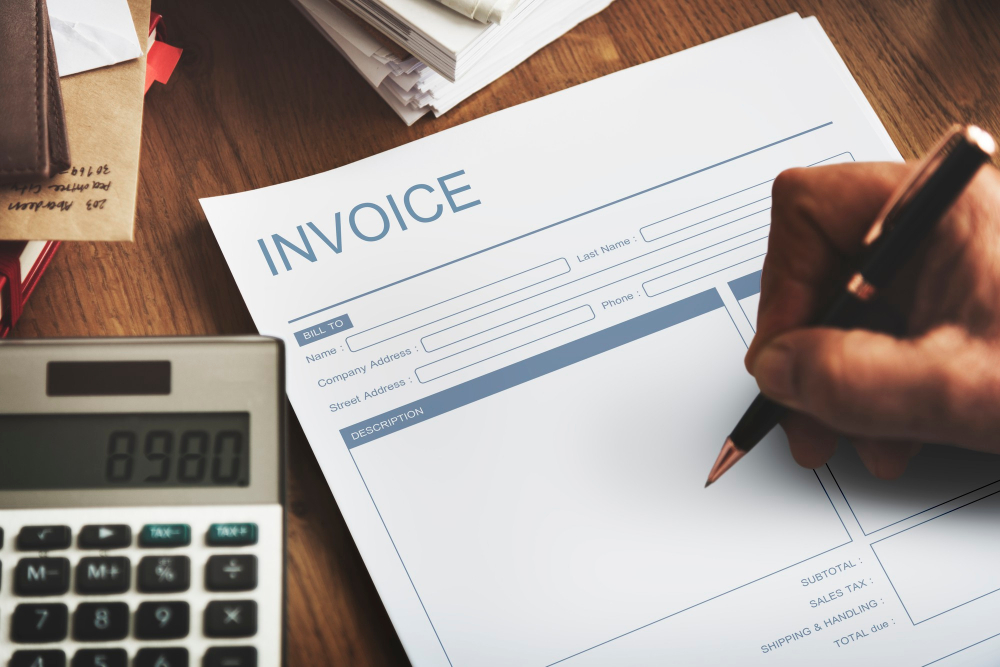
Researchers have studied the cost of handling invoices for years. Their findings vary by method and year, but they point in the same direction: manual handling costs several times more than automated handling.
What Do Industry Benchmarks Show?
Ardent Partners’ AP Metrics that Matter in 2025 puts the average cost to process an invoice at $9.40. Organizations outside the best-in-class group spend $12.88, while best-in-class teams spend $2.78. The table below puts those figures alongside related benchmarks.
| Metric | Typical organization | Best-in-class | Source |
| Cost per invoice | $12.88 | $2.78 | Ardent Partners, AP Metrics that Matter in 2025 |
| Time to payment-ready status | 17.4 days | 3.1 days | Ardent Partners, via Thomson Reuters |
| Invoice exception rate | 22% | 9% | Ardent Partners, via Thomson Reuters |
| Labor share of AP cost | 62% | Not reported | APQC, via CFO.com |
Other publications report slightly different averages, such as $9.84 versus $2.65 from Ardent’s State of ePayables 2025, because each report uses its own sample and definitions. Still, the gap stays between roughly 3.7 and 4.6 times in every version. Using the $12.88 and $2.78 pair, the difference equals $10.10 per invoice. A business that handles 500 invoices a month would therefore spend about $5,050 more each month, or $60,600 per year, under a manual process.
Why Does Labor Drive Most of the Cost?
Labor explains most of that gap. APQC research, reported by CFO.com, found that labor typically accounts for 62% of total AP costs and identified manual intervention as the main culprit. Paper, postage, and storage add smaller expenses, but staff time dominates.
Consequently, any tool that removes repetitive keystrokes attacks the largest line item first. This principle applies equally to a freelancer who bills hourly: every hour spent on admin is an hour that earns nothing.
What Hidden Costs Does Manual Invoicing Create?

Per-invoice processing cost captures only part of the damage. The larger expense often arrives after you send the invoice, when payment slips past its due date.
| Hidden cost | How it appears | Evidence |
| Late payments | Cash arrives after the due date | Xero data: payments almost nine days late in Q2 2026 |
| Overdue balances | Unpaid invoices accumulate | QuickBooks 2026: 59% of small businesses have invoices 30+ days overdue, up from 47% |
| Financing costs | Owners borrow to bridge gaps | Gateway 2025: short-term loans, credit cards, and credit lines top the list |
| Dispute handling | Staff time goes to corrections | Versapay: 27% spend at least half of AR time on disputes |
| Delayed growth | Hiring and investment wait | Gateway 2025: over half delayed or canceled growth plans |
How Do Late Payments Drain Cash Flow?
Xero small-business data showed that businesses waited an average of 29.3 days to receive payment during the second quarter of 2026, and payments arrived almost nine days late on average. Meanwhile, Intuit QuickBooks’ 2026 Small Business Late Payments Report found that 59% of small businesses have at least some invoices overdue by 30 days or more, up from 47% a year earlier. Payment terms matter too: 55% of businesses on net-30 terms carry overdue invoices, compared with 26% of those on immediate terms.
The financial effect compounds quickly. A 2025 survey by Gateway Commercial Finance, an invoice factoring specialist, put the average annual cost of late payments at $39,406 across more than 500 small business owners, and about 10% of respondents reported losses above $100,000. Furthermore, over half said late payments forced them to delay or cancel investment, expansion, or hiring. To bridge the gaps, owners most often turn to short-term loans, credit cards, and business lines of credit, and each of those carries interest.
How Does Manual Work Affect Your Team and Clients?
Manual processes also strain people and relationships. Ignition’s 2025 report, summarized by Clockify, found that 97% of surveyed marketing and creative agencies actively chase clients for late payments. Chasing takes time, and it forces owners into uncomfortable conversations.
Moreover, inconsistent invoice formats, missed reminders, and slow delivery signal disorganization to clients, which can weaken trust. Versapay’s survey adds that 26% of respondents cited late payments as a reason for ending a B2B partnership.
How Does FreshBooks Automate the Invoicing Workflow?
FreshBooks targets the repetitive steps listed earlier. Instead of rebuilding, sending, and chasing each invoice, you define rules once and let the platform execute them. The sections below examine the three features that most directly affect cost.
How Do Recurring Invoices Reduce Repetitive Work?
Recurring invoices let you create an invoice once and send it to the client on a fixed schedule. According to FreshBooks’ own guidance, you enable the function when you create a new invoice, and it suits service businesses that bill a fixed number of hours or a package each month. As a result, a retainer client no longer requires a monthly rebuild. The platform also protects you from missed billing cycles, which would otherwise delay revenue.
Recurring invoices remove several chores:
- Monthly template copying
- Re-entering client details
- Forgotten billing dates
- Manual sending of each invoice
How Do Payment Reminders and Late Fees Protect Cash Flow?
Automatic reminders replace the awkward nudge. FreshBooks lets you send up to three reminders by email, before and after the due date, and it applies a client’s reminder settings to future invoices once you configure them. Next, late fees add a financial incentive. You can set the fee as a percentage of the invoice or as a flat amount. FreshBooks notes that a late fee doesn’t suit every client and that a softer approach sometimes works better, so apply the feature selectively.
Legal limits matter as well. In the United States, you can set your own late fee in a B2B contract, but the fee must reasonably estimate the actual harm caused by the delay, or a court may dismiss it, according to Clockify’s state-by-state summary. Therefore, include the fee in your contract or terms before you rely on automatic charges, and consider having a lawyer review them.
How Do Online Payments Speed Up Collection?
Online payment options shorten the path from invoice to cash. FreshBooks lets clients pay by credit card and bank transfer (ACH), and it claims card payments help you get paid up to two times faster. That claim rests on a FreshBooks customer survey, so treat it as a vendor figure rather than independent proof.
FreshBooks’ blog also describes ACH payments at a 1% fee per transaction, which undercuts typical card fees. Because fees and plan inclusions change, confirm current pricing and check which plan includes reminders and late fees before you commit. One independent review lists payment reminders and late fees among the higher-tier features.
How Do the Costs Compare Side by Side?

The table below lines up each stage of the billing cycle and shows where the cost sits in a manual process versus an automated one.
| Cost factor | Manual invoicing | FreshBooks automation |
| Invoice creation | Copy and edit templates by hand | Copy past invoices or schedule recurring ones |
| Delivery | Email each PDF individually | Send directly from the platform |
| Payment follow-up | Write and send each reminder | Scheduled automatic reminders |
| Late fees | Calculate and add manually | Applied by a rule you set |
| Payment collection | Bank details, cheques, or transfers | Online card and ACH payments |
| Reconciliation | Match deposits to a spreadsheet | Record payments against the invoice |
| Direct cost | No software fee, but high labor | Subscription plus payment-processing fees |
| Error risk | Re-keying and formula mistakes | Fewer manual touchpoints |
How Can You Calculate Your Own Invoicing Cost?
Follow these steps to build a personal estimate:
- Count the invoices you send each month.
- Time each step of your current process, including chasing and reconciliation.
- Multiply the total minutes by your hourly labor cost.
- Add overhead such as software, printing, and postage.
- Estimate the cost of lateness by multiplying average days late by daily revenue.
- Compare the total with the FreshBooks subscription and payment fees for your plan.
Step five deserves extra attention. A business that bills $60,000 per month earns about $2,000 per day. If clients pay nine days late on average, that business carries roughly $18,000 in avoidable receivables at any moment. Even a modest improvement frees real working capital.
What Are the Limits of FreshBooks Automation?
No tool eliminates every invoicing problem, and an honest cost comparison must include the limits. Xero-produced coverage of the late-payment problem notes that invoice automation alone typically does not solve cash flow trouble, especially when a business already struggles. Clear terms, prompt invoicing, and cash flow forecasting still matter.
- Fees: FreshBooks charges a monthly subscription, and online payments carry transaction fees.
- Plan tiers: Some automation features sit on higher plans, so the cheapest plan may not include everything.
- Customization and mobile limits: One independent review lists limited customization and a weak mobile app as drawbacks. Test both before you commit.
- Setup effort: You must clean client data and configure reminders before the savings appear.
- Client behavior: Automation sends the reminder, but the client still decides when to pay.
- Scope: FreshBooks serves small service businesses well. Companies that process thousands of supplier invoices need dedicated accounts payable automation instead.
These limits do not erase the savings. Instead, they show where to expect them: in recurring billing, follow-up, and payment collection.

What Do Case Studies Show About Manual Invoicing vs FreshBooks Automation?
The three scenarios below are illustrative models, not reports about specific FreshBooks customers. Each one states its assumptions openly so that you can swap in your own numbers. All three value staff time at $35 per hour.
Case Study 1: How Much Time Does a Solo Consultant Save?
A solo consultant sends 30 invoices per month. We assume she spends 25 minutes per invoice on creation, sending, tracking, and chasing, totaling 12.5 hours and costing $437.50 per month. With FreshBooks, she copies past invoices, sends them from the platform, and relies on automatic reminders, so we assume the effort drops to 8 minutes per invoice, or 4 hours per month. The savings equal 8.5 hours, or about $297.50 per month and $3,570 per year, before subscription and payment fees.
Case Study 2: How Does an Agency Cut Retainer Billing Time?
A 12-person agency sends 120 invoices per month: 60 retainer invoices and 60 project invoices. Manually, each invoice takes 20 minutes, so the team spends 40 hours per month. With FreshBooks, recurring invoices handle the retainers, and we assume a 2-minute review per invoice, or 2 hours total. Project invoices still need attention, but we assume they drop to 12 minutes each, or 12 hours. The new total of 14 hours saves 26 hours, or about $910 per month ($10,920 per year).
Case Study 3: How Much Cash Does Faster Payment Free Up?
A design studio bills $60,000 per month on net-30 terms, and clients pay nine days late on average, matching the Xero figure. That lateness ties up about $18,000 in receivables. Suppose automatic reminders and online payment links cut average lateness from nine days to six. The studio would then carry $12,000 instead, freeing $6,000 in working capital. If the studio would otherwise borrow that amount at an assumed 15% annual interest rate, it avoids about $900 in interest per year.
| Scenario | Key assumption | Estimated result |
| Solo consultant | 30 invoices; 25 min manual vs 8 min automated | 8.5 hours and $297.50 saved per month |
| 12-person agency | 120 invoices; 60 recurring retainers | 26 hours and $910 saved per month |
| Design studio | Lateness falls from 9 to 6 days | $6,000 freed; about $900 interest avoided per year |
These models rely on assumptions, not guarantees. Replace the timings and rates with your own, and subtract the FreshBooks subscription and payment fees to find your true net savings.
How Can You Move From Manual Invoicing to FreshBooks?
A phased approach limits disruption and proves the value early:
- Audit your process. List your clients, invoice volumes, and payment terms.
- Clean your client data. Verify emails, billing addresses, and tax details.
- Build templates. Add branding, payment terms, and tax settings once.
- Schedule recurring invoices. Start with retainer and fixed-fee clients.
- Configure reminders. Set messages before the due date, on it, and after it.
- Enable online payments. Decide client by client whether late fees fit.
- Review after 60 days. Compare hours spent and average days to payment.
Start with clients who generate repeat invoices, because they deliver the quickest wins.
Key Takeaways
Manual invoicing looks free, but it carries a steep price. Benchmark research puts the cost of non-best-in-class invoice handling at $12.88 per invoice, compared with $2.78 for best-in-class teams, and labor drives most of that gap. Meanwhile, late payments cost small businesses an average of $39,406 per year, according to Gateway’s survey.
FreshBooks attacks the highest costs directly. Recurring invoices remove repetitive creation, automatic reminders and late fees replace manual chasing, and online payments shorten the route to cash. However, the software works best when paired with clear terms, clean data, and regular reviews. Check plan features and fees before you decide, and test the platform with a few real invoices.
Finally, consider a partner for setup and integration. Solution for Guru can help you turn FreshBooks from a tool into a reliable billing workflow.
Frequently Asked Questions
Ardent Partners reports $12.88 per invoice for organizations outside the best-in-class group, compared with $2.78 for the best performers. Your own cost depends on invoice volume, process complexity, and hourly labor cost. Remember that these benchmarks come from accounts payable, so treat them as a guide for your receivables process.
FreshBooks claims that card payments help you get paid up to two times faster, based on its own customer survey. Independent evidence on that exact figure is limited. Nevertheless, automatic reminders and online payment options address two common causes of delay: forgotten invoices and inconvenient payment methods. Results still depend on your clients, so measure your average days to payment before and after the switch.
Usually yes, when you send enough invoices to repeat the same steps often. In Case Study 1, a consultant with 30 monthly invoices saves roughly $297.50 per month in time under stated assumptions. Compare that figure with your plan’s price and payment fees. If you send only a handful of invoices each month, the savings shrink, so run your own numbers first.
What Are the Benefits of Cooperation With Solution for Guru?
Software alone rarely delivers the full savings, because configuration and integration decide the outcome. Solution for Guru is a tech solutions provider that specializes in web development, AI and automation, CRM and SaaS integrations, and digital strategy, and its website reports more than 35 clients. Businesses that adopt a platform such as FreshBooks can use that expertise to connect invoicing with the rest of their operations.

| Implementation gap | How a partner such as Solution for Guru helps |
| Messy client and billing data | Audits and cleans records before migration |
| Disconnected tools | Connects CRM, project, and accounting systems so data flows once |
| Repetitive work beyond invoicing | Applies AI and automation solutions to approvals and notifications |
| Unclear processes | Maps workflows through tech consulting and strategy |
| Data protection concerns | Adds cybersecurity and data protection measures |
In practice, cooperation brings three main benefits:
- Faster setup: Experienced specialists configure the platform correctly the first time.
- Connected systems: One integrated workflow replaces scattered spreadsheets and manual re-entry.
- Ongoing improvement: A consulting partner reviews results and refines automation as your business grows.
Visit Solution for Guru to request a free consultation.
Recommended:
- Can FreshBooks Scale With a Growing Business?
- What Are the Best Xero Integrations for E-commerce Businesses?
- Xero Financial Reports Explained: Balance Sheets, Profit and Loss, and Cash Flow Statements
- Payroll in Xero: Gusto integration and salary processing
- How Do You Manage User Access and Permission Levels in Xero?
- How Does Xero Work for Specific Industries Such as Construction, Retail, Real Estate, and Agencies?
- How Does Switching from Excel or Paper-Based Bookkeeping to Xero Change Your Team’s Daily Work?
- FreshBooks for Multi-Project Environments: What Are the Strengths and Weaknesses?
- Using FreshBooks to Track Project Profitability: How Can You See Which Projects Actually Make Money?
- Square and Xero Integration
- Contactless Payments and NFC Processing in Square
- Understanding Square Credit Card Processing Fees
- Customer Loyalty Programs in Square
- How Secure Is Square for Payment Processing?
- Square for Restaurants and Cafes
- How Businesses Use Square to Accept Payments Online and In-Store
- What Is Square Credit Card Processing and How Does It Work?
- Xero for Small Business: Is It the Right Accounting Software for You?