What Is Square Credit Card Processing and How Does It Work?

Accepting card payments is no longer a luxury reserved for large retailers — it is a baseline expectation for every modern business. Square has built its reputation by making credit card processing fast, affordable, and accessible to businesses of every size, from solo food vendors to multi-location restaurant chains. In this article, we break down exactly what Square credit card processing is, walk through how it works step by step, and examine the full feature set that sets Square apart from traditional merchant account providers.
Whether you run a retail store, manage a service business, or sell online, understanding Square’s payment processing capabilities helps you make a confident and well-informed decision for your business.
Table of contents
| Quick Summary Square is a full-stack payment processing and business management platform founded in 2009.It processes credit cards, debit cards, contactless payments, and digital wallets including Apple Pay and Google Pay.Square charges flat-rate transaction fees with no monthly fee on its free plan.Hardware options include the free Square Reader, Square Terminal ($299), and Square Register ($799).The platform integrates payments with POS, inventory, payroll, invoicing, and analytics tools.Square serves businesses in the US, Canada, UK, Australia, Japan, and Ireland.Solution for Guru helps businesses implement and optimise Square for maximum operational ROI. |
What Is Square and How Does It Relate to Credit Card Processing?
Square is a financial technology and commerce platform that enables businesses to accept, process, and manage payments across in-person, online, and mobile channels. Jack Dorsey and Jim McKelvey co-founded Square in San Francisco in 2009, originally with a single mission: allow any small business owner to accept a credit card payment using nothing more than a smartphone. That deceptively simple idea disrupted an industry dominated by clunky terminals, opaque fee structures, and lengthy merchant account applications.
Today, Square processes billions of dollars in payments annually and serves millions of businesses worldwide. The platform has evolved far beyond its original card reader into a comprehensive commerce ecosystem that includes point-of-sale software, an online store builder, invoicing tools, payroll, appointment scheduling, and business banking — all anchored by its core credit card processing engine.
Square’s relationship to credit card processing is foundational. Every product Square offers connects back to its core payment infrastructure. When a customer swipes, taps, or dips a card at any Square-powered terminal, Square acts simultaneously as the payment processor, the merchant acquirer, and the point-of-sale system. This vertical integration allows Square to offer flat-rate pricing, instant setup, and a seamlessly unified data experience — advantages that traditional payment processors, which rely on multiple intermediaries, consistently struggle to match.
For businesses exploring their first payment processor or looking to simplify an overcomplicated multi-vendor setup, Square represents the clearest path to a modern, integrated payment operation.
How Does Square Credit Card Processing Work?
Understanding how Square processes a payment from tap to deposit demystifies the technology and helps business owners appreciate exactly what they pay for. The process moves through several distinct stages, each handled automatically within Square’s infrastructure.
How Does Square Capture a Card Payment?
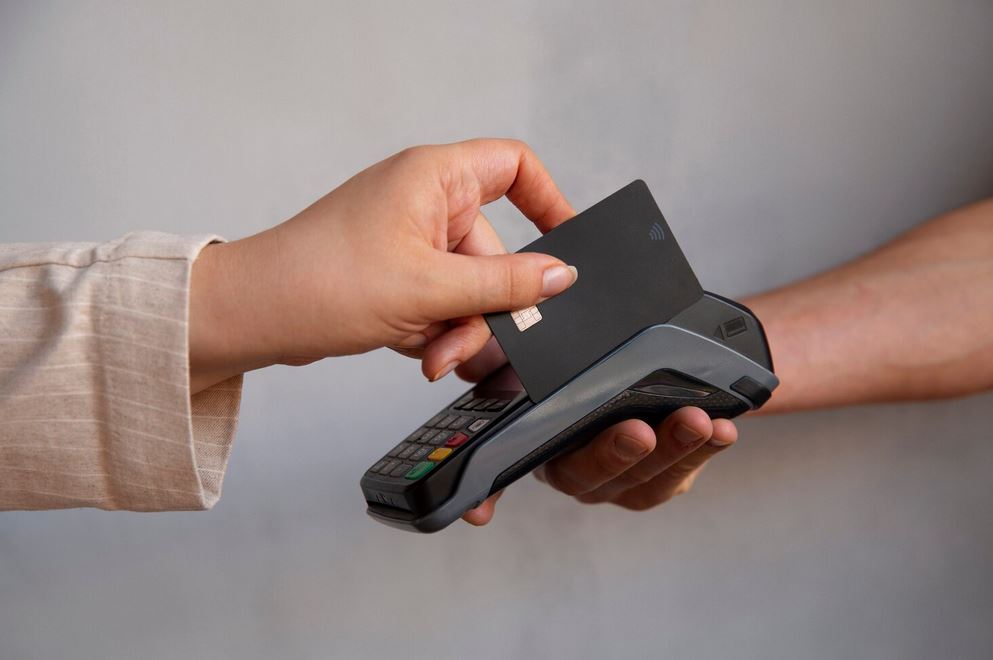
When a customer presents their card — whether by swiping the magnetic stripe, inserting the chip, or tapping a contactless card or phone — the Square hardware reads and immediately encrypts the card data. Square’s reader uses end-to-end encryption (E2EE) to protect card information the moment the card makes contact with the device. The encrypted data then travels over a secure internet connection to Square’s processing servers.
Square supports all major payment methods through a single device: Visa, Mastercard, American Express, Discover, Apple Pay, Google Pay, Samsung Pay, and contactless cards. This breadth means businesses never need to turn a customer away due to an unsupported payment type — a practical advantage that directly protects revenue at every transaction.
How Does Square Authorise and Settle a Transaction?
After Square captures and encrypts the card data, its servers communicate with the relevant card network (Visa, Mastercard, etc.) and the customer’s issuing bank to request authorisation. This entire exchange typically completes in two to three seconds. When the bank approves the transaction, Square confirms the sale to both the merchant and the customer in real time, displaying the approval on screen and generating a digital or printed receipt.
Settlement happens separately from authorisation. Square batches approved transactions and transfers the net funds — after deducting its processing fee — to the merchant’s linked bank account. Standard transfers arrive within one to two business days, while Square’s Instant Transfer option delivers funds within minutes for an additional 1.75% fee. According to a 2025 J.D. Power study on merchant satisfaction, next-business-day or faster settlement ranks as the top feature small business owners prioritise when choosing a payment processor.
How Does Square Handle Refunds and Disputes?
Square processes refunds directly from its dashboard or mobile app. Merchants initiate full or partial refunds without contacting a support team, and the refund posts to the customer’s card within two to seven business days depending on their issuing bank. Square does not charge a fee to process refunds, though the original processing fee is not returned — consistent with industry-standard practice across all major processors.
For disputes and chargebacks, Square provides a dedicated dispute management interface. Merchants receive automatic notifications of disputes and can submit evidence — receipts, delivery confirmation, communication records — directly through the Square dashboard. Square’s dispute team then represents the merchant with the card networks. Gartner research notes that businesses using integrated dispute management tools resolve chargebacks 35% faster than those managing disputes through separate bank portals.
What Hardware Options Does Square Offer for Credit Card Processing?
Square’s hardware lineup spans every business context, from mobile pop-up markets to full-service restaurant kitchens. Each device integrates natively with Square’s software, requiring no third-party configuration or complicated driver installations.
| Device | Best For | Key Features | Price |
| Square Reader (magstripe) | Mobile, pop-up, markets | Plugs into headphone/Lightning jack; swipe payments | Free (first reader) |
| Square Reader (chip & tap) | Retail, services | Chip + contactless NFC; Bluetooth; compact | $49 |
| Square Terminal | Restaurants, salons, retail | Built-in receipt printer; touchscreen; all payment types | $299 |
| Square Register | High-volume retail & F&B | Dual screen; built-in POS; offline mode; all payment types | $799 |
| Square Stand | iPad-based POS counters | Rotates to face customer; chip, tap, swipe; accessory compatible | $149 |
| Square Online Checkout | E-commerce, invoicing | No hardware required; payment links or embedded checkout | Free |
Notably, Square offers its magnetic stripe reader free of charge to every new account holder. This zero-cost entry point removes the hardware barrier that historically prevented micro-businesses and sole traders from accepting card payments. As a business grows and processes higher volumes, upgrading to the Terminal or Register delivers faster throughput, built-in receipt printing, and a more professional customer-facing experience.
How Much Does Square Charge for Credit Card Processing?
Square’s pricing philosophy centres on simplicity: flat-rate fees with no monthly contract on the base plan, no hidden charges, and no minimum processing volume. This transparency stands in sharp contrast to interchange-plus pricing models used by traditional merchant account providers, which require businesses to decode complex rate tables and cryptic monthly statements.
| Transaction Type | Fee | Notes |
| In-person (chip, tap, swipe) | 2.6% + $0.10 | All card types, all major networks |
| Online / keyed-in manually | 3.5% + $0.15 | Manual card entry or e-commerce checkout |
| Square Invoices (card payment) | 3.3% + $0.30 | Via Square Invoices app |
| ACH bank transfers | 1% (min $1.00) | Available for Square Invoices only |
| Afterpay (buy now, pay later) | 6% + $0.30 | Square absorbs BNPL risk; merchant receives full amount upfront |
| Instant Transfer | +1.75% of transfer | Funds deposited to bank account within minutes |
| Square Plus / Premium Plans | $29–$60/month | Reduced per-transaction rates for eligible businesses |
For businesses processing over $250,000 per year, Square offers custom pricing through its enterprise tier. According to Forrester Research’s 2025 Payment Processing Landscape report, flat-rate payment processors such as Square are often the most cost-effective option for smaller businesses. This is especially true for businesses that process less than $15,000 in payments each month. For businesses with higher transaction volumes, interchange-plus pricing may offer lower overall costs. The cost advantage typically begins once monthly processing exceeds $15,000.
Furthermore, Square’s free plan includes no monthly subscription fee, which means businesses with seasonal or variable revenue pay only when they process transactions — a significant financial advantage over legacy terminal rentals that charge monthly regardless of sales volume.
What Point-of-Sale Features Does Square Include With Payment Processing?
Square bundles an extensive point-of-sale feature set directly into its payment processing platform at no additional cost on the base plan. These integrated tools transform Square from a simple card reader into a comprehensive business management system that replaces multiple standalone software subscriptions.
How Does Square Manage Inventory Alongside Payments?
Square’s inventory management system updates stock levels automatically with every sale. You add products with names, prices, descriptions, photos, and SKUs through the Square dashboard, then those items appear on your POS screen at checkout. When a transaction completes, Square deducts the sold quantity from inventory in real time and alerts you when stock falls below a threshold you define.
For retail businesses managing hundreds of SKUs across multiple locations, Square for Retail’s Advanced plan adds purchase order creation, vendor management, and cost-of-goods tracking. McKinsey research consistently shows that businesses with real-time inventory visibility reduce overstock costs by 15–30% compared to those relying on periodic manual counts — a direct bottom-line benefit.
How Does Square Support Multiple Sales Channels?
Modern businesses sell across physical stores, websites, social media, and marketplaces simultaneously. Square connects all these channels into one unified platform. In-person sales through Square POS, online sales through Square Online, and invoice payments through Square Invoices all funnel into the same inventory records, customer database, and reporting dashboard — creating one source of truth for your entire business.
This omnichannel integration eliminates the painful reconciliation process that burdens businesses running separate systems for each sales channel. When a customer purchases a product online and returns it in-store, Square handles the transaction seamlessly — updating inventory, logging the customer interaction, and recording the refund across all relevant records simultaneously.
How Does Square Handle Team Management and Permissions?
Square’s team management features let business owners create staff accounts with role-based permissions. You control exactly which employees can process refunds, access sales reports, apply discounts, or modify product prices. Each team member logs into the POS with a unique passcode, creating a clear audit trail of every action taken at the register.
Square Team Plus is available for $35 per month per location. It includes features such as shift scheduling, time tracking, and labour cost reporting. These tools help businesses manage their workforce more effectively. As a result, Square becomes more than just a payment processing solution. It also functions as a workforce management platform.. Scheduling employees and managing labour costs can be challenging for hospitality and retail businesses. This integrated capability helps streamline these tasks. As a result, businesses can save both time and money.
How Does Square Process Online and Remote Payments?
Beyond in-person transactions, Square offers a comprehensive suite of online and remote payment tools that allow businesses to capture revenue from customers they never meet face to face.
How Does Square Online Checkout Work?
Square Online provides a full website and e-commerce store builder that integrates natively with Square’s payment processing. Businesses create product listings, set shipping options, configure tax rules, and launch an online store without any coding knowledge required. The checkout experience supports all major card types, Apple Pay, Google Pay, and Afterpay — giving customers every major payment option in one streamlined flow.
For businesses that don’t need a full website, Square Checkout Links let you create a simple payment page for a specific product, service, or event ticket and share it via email, SMS, or social media. The customer clicks the link, enters their card details on a secure Square-hosted page, and completes the purchase in under a minute — with no Square account required on their end.
How Do Square Invoices Enable Remote Payment Collection?
Square Invoices allows businesses to create, send, and track professional invoices digitally. Clients receive an email with a secure payment link and pay directly from their browser using a card or ACH bank transfer. Businesses can create recurring invoices for subscription-based customers. They can also send automatic payment reminders to encourage on-time payments. In addition, businesses can require a deposit before starting work. These features help improve cash flow and reduce the need for manual payment follow-up.
The Invoices dashboard shows which invoices are outstanding, viewed, partially paid, or overdue — giving businesses a real-time accounts receivable picture. According to HBR research on accounts receivable practices, businesses that send digital invoices with embedded payment links collect payment an average of 11 days faster than those sending paper or PDF invoices without a direct payment mechanism.
What Reporting and Analytics Does Square Provide for Payment Data?

Every transaction Square processes generates data that flows into its reporting engine. Square’s dashboard delivers a rich layer of business intelligence that goes well beyond raw payment totals — giving business owners the insight they need to make smart, data-driven decisions.
| Report Type | Key Insights Delivered |
| Sales Summary | Total sales, refunds, net revenue, and average sale value by hour, day, week, or month |
| Item Sales Report | Best and worst-selling products by volume and revenue; sales broken down by category |
| Payment Methods Report | Split of cash vs card vs digital wallet vs buy-now-pay-later transactions |
| Employee Sales Report | Sales totals, average transaction size, and tips collected by team member |
| Customer Directory | Purchase history, visit frequency, lifetime value, and contact details per customer |
| Shift Reports | Revenue and transaction count processed during each staff shift |
| Tax Summary | Tax collected by rate type; exportable for accountant or tax authority submission |
Square also offers Square Analytics, an advanced reporting add-on that uses machine learning to identify sales trends, forecast busy periods, and highlight revenue opportunities. Business owners access all standard reports through the Square dashboard or the Square mobile app — meaning they can review last night’s sales figures from anywhere before the morning rush begins.
How Does Square Protect Payment Data and Maintain Compliance?
Security and compliance sit at the foundation of Square’s payment processing infrastructure. Every business that accepts card payments must comply with the Payment Card Industry Data Security Standard (PCI DSS). These requirements help protect customer payment information. Square manages much of this compliance process on behalf of its merchants. This reduces the administrative workload for businesses. It is especially beneficial for small companies that do not have dedicated IT or compliance teams.
- PCI DSS Level 1 Compliance: Square holds the highest level of PCI certification, independently audited every year. Merchants using Square automatically benefit from this compliance status without managing their own PCI audit process.
- End-to-End Encryption (E2EE): Card data encrypts at the point of capture in the hardware and stays encrypted throughout transmission. Square’s servers never receive unencrypted card numbers at any stage.
- Tokenisation: After authorisation, Square replaces card numbers with unique tokens in its system. Even if a data breach occurred, stolen tokens carry no usable payment information.
- Fraud Detection: Square’s machine learning models analyse every transaction for anomalous patterns and flag suspicious activity in real time. Merchants can also set transaction limits and block specific card types.
- Dispute Protection: Square’s Chargeback Protection, available on paid plans, covers eligible disputes up to $250 per month — absorbing the financial impact of fraudulent chargebacks automatically.
Taken together, these security layers give businesses and their customers a payment environment that meets or exceeds the standards of traditional bank-issued merchant accounts.
How Does Square Compare to Other Credit Card Processors?

Choosing a payment processor requires comparing fees, features, contract terms, and support across the leading options. The table below benchmarks Square against two major alternatives — Stripe and PayPal Zettle — across the dimensions that matter most to small and medium businesses.
| Criterion | Square | Stripe | PayPal Zettle |
| In-Person Fee | 2.6% + $0.10 | 2.7% + $0.05 | 2.29% + $0.09 |
| Online Fee | 3.5% + $0.15 | 2.9% + $0.30 | 3.49% + $0.09 |
| Monthly Fee (base plan) | $0 | $0 | $0 |
| Free Hardware | Yes (magstripe reader) | No | No |
| Built-in POS | Yes (full-featured) | No (developer-focused) | Basic only |
| Native Inventory Management | Yes | No (requires integration) | Basic |
| Payroll Integration | Yes (native) | No | No |
| Instant Payout Option | Yes (+1.75%) | Yes (+1.5%) | Yes (+1.5%) |
| Best For | SMEs needing full POS ecosystem | Developers and e-commerce | PayPal-ecosystem businesses |
Square’s standout advantage in this comparison is its native, full-featured POS system included at no extra cost. Stripe, while more flexible for developers and custom integrations, requires significant technical expertise to build a comparable in-person payment experience. PayPal Zettle offers competitive in-person rates but lacks the comprehensive business management tools that Square bundles into its ecosystem.
For small and medium businesses that want a single vendor covering in-person payments, online sales, invoicing, and team management, Square delivers the most complete out-of-the-box solution in the market today.
Which Industries Does Square Credit Card Processing Serve Best?
How Does Square Serve Restaurants and Food Businesses?
Square for Restaurants is a dedicated version of Square’s POS designed specifically for food service operations. It handles table management, course-based ordering, kitchen display system (KDS) integration, modifier stacks, and split-bill functionality. Servers take orders tableside on an iPad, the kitchen receives tickets instantly on the KDS screen, and customers pay at the table — all within one connected Square system. For food trucks, cafes, and quick-service restaurants, Square Terminal provides a compact all-in-one device that replaces an entire traditional POS counter setup at a fraction of the cost.
How Does Square Support Retail Businesses?
Square for Retail extends the core POS with advanced inventory features including barcode scanning, purchase order management, vendor catalogues, and shrinkage tracking. Retail businesses with multiple locations manage all stock centrally from one dashboard, transfer inventory between stores, and set location-specific pricing where needed. Square’s integrated loyalty programme automatically recognizes and rewards repeat customers. By encouraging repeat purchases, it helps improve customer retention. Because the system operates automatically, business owners can benefit from a loyalty programme without spending time managing it.
How Does Square Work for Service and Appointment-Based Businesses?
Square Appointments brings booking management, calendar scheduling, and payment collection into one platform for salons, spas, personal trainers, consultants, and other service providers. Clients book appointments online through a Square-hosted booking page or via an embedded widget on the business’s own website. Square automatically sends reminders to reduce no-shows, and businesses can require credit card details at booking to enforce cancellation policies — protecting revenue from last-minute cancellations that would otherwise go uncompensated.
What Conclusions Can We Draw About Square Credit Card Processing?
Square has fundamentally changed what businesses can expect from a payment processor. Where traditional merchant accounts delivered a narrow transaction service surrounded by hidden fees, opaque contracts, and separate hardware rentals, Square delivers a complete commerce ecosystem built around payments — accessible to any business, regardless of size or technical expertise.
Specifically, three qualities make Square a compelling choice for businesses evaluating their payment processing options. First, Square’s flat-rate pricing eliminates the complexity and unpredictability that frustrate business owners using interchange-plus or tiered-rate processors. Second, Square’s integrated software stack — POS, inventory, invoicing, payroll, and analytics — removes the need to cobble together multiple vendors, reducing both cost and operational friction. Third, Square’s continuous product development ensures the platform grows alongside your business, adding capabilities like Afterpay integration, advanced analytics, and multi-location management as your needs evolve.
However, choosing Square is just the starting point. Implementing it correctly — configuring it for your industry, integrating it with your other systems, and training your team effectively — determines whether you capture its full potential or leave significant value on the table. Working with a specialist partner like Solution for Guru ensures your Square deployment is structured, efficient, and optimised from the outset — turning a powerful platform into a genuine competitive advantage for your business.
Frequently Asked Questions
Square handles temporary internet outages through its offline mode, available on Square Terminal and Square Register. When your internet connection drops, Square continues to accept card swipes and chip insertions, storing the transaction data locally on the device. Once connectivity restores, Square automatically processes all stored transactions. However, Square does not perform real-time authorisation during offline mode, which means there is a small risk of accepting a card that the issuing bank would normally decline. To manage this risk, Square lets you set a maximum transaction limit for offline acceptance — for example, only approving offline transactions under $200. Contactless payments and manual card entry do not work in offline mode, so businesses operating in areas with unreliable connectivity should consider a backup mobile data connection as a precaution alongside their primary internet setup.
Yes — Square includes a comprehensive tax management system that calculates and collects sales tax automatically at the point of sale. You create tax rates in the Square dashboard — including state, county, city, or fully custom rates — and assign them to specific products or apply them globally across all sales. Square calculates the correct tax amount on every transaction, displays it to the customer on the receipt, and records it separately in your sales reports. At the end of a reporting period, Square’s Tax Summary report breaks down tax collected by rate, making it straightforward to file sales tax returns or hand off the data to your accountant or tax advisor. For businesses operating across multiple states or tax jurisdictions, Square supports multiple simultaneous tax rates and location-specific tax configurations that apply automatically based on where each sale occurs.
Why Should You Partner With Solution for Guru to Set Up Square?
Setting up Square for basic use is relatively simple. However, using all of its features effectively requires more expertise. Businesses often need help integrating Square with existing software, configuring it for their industry, and training employees to use it efficiently. Solution for Guru is a specialist consultancy that helps businesses deploy and optimise platforms like Square so they deliver maximum value from the very first day of operation.

Here is what partnering with Solution for Guru delivers for your Square implementation:
- Expert needs assessment: Solution for Guru begins by mapping your current payment workflows, identifying integration requirements, and recommending the right Square plan and hardware configuration for your specific business model and transaction volumes.
- Hardware setup and testing: Their team configures every Square device, tests all supported payment types, and verifies that receipts, taxes, and reporting all function correctly before your first live transaction.
- Third-party integration: Solution for Guru connects Square to your accounting software (QuickBooks, Xero), e-commerce platform, CRM, and inventory systems — ensuring data flows automatically without manual exports or time-consuming data re-entry.
- Staff training: Every team member who uses Square receives role-appropriate training — cashiers learn the POS, managers learn reporting dashboards, and administrators learn account and permission settings — so adoption is fast and confident across the whole organisation.
- Ongoing optimisation: As your business grows, Solution for Guru reviews your Square setup, recommends new features, and adjusts configurations to match your evolving operational needs and sales volumes.
- Compliance and security review: Their consultants verify that your Square setup meets applicable PCI DSS requirements and advise on best practices for protecting card data at every customer touchpoint.
Businesses that implement payment platforms with professional guidance consistently achieve faster team adoption, fewer configuration errors, and stronger integration with their wider tech stack. Solution for Guru brings the structured methodology and platform expertise to make your Square investment pay dividends quickly and sustainably.
Recommended:
- Xero for Small Business: Is It the Right Accounting Software for You?
- What is Xero — Overview of the Cloud Accounting Platform’s Features
- How Does FreshBooks Integrate with CRM, Payroll, and Project Management Tools?
- Financial Reporting Architecture in Zoho Books
- Zoho Books Architecture: Cloud Accounting Explained — How Does It All Work?
- FreshBooks for IT Consulting Firms: Managing Projects, Invoices, and Client Billing
- FreshBooks Review: Features, Pricing, Pros, and Cons
- Real-Time Financial Dashboards with Zoho Books
- How Can You Connect Zoho Books with Payment Gateways to Streamline Your Business Finances?
- Financial Data Migration to Zoho Books
- Zoho Books for Finance Teams: Automation and Financial Control
- How Zoho CRM Works: Data Model, Modules, and Relationships