Overview of the Xero App Marketplace (1,000+ Integrations): What Are the Most Popular Ones?
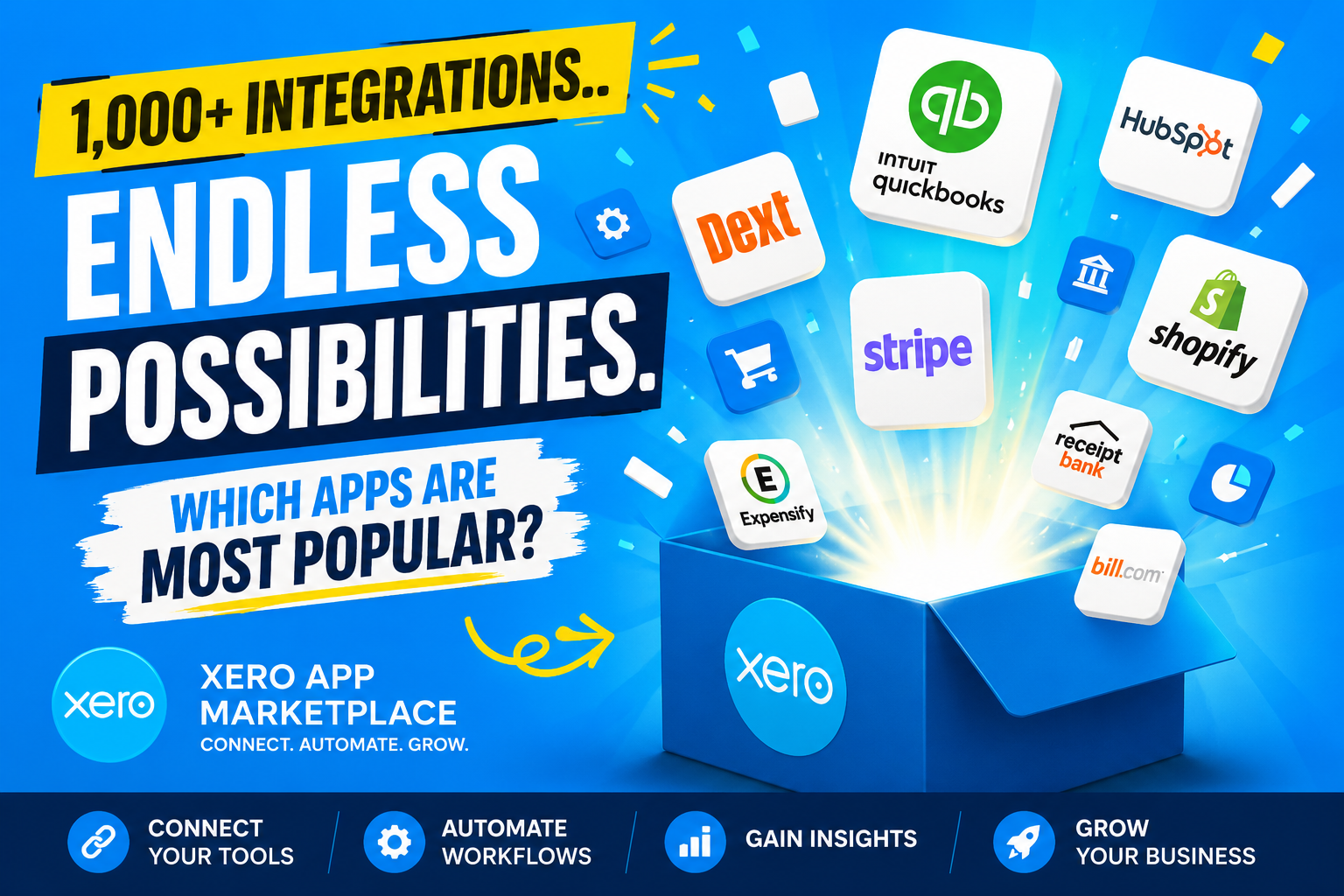
Managing a modern business means juggling dozens of tools — payroll, inventory, payments, CRM, and more. Fortunately, Xero brings all these workflows together through its thriving app marketplace. With over 1,000 integrations available, Xero has become the central hub for small and medium-sized businesses that want to automate their finances, reduce manual work, and make smarter decisions based on real-time data. In this guide, we walk through the Xero App Marketplace in depth, highlight the most popular integrations by category, and explain how partnering with Solution for Guru can help you get the most out of this powerful ecosystem.
Table of contents
Quick Summary
Before diving deep, here is a quick look at what this article covers:
- What Xero is and why its marketplace matters for small businesses
- How the Xero App Marketplace is structured (categories, tiers, and partner requirements)
- The most popular Xero integrations across six core categories
- A comparison table of top apps by category
- How Solution for Guru helps businesses implement and optimize Xero integrations
- Frequently asked questions about the Xero marketplace
What Is Xero and Why Does It Power Over 1,000 Integrations?
Xero is a cloud-based accounting platform founded in New Zealand in 2006. Today, the company serves over 4.6 million subscribers across more than 180 countries, making it one of the most widely adopted accounting solutions for small and medium-sized businesses globally. Xero dominates the SME market in the UK, Australia, and New Zealand, and continues to grow rapidly in the US and Canada.
What makes Xero especially relevant to this article is its open API approach. Rather than locking users into a closed ecosystem, Xero built its platform to connect seamlessly with virtually any business tool. This philosophy gave birth to the Xero App Marketplace — a curated directory where third-party software companies publish certified integrations that extend Xero’s core accounting functionality.
You can explore Xero’s full offering at this official Xero page. Xero’s mission aligns perfectly with the needs of growing businesses: simplify financial management, reduce time spent on admin tasks, and provide clear visibility into cash flow at any moment.
Furthermore, Xero actively vets and certifies every app partner. To list an integration on the marketplace, developers must build a working integration, onboard at least three active customers during a review window, and agree to Xero’s commercial terms. As a result, every app you find in the marketplace meets a consistent quality standard — which is a major advantage for businesses that value reliability.
How Does the Xero App Marketplace Work?
What Categories and Tiers Does the Marketplace Offer?
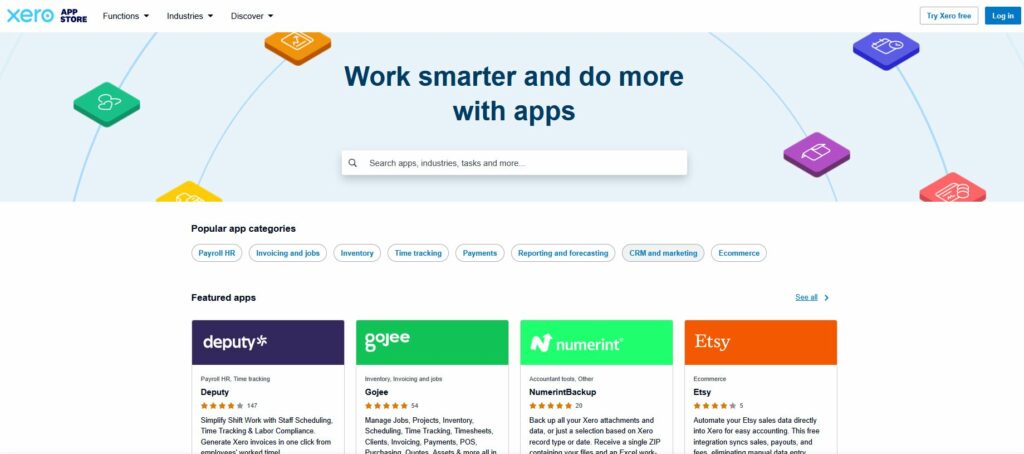
As of 2026, the Xero App Marketplace hosts over 1,000 apps across more than 30 categories. Listings appear organized by use case, industry, and region, making it straightforward for business owners to find tools relevant to their specific workflows. Each listing shows user ratings, pricing information, and which Xero plans the app supports.
The most active categories in the marketplace include:
- Payments and invoicing
- Payroll and HR management
- eCommerce and inventory
- Expense management and receipt capture
- Reporting and financial analytics
- CRM and customer management
- Document management and approval workflows
Additionally, Xero offers three types of integration connections that businesses should understand before choosing an app:
| Integration Type | Description | Best For |
| Native Marketplace Apps | Direct connections built by third-party vendors and listed in the Xero App Marketplace. One-click setup via Xero’s official API. | Most small and mid-size businesses — reliable, vetted, and easy to set up. |
| API-Based Integrations | Custom connections built by developers using Xero’s public API to push or pull data between platforms. | Businesses with unique technical requirements or custom workflows. |
| Middleware Tools (e.g., Zapier) | Automation platforms that bridge Xero with other apps without requiring a developer. | Teams that want quick automation without custom code. |
Which Are the Most Popular Xero Integrations by Category?
The sheer volume of apps in the Xero marketplace can feel overwhelming. Therefore, we break down the most widely used and highly rated integrations across the six most important categories for growing businesses.
What Are the Best Payment Integrations for Xero?
Payment integrations automate invoice generation, payment processing, and bank reconciliation — removing the manual effort of matching payments to invoices. Businesses with high transaction volumes, subscription models, or recurring billing benefit most from these connections.
Stripe stands out as the most widely adopted payment gateway in the Xero ecosystem. When you connect Stripe to Xero, the system automatically creates and matches invoices for every payment received, supports Apple Pay and Google Pay, and sets up recurring payments for repeat customers. There is no monthly subscription fee — Stripe charges standard processing fees (2.9% + $0.30 per transaction in the US). Setup takes only a single click from Xero’s payment settings.
GoCardless excels at B2B businesses that collect recurring payments via bank debit (ACH in the US, Direct Debit in the UK and EU). This integration reduces failed payments significantly compared to card-based billing and keeps reconciliation in Xero fully automated.
What Payroll Tools Connect Most Smoothly with Xero?
Payroll integrations automate wage calculations, tax withholdings, and payment processing. They ensure employees receive accurate payments on time while keeping Xero‘s general ledger up-to-date without manual journal entries.
Gusto leads the payroll category for US-based businesses. After every pay run, Gusto automatically syncs wages, taxes, and deductions directly into Xero as journal entries. The platform also handles benefits administration and new-hire onboarding, making it a comprehensive HR solution rather than just a payroll tool. Pricing starts at $40/month plus $6 per person.
For UK businesses, Xero offers its own built-in payroll module, which handles PAYE, pension auto-enrolment, and real-time RTI submissions to HMRC. Meanwhile, Rippling provides an enterprise-grade payroll and HR platform that integrates deeply with Xero for multi-country payroll management.
Which eCommerce Integrations Work Best with Xero?
eCommerce integrations sync sales, inventory, and payment data from online stores into Xero automatically. They solve a particularly tricky challenge: marketplace payouts. Amazon, Shopify, eBay, and Etsy do not deposit gross sales into your bank account — they deposit a net settlement that bundles sales, fees, refunds, taxes, and adjustments into a single lump sum.
Shopify offers a native, free integration with Xero (available in most regions). It posts a daily sales summary to Xero, tracks pending payments through a clearing account, and reconciles completed transactions against the correct bank account. The setup takes just one click from the Xero App Marketplace.
A2X solves the payout reconciliation problem for multi-channel sellers. The tool transforms messy payout data from Amazon, Shopify, eBay, Etsy, and Walmart into clean, summarized journal entries that match exactly to bank deposits in Xero. It separates sales, fees, taxes, refunds, and adjustments so your profit-and-loss statement reflects what actually happened — not just what you received.
| App | Category | Key Benefit | Pricing Model |
| Stripe | Payments | Auto-matches invoices; supports Apple Pay & Google Pay | 2.9% + $0.30/transaction |
| GoCardless | Payments | Recurring bank debit payments with auto-reconciliation | Pay-per-transaction |
| Gusto | Payroll | Full payroll + HR synced to Xero after every pay run | From $40/mo + $6/person |
| Shopify | eCommerce | Free daily sales sync and reconciliation with Xero | Free (requires Shopify plan) |
| A2X | eCommerce | Clean journal entries from marketplace payouts | Subscription-based |
| Fathom | Reporting | Visual financial reports and 3-way forecasting | Subscription-based |
| Hubdoc | Document Mgmt | Auto-captures bills and receipts into Xero | Included with some Xero plans |
| Dext | Expenses | AI-powered receipt scanning and data extraction | Subscription-based |
| Salesforce | CRM | Quote-to-cash data sync between CRM and accounting | Enterprise pricing |
| Tipalti | AP Automation | AI-powered invoice processing and global payments | Custom pricing |
What Are the Top Expense Management Apps for Xero?
Manual expense processes cost businesses enormous amounts of time. According to PYMNTS, manual administrative financial tasks at SMBs contribute to a $600 billion productivity loss globally. Expense management integrations eliminate this waste by automating receipt capture, approval workflows, and reconciliation.
Dext (formerly Receipt Bank) uses AI to extract data from receipts, invoices, and bills with remarkable accuracy. The tool captures supplier names, amounts, invoice numbers, and due dates automatically, then pushes the data directly into Xero. This eliminates duplicate data entry and creates a clean audit trail.
Webexpenses takes a slightly different approach, focusing on employee expense claims. Every approved expense flows automatically into Xero, and the two-way sync ensures the general ledger always reflects the latest transactions. Field-based teams particularly value Webexpenses for its mobile receipt-capture capabilities.
How Do Reporting and Analytics Integrations Enhance Xero?
While Xero provides solid built-in reporting, many businesses need deeper insights, multi-entity consolidation, or more visual dashboards than the native tools offer. Reporting integrations expand these capabilities significantly.
Fathom turns Xero data into actionable insights through visual reports and sophisticated forecasting models. It offers three-way forecasting that models best-case, worst-case, and likely scenarios for cash flow, profit, and balance sheet position. With a 4.95 out of 5 rating from over 450 Xero users, Fathom consistently ranks among the highest-rated apps in the entire marketplace.
For businesses that prefer working inside spreadsheets, Coefficient bridges Xero with Google Sheets and Excel in real time. Financial data syncs automatically, enabling teams to build live dashboards and automated reports without manually exporting data. Coefficient connects Xero with over 50 other business systems, making it a powerful hub for cross-platform analytics.
Which CRM Integrations Deliver the Most Value with Xero?
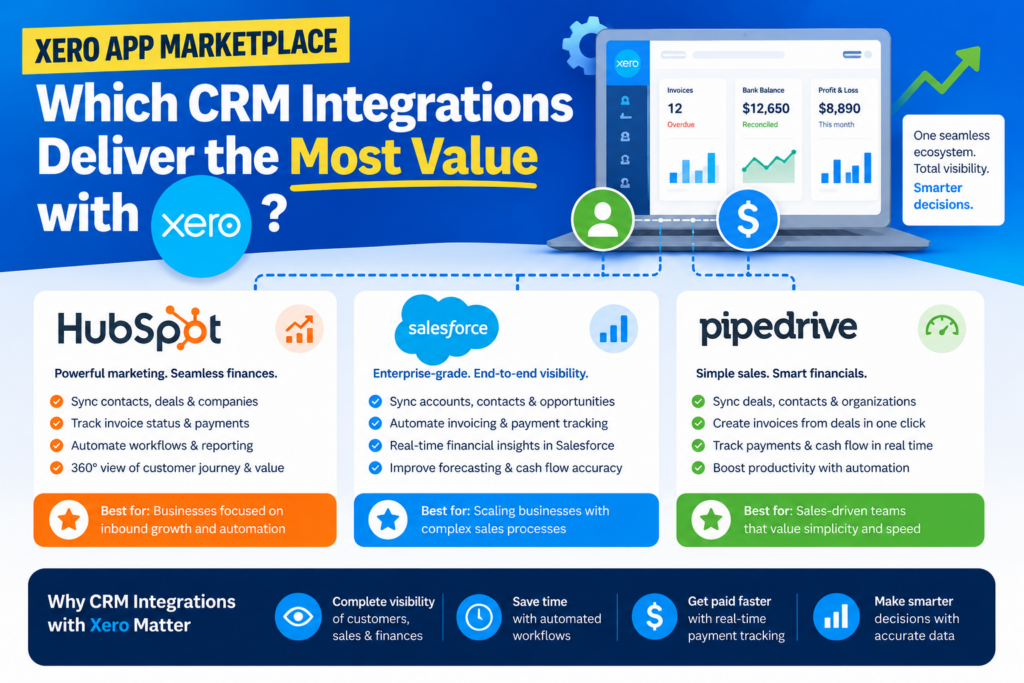
CRM integrations connect customer relationship data with financial records, helping businesses track interactions, manage sales pipelines, and ensure billing accuracy. Service-based businesses, B2B companies, and organizations with longer sales cycles benefit most from these connections.
Salesforce maintains multiple connection options through Xero marketplace apps. Enterprise B2B companies commonly use it to keep quote-to-cash data consistent between their CRM and accounting system — ensuring that when a deal closes in Salesforce, the correct invoice appears immediately in Xero.
For smaller teams, HubSpot and Pipedrive both offer Xero integrations that sync contact data, deal values, and invoices between platforms. This bidirectional sync means your sales team always works with current billing information, and your finance team sees the revenue pipeline without chasing updates.
What Are the Key Takeaways About the Xero App Marketplace?
The Xero App Marketplace is one of the most powerful resources available to small and medium-sized businesses today. With over 1,000 certified integrations, Xero transforms from a standalone accounting tool into the operational backbone of a connected business — automating payments, syncing payroll, managing inventory, capturing expenses, and delivering real-time financial insights all from a single platform.
The most important insight from this overview is that Xero’s value multiplies with each well-chosen integration. A business using only Xero’s native features captures perhaps 30% of the platform’s potential. Add Stripe for payments, Gusto for payroll, Shopify for eCommerce, and Fathom for reporting, and you create a financial ecosystem that runs largely on autopilot.
Moreover, choosing the right integrations requires more than reading app descriptions. It demands an honest assessment of your current workflows, your team’s technical comfort level, and the specific pain points you need to solve. That is precisely why working with an expert partner like Solution for Guru adds genuine value — they bring both the technical capability and the strategic perspective needed to build an integration stack that actually works for your business.
In conclusion, the Xero App Marketplace offers extraordinary potential for any business willing to invest in the right integrations. Start with the categories where you lose the most time — typically payments, expense management, or eCommerce reconciliation — and build outward from there. With the right apps and the right implementation partner, Xero becomes far more than accounting software. It becomes the operational foundation your business needs to scale confidently.
Frequently Asked Questions About the Xero App Marketplace
Browsing the Xero App Marketplace and connecting apps to your Xero account does not cost anything beyond your existing Xero subscription and the individual app’s own pricing. Many popular integrations — including Shopify and Hubdoc (with qualifying Xero plans) — are free to connect. However, most third-party apps charge their own subscription or transaction fees. Additionally, as of March 2026, Xero introduced a tiered API pricing model for developers building integrations, which may indirectly affect how some apps price their services over time.
As of 2026, the Xero App Marketplace hosts over 1,000 apps across more than 30 categories. These span everything from payroll and payments to CRM, eCommerce, document management, and industry-specific tools. Beyond the official marketplace, thousands of additional unofficial integrations exist — built by third-party platforms using Xero’s open API. Xero also actively expands its ecosystem through its App Partner program, which requires developers to meet quality standards before listing their apps publicly.
Solution for Guru provides end-to-end support for businesses looking to maximize their Xero investment. The team starts with a strategic consultation to understand your workflows and identify the integrations that will deliver the highest ROI. They then handle the technical setup, testing, and ongoing optimization of your chosen apps. For businesses that need custom solutions — such as a bespoke API connection between Xero and a proprietary internal system — Solution for Guru’s development team builds and maintains those connections as well. Visit www.solution4guru.com to book a free consultation and explore how they can help your business unlock the full potential of the Xero App Marketplace.
Why Should You Work with Solution for Guru to Set Up Your Xero Integrations?
Choosing the right integrations from over 1,000 options is only the first challenge. Actually setting them up correctly, connecting them to your existing workflows, and ensuring they deliver reliable results requires real expertise — especially when you run a business and cannot afford downtime or data errors.
This is where Solution for Guru makes a meaningful difference. Solution for Guru is a leading tech solutions provider specializing in web development, AI integration, digital strategy, and CRM and SaaS integrations. The company has built a reputation for delivering tailored implementations that match each client’s specific business context.

What Specific Services Does Solution for Guru Provide?
Solution for Guru covers the full stack of services that growing businesses need when expanding their Xero ecosystem:
- Integrate and customize platforms like Salesforce, Pipedrive, Zoho, and HubSpot directly with Xero to eliminate manual data transfer between sales and finance teams.CRM & SaaS Integrations:
- Build modern, high-performance web applications and client portals that connect to Xero’s API for automated invoicing and reporting.Custom Web Development:
- Leverage AI-powered workflows to automate repetitive Xero tasks — from invoice capture to monthly reporting.AI & Automation Solutions:
- Develop scalable online stores with deep Xero integration for real-time inventory and revenue tracking.eCommerce Development:
- Drive organic traffic to your business with result-driven marketing strategies that complement your operational improvements.SEO & Digital Marketing:
- Get expert advice on digital transformation and IT infrastructure — including which Xero integrations will deliver the best ROI for your specific industry.Tech Consulting & Strategy:
What Results Can Businesses Expect from Partnering with Solution for Guru?
Businesses that work with Solution for Guru report measurable improvements across three key areas. First, time savings — automation eliminates repetitive data entry and manual reconciliation tasks that previously consumed hours every week. Second, accuracy — correctly configured integrations remove the human error risk that comes with manual processes, ensuring your Xero data always reflects reality. Third, scalability — the right tech stack allows your business to grow without proportionally increasing administrative overhead.
Solution for Guru holds verified badges from UpCity, HubSpot Ecosystem, G2, and Clutch, reflecting consistent client satisfaction across more than 35 active clients. The company works with a diverse range of platforms that connect with Xero — including Deel, Zoho, Pipedrive, Salesforce, monday.com, and Rippling — which means they bring cross-platform expertise to every implementation.
Whether you need help selecting the right apps, building a custom Xero integration, or optimizing an existing setup that is not performing as expected, Solution for Guru delivers practical, business-focused solutions rather than generic technical implementations.
Recommended:
- FreshBooks vs Xero for Technology Companies: Which One Should You Choose?
- FreshBooks Reporting Features: What Financial Insights Can You Actually Get?
- Xero for Small Business: Is It the Right Accounting Software for You?
- What is Xero — Overview of the Cloud Accounting Platform’s Features
- How Does FreshBooks Integrate with CRM, Payroll, and Project Management Tools?
- Financial Reporting Architecture in Zoho Books
- Zoho Books Architecture: Cloud Accounting Explained — How Does It All Work?
- FreshBooks for IT Consulting Firms: Managing Projects, Invoices, and Client Billing
- FreshBooks Review: Features, Pricing, Pros, and Cons
- Real-Time Financial Dashboards with Zoho Books
- How Can You Connect Zoho Books with Payment Gateways to Streamline Your Business Finances?
- Financial Data Migration to Zoho Books
- Zoho Books for Finance Teams: Automation and Financial Control
- How Zoho CRM Works: Data Model, Modules, and Relationships