How Patriot Software Supports Time Tracking and Attendance Management

Tracking employee hours accurately is one of the most persistent challenges small businesses face, especially once a company grows beyond a handful of employees. Manual timesheets create room for error, overtime calculations become messy, and payroll teams often end up chasing down missing entries right before a pay run. What starts as a minor inconvenience with a few employees can quickly snowball into hours of reconciliation work as a team expands across shifts, roles, and locations. Fortunately, modern payroll platforms have started folding time tracking directly into their core systems, eliminating the disconnect between hours worked and hours paid. This article explores how Patriot Software supports time tracking and attendance management, and why this integration matters for small and mid-sized businesses trying to keep payroll accurate and compliant.
Table of contents
Quick Summary
Before exploring the details, here is a snapshot of how Patriot Software handles time tracking and attendance.
| Category | Overview |
|---|---|
| Product name | Patriot Time & Attendance (add-on module) |
| Pricing | $6/month base fee + $2 per active employee per month |
| Access methods | Web browser (no software to install) and mobile app |
| Overtime handling | Built-in “over 40 hours/week” rule with customizable state and local compliance |
| Payroll integration | Sends hours directly to payroll with one click |
| Billing model | Usage-based; businesses pay only for employees who use timecards |
Patriot Software treats time tracking as a natural extension of payroll rather than a separate, disconnected system. Because both products share the same underlying platform, hours logged by employees flow directly into payroll calculations without manual re-entry. The sections below explain exactly how this works and why it matters for day-to-day attendance management.
How Does Patriot Software Relate to Time Tracking and Attendance Management?
Patriot Software offers a dedicated add-on called Patriot Time & Attendance, which works directly alongside its payroll platform to capture, organize, and transfer employee hours. Because time tracking data feeds straight into payroll, businesses avoid the common problem of manually transcribing hours from a separate timekeeping tool into their payroll system every pay period. This integration directly addresses the core reason businesses invest in time tracking in the first place: making sure employees get paid accurately for the hours they actually worked.
Why Do Small Businesses Need Time Tracking Tied to Payroll?
When time tracking exists as a completely separate system from payroll, someone still has to manually transfer that data before every pay run. This extra step introduces opportunities for transcription errors, missed overtime hours, or overlooked time-off requests. Patriot Software eliminates this gap by letting businesses send hours to payroll with a single click, which means the same numbers employees see on their timecards are the numbers that actually determine their paychecks.
How Does the Add-On Structure Benefit Growing Businesses?
Patriot’s Time & Attendance module operates as an optional add-on rather than a bundled feature, which gives businesses flexibility as they grow. Companies that start with just payroll can add time tracking later without switching platforms entirely, and since billing is usage-based, businesses only pay for employees who actually use timecards. Consequently, a company with a mix of salaried employees who don’t track hourly time and hourly workers who do can avoid paying for functionality that some employees never touch.
What Core Features Does Patriot’s Time and Attendance System Offer?
Patriot’s time tracking module includes a range of features designed specifically to simplify the transition from paper timesheets or spreadsheets to a fully digital system.
How Do Employees Clock In and Out?
Employees can clock in and out through the free MY Patriot employee portal, accessible from any web browser without installing special software. This web-based approach means employees do not need dedicated time clock hardware, which lowers the barrier to adoption significantly for small businesses operating on tight budgets. Because the system runs entirely online, employees can also access their time cards and pay information from anywhere with an internet connection.
What Does the Mobile App Add to the Experience?
Patriot Software also offers a dedicated Time and Attendance mobile app, which supports both salaried and hourly employee time cards. The app allows employees to choose between time punch or manual entry, depending on what fits their workflow best, and it lets them view open time cards, submit completed ones, and check time-off balances directly from their phone. Given that a large share of today’s workforce already relies on mobile devices for work tasks, this mobile option helps ensure time tracking adoption does not stall simply because employees are away from a desktop.
How Are Multiple Pay Rates and Job Roles Handled?
Many small businesses employ workers who split time across different roles at different pay rates, such as a restaurant employee who works both as a server and a host. Patriot’s system supports multiple pay rates and job roles for employees logging worked hours, and this multi-role functionality specifically caters to hourly employees who need to record hours under more than one rate during the same pay period. As a result, payroll calculations stay accurate even when an employee’s hourly rate changes depending on which task they performed.
What Time Card Formats and Pay Periods Are Supported?
Time cards can be formatted for weekly, biweekly, semi-monthly, or monthly pay periods, matching whatever schedule a business already uses for payroll. Additionally, a salary time card format allows for daily total hours entry, which suits businesses that want to track salaried employee hours without requiring detailed clock-in and clock-out timestamps. Time cards are also automatically created each pay period, removing the need for administrators to manually generate a new one every cycle.
How Does the System Handle Time Off, Vacation, and Sick Leave?
Beyond tracking worked hours, Patriot’s time cards can be customized to include vacation, sick, and other non-worked hours. Employees can view their time-off balances directly within the mobile app or portal, which reduces the number of questions HR staff field about remaining vacation days. Because these balances stay visible and current, employees have a clearer picture of their available time off before requesting it.
Patriot Time and Attendance Features at a Glance
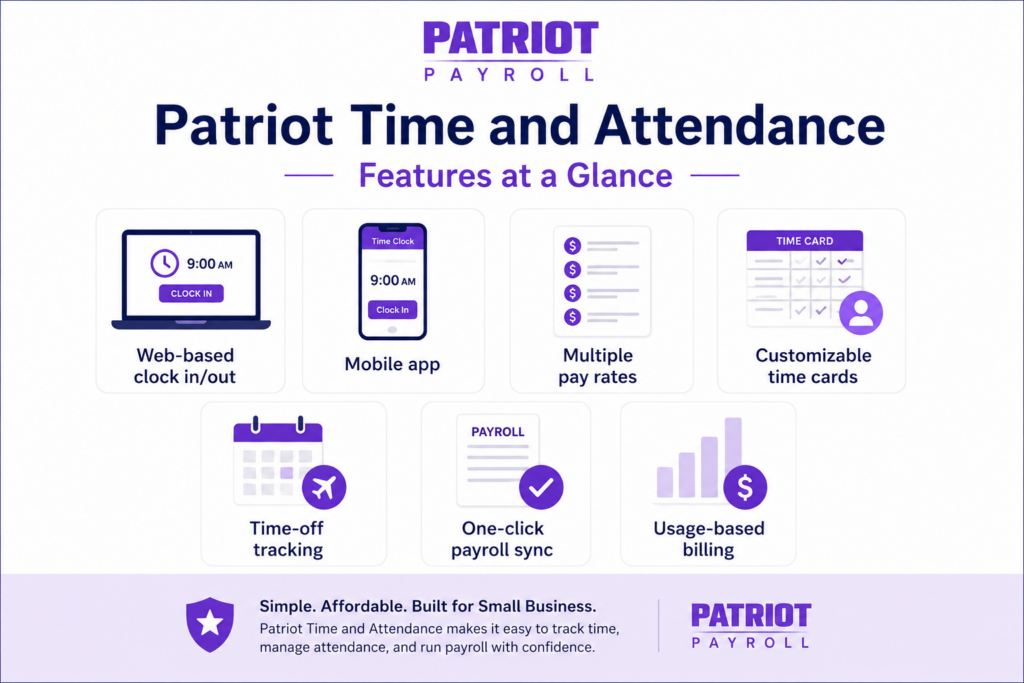
The table below summarizes the core capabilities of Patriot’s time tracking module.
| Feature | Description | Benefit |
|---|---|---|
| Web-based clock in/out | Accessible through MY Patriot portal, no hardware required | Lower setup cost and easier adoption |
| Mobile app | Supports punch and manual entry, works for hourly and salaried staff | Flexibility for remote or on-the-go employees |
| Multiple pay rates | Employees can log hours under different job roles | Accurate pay for multi-role workers |
| Customizable time cards | Supports weekly, biweekly, semi-monthly, and monthly periods | Matches existing payroll schedules |
| Time-off tracking | Vacation, sick, and other hours built into time cards | Reduces manual HR inquiries |
| One-click payroll sync | Sends approved hours directly to payroll | Eliminates manual data transfer |
| Usage-based billing | Pay only for employees using timecards | Cost efficiency for mixed workforces |
How Does Patriot Software Manage Overtime and Compliance?
Overtime rules vary by state and industry, which makes manual tracking risky for businesses without dedicated payroll expertise. Patriot’s system addresses this directly through built-in compliance tools.
What Overtime Rules Come Built Into the System?
Patriot’s time and attendance software comes with the standard “over 40 hours per week” overtime rule already configured, meaning businesses do not need to manually calculate when overtime kicks in for a typical workweek. Beyond this default setting, the system supports overtime and double-time calculations, which matters for industries like hospitality or retail where employees frequently work irregular or extended shifts.
Can Businesses Customize Overtime Rules for State and Local Requirements?
Yes. Because overtime laws differ across states, and some local jurisdictions impose their own thresholds beyond federal requirements, Patriot allows businesses to manage overtime rules for state and local compliance rather than relying solely on the federal default. This flexibility helps multi-location businesses avoid compliance gaps that could otherwise trigger costly penalties or back-pay obligations.
How Does the System Support Audit and Approval Trails?
Accountability matters just as much as accuracy when it comes to time tracking. Patriot’s system allows administrators to track who edited, approved, and rejected employee time cards, creating a clear audit trail for every adjustment. Additionally, the platform displays employee work hours broken down by regular, overtime, double-time, and vacation categories, giving managers a detailed view before approving a time card for payroll.
How Do Managers Approve and Oversee Employee Time Cards?
Time tracking is not just about employees logging hours; managers also need efficient tools to review and approve that data before it reaches payroll.
Can Managers Approve Multiple Time Cards at Once?
Yes. Managers can approve timecards in one central location, and the system supports bulk approval, which saves considerable time for supervisors overseeing larger teams. Rather than reviewing and approving each employee’s hours individually, managers can process an entire team’s time cards in a single pass once they’ve confirmed accuracy.
What Permission Controls Are Available for Managers?
Admins can set up manager permissions to control who has authority to approve time cards within the organization. This becomes particularly useful for businesses with multiple departments or locations, since it allows department-level oversight without granting every manager access to company-wide payroll data. Furthermore, role-based access controls help ensure sensitive time and attendance data stays restricted to those who genuinely need it.
Does the System Send Reminders for Missing Time Cards?
Yes, Patriot includes a nudge tool designed to remind employees to submit their hours before a payroll deadline. This feature directly addresses one of the most common attendance management headaches: chasing down employees who forget to submit their time cards until the last minute. By automating these reminders, administrators spend less time manually following up before every pay run.
How Does Time Tracking Integrate With Patriot Payroll?
The core value of Patriot’s time and attendance system comes from how tightly it connects with payroll processing itself.
How Does the Hours-to-Payroll Workflow Actually Work?
Once managers approve employee time cards, administrators can send those hours to payroll with a single click. This eliminates the manual re-entry step that many standalone time tracking tools still require, and it significantly reduces the risk of transcription errors between systems. Because both products live within the same platform, there is no need to export files, format spreadsheets, or manually match employee records between two separate systems.
Can Businesses Use External Time Tracking Tools Instead?
Yes. For businesses already using a different time tracking system, Patriot Software offers native integrations with several popular third-party tools, along with an API for connecting custom systems. This means businesses are not locked into using Patriot’s own time and attendance add-on if they already have an established workflow elsewhere; instead, they can automatically import hours and data without manual entry, regardless of which tool captures the original time data.
Does This Integration Extend to Accounting Software?
Indirectly, yes. Because Patriot Payroll integrates with QuickBooks Desktop and QuickBooks Online, hours that flow from time tracking into payroll ultimately sync with accounting records as well. This creates a more complete chain of data, from the moment an employee clocks in to the moment payroll expenses appear in the company’s financial reports, without requiring manual reconciliation at each step.
What Are the Advantages of Patriot’s Time Tracking System?
Several strengths make Patriot’s approach to time tracking appealing, particularly for small businesses without dedicated payroll staff.
How Cost-Effective Is the Add-On Compared to Standalone Systems?
Patriot’s Time & Attendance add-on costs just $6 per month plus $2 per employee, and businesses only pay for employees who actually use timecards during a given billing period. Compared to costly, standalone time and attendance software, this pricing structure makes the feature accessible even for very small businesses that might otherwise skip formal time tracking altogether.
Does the System Reduce Administrative Burden Significantly?
Yes. Because timecards are automatically created each pay period, hours sync directly to payroll, and reminders help ensure employees submit their time promptly, administrators spend considerably less time on manual data entry and follow-up. This matters most for small business owners who often handle payroll themselves alongside numerous other responsibilities.
How Accessible Is the System for Employees With Limited Technical Experience?
The web-based and mobile interfaces are designed for simplicity, requiring no special training or hardware. Employees simply log in, clock in or out, and view their information, which lowers the learning curve considerably compared to more complex, enterprise-grade time and attendance platforms.
What Are the Limitations of Patriot’s Time Tracking Add-On?
While Patriot’s system offers strong core functionality, certain limitations are worth considering before committing to the add-on.
Is the Feature Set Advanced Enough for Complex Scheduling Needs?
Patriot’s time and attendance tools are built for straightforward timekeeping rather than complex scheduling optimization. Businesses that need advanced shift scheduling, labor forecasting, or detailed workforce analytics may find the feature set more basic than dedicated workforce management platforms designed specifically for those needs.
Does the Add-On Support Businesses Outside the United States?
No. Patriot Software, including its time and attendance module, is built exclusively around U.S. tax codes and does not support international payroll or multi-country operations. Businesses with employees outside the United States will need a separate solution for those workers, since Patriot’s overtime rules and compliance tools apply specifically to U.S. state and federal requirements.
Are There Any Reported Usability Concerns?
Some users note a learning curve when first setting up manager permissions and overtime rules, even though the day-to-day experience of clocking in and out remains straightforward. Businesses should budget time during initial setup to configure these settings correctly, particularly if they operate across multiple states with differing overtime thresholds.
Patriot Time and Attendance Pros and Cons at a Glance

| Pros | Cons |
|---|---|
| Directly integrates with Patriot Payroll for one-click sync | Not designed for complex scheduling or labor forecasting |
| Affordable, usage-based pricing | No support for international or multi-country employees |
| Web and mobile access with no hardware required | Initial setup of overtime rules can take time for multi-state businesses |
| Built-in overtime and double-time calculations | Feature depth is more basic than dedicated workforce management tools |
| Manager approval and bulk-approval tools | Some users report a learning curve during setup |
| Nudge reminders reduce missing time card issues | Limited third-party integrations beyond a select group of tools |
Which Businesses Benefit Most From Patriot’s Time Tracking Add-On?
Understanding where this add-on delivers the most value helps businesses decide whether it fits their specific attendance management needs.
Is It a Good Fit for Small Businesses With Hourly Workers?
Yes, this is exactly where Patriot’s time tracking module performs best. Small businesses with hourly employees across shifts, such as restaurants, retail stores, or small service companies, benefit significantly from the direct payroll integration and multi-role pay rate support, since these features address exactly the kind of variability common in hourly-wage environments.
Does It Work Well for Multi-State Businesses?
Yes, provided the business takes time to configure overtime rules correctly for each relevant state. Because Patriot allows customization for state and local compliance, multi-state businesses can maintain accurate overtime calculations across different jurisdictions, though this requires more careful initial setup than a single-state operation would need.
Should Larger Enterprises Consider This Add-On?
Probably not as a standalone solution. Patriot explicitly targets businesses with up to 500 employees, and larger organizations with complex scheduling, shift-swapping, or advanced labor analytics needs will likely find more specialized workforce management platforms better suited to their scale and complexity.
Conclusion: Does Patriot Software Deliver on Time Tracking and Attendance Management?
Patriot Software‘s approach to time tracking succeeds precisely because it does not try to be everything to everyone. Instead, it focuses on solving the specific problem small and mid-sized businesses face most often: capturing accurate hours and getting them into payroll without manual transcription or costly standalone software. The direct integration between time cards and payroll, combined with affordable, usage-based pricing and accessible web and mobile tools, makes Patriot’s add-on a practical choice for businesses that need reliable timekeeping without unnecessary complexity.
That said, businesses with more advanced scheduling or workforce analytics needs should weigh Patriot’s more basic feature set against dedicated time and attendance platforms built specifically for those requirements. For most small businesses managing hourly and salaried staff within the United States, however, Patriot Software offers a straightforward, cost-effective way to keep time tracking and payroll working together seamlessly.
How Does Patriot Software Support Reporting for Time and Attendance?
Beyond capturing hours, businesses need visibility into attendance patterns and labor costs over time. Patriot’s reporting tools address this need directly within the same platform used for clocking in and payroll.
What Kind of Time and Attendance Reports Are Available?
Patriot Software generates several reports tied to employee hours, including current pay rate reports, individual paycheck history, and detailed breakdowns of regular, overtime, and vacation hours. Because these reports pull directly from the same data used to run payroll, there is no risk of discrepancies between what a report shows and what an employee’s paycheck actually reflects. Consequently, business owners reviewing labor costs can trust the numbers without needing to cross-reference a separate system.
How Do These Reports Help With Budgeting and Compliance?
Regularly reviewing time and attendance reports helps businesses spot patterns before they become expensive problems, such as an employee consistently approaching overtime thresholds or a department trending toward higher labor costs than budgeted. Additionally, having a clear paper trail of hours worked, approved, and paid supports compliance efforts if a business ever faces a wage-and-hour audit or employee dispute over pay. Since Patriot retains historical time card data alongside payroll records, businesses can pull this information quickly rather than searching through old spreadsheets or paper files.
Can Reports Be Exported for Further Analysis?
Yes. Patriot Software provides downloadable payroll and tax reports, which extends naturally to time and attendance data as well. This allows HR teams or accountants to export figures for deeper analysis, whether that means feeding data into a separate budgeting tool or preparing documentation for an audit. Because the export process does not require special technical skills, even small business owners without a dedicated finance team can generate the reports they need.
Frequently Asked Questions
No. Patriot’s Time and Attendance add-on uses usage-based billing, meaning businesses only pay for employees who actually track their time during a given billing period. Salaried employees who don’t need to log hourly time simply won’t count toward the per-employee fee.
Yes. Patriot Software offers a dedicated mobile app that supports both salaried and hourly employee time cards, allowing employees to clock in via time punch or manual entry, view their time card history, and check time-off balances directly from their phone.
Patriot’s system comes preconfigured with the standard federal “over 40 hours per week” overtime rule, and it also supports double-time calculations for businesses that need them. Additionally, businesses operating in states or localities with stricter overtime requirements can customize these rules to remain compliant beyond the federal baseline.
How Can Solution for Guru Help You Get the Most From Patriot’s Time Tracking Tools?

Setting up time tracking correctly, particularly overtime rules, manager permissions, and integrations with existing scheduling or accounting tools, requires careful configuration to avoid costly payroll errors down the line. This is where partnering with Solution for Guru makes a real difference.
The team specializes in CRM, payroll, and business software integrations, helping organizations configure time tracking systems like Patriot’s add-on so they align accurately with existing workflows and compliance requirements. Rather than leaving overtime rules or manager permissions set to default configurations that may not match a business’s actual operating structure, Solution for Guru helps ensure every setting reflects how the business truly operates across its states, departments, and employee types. This kind of hands-on configuration support often prevents the small setup mistakes that later surface as payroll discrepancies or compliance risks.
Recommended:
- Best Practices for Migrating Payroll Data into Patriot Software
- How Does Patriot Software Manage Tax Calculations and Filing Automation?
- Common Payroll Automation Errors and How IT Teams Resolve Them
- What Reports Should Business Owners Track in Patriot Software?
- How Secure Is Patriot Software? Authentication, Data Protection, and Compliance
- How Does Integrating Patriot Software with QuickBooks, CRMs, and ERP Systems Work?
- How Do Businesses Use Patriot Software to Reduce Payroll Errors?
- How Patriot Software Helps Businesses Stay Tax Compliant
- How Does Patriot Software Help Business Owners Improve Financial Visibility?
- Patriot Software vs Manual Payroll Processing: Which One Actually Saves You Time and Money?
- Patriot Software for Retail, Construction, and Service Businesses: Industry Use Cases
- How Do Custom Reporting and Data Export Workflows Work in Patriot Software?
- What Is Patriot Software and Why Do Small Businesses Trust It for Payroll?
- How Does Patriot Software Handle Payroll Automation for Small Businesses?
- What Is the Best Payroll Software for Accountants in 2026?
- Payroll Taxes in US: A Comprehensive Guide for Employers and Businesses
- Online Payroll Systems
- The Future of HR and Payroll Systems: Adapting to Technological Advancements