What Is Azuga Fleet Management Software? A Complete Guide
Every fleet manager eventually asks the same question: how do I keep vehicles running efficiently, drivers safe, and costs under control, all at the same time? Azuga – Fleet Management Software & GPS Fleet Tracking Solutions was built to answer exactly that question. This guide explains what Azuga fleet management software actually does, how its core features work together, and what businesses should know before adopting it.
Table of contents
Quick Summary
Before exploring the details, here is a fast overview of what this guide covers.
| Feature Area | What It Delivers |
|---|---|
| GPS Tracking | Real-time vehicle location with adjustable refresh rates |
| Driver Safety Scoring | 0-100 scores based on braking, speeding, and idling behavior |
| Driver Rewards | Gamified incentives, including gift cards for top performers |
| Compliance Tools | ELD, HOS, and DVIR support that meets FMCSA requirements |
| Dashcams | Dual-facing AI cameras with driver and road-facing views |
| Asset Tracking | Monitoring for trailers, containers, and powered equipment |
| Fuel Management | Idle tracking and consumption reporting to cut fuel spend |
How Does Azuga Relate to Fleet Management Software?
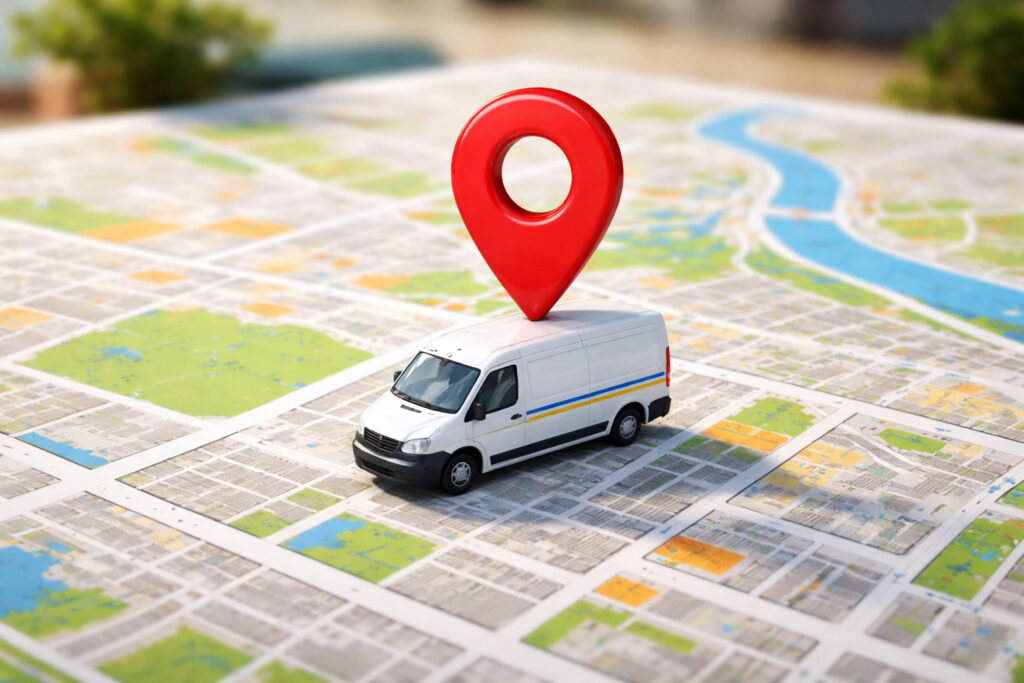
Azuga Fleet is the core product behind Azuga – Fleet Management Software & GPS Fleet Tracking Solutions, a telematics platform that combines GPS tracking, vehicle diagnostics, and driver behavior monitoring into one dashboard. Rather than treating safety monitoring as a punitive tool, Azuga built its platform around a distinct philosophy: reward good driving instead of only flagging bad driving.
What Problem Was Azuga Originally Designed to Solve?
Since its founding in 2012, Azuga set out to make GPS fleet tracking both affordable and genuinely useful, rather than simply a compliance checkbox. Consequently, the company built its platform around plug-and-play hardware that installs in about 20 seconds, removing the cost and downtime typically associated with professional installation. This design choice matters especially for small and mid-sized fleets that can’t afford lengthy setup delays or expensive installation services.
How Does Azuga’s Reward-Based Approach Set It Apart?
Many GPS tracking solutions focus solely on catching mistakes, which can strain the relationship between managers and drivers. Azuga instead built its Safe Driver Rewards program around positive reinforcement, identifying top-performing drivers and distributing prizes automatically through its Social Telematics feature. As a result, fleets using Azuga often report better driver engagement and lower turnover, since the platform frames safety as a shared goal rather than a surveillance exercise.
Who Typically Uses Azuga’s Fleet Management Platform?
Azuga serves a wide range of industries and fleet sizes, from small service businesses running just a handful of vehicles to enterprise operations managing thousands. Retail delivery fleets, construction companies, field service providers, and trucking operations all commonly appear among Azuga’s customer base, since each of these industries shares a common need: knowing where vehicles are, how drivers are performing, and where operational costs can be trimmed. Because the platform scales from a Basic Fleet plan up through enterprise-level packages, businesses can start small and expand their usage as their fleet grows, rather than needing to switch platforms entirely once they outgrow an entry-level tool.
What Core Features Does Azuga Fleet Management Software Include?
Azuga bundles several distinct capabilities into one platform, and understanding each one helps clarify what a business actually gains by adopting it.
How Does Real-Time GPS Tracking Work in Azuga?

Azuga’s GPS tracking gives fleet managers instant visibility into vehicle location, trip history, and routing. By default, the system refreshes location data every two minutes, though businesses can increase that frequency to every 15 or 30 seconds when more precise tracking matters. Because the tracker plugs directly into a vehicle’s OBD-II port, it captures live diagnostic data alongside location information, rather than relying on estimated positions based on past movement patterns.
What Data Does the GPS Tracker Capture Beyond Location?
Beyond simple location pings, Azuga’s tracking hardware pulls a range of vehicle diagnostics directly from the OBD-II connection, including seatbelt usage, fuel levels, and odometer mileage on supported vehicles. Additionally, the system can automatically detect when a vehicular accident occurs and promptly alert relevant staff, which speeds up incident response compared to waiting for a driver to report the event manually. This combination of location and diagnostic data gives fleet managers a far more complete operational picture than GPS coordinates alone would provide.
What Does Driver Safety Scoring Measure?
Azuga’s DriveSafe scoring engine evaluates each driver on a scale from 0 to 100, using what the company calls “crash event predictors,” including harsh braking, rapid acceleration, and excessive idling. Generally, drivers scoring 75 or above fall into the “safe” category, those between 65 and 74 land on a watchlist, and anyone scoring 64 or below is flagged as high-risk. This scoring structure gives managers a clear, consistent benchmark for coaching conversations instead of relying on subjective impressions.
How Does the Driver Rewards Program Actually Work?
Once scoring identifies top performers, Azuga’s rewards system distributes prizes automatically, including gift cards from well-known retailers. Fleet managers can choose to keep individual scores private or publish leaderboards that let drivers compete in a friendly, transparent way. Because the entire process, funding, distributing, and verifying rewards, happens through the platform itself, managers no longer need to administer the program manually.
How Does Azuga Support Fleet Safety and Compliance?
Beyond basic tracking, Azuga addresses two areas that matter enormously to regulated fleets: driver safety and regulatory compliance.
What Compliance Requirements Does Azuga eLogs Cover?
Azuga eLogs meets or exceeds FMCSA 395.15 requirements for Hours of Service (HOS) and Driver Vehicle Inspection Reports (DVIRs), satisfying the federal Electronic Logging Device (ELD) mandate. Since this add-on integrates directly with Azuga Fleet, compliance data flows into the same dashboard fleet managers already use for tracking and safety, rather than requiring a separate system.
How Do Azuga’s Dashcams Enhance Driver Safety?
Azuga’s SafetyCam product line offers dual-facing, AI-powered dashcams that capture both the road ahead and the driver’s cabin. The road-facing lens uses an Advanced Driver Assistance System (ADAS) to detect events like rolling stops or tailgating and can warn drivers in real time, rather than only reporting the incident after the fact. Meanwhile, the driver-facing Driver Monitoring System (DMS) camera detects in-cab concerns such as fatigue, phone use, or a missing seatbelt.
What Should Fleets Know About a Feature Gap in Azuga’s Safety Toolset?
Notably, one independent review found that Azuga’s otherwise strong safety feature set does not include automated crash reporting, unlike some competitors. Fleets that consider crash detection a critical requirement should confirm current capabilities directly with Azuga before assuming this functionality exists, since telematics platforms update their feature sets regularly.
How Does Azuga Support Driver Training Alongside Monitoring?
Rather than stopping at detection and scoring, Azuga extends into active coaching through its Azuga Coach feature, which delivers personalized online safety training videos to drivers who need improvement. Additionally, the platform’s partnership with DrivActiv provides structured driver courses that address specific behavioral concerns identified through scoring data. Because training content gets pushed directly to drivers based on their individual performance, fleets avoid a one-size-fits-all training approach that might waste time reviewing material a driver doesn’t actually need.
How Does Azuga Help Manage Fuel Costs and Vehicle Maintenance?
Vehicle-related expenses often represent one of the largest ongoing costs for any fleet, and Azuga’s telematics data directly targets that spending.
What Fuel Management Capabilities Does Azuga Provide?
Because Azuga trackers read live diagnostic data from each vehicle’s OBD-II port, the platform can monitor idle time, fuel consumption patterns, and driving behaviors that waste fuel, such as rapid acceleration or excessive idling. Consequently, fleet managers gain granular reporting that identifies exactly where fuel savings opportunities exist, rather than relying on estimated averages across the entire fleet.
How Does Azuga Approach Predictive Maintenance?
Azuga’s vehicle diagnostics extend beyond fuel monitoring into maintenance planning. The system reads diagnostic trouble codes directly from a vehicle’s onboard computer and issues warnings before small issues become expensive repairs. As a result, fleets can schedule maintenance proactively, based on actual vehicle condition, instead of waiting for a breakdown to force an unplanned repair.
Why Does Proactive Maintenance Matter More Than It Might Seem?
Unplanned breakdowns rarely just cost the price of a repair; they also cost the revenue lost while a vehicle sits idle instead of completing jobs. Because Azuga’s maintenance alerts arrive based on real diagnostic data rather than a fixed calendar schedule, fleets avoid two common mistakes: servicing a vehicle too early and wasting money, or waiting too long and risking a breakdown on the road. Over time, this data-driven approach to maintenance planning tends to extend vehicle lifespan while reducing the total number of unplanned service visits a fleet experiences each year.
What Maintenance Features Should Fleet Managers Prioritize First?
- Scheduled maintenance reminders tied to mileage or time intervals
- Diagnostic trouble code alerts pulled directly from vehicle computers
- Tire pressure monitoring that flags deviations from recommended levels
- Vehicle health dashboards that consolidate data across the entire fleet
How Does Azuga Extend Tracking Beyond Vehicles to Assets?
Fleets don’t only need to track vehicles; many also rely on trailers, containers, and heavy equipment that move independently of any single truck.
What Types of Assets Can Azuga Track?
Azuga’s asset tracking devices support both powered and non-powered equipment, which means fleets can monitor items like generators, shipping containers, and construction equipment alongside their core vehicle fleet. Since these trackers integrate into the same dashboard used for vehicle tracking, managers get one unified view rather than juggling separate systems for vehicles and equipment.
How Does Geofencing Improve Asset Security?
Geofencing lets fleet managers draw a virtual perimeter around a location and receive automatic notifications whenever a tracked asset crosses that boundary. This capability matters particularly for expensive equipment left at job sites overnight, since an unexpected departure alert can flag potential theft before the asset travels far. Combined with parked vehicle location tracking, geofencing gives fleets an added layer of protection for assets that would otherwise be difficult to monitor continuously.
How Does the Azuga Mobile App Support Drivers and Administrators?

Azuga’s FleetMobile app extends the platform’s core functionality to smartphones, with distinct views built for drivers and administrators.
What Can Drivers Do Through the Mobile App?
Drivers using FleetMobile can track their own safety scores in real time, log trips automatically, and share their location with customers to improve delivery time predictions. Additionally, the app’s Find It Forward feature helps drivers locate gas stations and restaurants along their route, so they can take necessary breaks without straying from an optimal path.
What Can Administrators Do Through the Mobile App?
Administrators gain the ability to monitor and reward drivers remotely, review video playback of driving events, and assign jobs or tasks directly from a job site rather than an office. Because both driver and administrator functions live in the same app, communication between the two happens in real time, including sharing location details, videos, and images as situations require attention.
Why Does Having Separate Views for Drivers and Admins Matter?
| User Type | Primary App Functions |
|---|---|
| Drivers | Safety scores, trip logs, route assistance, distraction limiting |
| Administrators | Remote monitoring, reward distribution, dispatch, video review |
Separating these views prevents drivers from being overwhelmed with management-level data while still giving administrators full visibility, which keeps the app genuinely useful for both audiences rather than a compromise that serves neither well.
What Pricing Plans Does Azuga Offer?

Understanding Azuga’s pricing structure helps businesses estimate costs before committing to a plan.
What Do the Basic and Safe Fleet Plans Include?
Azuga’s entry-level Basic Fleet plan costs around $25 per vehicle per month and includes core features like GPS tracking, alerts, driver scores, driver rewards, reports, and geofencing. The Safe Fleet plan builds on that foundation for roughly $30 per vehicle per month, adding safety-focused tools such as distracted driving alerts and panic buttons alongside everything included in the Basic tier.
What Should Businesses Know About Contract Terms?
Unlike some competitors offering shorter commitments, Azuga’s plans typically require a 36-month contract, which matches the standard length offered by some other major providers in the space but exceeds the one-year terms some competitors provide. Additionally, free trials are generally reserved for fleets with 30 or more vehicles, so smaller operations should request a demo instead to evaluate the platform firsthand.
How Does Azuga’s Pricing Compare Across the Broader Market?
| Plan Tier | Approximate Monthly Cost | Best Suited For |
|---|---|---|
| Basic Fleet | ~$25/vehicle | Fleets starting out or sampling core features |
| Safe Fleet | ~$30/vehicle | Fleets prioritizing enhanced safety tools |
| Enterprise/High-End | $35-$100+/vehicle | Larger fleets needing advanced features and support |
Since pricing can shift based on fleet size, contract length, and add-ons like dashcams, requesting a customized quote remains the most reliable way to confirm actual costs for a specific fleet.
What Are the Strengths and Limitations of Azuga?

Every fleet management platform involves tradeoffs, and Azuga is no exception.
What Do Independent Reviews Consistently Praise About Azuga?
Independent researchers who compared multiple GPS fleet tracking systems found Azuga performed strongly across driver management, vehicle management, and tracking categories. Reviewers specifically highlighted the flexible refresh rate, plug-and-play hardware, and the driver rewards program as standout strengths that distinguish Azuga from competitors focused solely on monitoring.
What Weaknesses Do Reviewers Point To?
At the same time, some reviews note that Azuga’s pricing structure, combined with its long contract minimums, ranks among its weaker points. Additionally, the same source found Azuga holds a D+ rating from the Better Business Bureau, which is worth weighing against the platform’s otherwise strong feature set and customer testimonials.
How Does Azuga Compare to a Few Well-Known Competitors?
| Comparison Point | Azuga | Typical Competitor Approach |
|---|---|---|
| Installation | Plug-and-play, ~20 seconds | Sometimes requires professional install |
| Contract length | Typically 36 months | Ranges from 12 to 36 months |
| Driver incentive model | Automated rewards program | Often scoring only, no built-in rewards |
| Free trial availability | Fleets of 30+ vehicles | Varies widely by provider |
Reviewing a comparison like this helps a business weigh Azuga against alternatives on the factors that matter most to their specific situation, rather than relying on a single overall rating.
How Should a Business Weigh These Factors When Evaluating Azuga?
Ultimately, the right evaluation approach depends on what matters most to a specific fleet. A business prioritizing driver safety, gamified engagement, and straightforward installation may find Azuga’s strengths outweigh its contract length concerns. Meanwhile, a business focused primarily on short-term flexibility or specific accreditation standards should factor those priorities into the decision alongside the platform’s technical capabilities.
How Should a Business Get Started With Azuga Fleet Management Software?
Adopting any new fleet platform benefits from a clear, phased approach rather than switching everything at once.
What Steps Should a Fleet Take Before Committing?
- Request a demo or, for fleets with 30 or more vehicles, a free trial to test the platform firsthand
- Confirm which compliance features, such as ELD or DVIR support, apply to your specific fleet type
- Compare the Basic and Safe Fleet plans against your actual safety and budget priorities
- Ask directly about current contract terms and installation timelines before signing
How Long Does a Typical Azuga Rollout Take?
Because Azuga’s hardware installs in about 20 seconds per vehicle without professional installation services, most fleets can deploy the system across their entire operation within days rather than weeks. That said, training drivers on the mobile app and setting up scoring thresholds, reward tiers, and geofences still takes some deliberate planning to configure correctly from the start.
Conclusion
Fleet management software succeeds when it actually changes daily behavior, not just when it collects data. Azuga – Fleet Management Software & GPS Fleet Tracking Solutions distinguishes itself precisely on that point, combining real-time GPS tracking, compliance tools, dashcams, and fuel management with a driver rewards program built around positive reinforcement rather than punishment alone. Whether a business runs five vehicles or several hundred, Azuga’s plug-and-play hardware and tiered pricing structure make it accessible to fleets at very different stages of growth.
Ultimately, choosing Azuga, or any fleet management platform, comes down to matching its specific strengths against what your fleet needs most today and where it’s headed next. A fleet prioritizing driver engagement and straightforward installation will likely find Azuga’s rewards-driven approach a strong fit, while a fleet weighing contract flexibility above all else should factor that consideration into the decision as well. Either way, understanding exactly what the platform offers, rather than relying on marketing claims alone, puts a fleet manager in the strongest position to make a confident, well-informed choice.
Frequently Asked Questions
Azuga’s tiered pricing structure, starting around $25 per vehicle per month, makes it accessible for small businesses just starting to adopt GPS fleet tracking, while its enterprise-level features scale up for much larger operations. The platform’s plug-and-play installation also removes a common barrier for smaller fleets that lack dedicated technical staff to manage a complex rollout.
Many fleets report insurance savings after adopting Azuga’s safety and telematics features, though actual savings depend on your specific insurance provider’s policies. It’s worth confirming directly with your insurer whether sharing driver safety data or dashcam footage qualifies your fleet for a premium discount before assuming a specific savings percentage.
Azuga supports an expanding number of third-party app integrations, allowing fleet data to connect with other business systems rather than existing in isolation. Since the specific integrations available can change over time, confirming current compatibility with your existing software stack directly with Azuga, or with an experienced implementation partner, helps avoid surprises during setup.
How Can Solution for Guru Help You Get the Most From Azuga?
Deploying a telematics platform effectively takes more than installing hardware; it requires configuring scoring thresholds, reward tiers, compliance settings, and reporting dashboards in a way that actually fits your operation. This is where Solution for Guru adds real value. The agency specializes in CRM, payroll, and SaaS platform integrations, and that same technical expertise applies directly to getting more out of a fleet management deployment like Azuga.

Partnering with Solution for Guru brings several concrete benefits:
- Custom dashboard configuration — the team sets up reporting views and alerts tailored to the metrics your business actually needs to track.
- Integration with existing business systems — Solution for Guru connects fleet data to payroll, dispatch, or CRM platforms, so telematics information doesn’t sit in a silo.
- Rollout planning and driver onboarding — the team helps structure a phased deployment that minimizes disruption to daily operations.
- Ongoing technical support — as your fleet grows or your reporting needs change, Solution for Guru adjusts the setup rather than requiring a full rebuild.
- Strategic guidance — beyond the technical work, the team helps identify which features, such as dashcams or asset tracking, deliver the most value for your specific fleet type.
What Does Working With Solution for Guru Look Like in Practice?
Typically, the process starts with a conversation about your fleet’s biggest pain points, whether that’s fuel costs, driver turnover, or compliance headaches. From there, Solution for Guru maps out exactly which Azuga features and configurations address those specific issues, rather than recommending a generic setup. Because the agency also works across CRM and payroll systems, it can identify connections between fleet data and other business operations that a fleet-only vendor might overlook.
Recommended
- Top Reasons Businesses Choose Motive Fleet Management
- Samsara Review: Features, Pros, Cons, and Best Use Cases
- What Is Samsara GPS Fleet Tracking Software?
- Verizon Connect Review: Features, Pros, Cons, and Best Use Cases
- What Is Verizon Connect Fleet Management Software?
- Motive Pricing Plans Explained: How Much Does Motive Cost?
- What Is Motive Fleet Management?
- What Is the True Cost Breakdown of Fleet Tracking Systems?
- Offline Tracking: How Do Devices Store Data Without Connectivity?
- Real-Time Tracking vs Passive Tracking: What Are the Key Differences?
- How Vehicle Tracking Systems Reduce Commercial Auto Insurance Costs
- How Does GPS Tracking Work: Satellites, Signals, and Software?
- Can GPS Trackers Be Hacked? Security Risks Explained
- 4G vs 5G GPS Trackers: What’s Changing?
- AI in Fleet Tracking: How Are Predictive Maintenance and Analytics Transforming Fleet Operations?
- Tracking Requirements for Commercial Vehicles in the U.S.