How Can You Integrate Square with ERP Systems?
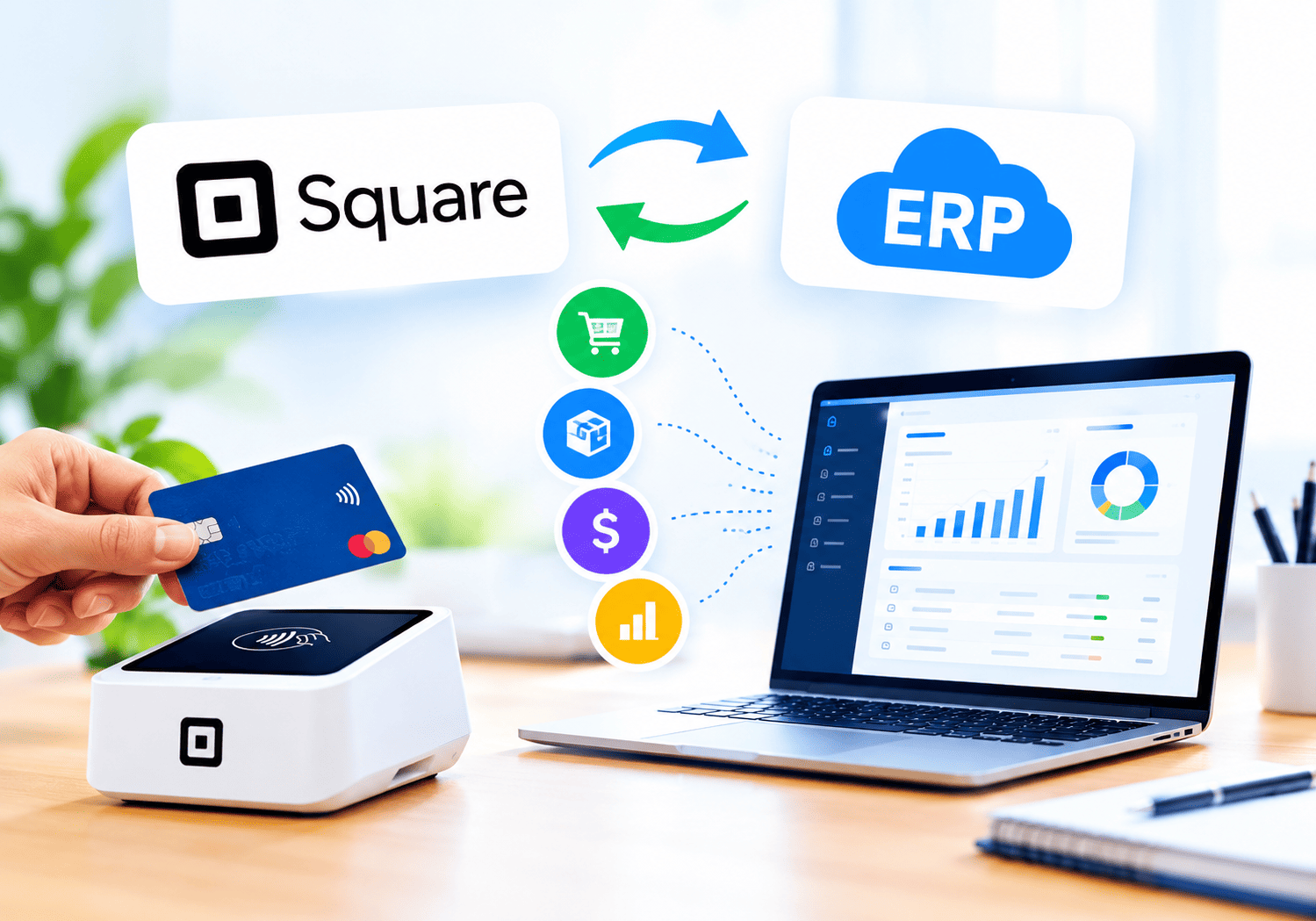
Growing retailers, restaurants, and service companies often run two worlds side by side: a point-of-sale (POS) system at the counter and an enterprise resource planning (ERP) platform in the back office. When these worlds stay disconnected, staff copy sales into spreadsheets, stock counts drift, and month-end closing drags on. Integrating Square with your ERP system closes that gap. This guide explains how the connection works, which methods fit which businesses, and how to avoid the most common mistakes.
Table of contents
Quick Summary
- Goal: Sync sales, payments, refunds, customers, catalog, and inventory between Square and your ERP automatically.
- Main methods: Pre-built connectors, middleware (iPaaS), and custom builds on the Square API.
- Key benefits: Fewer manual entries, real-time stock visibility, faster reconciliation, and cleaner financial reports.
- Biggest risks: Poor data mapping, duplicate records, and weak security controls.
- Best practice: Start with a clear data map, test in the Square Sandbox, and monitor every sync after launch.
- Expert help: A specialist partner such as Solution for Guru can shorten the project and reduce risk.
What Is Square and How Does It Relate to ERP Integration?

What does Square do?
Square – Credit Card Processing is a payment and commerce platform that lets businesses accept credit cards, debit cards, and digital wallets in person, online, and by invoice. Beyond payment processing, Square offers a POS, inventory tools, customer directories, invoicing, and reporting. Many small and mid-sized businesses choose Square because it launches quickly and charges transparent, per-transaction fees.
Why does Square matter for ERP projects?
Square sits at the very start of your revenue cycle. Every sale, tip, discount, refund, and payout begins in Square. Your ERP, however, needs those events to post invoices, update stock, and balance the ledger. Consequently, Square acts as the data source, while the ERP acts as the system of record. When you connect them, each transaction travels from the checkout screen to your accounting books without human retyping.
Square also provides a well-documented developer platform. According to Square’s official developer documentation, the platform exposes REST APIs for payments, orders, catalog, inventory, customers, and more, along with webhooks that notify your systems when events occur. These tools make Square a flexible partner for ERP platforms such as NetSuite, Microsoft Dynamics 365, SAP Business One, Odoo, and Sage Intacct.
Why Should You Connect Square to an ERP System?

Does integration eliminate manual data entry?
Yes. Without integration, someone exports daily sales reports and keys totals into the ERP. This routine wastes time and invites typing errors. An automated sync posts every transaction as it happens, so your team spends hours on analysis instead of copy-and-paste work.
Can you see inventory in real time?
Absolutely. When a customer buys a product through Square, the integration reduces the stock level in your ERP immediately. Likewise, when your warehouse receives new goods, the ERP can push updated quantities back to Square. As a result, you avoid overselling, reduce stockouts, and plan purchasing with confidence.
How does integration improve financial accuracy?
Square settles funds in batches and subtracts processing fees before payout. Your bank statement therefore shows net deposits, not individual sales. An integrated ERP records gross sales, fees, refunds, and payouts separately, which makes bank reconciliation far simpler. Moreover, auditors appreciate the clear trail from the original sale to the ledger entry.
What other benefits can you expect?
- Faster month-end close: Reconciliation takes hours rather than days.
- Unified customer data: Sales history in Square enriches CRM and loyalty records in the ERP.
- Better forecasting: Reliable sales and stock data improve demand planning.
- Scalability: Adding new stores or sales channels no longer multiplies admin work.
What Data Can Flow Between Square and an ERP?
Before you choose a method, decide which data objects must travel and in which direction. The table below shows a typical starting point.
| Data object | Typical direction | Why it matters |
|---|---|---|
| Orders and sales | Square → ERP | Creates sales orders, invoices, and revenue entries |
| Payments and tenders | Square → ERP | Matches card, cash, and wallet payments to accounts |
| Refunds and voids | Square → ERP | Keeps revenue and stock accurate |
| Payouts and fees | Square → ERP | Supports bank reconciliation |
| Catalog items and prices | ERP → Square | Keeps one master product list |
| Inventory quantities | Both ways | Prevents overselling across channels |
| Customers | Both ways | Builds a single customer profile |
| Taxes and discounts | Square → ERP | Ensures correct tax reporting |
Notably, you should pick one “master” system for each data type. For most companies, the ERP owns products, prices, and stock, while Square owns transactions. This rule prevents conflicting updates and endless sync loops.
Which Integration Methods Work Best?
Three main approaches exist. Each suits a different budget, timeline, and technical skill level.
Are pre-built connectors a good option?
Many ERP and accounting vendors offer ready-made Square connectors through their app marketplaces. You install the connector, authorize access to your Square account, and map a few fields. This route is fast and affordable. However, connectors follow fixed workflows, so they may not handle complex needs such as multi-warehouse allocation, custom tax rules, or unusual revenue recognition.
Should you use middleware or an iPaaS platform?
Integration platforms as a service (iPaaS) sit between Square and your ERP. They provide visual workflows, error handling, and scheduling without heavy coding. This method offers more flexibility than a basic connector, and it scales well when you later add e-commerce, shipping, or CRM tools. Still, you pay subscription fees, and you depend on a third-party vendor.
When does a custom API integration make sense?
A custom build gives you full control. Developers use the Square API and your ERP’s API to design exactly the workflows you need. This approach fits companies with unique processes, high transaction volumes, or strict compliance rules. On the downside, it requires more upfront investment and ongoing maintenance.
How do the three methods compare?
| Criteria | Pre-built connector | Middleware / iPaaS | Custom API build |
|---|---|---|---|
| Setup speed | Fast (days) | Moderate (weeks) | Slower (weeks to months) |
| Upfront cost | Low | Medium | High |
| Flexibility | Limited | High | Very high |
| Maintenance effort | Low | Medium | High |
| Best for | Simple retail or café setups | Growing multi-channel businesses | Complex or high-volume operations |
How Does the Square API Support ERP Integration?
Which Square APIs matter most?
Square‘s developer platform includes several APIs that ERP integrations rely on every day:
- Orders API: Retrieves itemized sales, discounts, taxes, and fulfillment details.
- Payments API: Reads payment status, amounts, tips, and processing fees.
- Catalog API: Creates and updates items, variations, categories, and prices.
- Inventory API: Adjusts and reads stock counts by location.
- Customers API: Manages customer profiles and groups.
- Locations API: Identifies each store, so you can map sales to the right entity.
- Payouts API: Lists settlements, which you need for bank reconciliation.
How do webhooks keep systems in sync?
Polling an API every few minutes works, but webhooks work better. A webhook is an automatic notification that Square sends to your server when an event occurs, such as a completed payment or an inventory change. Your integration then fetches the details and pushes them to the ERP. Consequently, your data stays current without constant requests, and you stay within API rate limits.
How does authentication work?
Square uses OAuth 2.0 for applications that connect to other merchants’ accounts and personal access tokens for single-account use. Developers should store tokens in a secure vault, rotate them regularly, and request only the permissions they need. Square also offers a Sandbox environment where teams can test calls with fake data. Always run your first sync there before touching live sales.
How Do You Integrate Square with an ERP Step by Step?

What should you do before building anything?
- Define your goals. Decide whether you want faster reconciliation, live inventory, or both.
- List your systems. Document every Square location, ERP module, and third-party tool involved.
- Choose master systems. Assign ownership for products, prices, customers, and stock.
- Map your fields. Match each Square field to an ERP field, including tax codes and payment methods.
How do you build and test the integration?
- Pick your method. Choose a connector, middleware, or custom build based on the comparison table above.
- Create a Sandbox environment. Test orders, refunds, partial payments, and inventory adjustments.
- Run parallel tests. Compare the ERP totals with Square’s own reports for several days.
- Train your team. Show staff what changes and who handles exceptions.
Live streams – and how to host them safely?
- Launch in phases. Start with one location before you roll out to all stores.
- Monitor daily. Review error logs, failed syncs, and mismatched totals.
- Review monthly. Update mappings when you add products, tax rules, or sales channels.
How Do You Map Square Transactions to ERP Accounting?
Which accounts do you need?
Good mapping separates each financial event. At a minimum, create ledger accounts for sales revenue, sales tax payable, tips payable, processing fees, refunds, gift card liability, and a clearing account for Square payouts. The clearing account holds money between the sale date and the bank deposit date. When the payout arrives, you move funds from clearing to the bank account and record the fee as an expense.
How do you handle fees, tips, and refunds?
Square deducts its fees before it deposits funds, so net payouts differ from gross sales. Record the gross sale as revenue and the fee as a separate expense. Tips usually belong to employees, so post them to a liability account rather than revenue. For refunds, reverse the original sale and restore stock if the item returns to inventory. Check Square’s current pricing page for fee rates, because they vary by country and transaction type.
Why do taxes need special care?
Tax rules differ across regions, and Square can apply multiple taxes to a single order. Your ERP must receive each tax line separately, so you can file accurate returns. Consult your accountant or the relevant tax authority, such as the IRS in the United States or HMRC in the United Kingdom, when you design tax mappings.
What Challenges Should You Expect?

How do you avoid duplicate records?
Duplicates appear when both systems create the same customer or product. To prevent them, use unique identifiers such as SKUs and store Square‘s object IDs inside the ERP. Square’s APIs support idempotency keys, which stop the same request from running twice. Use them for every write operation.
What about rate limits and failed syncs?
Every API enforces limits. If your integration sends too many requests, Square temporarily rejects them. Build retry logic with exponential backoff, and queue events so none disappear. Furthermore, set alerts that notify your team when a sync fails more than once.
How do you manage multi-location businesses?
Each Square location should map to an ERP entity, warehouse, or cost center. Without this mapping, reports blend results from different stores, and managers lose visibility. Plan this structure early, since changing it later requires reposting historical data.
Which other pitfalls cause trouble?
- Inconsistent product names or SKUs between systems.
- Time zone differences that push sales into the wrong accounting period.
- Offline payments in Square that sync late.
- Manual stock adjustments made in only one system.
How Do You Keep the Integration Secure and Compliant?
Does Square handle card security?
Square processes card data on its own secure infrastructure and states that it complies with the Payment Card Industry Data Security Standard (PCI DSS). Therefore, your ERP never needs to store full card numbers. Keep it that way: pass only payment IDs, last four digits, and status values into your ERP.
What security practices should you follow?
- Use OAuth 2.0 and request the minimum permission scopes.
- Store access tokens in an encrypted secrets manager.
- Verify webhook signatures to confirm that Square sent the message.
- Restrict ERP user roles so only finance staff can edit posted entries.
- Log every sync action for audit purposes.
- Comply with privacy laws such as GDPR or CCPA when you sync customer data.
The PCI Security Standards Council and Square’s own security documentation provide current guidance, so review them before launch and again each year.
What Are the Conclusions?
Integrating Square with an ERP system turns isolated sales data into a connected financial and operational picture. Square captures every payment, refund, and stock movement at the point of sale, and your ERP turns that information into invoices, ledger entries, purchasing decisions, and reports. Together, they cut manual work, protect accuracy, and speed up your month-end close.
To succeed, define your goals, assign master systems, map your data carefully, and test thoroughly in the Square Sandbox before launch. Choose the method that matches your complexity: a pre-built connector for simple needs, middleware for growing businesses, or a custom API build for unique requirements. Above all, keep security and compliance at the center of the project.
Because Square offers open APIs, webhooks, and reliable payment processing, it adapts well to almost any ERP environment. With the right plan, and with a partner such as Solution for Guru, you can build an integration that grows with your business.
What Are the Frequently Asked Questions?
Square does not limit you to a specific ERP. Because it provides public REST APIs and webhooks, developers can connect it to almost any platform that offers its own API. Some ERP and accounting vendors also provide ready-made connectors, which reduce setup time.
Timelines depend on complexity. A simple connector can run within days. Middleware projects typically take a few weeks, while custom builds with multiple locations and complex tax rules can take a few months. Careful planning and early testing keep schedules on track.
Yes, provided you follow good practices. Square handles card data under PCI DSS, so your ERP only needs payment references. Use OAuth, secure token storage, webhook signature checks, and strict user roles to protect the rest of your data.
How Can Solution for Guru Help with Square and ERP Integration?
Who is Solution for Guru?
Solution for Guru is a technology consulting company that helps businesses select, connect, and optimize business software. Instead of leaving your team to figure out APIs and data mapping alone, the company guides you from planning through launch and support.

What are the benefits of working with Solution for Guru?
- Expert guidance: Specialists assess your processes and recommend the right integration method for Square and your ERP.
- Faster delivery: Experienced engineers avoid common pitfalls, so your project goes live sooner.
- Lower risk: Careful testing protects your sales data, tax records, and customer information.
- Tailored solutions: The team adapts workflows to your industry rather than forcing a one-size-fits-all template.
- Ongoing support: Monitoring and maintenance keep your sync running when Square or your ERP updates its software.
- Better return on investment: A clean integration reduces labor costs and gives managers reliable data for decisions.
If your business needs a dependable connection between Square and your ERP, contact Solution for Guru to discuss your requirements and receive a clear implementation plan.
Recommended:
- How Can Square Invoicing Simplify B2B Payments?
- How Do International Payments Work with Square?
- Square and Xero Integration
- Contactless Payments and NFC Processing in Square
- Understanding Square Credit Card Processing Fees
- Customer Loyalty Programs in Square
- How Secure Is Square for Payment Processing?
- Square for Restaurants and Cafes
- How Businesses Use Square to Accept Payments Online and In-Store
- What Is Square Credit Card Processing and How Does It Work?
- Xero for Small Business: Is It the Right Accounting Software for You?
- What is Xero — Overview of the Cloud Accounting Platform’s Features
- How Does FreshBooks Integrate with CRM, Payroll, and Project Management Tools?
- Financial Reporting Architecture in Zoho Books
- Zoho Books Architecture: Cloud Accounting Explained — How Does It All Work?
- FreshBooks for IT Consulting Firms: Managing Projects, Invoices, and Client Billing
- FreshBooks Review: Features, Pricing, Pros, and Cons
- Real-Time Financial Dashboards with Zoho Books
- How Can You Connect Zoho Books with Payment Gateways to Streamline Your Business Finances?