
Verizon Connect Mobile App Overview
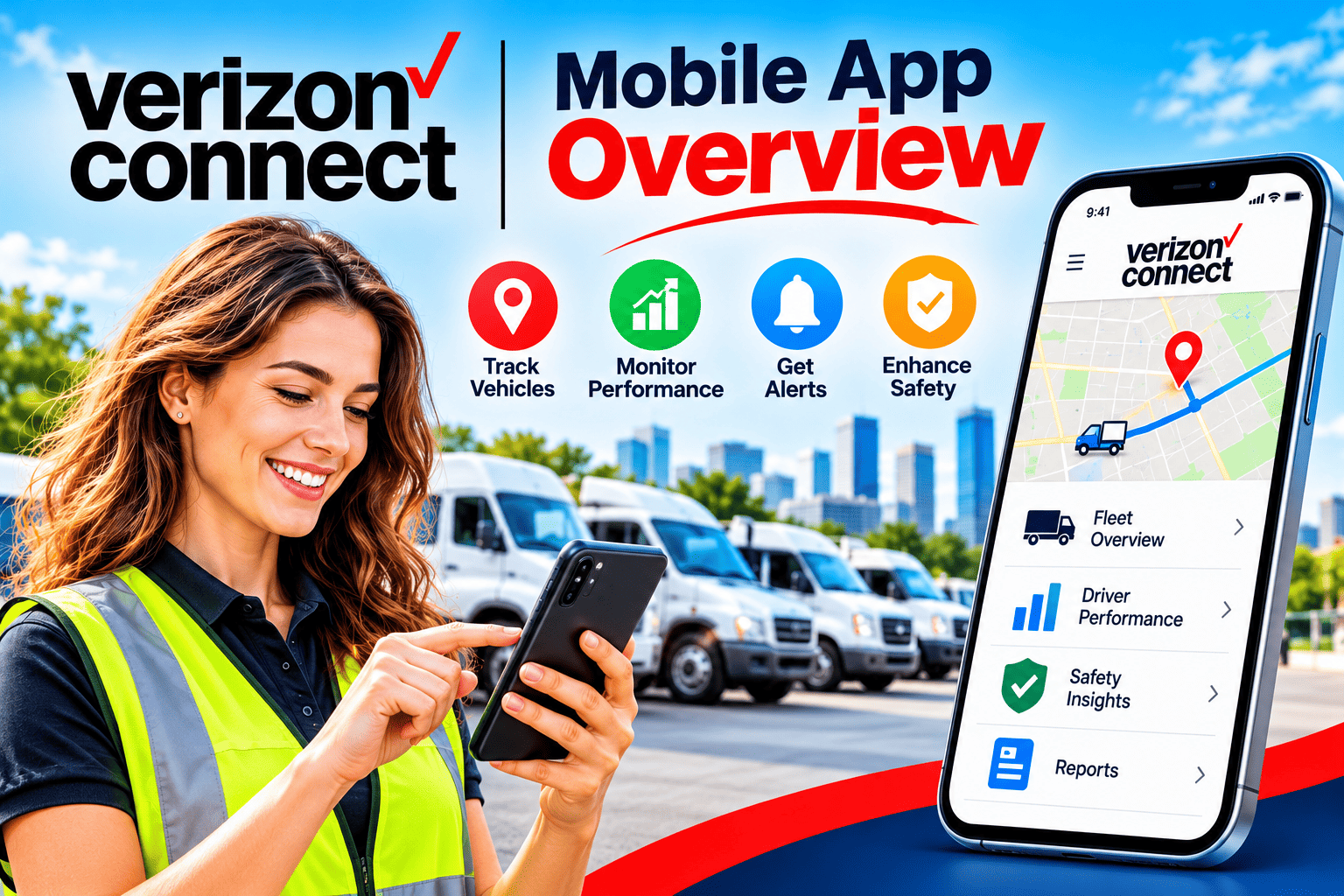
Searching for the Verizon Connect mobile app usually leads to a surprise. Verizon Connect does not offer a single app. It offers a family of apps, each built for a different person: the fleet manager, the driver, the technician, or the hardware installer. The right choice depends on who will use it and what they need to do.
This overview explains what each app does, who should use it, what you need to get started, and its limits. It is written for business owners, fleet managers, administrators, technical staff, and drivers. Where information is not public, such as pricing, it says so.
Table of contents
What Does This Guide Cover?
Here is a summary of what follows.
- The topic: the Verizon Connect mobile apps for fleet tracking, driver management, compliance, navigation, video, and field service.
- The platform behind them: Verizon Connect: Fleet Management Software and Solutions, a GPS fleet tracking and telematics provider.
- The apps covered: Spotlight, Reveal Driver, ELD Logbook, Navigation by Verizon Connect, Integrated Video, Reveal Hardware Installer, and Work Mobile.
- The key requirement: the apps work with an existing Verizon Connect subscription, so they are not standalone tools.
- The cautions: pricing is not published in full, availability varies by region, and independent reviews report some inconsistencies in mobile performance.
What Is Verizon Connect, and Where Do the Mobile Apps Fit?
Fleet management software tracks vehicles, drivers, and assets, then turns that data into reports and alerts. The mobile apps put part of that capability on a smartphone or tablet. Therefore, they extend the main platform rather than replace it.
What Does the Platform Do?
Verizon Connect: Fleet Management Software and Solutions is the brand behind GPS fleet tracking, asset tracking, compliance tools, dashcams, and field service software. Its official website lists products such as GPS fleet tracking, GPS asset tracking, compliance, electric vehicle tracking, dashcams, and operational insights.
The web platform is the control center. Managers configure vehicles, drivers, alerts, and reports there. The mobile apps then give the right slice of that data to the right person in the field. A manager checks a live map from a parking lot. A driver logs hours from the cab. A technician records a job without calling the office.
Why Is It an App Family Instead of One App?
Different roles need different tools. A driver doesn’t need fleet-wide dashboards, and a manager doesn’t need hours-of-service clocks. Verizon Connect‘s Reveal mobile apps page groups the apps into driver apps, compliance and ELD apps, fleet customer apps, fleet tracking management apps, and a field service app.
This split affects how you roll out the technology. You do not install “the app” on every phone. Instead, you decide which apps each group needs, and you then manage access accordingly. This guide focuses on that decision.
Which Apps Make Up the Verizon Connect Mobile App Family?
According to the official Reveal apps page, seven apps are listed for small and medium-sized businesses. The sections below describe each one using that page, with additional detail from app store listings where noted. The table afterward summarizes them.
What Does Spotlight Do?
Spotlight is the fleet management app for managers. The official page says it helps you manage vehicles, assets, and mobile workforce activity while on the go. It shows assets and vehicles on a live map, along with vehicle activity, routing history, geofences, and driver locations. It also provides alerts on driver behaviors such as speeding and idling.
The App Store listing describes Spotlight as putting the power of the Fleet and Reveal platform in your hands and states that it is free to download. An older Automotive Fleet report says the app launched for Reveal customers on iOS and Android. Tech.co also reports search functionality and two-way messaging between managers and drivers.
What Does Reveal Driver Do?
Reveal Driver, formerly called Field, is the app for drivers and mobile crews. Verizon Connect says it lets drivers assign themselves to vehicles using location-assisted choices, accept new work, and check their performance against benchmarks. The App Store listing states that you must be a Reveal customer to use it.
Self-assignment solves a common dispatch problem. Without it, someone in the office records which driver took which truck, and mistakes can distort reports. With it, the driver confirms the vehicle at the start of the shift. As a result, trip and behavior data attach to the right person.
What Does the ELD Logbook App Do?
The ELD Logbook app supports hours-of-service (HOS) compliance. An electronic logging device (ELD) records driving time so drivers and carriers can follow rest and duty rules. According to the official page, the app supports state and federal rulesets and offers configurable clocks for daily, break, and cycle limits. It also warns of approaching violations, includes an inspector mode for roadside inspections, and lets drivers schedule repairs through driver vehicle inspection reports (DVIR).
This app matters mainly for fleets subject to HOS rules. If your vehicles fall outside those rules, you may not need it. Check your regulatory obligations before you roll it out, and consult a compliance specialist if you are unsure.
What Does Navigation by Verizon Connect Do?

Navigation is a commercial navigation app for drivers of larger vehicles. The official page says it provides truck routes and turn-by-turn directions designed to avoid restrictions such as low bridges and hazmat limits. It also generates routes based on truck weight, size, and load, adjusts to delays with near-real-time updates, and offers offline map data for remote areas.
For example, a delivery fleet that mixes vans and heavy trucks can give truck drivers this app while van drivers use a general navigation tool. Consumer map apps don’t always account for vehicle dimensions, so purpose-built routing can reduce route problems for heavier vehicles.
What Does Integrated Video Do?
Integrated Video connects dashcam footage to a smartphone. Verizon Connect says managers can be notified of hard braking events and can watch videos within minutes of an unsafe event on Android or iPhone. The stated aim is to let managers act sooner without watching hours of footage.
This app depends on dashcam hardware and the video service. Therefore, it applies only to fleets that use Verizon Connect dashcams. Ask the vendor how video retention, storage, and privacy settings work, because dashcams involve driver privacy considerations that vary by region and policy.
What Do Reveal Hardware Installer and Work Mobile Do?
Reveal Hardware Installer is for technicians and installers. Verizon Connect says it lets users self-install fleet management hardware, upgrade a vehicle device, view linked and unlinked vehicles, and run ad-hoc quality checks on installation and configuration. It suits fleets that install devices in-house.
Work Mobile serves field service teams. Verizon Connect states that you must be a Work customer to use it. Technicians can receive job details and instant updates, share notes, photos, and signatures with the back office, and send invoices and track payments in the field. It is therefore more relevant to service businesses than to pure transport fleets.
How Do the Apps Compare at a Glance?
| App | Main user | Core purpose |
|---|---|---|
| Spotlight | Fleet manager | Live map, alerts, vehicle and driver activity |
| Reveal Driver | Driver or technician | Vehicle self-assignment, jobs, performance benchmarks |
| ELD Logbook | Driver | Hours-of-service logging and inspection support |
| Navigation | Driver of larger vehicles | Truck-aware routing and offline maps |
| Integrated Video | Manager | Dashcam event videos on a smartphone |
| Reveal Hardware Installer | Technician or installer | Device installation, upgrade and checks |
| Work Mobile | Field technician | Job details, documentation, invoicing |
How Do the Apps Support Different Roles?

Software adoption succeeds when each person sees a clear benefit. Mapping apps to roles also prevents a common mistake: rolling out every app to every employee. The table below pairs roles with the most relevant apps. The mapping is an expert recommendation based on the official app descriptions, not a vendor rule.
| Role | Most relevant apps | What they gain |
|---|---|---|
| Business owner | Spotlight | Quick view of vehicle locations and activity |
| Fleet manager | Spotlight, Integrated Video | Alerts, driver locations and safety event videos |
| Dispatcher or administrator | Spotlight, Work Mobile | Visibility of job and driver status |
| Driver | Reveal Driver, ELD Logbook, Navigation | Vehicle assignment, hours tracking and routes |
| Technician | Work Mobile, Hardware Installer | Job documentation and device setup |
| Technical staff | Hardware Installer | Installation checks and device upgrades |
How Does a Fleet Manager Use the Apps Day to Day?
A fleet manager typically starts with Spotlight. They check the live map for vehicle positions, then look at routing history when a customer asks why a delivery is late. Speeding and idling alerts highlight behavior that may increase fuel use, which the official page lists as a benefit.
When a dashcam event occurs, Integrated Video lets the manager review the clip on a phone and decide whether to coach the driver. The practical gain is speed. Instead of waiting until the next desktop session, the manager responds while the event is still fresh.
How Does a Driver Use the Apps During a Shift?
A driver opens Reveal Driver, selects the vehicle from location-assisted choices, and accepts any new work. In the cab, a driver subject to HOS rules uses the ELD Logbook to track clocks and receive warnings. A truck driver can use Navigation for routes that account for the vehicle’s size and load.
Over the shift, the driver can compare personal performance against benchmarks in Reveal Driver. This feedback loop helps because drivers see their own results, not just a manager’s report afterward. However, how well it works depends on how you introduce it. Present it as a tool that helps drivers, not as surveillance.
What Do You Need Before You Start Using the Apps?

The apps are not standalone products. They connect to a Verizon Connect account and, in several cases, to specific hardware or service plans. Understanding these dependencies early avoids frustrating surprises.
What Are the Account and Device Requirements?
Several app store listings state the dependency directly. The Reveal Manager listing notes that a data connection and a Verizon Connect Reveal service subscription are required. The Reveal Driver listing states that you must be a Reveal customer, and the official page says Work Mobile requires a Work subscription.
Beyond subscriptions, consider the devices your team uses. The official page names Android and Apple iPhone for the video app, and the app listings show iOS availability. Confirm supported operating system versions in each app store listing before rolling out to older phones.
How Should You Roll Out the Apps?
A staged rollout works better than a fleet-wide launch. The sequence below is a recommended approach based on common practice, not an official Verizon Connect procedure.
- List roles and needs. Decide who needs which app, using the role table above.
- Confirm your plan. Ask your account representative which apps and features your subscription includes.
- Set up users and permissions. Create accounts for managers and drivers in the web platform.
- Pilot with one team. Start with a small group, such as one depot or one crew.
- Train users. Verizon Connect lists online help and an education and training site among its support resources.
- Collect feedback and adjust. Fix permission issues and alert settings before wider adoption.
- Expand in stages. Add teams once the pilot team works smoothly.
How Much Do the Apps Cost?
The apps themselves appear to be free to download. The Spotlight listing shows no purchase price. However, the underlying service requires a subscription, and Verizon Connect directs buyers to a “See plans & pricing” option and a demo request instead of a public price list.
Third-party sources disagree. B2B Reviews says plans start at $20 per vehicle per month, while Expert Market describes bespoke pricing based on fleet size, contract length, and features. Tech.co reports that contract minimums are typically three years. Treat these as indicators only. Request a written quote that lists hardware, installation, add-ons, and contract terms.
Which Regions Does the Mobile App Family Serve?

Availability depends on where you operate, and recent corporate changes affect parts of Europe and Australia. Many buyers overlook this point, so it deserves its own section.
What Changed With the Geotab Acquisition?
On October 1, 2025, Geotab announced that it had acquired the commercial operations of Verizon Connect’s telematics business in Australia, the United Kingdom, Ireland, Italy, France, Portugal, Poland, the Netherlands, and Germany, according to coverage in Automotive Fleet. The same report says the deal does not include Verizon Connect’s product, engineering, and other non-sales teams.
In an interview published by Automotive Fleet, a Geotab executive said customers could still access their current offering through Verizon Connect for 18 months while Geotab planned a migration. Therefore, if you operate in these countries, ask who sells, supports, and bills your service, and ask what the migration plan means for your apps and hardware.
How Should Buyers Outside the United States Proceed?
Verizon Connect’s official site has regional versions, including an Australian Reveal apps page. Features, plan names, and app availability can differ by region. The U.S. page, which this guide uses as its main source, says the apps are designed for small to medium-sized businesses and mentions U.S.-specific topics such as DOT obligations.
Before you buy, confirm that the apps, languages, and compliance features match your country’s rules. In particular, an ELD built around U.S. hours-of-service rules may not suit European driving-time regulations. Ask for written confirmation of regional scope.
What Are the Limitations and Risks?
No fleet app suits every business. An honest evaluation looks at weaknesses as well as strengths. The points below come from the official materials and from independent reviews, and you should verify them in your own trial.
What Do Independent Reviews Report?
Independent reviewers mostly praise the platform’s breadth. Tech.co rates the platform highly for features and notes that it offers many mobile apps and integrations. On the other hand, a Software Advice profile reports that some users struggle with installation issues, delayed location updates, and difficulty assigning drivers or editing vehicle information.
An aggregated profile on RFP.wiki also says desktop views are generally liked, while mobile app accuracy and support responsiveness are inconsistent. Aggregators vary in quality, so treat such summaries as prompts for questions, not as proven facts. A pilot on your own vehicles is the best test.
Which Practical Risks Should You Plan For?
Several risks appear regardless of review scores:
- Contract length: long minimum terms reduce flexibility if the apps do not fit your workflow.
- Hardware dependency: most apps rely on installed devices, so installation quality affects data quality.
- Alert overload: too many speeding or idling alerts can train managers to ignore them.
- Driver acceptance: drivers may resist tracking unless you explain what data you collect and why.
- Privacy and compliance: dashcams and location tracking raise legal and policy questions that differ by region.
Address these before go-live. For example, write a short policy explaining what the apps record, who sees the data, and how long you keep it.
How Do You Choose the Right Apps for Your Fleet?

Selection works best when it starts with needs, not features. The table below links common business situations to the apps most likely to help. This is an expert recommendation based on the app descriptions.
| Your situation | Apps to evaluate first | Why |
|---|---|---|
| Small delivery fleet, mixed vehicles | Spotlight, Reveal Driver | Visibility plus driver assignment |
| Trucking company under HOS rules | ELD Logbook, Navigation | Compliance support and truck routing |
| Service business with technicians | Work Mobile, Reveal Driver | Job documentation and invoicing |
| Fleet focused on safety | Integrated Video, Spotlight | Event videos and behavior alerts |
| Fleet that installs its own devices | Reveal Hardware Installer | Self-installation and checks |
What Questions Should You Ask the Vendor?
Bring a written list to the demo. Useful questions include:
- Which apps does our subscription include, and which require extra modules?
- Which operating system versions do the apps support?
- How often does location data refresh in the mobile apps?
- What happens to our service if we operate in a region affected by the Geotab transition?
- What are the contract length, renewal, and exit terms?
- How are video, location, and driver data stored and protected?
Record the answers. Written confirmation protects you if a feature turns out to be an add-on or regional exception.
What Should Fleet Decision-Makers Take Away?
The Verizon Connect mobile app is best understood as a toolkit, not a single download. Spotlight serves managers, Reveal Driver and ELD Logbook serve drivers, Navigation supports larger vehicles, Integrated Video supports safety reviews, and Hardware Installer and Work Mobile serve technicians. Each depends on an active Verizon Connect subscription and, in some cases, specific hardware.
For buyers, the practical path is clear. Identify roles first, match apps to them, confirm regional availability, and request a written quote. Then pilot with one team and measure results before expanding. If you are researching the platform more broadly, Verizon Connect: Fleet Management Software and Solutions gives a useful starting profile alongside the official product pages.
At the same time, remember the limits. Pricing is not fully public, independent reviews report some mobile inconsistencies, and corporate changes affect parts of Europe and Australia. A careful trial turns these uncertainties into facts you can act on.
Frequently Asked Questions
No. Verizon Connect offers several apps for different roles, including Spotlight, Reveal Driver, ELD Logbook, Navigation, Integrated Video, Reveal Hardware Installer, and Work Mobile. Choose based on who will use the app and what they need to do.
Generally no. App store listings state that Reveal Driver requires you to be a Reveal customer, and that Reveal Manager needs a Reveal service subscription. The official site also says Work Mobile requires a Work subscription. Check your plan with an account representative.
The apps appear free to download, but they work with a paid service. Verizon Connect does not publish a full price list, and third-party sources give different figures. Request a written quote that covers hardware, installation, add-ons, and contract length.
The official page describes support for state and federal hours-of-service rulesets, which are U.S. concepts. If you operate elsewhere, ask Verizon Connect or your regional provider whether the app meets your country’s driving-time rules before you commit.
Geotab acquired Verizon Connect‘s commercial operations in nine countries across Europe and Australia in October 2025. The deal excludes Verizon Connect’s product and engineering teams, and an executive said customers could keep their current offering for 18 months. Ask your provider about support, billing, and migration plans.
What Are the Benefits of Working With Solution for Guru?
Choosing a fleet app is only the first step. Teams also need clear requirements, a realistic rollout plan, and training materials that drivers and managers will actually use. Solution4Guru provides practical technology guidance at each stage of a fleet technology project.
Working with Solution for Guru can help you in several ways:
- Requirements clarity: translate fleet pain points into a checklist of apps, roles, and features.
- Vendor evaluation: compare Verizon Connect with alternatives using criteria that match your region, fleet size, and compliance needs.
- Pilot planning: select a test group, define success measures, and document results.
- Rollout and training: sequence user setup, permissions, training, and feedback.
- Policy support: draft plain-language guidance on location tracking, dashcams, and data use.
Recommended
- How Does Motive Support Business Growth?
- Why Do Construction Companies Choose Motive?
- Driver Safety Monitoring with Azuga: How Can Fleets Reduce Risk and Build Safer Habits?
- Benefits of Using Samsara for Fleet Management
- How Verizon Connect Helps Reduce Insurance Premiums
- How Motive Helps Reduce Insurance Costs
- How Verizon Connect Improves Fleet Productivity
- How Motive Detects Distracted Driving
- Managing Mixed Fleets with Verizon Connect
- How Verizon Connect Improves Driver Accountability
- How Motive Helps Schedule Preventive Maintenance
- How Samsara Improves Fleet Productivity
- How Fleet Managers Use Motive for Compliance Reporting
- How Motive Improves Dispatcher Efficiency
- How Motive Helps Reduce Fleet Operating Costs
- Azuga Review: Features, Pros, Cons, and Best Use Cases
- What Is Azuga Fleet Management Software? A Complete Guide
- Top Reasons Businesses Choose Motive Fleet Management
- Samsara Review: Features, Pros, Cons, and Best Use Cases