What Are the Most Common ELD Mistakes, and How Does Motive Help Prevent Them?
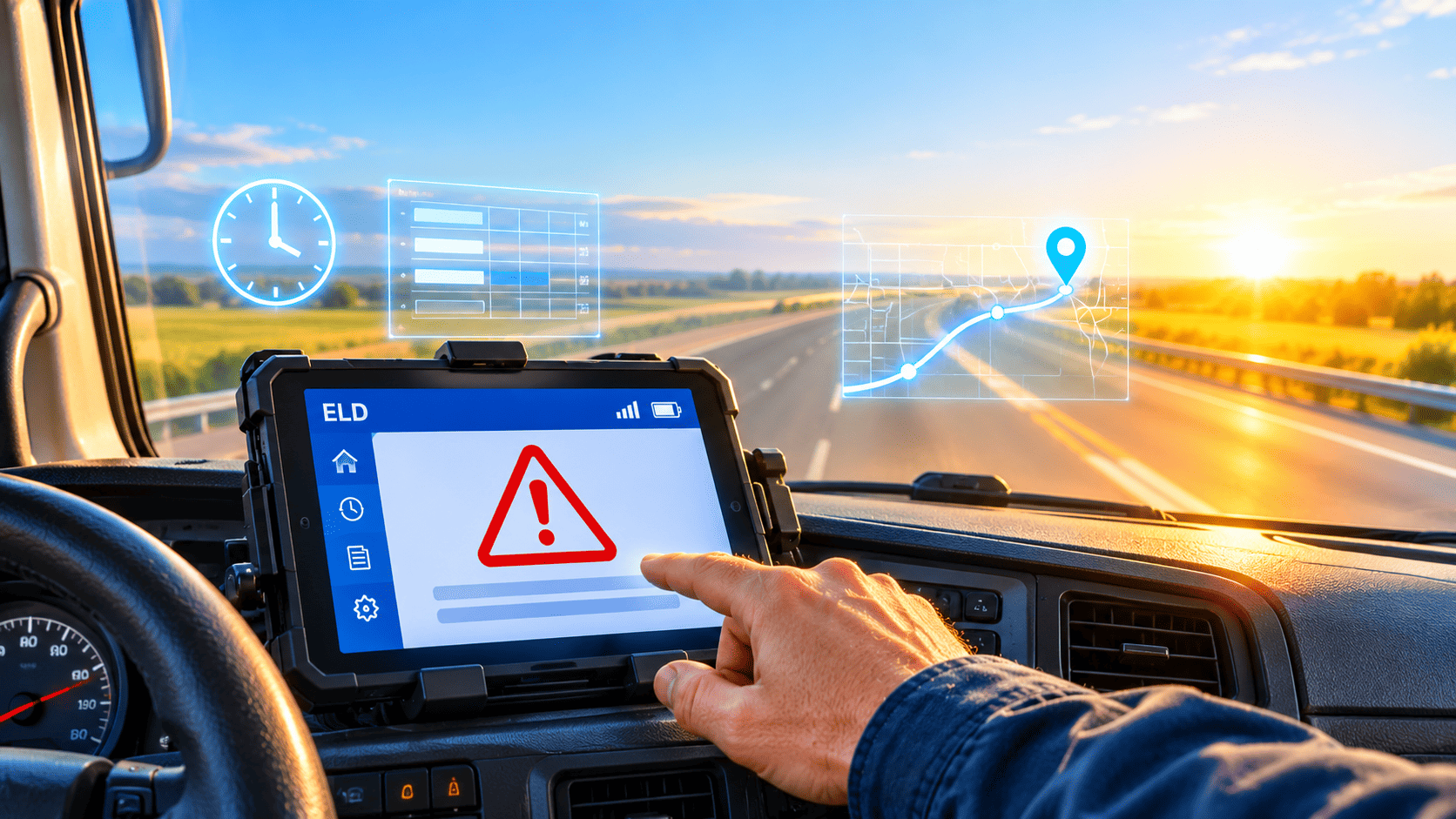
Electronic logging devices (ELDs) replaced paper logbooks to make hours-of-service (HOS) records accurate and tamper-resistant. However, a device alone does not guarantee compliance. Drivers still make logging errors, dispatchers still overlook warnings, and fleets still choose weak processes. This guide explains the most common ELD mistakes, shows what they cost, and demonstrates how Motive – GPS Fleet Tracking System & Solutions helps carriers prevent them.
Table of contents
Quick Summary
Short on time? This overview covers the essentials.
- The problem: Most ELD violations come from human error, poor setup, and slow follow-up, not from broken hardware.
- The cost: Violations can lead to out-of-service orders, roadside inspection points, audit findings, and higher insurance scrutiny.
- The fix: Clear driver training, real-time alerts, regular log audits, and a registered, reliable ELD solution.
- The solution: Motive – GPS Fleet Tracking System & Solutions combines an ELD, driver app, vehicle gateway, and fleet dashboard so carriers catch problems before an officer does.
- The next step: Use the checklist near the end of this article to audit your own fleet.
What Is Motive, and Why Does It Matter for ELD Compliance?

This article focuses on a simple question: how can fleets avoid ELD mistakes without drowning in paperwork? Motive – GPS Fleet Tracking System & Solutions offers one answer. The platform connects an ELD, GPS tracking, a driver mobile app, and a web-based fleet dashboard in one system.
How does the platform work in daily operations?
A vehicle gateway plugs into the truck’s diagnostic port and records engine data, such as engine hours, odometer readings, and vehicle motion. The driver app then turns that data into duty status records. Meanwhile, the dashboard gives safety and compliance managers a live view of every driver’s available hours.
Why does automation reduce errors?
Manual steps create mistakes. Therefore, Motive automates many of them. The system automatically detects driving, prompts drivers when something looks wrong, and flags violations before they happen. As a result, drivers spend less time managing logs and more time managing the road.
What Is an ELD, and Why Do Mistakes Still Happen?
Before diving into specific errors, it helps to understand the rules behind the technology.
What does the FMCSA require?
The Federal Motor Carrier Safety Administration (FMCSA) finalized the ELD rule in December 2015. Under 49 CFR Part 395, Subpart B, most commercial drivers who must keep records of duty status (RODS) need a registered ELD that automatically records driving time. Full compliance became mandatory on December 16, 2019, when the transition period for older automatic onboard recording devices (AOBRDs) ended.
The FMCSA publishes a list of registered ELDs on its website. A device must appear on that list. If it does not, an inspector can treat the driver as having no compliant ELD.
Why do errors persist after the mandate?
Three factors drive most errors:
- Complex rules. Drivers must track the 11-hour driving limit, the 14-hour window, the 30-minute break rule, and the 60/70-hour weekly limits at the same time.
- Training gaps. New hires often learn the ELD on the job, which leaves room for misunderstandings.
- Weak oversight. Carriers that review logs rarely allow small mistakes to grow into patterns.
Consequently, even experienced fleets rack up avoidable violations. The good news: most of these mistakes follow predictable patterns, so you can prevent them.
What does a single ELD mistake actually cost a carrier?
A logging error may look small, but its effects add up quickly. First, a violation found at a roadside inspection can take a driver out of service, delaying the load and disrupting the customer’s schedule. Second, HOS violations feed into the FMCSA’s Safety Measurement System, where they influence a carrier’s Hours-of-Service Compliance score. A weaker score invites more attention from enforcement officers and can complicate conversations with shippers and brokers.
In addition, insurers pay close attention to compliance history. Carriers with repeated violations often face tougher questions at renewal, and they may struggle to negotiate favorable terms. Finally, audits can uncover patterns that roadside checks miss, such as repeated unassigned driving or heavy log editing. For this reason, prevention costs far less than correction. A platform like Motive helps you catch patterns early, long before a single mistake becomes a costly habit.
Which ELD Mistakes Cost Fleets the Most?

The table below summarizes the most frequent errors. Afterward, each one gets a closer look.
| Mistake | Typical Cause | Likely Consequence | How Motive Helps |
|---|---|---|---|
| Using a non-registered ELD | Buying on price alone | No compliant ELD at inspection | Registered ELD with FMCSA-aligned workflows |
| Misusing personal conveyance | Unclear rules | HOS violations, false driving records | Guided status prompts and manager review |
| Ignoring unassigned driving | Drivers skip the prompt | Audit findings, log gaps | Dashboard queue for unassigned events |
| Missing the 30-minute break | Poor trip planning | Break violation | In-app alerts before limits |
| Exceeding drive or duty limits | No real-time visibility | Out-of-service risk | Live HOS clocks and violation warnings |
| Mishandling malfunctions | Lack of training | Penalties, missing records | Diagnostics and in-app guidance |
| Failing roadside data transfer | Unfamiliar process | Delays, citations | Built-in inspection mode |
| Skipping log review | No assigned owner | Pattern violations | Fleet-wide reporting and alerts |
Mistake 1: Why does using a non-registered ELD create so much risk?
Some carriers buy the cheapest device they can find. Unfortunately, not every product sold as an “ELD” appears on the FMCSA registered list, and the agency has revoked registrations for devices that failed to meet technical requirements. When that happens, the carrier must replace the device within a set window.
Carriers can avoid this trap by checking the official FMCSA list before purchase and again each year. Motive provides a registered ELD, so fleets begin on solid footing. Even so, you should confirm the current status on the FMCSA website, because registrations can change.
Mistake 2: How do fleets misuse personal conveyance?
Personal conveyance (PC) lets a driver move a truck for personal reasons while off duty, for example, driving to a restaurant or a nearby hotel. However, drivers sometimes stretch the rule to cover moves that benefit the carrier, such as repositioning toward the next pickup. Officers review these entries closely, and misuse can create false records.
Strong policy helps here. Define when PC applies, and require drivers to add clear annotations. With Motive, managers can review PC usage in the dashboard and quickly spot repeat patterns. Therefore, they can coach drivers before an audit exposes the issue.
Mistake 3: Why does unassigned driving pile up?
Unassigned driving occurs when the truck moves without a logged-in driver. Short moves in the yard, a driver who forgets to sign in, or a shared vehicle can all trigger it. Left unchecked, these events accumulate and distort driver records.
FMCSA rules expect carriers to address unassigned driving, either by assigning it to the correct driver or by annotating it. Motive surfaces these events in a central queue, so dispatchers can resolve them daily instead of scrambling before an audit.
Mistake 4: How do drivers miss the 30-minute break?

Property-carrying drivers must take a 30-minute break after eight cumulative hours of driving without at least a 30-minute interruption. Many drivers lose track of this clock while they chase delivery windows.
Real-time alerts solve this problem. The Motive driver app warns drivers as the break deadline approaches, so they can plan a stop instead of discovering a violation afterward. In addition, dispatchers can see who is close to the limit and adjust schedules.
Mistake 5: What happens when drivers exceed drive or duty limits?
The 11-hour driving limit and 14-hour on-duty window cause the most frustration. A single delay at a shipper can consume hours, and drivers then feel pressure to finish the run.
Visibility changes behavior. Motive displays remaining hours on the driver’s screen and on the fleet dashboard. As a result, dispatchers can reassign loads early, and drivers can push back with data when a plan doesn’t work. Safer scheduling also reduces fatigue-related risk, which matters for everyone on the road.
Mistake 6: How do fleets mishandle ELD malfunctions?
ELDs can report malfunctions and data diagnostic events. A driver who ignores them, or who does not know the next step, risks incomplete records. Under the rule, drivers generally must note the malfunction, notify the carrier, and reconstruct recent records by hand until the device is repaired.
Training matters most here. Motive’s app and support resources explain what to do when a diagnostic code appears. Meanwhile, fleet managers can monitor device health and arrange repairs quickly.
Mistake 7: Why do roadside inspections go wrong?
Drivers must be able to show or transfer their HOS data during an inspection. Panic, unfamiliar menus, or dead phone batteries turn simple inspections into long delays.
Practice solves most of these issues. Run mock inspections during onboarding, keep the ELD instruction sheet in the cab, and ensure phones stay charged. Motive includes an inspection mode that guides drivers through the data transfer steps. As a result, drivers stay calm, and officers get what they need faster.
Mistake 8: What goes wrong when no one reviews logs?
Even with good technology, a carrier that never reviews its data will repeat the same mistakes. Form-and-manner errors, missing annotations, and edit requests all need an owner.
A weekly review routine works well. Assign one person to check violations, pending edits, and unassigned driving. Motive’s reporting tools help by consolidating these items in one place. In short, the software supplies the evidence, and your team supplies the discipline.
What Do Real-World Case Studies Show About Preventing ELD Mistakes?
The three scenarios below illustrate how fleets typically move from reactive to proactive compliance. They are representative examples built from common industry patterns, not verified customer testimonials. For published customer stories and measured results, visit the Motive website.
Case study 1: How can a small fleet cut recurring HOS violations?
A 25-truck regional carrier struggled with repeated 14-hour window violations. Dispatchers only learned about them after the fact. After moving to Motive, the team watched live HOS clocks on the dashboard and received alerts as drivers neared limits. The carrier then reassigned late loads earlier and retrained two drivers on break planning. Violations dropped because the team acted before limits expired.
Case study 2: How can a mid-size fleet clean up unassigned driving?
A 120-truck fleet discovered hundreds of unassigned driving events before an internal audit. Shared trucks and yard moves caused most of them. The compliance manager used the Motive dashboard to review events daily and assign them correctly. She also introduced a rule requiring every driver to log in before moving a vehicle. Within a few weeks, the backlog disappeared and audit prep time shrank.
Case study 3: How can a growing carrier onboard drivers faster?
A fast-growing carrier hired many new drivers, and each one needed ELD training. Instead of lengthy classroom sessions, the safety team used a short checklist, a mock inspection, and the Motive driver app‘s built-in prompts. New drivers reached productive logging habits sooner, and managers spotted early mistakes through fleet reports.
What lessons do these case studies share?
All three examples follow the same pattern:
- Visibility first. Teams cannot fix what they cannot see.
- Alerts second. Early warnings prevent violations instead of documenting them.
- Process third. Technology works best when someone owns the follow-up.
How Can Your Fleet Build an ELD Compliance Routine?

Technology helps, but habits finish the job. Use this checklist to structure your program.
Why does driver buy-in matter as much as the technology?
Even the best ELD fails when drivers see it as surveillance instead of support. Therefore, explain the purpose behind each feature before you roll it out. Show drivers how live HOS clocks protect them from unrealistic dispatches, how alerts prevent violations that hurt their own records, and how accurate logs speed up roadside inspections. When drivers understand the benefits, they follow procedures more consistently.
Feedback loops help too. Invite drivers to report confusing prompts, recurring malfunctions, or scheduling conflicts, and then act on what they say. Recognize drivers who maintain clean logs, and coach those who struggle with specific examples rather than blame. Because Motive gives drivers and managers the same data, conversations stay factual and constructive. Over time, this shared view builds trust, reduces turnover pressure, and keeps compliance from feeling like a burden.
What should fleets do every day?
- Review unassigned driving events and assign or annotate them.
- Check drivers approaching drive, duty, or break limits.
- Confirm that vehicle gateways and apps are online.
What should fleets do every week?
- Audit violations and coach drivers with specific examples.
- Review pending log edits and personal conveyance entries.
- Spot-check logs against fuel, GPS, and dispatch records for consistency.
Quarterly Tasks Every Fleet Should Complete
- Verify that your ELD still appears on the FMCSA-registered list.
- Refresh driver training, especially on malfunctions and inspections.
- Review safety and compliance trends with leadership.
How do you choose an ELD that prevents mistakes?
Compare providers using the criteria below.
| Criterion | Why It Matters | What to Ask |
|---|---|---|
| FMCSA registration | Required for compliance | Is the device on the official list? |
| Real-time alerts | Prevents violations | Do drivers and dispatchers both get warnings? |
| Ease of use | Reduces driver errors | Can a new driver learn it in one shift? |
| Reporting | Supports audits | Can you export and filter HOS data easily? |
| Support | Limits downtime | How fast does support respond to malfunctions? |
| Integrations | Saves time | Does it connect with GPS, safety, and dispatch tools? |
Key Takeaways
ELD mistakes rarely come from the hardware. Instead, they come from unclear rules, weak training, and slow follow-up. Fleets that use a registered ELD, train drivers well, and review their data every week avoid most violations.
Motive – GPS Fleet Tracking System & Solutions supports that approach. It automates driving detection, shows live HOS clocks, flags unassigned driving, and guides drivers through malfunctions and inspections. Moreover, its fleet dashboard gives managers the visibility they need to coach drivers early.
Start with three actions today: confirm your ELD’s FMCSA registration, clear your unassigned driving backlog, and schedule a weekly log review. Then consider adding expert help from Solution for Guru to speed up your rollout. Small, consistent steps protect your drivers, your authority, and your bottom line.
Frequently Asked Questions
No. Most drivers who must keep RODS need one, but exemptions exist. For example, drivers who use paper logs no more than eight days in any 30-day period, drivers of vehicles with engines manufactured before model year 2000, and certain driveaway-towaway operations may qualify. Check the FMCSA guidance to confirm your status.
Yes, but only within limits. Drivers can propose edits and add annotations to explain them. The original data stays preserved, and the driver must certify the final records. Carriers should review edits to ensure they reflect what actually happened.
Motive helps by providing real-time HOS alerts, a live dashboard for managers, and organized unassigned driving and violations for quick review. Because these tools highlight problems early, fleets can correct them before they become roadside or audit issues.
Why Should You Consider Working With Solution for Guru?
Choosing technology is only half the job. Rolling it out well, training people, and aligning it with existing processes take planning. That is where a consulting partner can help. Solution for Guru supports businesses that want to adopt digital solutions and get more value from them, including fleet and compliance tools such as Motive.

What benefits can a partnership bring?
Working with Solution for Guru can offer several advantages:
- Guidance on tool selection. An independent partner helps you compare options against your actual needs, not marketing claims.
- Smoother implementation. Planned rollouts reduce downtime and driver frustration.
- Stronger training. Practical onboarding helps drivers and dispatchers use the system correctly from day one.
- Process improvement. Specialists can help you build the daily, weekly, and quarterly routines described above.
- Ongoing support. A dedicated contact makes it easier to solve issues and refine your setup over time.
Therefore, pairing a capable platform like Motive – GPS Fleet Tracking System & Solutions with a knowledgeable partner can shorten the path to dependable compliance. Visit solution4guru.com to learn what services fit your fleet.
Recommended
- How Does Motive Real-Time Fleet Tracking Work?
- How does Motive’s real-time visibility improve fleet operations?
- How Do Delivery Companies Improve Routes With Motive?
- Verizon Connect for Landscaping Companies
- Verizon Connect Mobile App Overview
- How Does Motive Support Business Growth?
- Why Do Construction Companies Choose Motive?
- Driver Safety Monitoring with Azuga: How Can Fleets Reduce Risk and Build Safer Habits?
- Benefits of Using Samsara for Fleet Management
- How Verizon Connect Helps Reduce Insurance Premiums
- How Motive Helps Reduce Insurance Costs
- How Verizon Connect Improves Fleet Productivity
- How Motive Detects Distracted Driving
- Managing Mixed Fleets with Verizon Connect
- How Verizon Connect Improves Driver Accountability
- How Motive Helps Schedule Preventive Maintenance
- How Samsara Improves Fleet Productivity
- How Fleet Managers Use Motive for Compliance Reporting
- How Motive Improves Dispatcher Efficiency
- How Motive Helps Reduce Fleet Operating Costs