How Does FreshBooks Integrate with CRM, Payroll, and Project Management Tools?
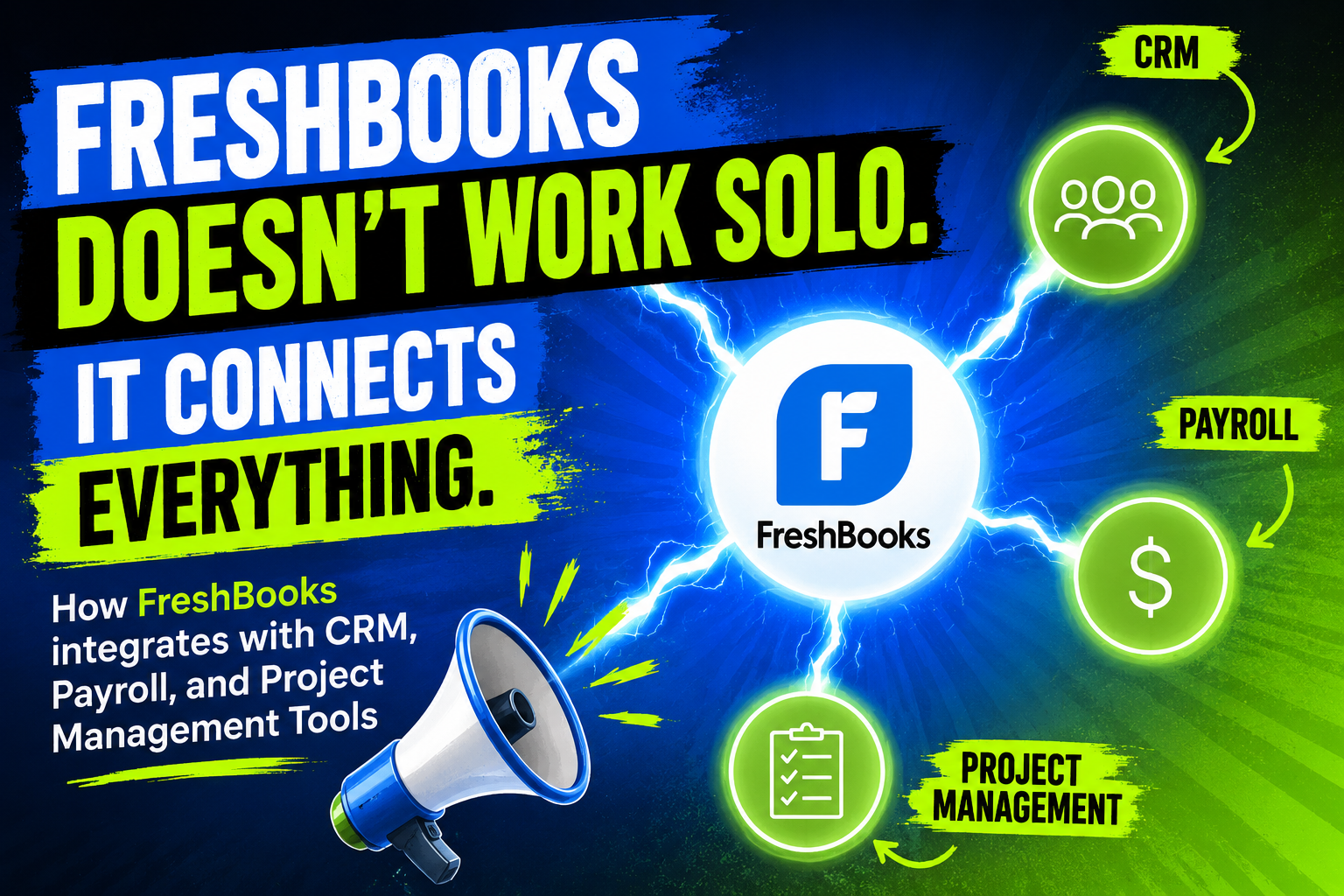
Running a modern business means juggling customer relationships, paying your team on time, tracking project progress, and keeping the books balanced — often across four completely different tools. When those systems don’t talk to each other, your team ends up copying data by hand, reconciling errors, and wasting hours that could go toward actual work. FreshBooks solves this problem by offering deep, reliable integrations with leading CRM platforms, payroll providers, and project management tools — turning your accounting software into the connected financial hub your business actually needs. This article explains exactly how those integrations work, why they matter, and how partnering with Solution for Guru helps you get the most out of every connection.
Table of contents
Quick Summary
- FreshBooks is a cloud-based accounting platform designed for freelancers, small businesses, and growing teams.
- It integrates natively and via API with CRM tools (HubSpot, Salesforce, Zoho CRM), payroll platforms (Gusto, ADP, PayChex), and project management software (Asana, Trello, Basecamp).
- Integrations eliminate manual data re-entry, reduce billing errors, and accelerate cash flow.
- The FreshBooks API and Zapier/Make automations extend connectivity to 100+ additional business tools.
- Solution for Guru provides expert integration setup, workflow design, and ongoing support to help businesses unlock FreshBooks’ full connected potential.
What Is FreshBooks and Why Does Integration Matter for This Platform?

FreshBooks launched in 2003 as a simple invoicing tool for self-employed professionals. Over the following two decades, it evolved into a comprehensive cloud accounting platform used by over 30 million people across 160 countries, according to FreshBooks’ own published figures. Today, FreshBooks handles invoicing, expense tracking, time tracking, project billing, tax preparation support, and financial reporting — all through an interface widely praised for its simplicity and clean design.
Despite its breadth, FreshBooks deliberately focuses on doing accounting exceptionally well rather than trying to be everything at once. That focus makes integrations central to its value proposition. FreshBooks connects to the CRM tools that manage your sales pipeline, the payroll platforms that pay your employees, and the project management systems that track your deliverables. By linking these systems together, FreshBooks sits at the intersection of every major financial workflow in your business — converting client wins into invoices, turning completed work into billable hours, and aligning payroll costs with project profitability. Understanding how those integrations work, and how to configure them correctly, directly determines how much time and money FreshBooks saves you.
How Does FreshBooks Connect to CRM Platforms?

Why Do Businesses Need a CRM-to-Accounting Connection?
Customer Relationship Management (CRM) tools store the intelligence your sales team builds over weeks or months — contact details, deal values, pipeline stages, communication history, and contract terms. Accounting software, on the other hand, manages what happens after a deal closes: the invoice, the payment, and the revenue record. Without a bridge between these two systems, finance teams recreate customer data by hand every time a new contract lands, creating delays, typos, and duplicated effort.
FreshBooks closes that gap by connecting directly to CRM platforms so that closing a deal in your CRM automatically creates a client and a draft invoice in FreshBooks. Sales teams keep working in the tool they know, and finance teams receive accurate, ready-to-send invoices without chasing account executives for contract details. The result is a faster billing cycle, fewer errors, and a cleaner audit trail from first contact to final payment.
How Does the FreshBooks and HubSpot Integration Work?
HubSpot is one of the most widely used CRM platforms for small and mid-sized businesses, and its integration with FreshBooks streamlines the handoff from sales to billing with minimal configuration. Once connected through the HubSpot App Marketplace, the integration maps HubSpot contact records and deal data directly to FreshBooks client profiles and invoice templates.
Specifically, when a sales representative marks a deal as “Closed Won” in HubSpot, the integration triggers the creation of a corresponding FreshBooks invoice pre-populated with the client’s name, email address, billing address, and the products or services attached to the deal. Finance teams review and send the invoice in FreshBooks without ever logging into HubSpot to retrieve contract details. Payment activity in FreshBooks — including partial payments and overdue notices — can also flow back into HubSpot, giving account managers visibility into outstanding balances directly from the CRM. This bidirectional data flow eliminates the information silo that typically separates sales and finance.
How Does FreshBooks Integrate with Salesforce?
Salesforce powers the sales operations of thousands of mid-market and enterprise companies, and FreshBooks connects to it through both native connectors and middleware platforms such as Zapier and Make. The most common integration pattern moves Salesforce opportunity data into FreshBooks when an opportunity reaches a specified stage — typically “Closed Won” — creating FreshBooks clients, projects, and invoices automatically.
More sophisticated Salesforce-FreshBooks setups use the FreshBooks API to build custom workflows. For example, a business might configure the integration so that a Salesforce Contract object, once executed, generates a FreshBooks recurring invoice with the correct billing frequency, amount, and service description. Payment status updates in FreshBooks then post back to Salesforce as activity records, keeping the account management team informed about collection status without switching applications. Solution for Guru regularly implements exactly these kinds of bidirectional, API-driven Salesforce-FreshBooks integrations for clients who need more than off-the-shelf connectors can provide.
What Other CRM Tools Does FreshBooks Connect To?
| CRM Platform | Integration Method | Key Data Flows | Best Suited For |
|---|---|---|---|
| HubSpot | Native App Marketplace connector | Contacts, deals → FreshBooks clients & invoices; payment status → HubSpot | SMBs using HubSpot CRM Free or Sales Hub |
| Salesforce | Zapier / Make / Custom API | Opportunities, contracts → invoices; payment updates → Salesforce activities | Mid-market teams with complex sales cycles |
| Zoho CRM | Zapier / Zoho Flow | Leads, deals → FreshBooks clients; invoices → Zoho CRM notes | Businesses already using the Zoho ecosystem |
| Pipedrive | Zapier / Make | Won deals → FreshBooks invoices; client billing data → Pipedrive | Sales-driven agencies and consultancies |
| Capsule CRM | Native integration | Contacts and opportunities → FreshBooks clients and estimates | Small teams seeking simple CRM-accounting sync |
How Does FreshBooks Integrate with Payroll Platforms?

Why Does Payroll-Accounting Integration Matter?
Payroll represents one of the largest — and most regulated — expense categories for any business. Every payroll run generates a cascade of accounting entries: gross wages, employer tax contributions, benefit deductions, net payments, and liability postings for taxes not yet remitted. When payroll and accounting systems operate independently, finance teams must translate payroll reports into journal entries manually, a process that takes time and introduces transcription risk.
FreshBooks’ payroll integrations automate this translation. When payroll runs in a connected platform, FreshBooks receives the summarized expense data and posts it to the correct expense accounts automatically. This keeps the profit and loss statement accurate in real time, eliminates manual journal entries, and ensures that payroll liabilities appear on the balance sheet without delay. For business owners reviewing their financials, this means they always see true costs — not an understated picture that ignores last week’s payroll.
How Does the FreshBooks and Gusto Integration Work?
Gusto is a cloud payroll platform popular with small businesses, and its integration with FreshBooks ranks among the most seamless in FreshBooks’ integration catalog. After connecting the two platforms through the FreshBooks integrations dashboard, each Gusto payroll run automatically generates expense records in FreshBooks categorized by payroll type: salaries, contractor payments, employer taxes, and benefits.
The integration maps Gusto’s payroll categories to your FreshBooks chart of accounts, so expense entries land in the right accounts from the first run. FreshBooks also records the employer portion of payroll taxes as liabilities until remitted, giving you an accurate picture of your obligations at any point in the month. For businesses that run payroll on a bi-weekly or semi-monthly schedule, this automation can deliver significant time savings. It often eliminates two to four hours of manual data entry and reconciliation during each payroll cycle.
How Does FreshBooks Work with Other Payroll Providers?
Beyond Gusto, FreshBooks connects to a range of payroll platforms through direct integrations and automation layers. The table below summarizes the most common payroll connections and what data moves between systems:
| Payroll Platform | Integration Method | Data Synced to FreshBooks | Market Focus |
|---|---|---|---|
| Gusto | Native integration | Payroll expenses by category, employer taxes, contractor payments | US small businesses (1–500 employees) |
| ADP | Zapier / CSV export + import / Custom API | Payroll summaries, wage expenses, deductions | Mid-market and enterprise US employers |
| PayChex | Zapier / Custom workflow | Payroll journal entries, tax withholdings | US businesses across all sizes |
| Wagepoint | Native integration (Canada) | Payroll expenses, CPP/EI deductions, vacation accruals | Canadian small businesses |
| Deel | Zapier / API | Contractor invoices, international payroll expenses | Remote-first businesses with global contractors |
What Payroll Data Does FreshBooks Handle After Integration?
Once a payroll integration runs, FreshBooks typically handles four categories of financial data. First, it records gross wage expenses broken down by employee or department if the payroll platform provides that level of detail. Second, it captures employer payroll tax contributions — Social Security, Medicare, state unemployment, and similar obligations — as both expenses and liabilities. Third, it records benefit and deduction costs such as employer health insurance contributions. Fourth, it books the net payment made from the business bank account, which reconciles against the bank feed when bank statements arrive.
Together, these four categories give FreshBooks a complete picture of your labor costs, enabling accurate profitability analysis by client or project when combined with FreshBooks’ time tracking and project data. Business owners and finance teams can then answer the question that matters most: is this project or client actually profitable after accounting for all the labor it consumes?
How Does FreshBooks Integrate with Project Management Tools?

Why Do Project-Based Businesses Need Accounting-PM Integration?
For agencies, consultancies, construction firms, and any business that delivers work in projects, the link between project activity and billing is the heartbeat of the operation. Time tracked against a project must flow into an invoice. Expenses incurred during a project must appear on the client bill. Milestones completed must trigger payment requests. When project management tools and accounting software operate in isolation, this translation happens manually — a process rife with missed billable hours, forgotten expenses, and delayed invoices.
FreshBooks addresses this through its own built-in project and time tracking module and through integrations with dedicated project management platforms. The result is a continuous flow of billable data from where work happens — a project board, a time entry, an expense receipt — directly into an invoice ready to send. Businesses that close this loop consistently invoice faster, capture more billable time, and collect payment sooner.
How Does FreshBooks’ Built-in Time Tracking Feed into Invoicing?
FreshBooks includes a native time tracking feature that team members access through the web interface, desktop app, or mobile app. Users start a timer against a specific project and client, or log time retroactively with a date and duration.FreshBooks records every time entry using the project’s assigned billing rate, whether that rate is a flat project fee, a per-person hourly rate, or a task-specific rate. Unbilled hours are then automatically accumulated in a billing queue until they are invoiced.
When the time comes to invoice, FreshBooks presents all unbilled time entries for the client in a single view. With one click, those entries convert into invoice line items, each showing the date, description, hours, rate, and amount. The client receives a fully itemized invoice without the finance team manually transferring a single time entry. This built-in capability already solves the project-to-invoice gap for many businesses, but deeper integrations with dedicated PM tools extend it further for teams with more complex workflows.
How Does FreshBooks Integrate with Asana?
Asana is a leading project management platform used by teams that manage complex, multi-stakeholder projects with defined tasks, timelines, and milestones. FreshBooks connects to Asana primarily through Zapier and Make, enabling automations that trigger FreshBooks actions based on Asana events. Common examples include:
- When a task in Asana reaches “Complete” status, Zapier creates a time entry in FreshBooks for the logged hours associated with that task.
- When an Asana project milestone is marked complete, a FreshBooks invoice generates automatically for the milestone billing amount defined in the project brief.
- When a new Asana project starts, FreshBooks creates a matching project so time can immediately be tracked against it.
- When a new client is added to FreshBooks, Asana creates a corresponding project portfolio or workspace for that client.
These automations remove the administrative handoff between delivery teams and finance teams. Project managers focus on managing projects; FreshBooks handles the billing paperwork in the background.
How Does FreshBooks Connect to Trello, Basecamp, and Monday.com?
FreshBooks connects to a wide range of project management platforms beyond Asana. The following table shows the most common PM integrations and typical use cases:
| PM Tool | Integration Method | Typical Automation | Best Use Case |
|---|---|---|---|
| Asana | Zapier / Make | Task completion → FreshBooks time entry; milestone → invoice | Agencies tracking billable milestones |
| Trello | Zapier / Make | Card moved to “Done” → time entry or invoice line item in FreshBooks | Small teams using Kanban workflows |
| Basecamp | Zapier | New project in Basecamp → new project in FreshBooks; to-do completion → time log | Service firms with long-running client projects |
| Monday.com | Native app / Zapier / Make | Item status change → FreshBooks invoice; hours column → time entry | Operations-heavy businesses tracking work across teams |
| ClickUp | Zapier / Make | Task time tracking → FreshBooks time entries; task completion → billing trigger | Tech companies and software teams |
| Jira | Zapier / Custom API | Issue resolution → billable time log; sprint completion → FreshBooks invoice | Software development agencies billing by sprint or ticket |
How Does the FreshBooks API Enable Custom Integrations?
What Can Developers Build with the FreshBooks API?
For businesses whose workflows don’t fit a pre-built connector, FreshBooks exposes a comprehensive RESTful API that covers every major resource in the platform: clients, invoices, estimates, expenses, payments, projects, time entries, and reports. The API uses OAuth 2.0 for authentication, returns JSON responses, and supports both read and write operations across all major endpoints. Developers can use it to build custom integrations with in-house systems, automate complex workflows, or pull FreshBooks data into business intelligence dashboards.
Practical examples of custom API integrations include: automatically creating FreshBooks invoices from an e-commerce platform’s order data; pushing FreshBooks payment records into a custom financial reporting database; synchronizing FreshBooks client lists with an internal CRM built on proprietary software; or triggering FreshBooks expense entries when receipts are processed by a machine-learning scanning tool. The API rate limits are generous for most business use cases, and FreshBooks provides official documentation and sandbox environments to support development and testing.
How Do Zapier and Make Extend FreshBooks Without Code?
Not every business has developer resources to build API integrations. For those teams, Zapier and Make (formerly Integromat) provide no-code and low-code automation platforms that connect FreshBooks to hundreds of other tools through a visual workflow builder. FreshBooks maintains official Zapier and Make app listings with pre-built triggers and actions covering the most common integration scenarios.
On Zapier alone, FreshBooks connects to over 5,000 applications through both simple one-step “Zaps” and multi-step workflows. Common automation patterns include: new payment received in FreshBooks → send a thank-you email via Gmail → update a Google Sheet row with payment details → notify a Slack channel. These multi-step automations replace entire manual workflows without requiring any code. Make’s visual scenario builder handles more complex logic — conditional branches, data transformations, error handling — making it the preferred choice for businesses that need sophisticated automation without hiring developers.
How Do FreshBooks Integrations Improve Cash Flow and Business Visibility?

How Do Integrations Accelerate the Invoice-to-Cash Cycle?
Every day between completing work and receiving payment represents a cost to your business — either the cost of borrowing to cover operations or the opportunity cost of capital sitting in a receivable. FreshBooks integrations compress that gap at every stage of the cycle. CRM integrations ensure that invoices go out the moment a deal closes rather than waiting for a finance team member to receive a handoff email. Project management integrations ensure that every billable hour and expense appears on the invoice rather than being forgotten. Payment integrations — with Stripe, PayPal, Square, and others — give clients easy ways to pay online, which FreshBooks research indicates reduces the average time to payment significantly compared to paper or manual processes.
Together, these integrations transform invoicing from a reactive, manual process into an automated pipeline. Businesses that implement FreshBooks with well-configured integrations consistently report shorter receivable cycles, fewer billing disputes (because invoices are accurate and timely), and better cash flow predictability — because the gap between work and revenue shrinks dramatically.
How Do Integrations Improve Financial Visibility Across Departments?
Financial visibility — knowing where money comes from, where it goes, and how profitability breaks down by client, project, or product line — depends on having complete and timely data in your accounting system. FreshBooks integrations feed data from CRM, payroll, and project management directly into FreshBooks’ reporting engine, producing a more complete picture than any single system could generate alone.
Consider what becomes possible when all three integration categories work together. A business owner opens FreshBooks and sees revenue broken down by client (sourced from CRM deal data), project costs including labor (sourced from payroll and time tracking), and direct expenses (sourced from project management tools). The resulting project profitability report shows not just whether the business made money overall, but which clients and projects drive the most profit — and which ones consume resources without adequate return. This kind of insight drives better pricing decisions, smarter client selection, and more profitable growth.
What Should Businesses Consider Before Setting Up FreshBooks Integrations?
How Should Businesses Plan Their FreshBooks Integration Strategy?
Before connecting FreshBooks to any external system, businesses benefit from mapping their current data flows and identifying the specific pain points that integrations should solve. Jumping straight to configuration without this planning step often leads to duplicate automations, conflicting data, or half-built connections that create more confusion than they resolve. A structured approach covers four areas:
- Data ownership: Identify which system holds the authoritative version of each data type (clients, rates, projects) and configure integrations to flow from that source of truth rather than creating two-way syncs that conflict.
- Field mapping: Match fields between systems before building automations. A “deal name” in HubSpot may map to a “project name” in FreshBooks, but the mapping must be explicit and consistent.
- Error handling: Decide what happens when an integration fails — does it alert a human, retry automatically, or log the error for review? Integrations without error handling create silent data gaps.
- Testing: Always run new integrations in a test environment with sample data before exposing them to live transactions. A misconfigured payroll-to-accounting integration that posts expenses to the wrong accounts can take hours to untangle.
What Common Integration Mistakes Should Businesses Avoid with FreshBooks?
Several integration mistakes recur across businesses that set up FreshBooks connections without expert guidance. First, many businesses enable bidirectional syncs between FreshBooks and their CRM without defining which system “wins” when the same field changes in both places simultaneously, leading to unpredictable overwrites. Second, teams often overlook tax field mapping, so invoices generate with incorrect tax rates because the CRM deal record doesn’t carry the right tax code for that client’s location.
Third, businesses frequently underestimate the importance of chart-of-accounts alignment when connecting payroll. If Gusto categorizes payroll expenses into five cost categories but FreshBooks only has three accounts set up to receive them, the integration either fails or consolidates costs in ways that obscure meaningful analysis. Finally, many businesses set up integrations and assume they run correctly without monitoring them. Integration platforms fail silently when API credentials expire, rate limits hit, or upstream systems change their data formats — and the damage accumulates quietly until someone notices the books don’t balance.
What Conclusions Can We Draw About FreshBooks Integrations?
FreshBooks delivers genuine, measurable value not just through its core accounting features but through the ecosystem it connects to. Its integrations with CRM platforms turn closed deals into invoices automatically. Its payroll connections transform payroll runs into accurate, categorized expense records without manual journals. Also, its project management links convert tracked time and completed milestones into billable entries that reach clients faster and capture more revenue than manual processes ever could.
Importantly, FreshBooks approaches integration as a core design principle rather than an afterthought. The platform’s native connectors, RESTful API, and compatibility with Zapier and Make give businesses the flexibility to connect FreshBooks to virtually any tool in their stack — without needing to replace existing systems or force their team to adopt a monolithic platform they don’t prefer. Furthermore, the breadth of FreshBooks’ integration catalog continues to grow, ensuring that the platform stays relevant as business technology evolves.
Nevertheless, the sophistication of FreshBooks’ integration possibilities also means that configuration quality matters enormously. A well-designed integration architecture shortens the invoice cycle, enriches financial reporting, and gives business owners the visibility they need to make confident decisions. A poorly configured one creates data inconsistencies, reconciliation headaches, and eroded trust in the numbers.
In summary, FreshBooks integrations with CRM, payroll, and project management tools represent the difference between a good accounting tool and a connected financial intelligence platform. Businesses that invest in these integrations — and in the expertise to configure them correctly — position themselves to grow faster, operate more efficiently, and make better decisions with their financial data. FreshBooks provides the technology;
Frequently Asked Questions
FreshBooks maintains a native, direct integration with Gusto in the United States and Wagepoint in Canada — two of the most popular payroll platforms for small businesses in those markets. These native integrations configure through the FreshBooks integrations dashboard without requiring any third-party automation tool. For other payroll providers such as ADP, PayChex, and Deel, FreshBooks currently connects through middleware platforms like Zapier or Make, or via custom API development. The middleware approach works reliably for most use cases, though it adds a layer of configuration complexity that benefits from expert setup. Solution for Guru handles payroll integration setup for all major providers, including custom API connections for businesses whose payroll platform doesn’t appear in standard connector libraries.
FreshBooks encrypts all data in transit using TLS 1.2 or higher and at rest using AES-256 encryption, consistent with industry-standard security practices for financial software. API authentication uses OAuth 2.0, which means that third-party applications and integration platforms access FreshBooks on behalf of your account without ever storing your password — and you can revoke access at any time from the FreshBooks integrations settings. When using middleware platforms like Zapier or Make, data passes through those platforms’ secure infrastructure, both of which maintain SOC 2 Type II certifications. For businesses with heightened data security requirements, Solution for Guru recommends building direct API integrations that bypass middleware entirely, keeping data flows exclusively between your own systems and FreshBooks servers.
Why Should You Work with Solution for Guru to Configure Your FreshBooks Integrations?
How Does Solution for Guru Add Value to a FreshBooks Implementation?
Setting up FreshBooks is straightforward. Setting up FreshBooks correctly — with integrations that handle edge cases, error conditions, and business-specific logic — requires deep platform expertise combined with accounting domain knowledge. Solution for Guru provides exactly that combination. As an experienced Zoho and cloud accounting implementation partner, Solution for Guru’s consultants have designed and deployed FreshBooks integration architectures for businesses across industries, from creative agencies and law firms to manufacturers and e-commerce brands.
Rather than applying a generic template, Solution for Guru begins every engagement with a thorough discovery process — understanding your existing tools, your team’s workflows, your billing model, and your financial reporting requirements. That discovery informs a custom integration design that fits your business rather than forcing your business to fit a pre-configured setup. The difference shows up in adoption, accuracy, and the time your team actually saves.

What Specific Services Does Solution for Guru Provide for FreshBooks Users?
- Integration Architecture Design: Solution for Guru maps every data flow between FreshBooks and your CRM, payroll, PM, and payment systems before writing a single automation, ensuring a coherent design with clear ownership and logic.
- CRM-to-FreshBooks Connection Setup: Whether you use HubSpot, Salesforce, Pipedrive, or a custom CRM, Solution for Guru configures the connection with correct field mapping, bidirectional sync rules, and error handling so that client and invoice data always stays consistent.
- Payroll Integration Configuration: Solution for Guru aligns your payroll platform’s expense categories with FreshBooks’ chart of accounts, configures tax liability mapping, and validates the integration against past payroll runs before going live.
- Project Management Automation: The team builds Zapier, Make, or custom API automations that convert project events — task completions, milestone approvals, time logs — into FreshBooks billing records automatically and accurately.
- Custom API Development: For businesses that need integrations beyond what standard connectors offer, Solution for Guru’s developers build and maintain custom API connections between FreshBooks and proprietary or specialized business systems.
- Data Migration: Moving from QuickBooks, Wave, or another accounting platform to FreshBooks? Solution for Guru handles the migration with careful data mapping, validation, and reconciliation to ensure historical records transfer cleanly.
- Integration Monitoring and Maintenance: Solution for Guru sets up monitoring for all active integrations and proactively addresses failures — expired tokens, API changes, format updates — before they affect your books.
- Training and Documentation: Every implementation includes role-specific training so your team understands how to use FreshBooks effectively with its integrations, and custom documentation so they can troubleshoot minor issues independently.
What Results Do Businesses Achieve by Partnering with Solution for Guru?
Businesses that work with Solution for Guru on FreshBooks implementations consistently achieve faster time-to-value, higher user adoption, and measurably better financial data quality than those who configure integrations independently. The combination of expert design, thorough testing, and proactive support means that integrations run reliably from day one and continue improving as the business evolves. Moreover, Solution for Guru’s ongoing relationship model ensures that when FreshBooks releases new features or integration partners update their APIs, your configuration adapts quickly rather than silently breaking.
Whether you’re a ten-person agency connecting FreshBooks to HubSpot and Asana for the first time, or a 200-person company building a custom FreshBooks-Salesforce-ADP integration, Solution for Guru provides the expertise to make it work right. Visit solution4guru.com to schedule a discovery session and find out how your business can get more from FreshBooks.
Recommended:
- Financial Reporting Architecture in Zoho Books
- Zoho Books Architecture: Cloud Accounting Explained — How Does It All Work?
- FreshBooks for IT Consulting Firms: Managing Projects, Invoices, and Client Billing
- FreshBooks Review: Features, Pricing, Pros, and Cons
- Real-Time Financial Dashboards with Zoho Books
- How Can You Connect Zoho Books with Payment Gateways to Streamline Your Business Finances?
- Financial Data Migration to Zoho Books
- Zoho Books for Finance Teams: Automation and Financial Control
- How Zoho CRM Works: Data Model, Modules, and Relationships