Whitevision AI Document Processing: Common Business Use Cases
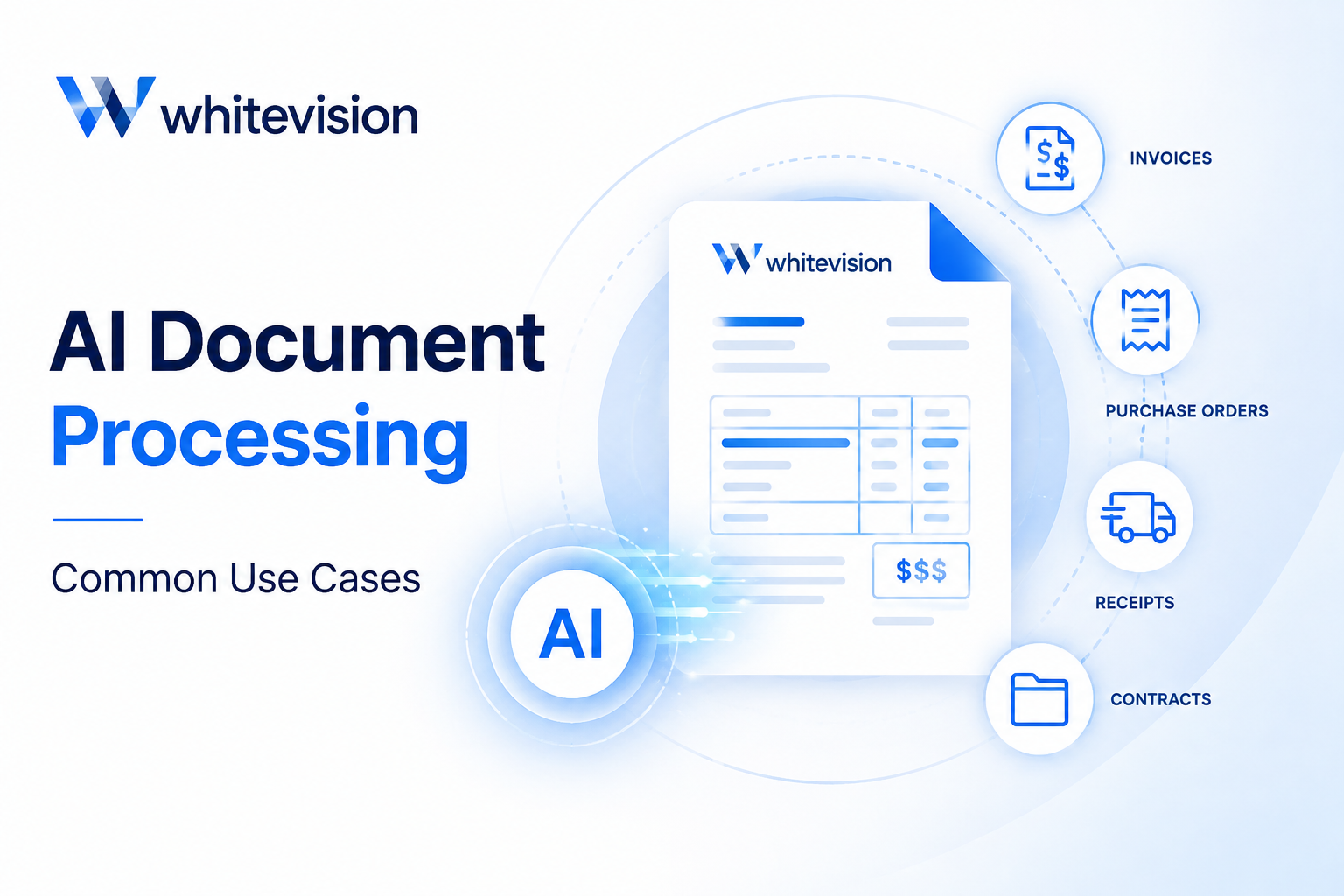
Every business that handles invoices, receipts, or expense claims eventually runs into the same bottleneck: manual document processing. Someone has to open the email, print the PDF, key the numbers into an accounting system, and chase down a manager for sign-off. Meanwhile, the paper trail grows longer, and small errors creep into the books. Consequently, finance teams spend hours each week on tasks that add no strategic value to the business.
Fortunately, artificial intelligence has changed how organizations capture, read, and route financial documents. Instead of manual entry, AI-powered platforms scan, classify, and extract data automatically, then send it straight into the right approval chain and accounting system. As a result, businesses across construction, healthcare, education, and staffing sectors are replacing paper-based workflows with faster, more accurate digital processes. This article explores the most common business use cases for AI document processing, and it explains how a platform built around automation and centralized visibility fits into that shift.
Table of contents
Quick Summary: What This Article Covers
- AI document processing automatically captures, reads, and extracts data from invoices, receipts, and service orders
- Mobile receipt capture allows employees to submit expenses from any location, in real time
- Configurable approval workflows route documents to the right people, with a full audit trail
- Integrations with accounting and ERP systems remove the need for double data entry
- Centralized dashboards give finance teams a single, real-time view of company-wide spend
- Construction, education, healthcare, cleaning, and temporary staffing businesses each use these tools somewhat differently
How Does Whitevision B.V. Fit Into This Shift Toward Automated Document Processing?

Among the platforms driving this shift, Whitevision B.V. stands out for how directly it addresses the day-to-day friction finance teams face. Rather than treating invoice capture, receipt handling, and approvals as separate tools bolted together, Whitevision brings automation, mobile receipt capture, approval workflows, accounting integrations, and centralized expense visibility into one connected platform. In practice, this means a purchase invoice that arrives by email can be read, matched, and routed for approval without a single manual keystroke, while an employee’s receipt, photographed on a smartphone, lands in the same system and is ready for review within minutes.
Because every document flows through one platform, finance managers no longer need to reconcile data across spreadsheets, inboxes, and separate expense apps. Instead, they see the full picture — what has been submitted, what is pending approval, and what has already been posted to the accounting system — from a single dashboard. With that context established, the sections below walk through the specific, everyday use cases where this kind of AI document processing platform delivers measurable value, from invoice handling to mobile expense capture, approval automation, accounting integration, and company-wide expense visibility.
What Business Problem Does AI Document Processing Actually Solve?

Before diving into specific use cases, it is worth pausing on the underlying problem this technology addresses. Most finance teams do not lack effort or diligence; instead, they lack time, because repetitive, low-value tasks consume so much of their day, tasks a machine can now handle just as accurately, if not more so. Once automation takes over that repetitive work, staff can focus on analysis, vendor relationships, and decisions that genuinely require human judgment, which ultimately makes better use of skilled people than data entry does.
What Types of Business Documents Can AI Processing Handle Automatically?
Before looking at specific workflows, it helps to understand what documents AI processing platforms actually manage. Businesses generate a steady stream of paperwork tied to purchasing, procurement, and expenses, and much of it follows a predictable structure that AI can learn to read. Whitevision’s document processing, for example, applies OCR technology and XML interpretation to identify the document type, extract the relevant fields, and pass that data into the appropriate workflow. As a result, nobody needs to manually type in a supplier name, invoice number, or line-item amount every time paperwork arrives.
| Document Type | What AI Extracts | Typical Use Case |
| Purchase invoices | Supplier, invoice number, line items, VAT, due date | Accounts payable, three-way matching |
| Expense claims / receipts | Merchant, amount, date, category | Employee reimbursement |
| Service orders | Vendor, service description, cost, order reference | Procurement and vendor management |
| Incoming email attachments | Sender, attachment type, routing rules | Centralized document intake |
Why Does Purchase Invoice Automation Matter Most?
Invoices are usually the highest-volume, most time-consuming document type finance teams process, which is why automation here tends to deliver the fastest return. Whitevision reads incoming invoices, including those sent through the Peppol e-invoicing network, and matches them against purchase orders and delivery data automatically. This three-way matching step catches pricing discrepancies and duplicate invoices before they are ever paid, reducing both administrative rework and the risk of financial loss.
How Are Expense Claims and Service Orders Handled Differently?
Expense claims are typically smaller, more frequent, and submitted by individual employees rather than received centrally, so they need a lighter, faster capture method — which is where mobile tools come in. Service orders, on the other hand, usually involve a vendor relationship and a defined scope of work, so they route through procurement rather than personal reimbursement. Even though these document types differ, the same underlying AI extraction engine handles all three, which keeps the experience consistent regardless of what is submitted.
How Does Mobile Receipt Capture Change Expense Management for Employees?
Field staff, sales teams, and traveling employees rarely sit at a desk when they make a purchase, so asking them to keep and later submit paper receipts almost guarantees some will be lost, faded, or forgotten. Mobile receipt capture solves this by letting employees handle expenses the moment they happen, rather than at the end of the week or month when memory and paperwork have both grown unreliable.
What Happens When an Employee Photographs a Receipt?
Once an employee snaps a photo of a receipt through a mobile app, AI reads the merchant name, date, amount, and category, and submits it into the workflow immediately. There is no need to keep the physical slip, staple it to a form, or wait until returning to the office. Because the data is captured at the point of purchase, the information is more accurate, and the employee’s job is essentially finished in seconds.
How Does This Reduce Errors Compared to Manual Expense Reports?
Manual expense reports depend on someone transcribing numbers correctly, often days after the purchase happened, which naturally invites mistakes and duplicate entries. Mobile capture removes that lag entirely, so employees log figures accurately the first time. In addition, the company reimburses employees faster, since their claims no longer sit in a stack waiting for a monthly review cycle, and compliance improves because the system can check policy rules automatically as each receipt comes in.
Why Are Approval Workflows Essential for Financial Control?
Without a structured approval process, businesses tend to swing between two problems: either every payment funnels through one overworked signer, or, more dangerously, spending happens with little oversight at all. Approval workflows solve both issues by defining exactly who needs to review a document, in what order, and under what conditions, before money moves.
How Do Multi-Level Approval Chains Work?
Modern platforms route documents based on rules such as amount thresholds, department, or vendor, so a small routine invoice might need only one sign-off, while a larger purchase order automatically escalates to a second or third approver. Each reviewer sees the extracted data already filled in, so approving or rejecting takes moments rather than requiring a search through email threads or paper files.
| Step | Manual Process | Automated Workflow |
| Document arrival | Printed or emailed, logged by hand | Captured and read automatically |
| Routing | Walked to a desk or forwarded manually | Routed by rule: amount, department, vendor |
| Approval | Physical signature or email reply | One-click approval, desktop or mobile |
| Audit trail | Paper trail, hard to reconstruct | Full digital timestamp history |
| Typical turnaround | Days | Hours |
What Happens When an Approver Is Unavailable?
People go on vacation, attend conferences, or simply have busy weeks, and a rigid approval chain can grind to a halt when the designated approver is unreachable. Automated workflows address this with delegation rules and backup approvers, so a single absence never stalls a payment or delays an employee’s reimbursement. This built-in flexibility is one of the more understated benefits of moving approvals into a digital system.
Which Accounting and ERP Systems Does Whitevision Integrate With?

Capturing and approving a document is only half the job; the data still needs to land in the books correctly. Integration is what turns a processed invoice or receipt into a finished bookkeeping entry, and without it, businesses simply shift manual entry from paper to a screen rather than eliminating it. Whitevision connects to existing accounting and ERP systems so that approved data posts automatically, keeping the general ledger current without duplicate typing.
- Accounting software: automatic posting of approved invoices and expense claims to the general ledger
- ERP systems: purchase order matching and procurement data synchronization
- Peppol e-invoicing network: standardized, structured invoice exchange across connected suppliers
- Dedicated email intake: documents sent to a monitored inbox are captured automatically, with no manual upload
Why Does Two-Way Data Sync Matter?
When a platform only pushes data one way, someone eventually has to reconcile the two systems by hand, which reintroduces the very inefficiency automation was meant to remove. Two-way synchronization keeps supplier records, cost centers, and payment statuses consistent between Whitevision and the connected accounting or ERP system. Over time, this consistency reduces reconciliation errors and helps finance teams close the books faster at month end.
How Does Centralized Expense Visibility Benefit Finance Teams?

Once documents are captured, approved, and synced to accounting systems, the resulting data becomes genuinely useful only if someone can see it clearly and in real time. Centralized visibility turns scattered transactions into a single, coherent picture of company spending, which is difficult to achieve when information still lives across separate spreadsheets, inboxes, and paper files.
What Can Finance Managers See in a Centralized Dashboard?
- Documents awaiting approval, sorted by age or urgency
- Spend broken down by department, category, or cost center
- Overdue or upcoming invoice payments
- Monthly totals measured against budget
How Does This Help With Budgeting and Forecasting?
Real-time data removes much of the guesswork from budgeting, since finance teams no longer wait until month-end reports to notice a department is overspending. Instead, they can flag unusual patterns as they emerge and adjust course immediately. This also supports more accurate cash flow planning, because upcoming invoice payments and pending approvals are visible well before they become due.
Which Industries Rely Most on AI Document Processing?
Although any business with invoices or expenses can benefit from automation, some industries feel the impact more sharply because of how they generate documents. The table below outlines a few sectors where AI document processing addresses a distinct, recurring challenge.
| Industry | Common Document Challenge | How AI Processing Helps |
| Construction | High volume of subcontractor invoices tied to specific projects | Matches invoices to purchase orders and project codes automatically |
| Education | Many small purchases spread across departments and tight public budgets | Centralizes approvals and keeps every purchase auditable |
| Healthcare | Frequent supplier invoices alongside strict compliance requirements | Speeds up processing while preserving a complete audit trail |
| Cleaning services | Distributed field staff who need to submit expenses on the go | Mobile receipt capture keeps expense data current and accurate |
| Temporary staffing | High document volume relative to administrative headcount | Automates repetitive invoice entry, freeing staff for client work |
Even though each of these industries faces a different challenge, the underlying solution is consistent: remove manual data entry, add structured approvals, and give managers a single view of spending. Consequently, organizations in these sectors tend to see faster payment cycles and fewer processing errors once they adopt AI document processing.
How Does AI-Powered OCR Improve Data Accuracy Over Time?
Optical character recognition alone is not new, but pairing it with machine learning and XML interpretation makes a meaningful difference in accuracy. Whitevision’s approach combines OCR with collective and artificial intelligence, meaning the system learns from corrections made across its user base rather than relying on a single, static template for every document. As a result, recognition accuracy tends to improve the longer a business uses the platform, since the AI adapts to new supplier layouts and document formats automatically. This also helps catch issues a purely manual process might miss, such as duplicate invoice numbers, mismatched VAT calculations, or currency inconsistencies, before they ever reach the accounting system. Over time, fewer documents require manual correction, which further reduces the workload on finance staff and shortens the time between a document arriving and it being fully processed.
How Does AI Document Processing Support Compliance and Audit Readiness?
Beyond day-to-day efficiency, automated document processing also strengthens a business’s ability to stay compliant and pass audits without scrambling for missing paperwork. Since every invoice, receipt, and approval decision is captured digitally the moment it happens, there is no risk of a physical document being misfiled, damaged, or lost in transit between departments. This matters increasingly as regulations around e-invoicing and financial record-keeping continue to tighten across the EU, where standards such as Peppol are becoming more common rather than optional.
What Kind of Audit Trail Does the System Create?
Every document that passes through the platform carries a full digital history: who submitted it, when they captured it, which approvers reviewed it, and when it posted to the accounting system. Unlike a paper trail, which depends on someone remembering to file and retain physical copies correctly, this record exists automatically, and no one can quietly alter it after the fact.Consequently, reconstructing the history of any single transaction becomes a matter of a quick search rather than a lengthy investigation.
How Does This Help During Tax Season or External Audits?
When auditors or tax authorities request supporting documentation, finance teams that rely on manual filing often spend days locating the right paperwork. With centralized, searchable records, the team can typically answer the same request within minutes, since the system already indexes and links every invoice and receipt to its approval history. This not only saves time but also reduces the stress and disruption that audits tend to place on a finance department, since no one needs to dig anything out of storage boxes or old email threads.
What Return on Investment Can Businesses Expect from Automation?

Cost is always a fair question when evaluating a new platform, and AI document processing tends to justify itself fairly quickly once you measure the time savings against the subscription cost. Because the biggest expense in manual document handling is staff time rather than software, automating the most repetitive parts of that work tends to produce a return well within the first year for most mid-sized organizations.
How Much Time Does Automation Typically Save Finance Teams?
Teams can often complete tasks that once took a full day, such as manually keying in a batch of supplier invoices or chasing down approvals across departments, in a fraction of the time once capture and routing happen automatically. Employees submitting expenses also save time, since a photo taken on a phone replaces filling out a spreadsheet or paper form later. Multiplied across dozens or hundreds of documents each month, these small time savings add up to a meaningful reduction in administrative overhead.
What Other Benefits Go Beyond Time Savings?
While time savings are the easiest benefit to measure, several other advantages matter just as much over the long run.
- Fewer duplicate or fraudulent payments, thanks to automated matching and validation
- Faster supplier payments, which can improve vendor relationships and occasionally unlock early-payment discounts
- Lower risk of compliance penalties, since records are complete and easy to retrieve
- Better employee experience, particularly for staff who travel or work in the field
How Should a Business Get Started with AI Document Processing?

Moving from a paper-based or semi-manual process to an AI-driven platform can feel like a large undertaking, but most businesses find the transition manageable when it is broken into clear stages rather than attempted all at once. Starting small, with one document type or department, allows a team to see results quickly and build confidence before expanding the rollout further.
What Steps Are Involved in a Typical Rollout?
- Map current document types and existing approval chains before configuring anything
- Connect the platform to accounting or ERP systems so data flows automatically from the start
- Set approval rules based on amount thresholds, departments, or vendors
- Onboard a pilot group of employees to mobile receipt capture before a company-wide rollout
- Review early results and adjust routing rules as real documents surface edge cases
Why Does Choosing the Right Implementation Partner Matter?
Even a well-designed platform can underperform if a business configures it against the wrong assumptions about how it actually operates, which is why the setup phase deserves as much attention as the platform selection itself. An implementation partner who understands both the software and the surrounding accounting ecosystem can spot integration gaps early, configure approval rules that match real organizational structure, and train staff so adoption does not stall after launch. This groundwork ultimately determines how quickly a business starts seeing the time savings and accuracy improvements that AI document processing delivers.
What Is the Overall Takeaway on Whitevision’s AI Document Processing?
Taken together, these use cases show that AI document processing is not a single feature but a connected set of capabilities that reinforce one another. Automated capture reduces manual entry, mobile receipt capture keeps employee expenses accurate and current, approval workflows add structure and accountability, accounting integrations eliminate double entry, and centralized visibility ties everything into one clear picture of company spend. Whitevision brings all of these pieces together in a single platform, which is why it fits naturally into so many different business contexts, from construction sites to hospital finance departments. Rather than solving one narrow problem, it addresses the full document lifecycle, from the moment a supplier sends an invoice or an employee snaps a photo of a receipt, through approval, and finally into the books.
For businesses still relying on manual, paper-based processes, that end-to-end coverage is often the clearest reason to make the switch. Instead of layering another disconnected tool onto an already fragmented process, teams gain one system that captures, checks, routes, and records financial documents consistently, regardless of which department or location they come from. Over time, that consistency is what turns document processing from a daily chore into background infrastructure that simply works.
Frequently Asked Questions
No, Whitevision is designed to work alongside accounting and ERP systems rather than replace them. It captures, reads, and routes documents for approval, then posts the finished data into the accounting platform a business already uses, which removes manual entry without requiring a switch to new bookkeeping software.
Yes, mobile receipt capture is built to handle documents from employees who travel or purchase across borders. The AI reads the amount and currency directly from the receipt, so finance teams do not need to manually convert or re-enter figures before the claim is processed.
Implementation timelines vary depending on the number of integrations and approval workflows a business needs, but most organizations can be capturing and processing documents within a few weeks. Working with an implementation partner such as Solution for Guru generally shortens this timeline, since configuration and integration work is handled by people who have completed similar setups before.
Why Partner With Solution for Guru for Your Whitevision Implementation?

Choosing the right AI document processing platform is only the first step; configuring it correctly and connecting it to existing accounting or ERP systems is what actually determines whether a business sees results. Solution for Guru specializes in guiding companies through exactly this process, from initial setup through ongoing support, so that automation delivers on its promise rather than becoming another underused tool.
- Tailored implementation planning based on your existing accounting, ERP, and approval structure
- Hands-on configuration of document capture rules, approval chains, and integration settings
- Staff training so teams adopt the new workflow quickly and confidently
- Ongoing support to fine-tune the system as document volume or business needs change
- Experience across multiple software categories, which helps when Whitevision needs to work alongside other business tools
Recommended:
- What KPIs Should You Track in Expense Management?
- Zoho Expense Pricing Explained: Plans, Features, and Costs
- Whitevision vs Moss: Which Platform Fits Your Finance Workflow Better?
- Key Features of HoorayHR
- Zoho Expense Review: Pros, Cons, and Key Features
- HoorayHR ROI: How Businesses Save Time with HR Automation
- How Long Does It Take to Implement HoorayHR?
- HoorayHR Review: Features, Pros, Cons, and Best Use Cases
- What Is HoorayHR? A Complete Overview
- Best Expense Automation Software: Which Platform Fits Your Business?
- What ROI Can Businesses Expect From Expense Automation Software?
- Multi-Currency Expense Management with Zoho Expense
- What Is Zoho Expense and How Does It Work?
- What Are the Biggest Challenges in Multi-Entity Expense Management?
- Whitevision vs Traditional Invoice Processing: What Changes?
- What Is Whitevision and How Does It Work?
- What Is Expense Management Software and Why Do Companies Need It?