HoorayHR Integrations Explained
Running HR for a growing company usually means juggling several tools at once: a payroll system, an accounting package, a recruitment tool, a shared calendar, and more. When these systems don’t talk to each other, HR teams end up copying data by hand, and that’s where mistakes creep in. This is exactly the gap that integrations are built to close, and it’s also why so many small and medium-sized businesses are curious about what Hooray HR can connect with. This article walks through the full picture, from payroll and accounting links to calendars, workspace tools, and security add-ons, so you can decide which connections are worth setting up first.
Table of contents
What Does This Article Cover? A Quick Summary
Before diving into details, here’s a snapshot of what you’ll find below.
| Section | What You’ll Learn |
|---|---|
| What is HoorayHR? | How the platform fits into daily HR operations |
| Payroll integrations | Which payroll providers sync with HoorayHR |
| Accounting integrations | How expense and bookkeeping data flows automatically |
| Recruitment integrations | How new hires move from ATS to HR records |
| Calendar & workspace tools | How leave and schedules appear in Outlook, Google Calendar, Slack, and Teams |
| Security & digital signing | How 2FA and e-signatures protect HR documents |
| Zapier | How to connect HoorayHR to thousands of extra apps |
| Solution For Guru | Why professional support makes integrations easier |
| FAQs | Fast answers to common questions |
In short, HoorayHR isn’t meant to work in isolation. It’s designed to sit at the center of an HR ecosystem, pulling in data from the tools a business already relies on and pushing information out to the ones that need it.
What Is HoorayHR, and How Does It Relate to This Topic?

HoorayHR is a cloud-based HR platform built for small and medium-sized enterprises. It handles the everyday essentials of people management: digital personnel files, leave and absence tracking, expense claims, onboarding, and performance follow-ups. Consequently, it becomes the place where most employee-related data originates, which is precisely why its integrations matter so much.
Because HR data rarely stays in one system, HoorayHR was built with connectivity in mind. As soon as an employee’s contract, leave balance, or expense claim changes inside HoorayHR, that information often needs to reach payroll, accounting, or scheduling software as well. Without a direct link, someone has to re-enter the same details manually in each system, which wastes time and increases the risk of errors.
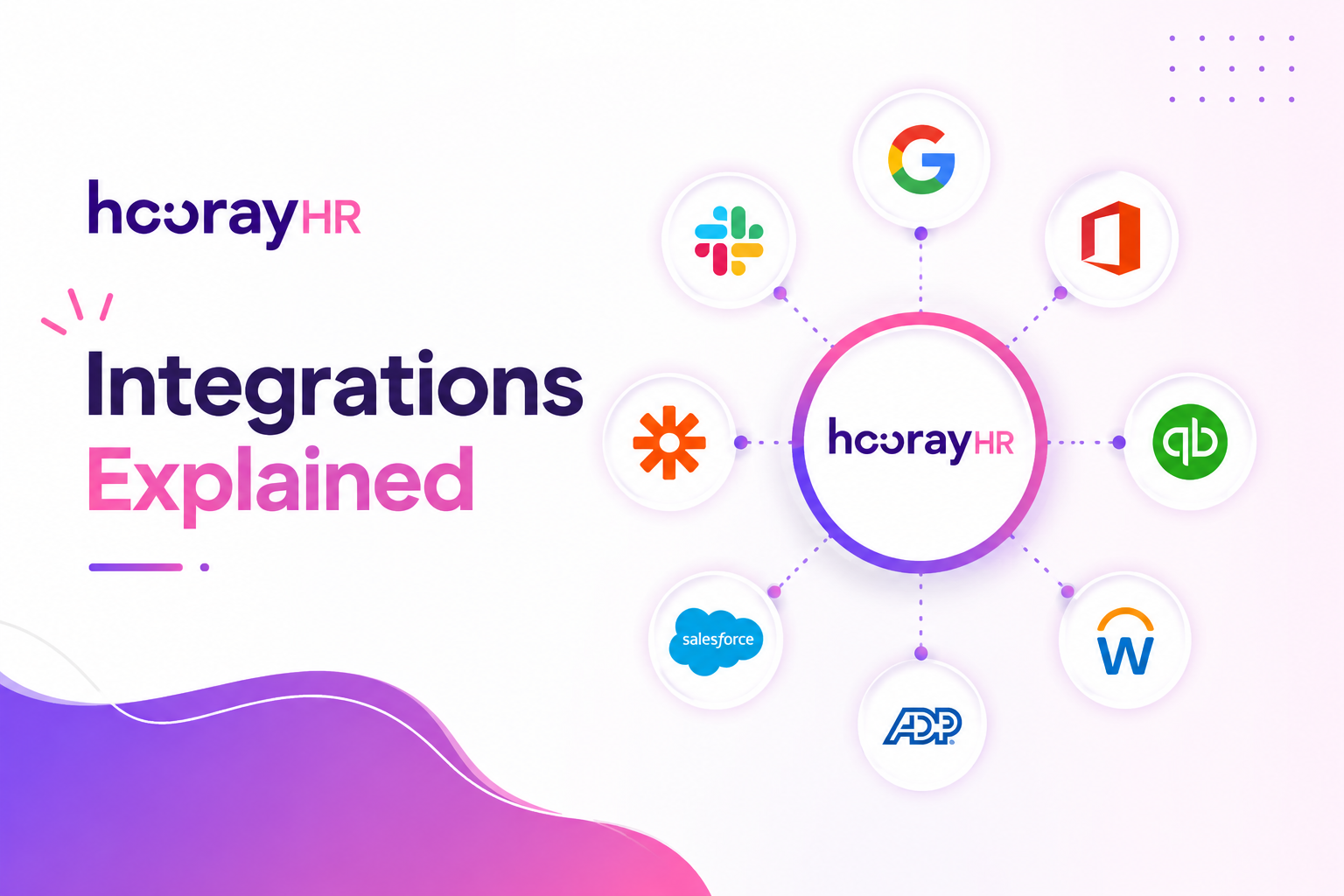
This brings us to the actual topic of this article: how HoorayHR’s integrations work, which tools they connect to, and why they’re worth setting up. From payroll platforms like Nmbrs and Loket.nl to accounting tools such as Exact and Moneybird, and from recruitment software to calendar and security apps, HoorayHR’s integration library is one of the main reasons SMEs choose it over a standalone HR spreadsheet or a fragmented set of disconnected tools.
What Types of HoorayHR Integrations Are Available?
HoorayHR organizes its integrations into clear categories, so businesses can quickly find the connection that solves their specific bottleneck. Currently, the platform lists integrations across categories including payroll, accounting, recruitment, calendar, digital signing, two-factor authentication, CRM, fintech, performance management, and workforce management.
Rather than treating integrations as an afterthought, HoorayHR positions them as a core part of its value proposition. Instead of building every function in-house, it focuses on core HR tasks and lets specialized partners handle payroll calculations, bookkeeping, or applicant tracking. As a result, businesses get the depth of dedicated tools alongside the simplicity of a single HR hub.
Which Payroll Integrations Does HoorayHR Offer?
Payroll is often the first integration companies set up, since it directly affects whether employees get paid correctly and on time. HoorayHR connects with several payroll providers that are widely used across the Netherlands and Belgium.
- Visma Nmbrs – synchronizes contract data, leave, and absence directly into payroll runs.
- Loket.nl – transfers employee records so payslips and annual statements are generated without duplicate entry.
- Salar (SalarFusion) – automates the exchange of HR data for streamlined salary processing.
Once connected, these integrations remove the need to manually re-key contract changes, new hires, or leave balances every payroll cycle. Because payroll runs on a strict monthly or weekly schedule, this kind of automation also reduces the chance of last-minute errors that could delay someone’s paycheck.
Which Accounting Integrations Does HoorayHR Support?
Beyond payroll, expense claims and bookkeeping also benefit from a direct connection. HoorayHR links to a fairly wide range of accounting and bookkeeping platforms, including:
| Category | Example Tools |
|---|---|
| Bookkeeping | Moneybird, e-Boekhouden.nl, SnelStart, Yuki |
| Accounting suites | Exact, Twinfield (via Basecone), Basecone |
| Fintech/expense processing | Minox, Bizcuit, Blue10, InformerOnline |
Through these integrations, expense claims submitted and approved inside HoorayHR flow directly into the company’s bookkeeping software. Employees scan a receipt with the app, a manager approves it, and the accounting team sees the transaction without needing a separate export step. This shortens the reimbursement cycle and keeps financial records accurate.
What Recruitment Integrations Work With HoorayHR?
HoorayHR deliberately stays out of recruitment and selection, choosing instead to specialize in what happens after someone accepts a job offer. However, it still connects to recruitment software so that candidate data doesn’t need to be typed in twice.
Notable recruitment integrations include:
- Homerun – transfers candidate details into HoorayHR the moment someone is hired, kicking off onboarding automatically.
- Recruitee – moves applicant information into personnel files without manual re-entry.
- Teamtailor – links the hiring pipeline to HoorayHR’s onboarding workflow.
Thanks to these links, the moment a candidate signs a contract, their information appears in HoorayHR ready for onboarding tasks like document collection, equipment requests, and welcome emails. This is particularly useful for companies hiring frequently, since it prevents new hires from falling through the cracks between recruitment and HR administration.
How Do Calendar and Workspace Integrations Work With HoorayHR?
Leave requests and absences only become useful when the rest of the team can see them. That’s why calendar and workspace integrations are among the most frequently used HoorayHR connections.
How Does the Calendar Integration Keep Teams in Sync?
HoorayHR integrates with Google Calendar and Microsoft Outlook, automatically pushing approved leave, sick days, and holidays into an employee’s personal or shared calendar. Consequently, managers and colleagues can see who’s out of office without opening a separate HR tool or asking around. This also helps prevent scheduling conflicts, since meetings can be planned around known absences rather than around after-the-fact surprises.
How Do Slack and Microsoft Teams Fit Into the Picture?
For day-to-day communication, HoorayHR connects with Slack and Microsoft Teams. These integrations typically post automated notifications, such as birthday reminders, work anniversaries, or leave approvals, directly into a company channel. As a result, HR updates become part of the natural flow of workplace conversation instead of living in a separate inbox that people forget to check.
How Does HoorayHR Handle Digital Signing and Security Integrations?
Paper-based HR processes are slow and easy to lose track of, so HoorayHR also integrates with tools that address signing and account security.
How Does Digital Signing Work Inside HoorayHR?
Through its integration with Sign, powered by CM.com, HoorayHR allows contracts and HR documents to be signed digitally, directly from the platform. Instead of printing, scanning, and emailing a document back and forth, an employee can review and sign a contract online, and the signed file is stored automatically in their personnel file. This shortens onboarding timelines noticeably, especially for remote hires.
What Two-Factor Authentication Options Does HoorayHR Provide?
Because HR systems store sensitive personal data, HoorayHR supports Google Authenticator and Microsoft Authenticator for two-factor authentication (2FA). Enabling 2FA adds a second verification step beyond a password, which lowers the risk of unauthorized account access. Given that HR platforms hold salary details, contracts, and identification documents, this extra layer of protection is worth activating for every user with administrative access.
Furthermore, HoorayHR states that its data is stored securely within the EU and that its security practices are ISO27001-aligned and GDPR-proof. Combining that infrastructure-level security with account-level 2FA gives businesses two layers of protection: one covering how data is stored, and another covering who can access it. For HR administrators, turning on 2FA takes only a couple of minutes but meaningfully reduces the risk of a compromised password exposing an entire company’s personnel records.
Can HoorayHR Connect With Workforce and Time-Tracking Tools?

Scheduling and time tracking are closely tied to leave management, so HoorayHR also offers a workforce management integration.
How Does the Shiftbase Integration Work?
HoorayHR connects with Shiftbase, a workforce scheduling tool, allowing departments, cost centers, and contract types to be mapped between the two systems. Once linked, schedule and time data can move between Shiftbase and HoorayHR without manual exports, which is particularly useful for businesses that manage shift-based teams, such as retail or hospitality companies, alongside a broader administrative HR process.
Why Does This Matter for Shift-Based Businesses?
For companies with rotating shifts, keeping leave balances and scheduling data aligned by hand is time-consuming and error-prone. By syncing HoorayHR with a dedicated scheduling tool, managers get an accurate, real-time view of who’s available to work, which reduces both understaffing and accidental double-booking of the same employee across systems.
What Other Integrations Does HoorayHR Offer Beyond the Core Categories?
Besides payroll, accounting, recruitment, calendar, security, and workforce tools, HoorayHR also lists integrations in two smaller but still useful categories: CRM and performance management. Although these connections don’t appear as often in HR conversations, they still solve real coordination problems for growing teams.
How Does the CRM Integration Help HR and Sales Teams Align?
When personnel data and customer-facing teams operate in separate systems, it becomes harder to plan around staffing changes that affect client work, such as an account manager going on leave. A CRM integration lets relevant employee information, like availability or team assignments, stay visible to teams outside of HR. This is especially helpful for agencies and client-facing SMEs, where a sudden absence can directly affect a customer relationship.
What Does the Performance Management Integration Add?
HoorayHR’s core platform already supports basic performance follow-ups, but a dedicated performance management integration extends this further, allowing structured review cycles, goal tracking, or 360-degree feedback tools to draw on the same employee records stored in HoorayHR. Instead of maintaining a separate spreadsheet of review dates and outcomes, this data can live alongside the rest of an employee’s file, making annual or quarterly reviews easier to prepare for.
How Do You Actually Activate an Integration in HoorayHR?
Understanding the theory behind integrations is useful, but activating one is usually a short, guided process. Although exact steps vary slightly by partner, most HoorayHR integrations follow a similar pattern:
- Open the integrations section inside the HoorayHR admin settings.
- Select the tool you want to connect, such as a payroll provider or accounting package.
- Log in to the third-party account (for example, Nmbrs or Moneybird) when prompted.
- Authorize the connection, granting HoorayHR permission to exchange the relevant data.
- Map the fields, such as matching departments, cost centers, or contract types between the two systems.
- Save and test the connection with a small data sample before relying on it for a full payroll or accounting cycle.
Because most of these integrations are built to be self-service, an HR administrator can typically complete the setup without technical assistance. That said, more advanced mapping, such as aligning complex cost-center structures or custom contract types, sometimes benefits from a second pair of eyes to make sure nothing gets mismatched during the first sync.
How Does Zapier Expand HoorayHR’s Integration Possibilities?

Not every business uses the exact tools listed in HoorayHR’s native integration library, and that’s where Zapier comes in. HoorayHR connects with Zapier, which in turn links to roughly 9,000 other applications, covering everything from project management software to marketing platforms.
Through Zapier, HoorayHR can trigger automated workflows, called “Zaps,” based on specific events. Common triggers and actions include:
- Adding a new leave entry when a request is submitted elsewhere
- Creating a new employee record in HoorayHR from another system
- Notifying a team when a new sick leave entry is logged
- Finding an employee record by user ID, email, or employee number
- Triggering a workflow when an employee’s contract is starting or ending
Because Zapier requires no coding knowledge, HR teams can build these automations themselves, without waiting on a developer. This flexibility means that even businesses using niche or industry-specific software can still tie HoorayHR into their broader tech stack.
Why Do These Integrations Matter for SMEs?
It’s worth stepping back to consider why this level of connectivity matters so much for small and medium-sized businesses specifically. Larger enterprises often have dedicated IT and HR operations teams who can manage manual data transfers or build custom integrations. SMEs typically don’t have that luxury; instead, one or two people usually handle HR alongside several other responsibilities.
For these leaner teams, every manual data entry task adds up. A missed sync between payroll and HR records can lead to an incorrect payslip. A recruitment tool that doesn’t talk to the HR system can delay a new hire’s first day. A calendar that isn’t updated can cause a meeting to be scheduled during someone’s vacation.
By connecting HoorayHR to payroll, accounting, recruitment, calendar, and security tools, SMEs get many of the automation benefits that larger companies build custom systems for, without needing an internal development team. This is a major reason HoorayHR reports having 1,000-plus customers and dozens of native integrations available today.
How Much Time Can Integrations Actually Save?
It’s hard to put an exact number on the hours saved, since it depends on company size and how many systems were previously disconnected. However, a few patterns show up consistently across HR teams that adopt integrated tools:
- Payroll preparation shifts from a multi-day manual export process to a same-day sync.
- Onboarding paperwork moves from a stack of printed forms to a digital signature completed before someone’s first day.
- Expense reimbursement cycles shorten because approved claims reach accounting automatically instead of waiting for a monthly export.
- Leave visibility improves instantly, since calendars update the moment a request is approved, rather than after someone manually forwards an email.
Taken together, these small time savings compound over a year, freeing HR staff to focus on employee experience and strategic projects rather than repetitive administrative tasks.
Which Businesses Benefit Most From HoorayHR Integrations?

Not every company needs the same combination of integrations, since the value depends heavily on how a business is structured and which processes cause the most friction. Still, a few patterns tend to stand out across different types of SMEs.
How Do Agencies and Client-Facing Businesses Benefit?
Agencies typically juggle billable hours, client deadlines, and staff availability at the same time. For these businesses, calendar integrations and CRM connections matter most, since they keep client-facing teams informed about who’s available without needing to check HR records directly. Digital signing also helps agencies onboard freelancers or contractors quickly, without delays caused by printing and scanning paperwork.
How Do Startups and Scale-Ups Benefit?
Fast-growing companies hire often, which makes recruitment integrations like Homerun and Recruitee particularly valuable. As headcount increases quickly, manually transferring candidate data into HR records becomes unsustainable. Payroll integrations matter here too, since a growing headcount means more room for payroll errors if data isn’t synced automatically.
How Do Shift-Based and Retail Businesses Benefit?
For companies scheduling hourly or shift-based staff, the Shiftbase integration becomes especially important, since it keeps leave balances, contract types, and scheduling data aligned across two systems that would otherwise need constant manual cross-checking. This reduces the chance of scheduling someone who’s already on approved leave.
How Do Finance-Conscious SMEs Benefit?
Businesses that want tight control over spending tend to rely most heavily on accounting and fintech integrations, since these connections turn expense claims and reimbursements into an automatic, auditable process rather than a manual monthly reconciliation task.
Conclusion
Ultimately, HoorayHR’s strength doesn’t come only from its core HR features; it comes from how well it connects to the rest of a company’s software stack. Payroll providers like Nmbrs, Loket.nl, and Salar keep salary processing accurate. Accounting tools like Moneybird, Exact, and Yuki keep expense claims flowing smoothly. Recruitment platforms like Homerun and Recruitee turn hiring into a seamless handoff, while calendar, Slack, Teams, and security integrations keep the whole team informed and protected. And with Zapier in the mix, HoorayHR can extend into thousands of additional tools beyond its native list.
For SMEs deciding whether Hooray HR is the right fit, the integration library is often the deciding factor. It transforms HoorayHR from a standalone HR system into the connective hub of a company’s entire operational workflow, and pairing it with an experienced technical partner such as Solution4Guru can make that transformation even smoother.
Frequently Asked Questions
Yes, HoorayHR connects natively with payroll providers such as Nmbrs, Loket.nl, and Salar. Once the integration is activated, employee, contract, and leave data syncs to payroll without requiring manual re-entry each pay cycle.
In most cases, yes. Through its Zapier integration, HoorayHR can link to thousands of additional applications beyond its native integration list, and businesses can also work with a development partner to build custom connections where needed.
Most native integrations are designed to be activated directly from account settings with a straightforward login-and-connect process. However, more advanced or custom setups, such as linking HoorayHR to a company website or a less common tool, generally benefit from professional support to avoid configuration errors.
Not necessarily. Standard integrations, such as payroll, accounting, and calendar connections, are built for self-service setup by an HR administrator. A developer or a technical partner becomes more useful for custom scenarios, such as embedding HoorayHR data into a company website, building an unlisted connection through an API, or configuring more complex Zapier workflows across multiple departments.
What Are the Benefits of Partnering With Solution For Guru for HoorayHR Integrations?
Setting up software integrations correctly still takes some technical know-how, particularly when a business wants to combine HoorayHR with a custom website, a CRM, or additional automation beyond the native connections. This is where working with a specialized digital partner like Solution For Guru becomes valuable.

Solution For Guru focuses on tailored digital solutions, including web development, software integrations, and independent software reviews across categories such as CRM, payroll, and resource management. Partnering with a team like this offers several practical advantages:
| Benefit | Why It Helps |
|---|---|
| Technical setup support | Avoids misconfigured integrations that cause data mismatches |
| Custom connections | Bridges gaps for tools not in HoorayHR’s native library |
| Website and portal integration | Connects HoorayHR data with a company’s own site or client portal |
| Ongoing optimization | Keeps workflows updated as the business or its tool stack grows |
| Independent software guidance | Helps compare HR, payroll, and CRM tools before committing |
In practice, this means a business doesn’t have to rely solely on trial and error when connecting HoorayHR to its wider software environment. Instead, a partner like Solution For Guru can map out which integrations will genuinely save time, implement them correctly the first time, and troubleshoot issues as the company scales. For businesses that want to get more out of HoorayHR without dedicating internal resources to the technical side, this kind of collaboration often pays for itself through the hours it saves each month.
Recommended:
- Key Features of HoorayHR
- Zoho Expense Review: Pros, Cons, and Key Features
- HoorayHR ROI: How Businesses Save Time with HR Automation
- How Long Does It Take to Implement HoorayHR?
- HoorayHR Review: Features, Pros, Cons, and Best Use Cases
- What Is HoorayHR? A Complete Overview
- Best Expense Automation Software: Which Platform Fits Your Business?
- What ROI Can Businesses Expect From Expense Automation Software?
- Multi-Currency Expense Management with Zoho Expense
- What Is Zoho Expense and How Does It Work?
- What Are the Biggest Challenges in Multi-Entity Expense Management?
- Whitevision vs Traditional Invoice Processing: What Changes?
- What Is Whitevision and How Does It Work?
- What Is Expense Management Software and Why Do Companies Need It?