What Is the Pipedrive Mobile App and How Can It Transform Your Sales on the Go?

Sales never stops — and neither do your salespeople. Whether they are driving between client meetings, waiting in an airport, or closing a deal from a coffee shop, they need full access to their pipeline at all times. The Pipedrive mobile app puts the full power of one of the world’s most popular CRM platforms directly in a salesperson’s pocket, ensuring that distance from a desk never means distance from a deal.
Table of contents
Quick Summary
| Topic | Key Takeaway |
|---|---|
| What is the Pipedrive mobile app? | A native iOS and Android app that gives full access to Pipedrive CRM — pipeline, contacts, deals, activities, and communication — from any mobile device |
| Who benefits most? | Field sales reps, account managers, sales managers, and any team member who spends significant time away from their desk |
| Core strengths | Offline access, AI-powered call summaries, email sync, deal management, and seamless navigation between records |
| Platform availability | iOS (App Store) and Android (Google Play) |
| Best implementation partner | Solution for Guru helps sales teams configure and maximize Pipedrive for their specific workflows |
What Is Pipedrive and Why Does Its Mobile App Matter?

Pipedrive is a sales-focused CRM platform built by salespeople, for salespeople. Founded in 2010, Pipedrive has grown into one of the most widely used CRM tools in the world, serving over 100,000 companies across more than 170 countries. Its core philosophy centers on activity-based selling — the idea that consistent, well-managed actions drive deal outcomes — and the mobile app carries this philosophy directly into field sales environments.
Why Does Mobile Access Matter for Modern Sales Teams?
The sales landscape has shifted dramatically. According to Salesforce’s State of Sales report, sales representatives spend only 28% of their week actually selling — the rest goes to administrative tasks, data entry, and internal communication. Mobile CRM tools directly attack this inefficiency by allowing reps to update records, log calls, and progress deals the moment an activity happens, rather than batching updates at the end of the day when details fade.
Furthermore, the rise of remote and hybrid work has made mobile access non-negotiable. Sales reps no longer operate from a single office — they work from client sites, home offices, co-working spaces, and vehicles. A mobile app that mirrors the full functionality of the desktop CRM ensures that location never creates a data gap or a missed follow-up.
How Does the Pipedrive Mobile App Extend the Desktop Experience?
The Pipedrive mobile app does not function as a stripped-down companion to the desktop platform. Instead, it delivers a fully featured CRM experience optimized for touchscreen interaction and on-the-go workflows. Sales reps access their complete pipeline view, manage all active deals, review contact histories, log calls and emails, schedule activities, and receive smart notifications — all from their phone.
Consequently, teams that adopt the Pipedrive mobile app report significantly higher CRM data quality, because reps update records in the field immediately after interactions rather than relying on memory hours later.
What Core Features Does the Pipedrive Mobile App Offer?
How Does Pipeline Management Work on Mobile?
The visual pipeline remains Pipedrive’s signature feature, and the mobile app preserves it beautifully. Sales reps see their deals organized across pipeline stages in a card-based view that they can scroll, filter, and interact with using simple touch gestures. Moving a deal from one stage to the next requires a single tap — no complex navigation, no desktop required.
Each deal card displays the deal name, value, expected close date, and the next scheduled activity. This at-a-glance format lets reps assess their pipeline health instantly, even between meetings. Managers, meanwhile, can review team pipelines and identify stalled deals without opening a laptop.
The mobile pipeline also supports full filtering — reps filter by owner, stage, expected close date, or custom fields to focus on the deals that matter most at any given moment.
How Does the App Handle Contacts and Organizations?
Contact management in the Pipedrive mobile app delivers the full relationship context that sales reps need before walking into a meeting. Each contact record displays the complete interaction history — emails, calls, notes, and activities — alongside all linked deals and organizations.
Reps use the app to:
- Search contacts instantly — The global search function finds any person, organization, or deal in seconds
- Add contacts on the spot — After meeting someone new, reps create a contact record immediately, link it to an existing deal or organization, and schedule a follow-up activity before leaving the room
- View linked deals — Every contact shows all associated deals, making it easy to understand the full commercial relationship at a glance
- Access communication history — Linked emails, logged calls, and meeting notes appear chronologically on every contact record
What Activity Management Tools Does the Mobile App Provide?
Activity management sits at the heart of Pipedrive‘s activity-based selling approach, and the mobile app makes it effortless to stay on top of scheduled tasks. The app displays a daily activity view that shows every call, meeting, email, and task due that day — functioning effectively as a mobile sales agenda.
When a rep completes an activity, they mark it done directly from the app, add outcome notes, and schedule the next activity in a single workflow. This seamless loop keeps pipelines moving and ensures that every deal always has a defined next step.
Additionally, the app sends push notifications for overdue activities and upcoming deadlines, which prevents important follow-ups from slipping through the cracks during busy field days.
What Makes the Pipedrive Mobile App Stand Out From Competitors?

Does the Pipedrive App Work Offline?
Yes — and this capability distinguishes Pipedrive from many competing mobile CRMs. The app stores a local copy of recently accessed data, allowing reps to view deals, contacts, and activity history even without an internet connection. When connectivity returns, the app automatically syncs any changes made offline.
This offline functionality proves critical in environments where connectivity is unreliable — underground parking garages, rural client sites, international travel, or conference venues with overloaded Wi-Fi. Reps continue working without interruption, and no data gets lost.
How Does AI Enhance the Mobile Experience?
Pipedrive has invested heavily in artificial intelligence features, and several of these capabilities extend to the mobile app. The most impactful is AI-powered call summarization. After a sales call, the app automatically generates a summary of the conversation, capturing key discussion points, commitments, and action items. The rep reviews the summary, makes any edits, and saves it to the deal record — replacing several minutes of manual note-taking with a single tap.
The app also surfaces AI-driven deal insights, flagging deals that show signs of stalling based on inactivity patterns and prompting reps to take action before opportunities go cold. This proactive intelligence transforms the mobile app from a passive data entry tool into an active sales assistant.
Furthermore, Pipedrive’s smart contact data feature automatically enriches contact records with publicly available information — company details, social profiles, and professional background — reducing the time reps spend on manual research before meetings.
How Does Email and Communication Integration Work?
The Pipedrive mobile app integrates directly with Gmail and Outlook, bringing email into the CRM environment rather than forcing reps to switch between applications. Reps send and receive emails from within the app, and all correspondence automatically links to the relevant deal and contact records.
This integration eliminates the common problem of important sales emails living only in a personal inbox — invisible to managers, unsearchable in the CRM, and lost when an employee leaves. Every communication becomes part of the deal record, accessible to the entire team.
Beyond email, the app logs calls made from the device and allows reps to add call outcomes and notes immediately after each conversation.
How Does the Pipedrive Mobile App Support Sales Team Collaboration?

Can Managers Use the App to Monitor Team Performance?
Sales managers extract significant value from the Pipedrive mobile app beyond individual deal management. The app provides access to team-wide pipeline views, allowing managers to review the status of every rep’s deals without opening a laptop.
Managers use the app to:
- Monitor deal progress across the team in real time
- Review activity completion rates for each rep
- Identify deals that have sat in one stage too long without movement
- Add notes or reassign deals to different team members
- Access pre-built reports on team pipeline value and deal velocity
This visibility keeps managers connected to team performance regardless of their own location — useful for sales leaders who travel frequently or manage distributed teams across multiple time zones.
How Do Notifications and Reminders Keep Teams Aligned?
Push notifications play a central role in keeping sales activity coordinated across the team. Pipedrive sends notifications for several key events:
| Notification Type | Trigger |
|---|---|
| Activity reminder | Scheduled activity approaching or overdue |
| Deal mention | Colleague mentions the user in a deal note |
| New deal assigned | Manager assigns a deal to the rep |
| Email received | New email linked to an active deal |
| Deal won / lost | Deal status changes in real time |
Teams configure notification preferences at both the user and administrator level, ensuring reps receive relevant alerts without notification fatigue.
Does the App Support Multiple Pipelines?
Yes. Organizations that manage multiple sales processes — different product lines, different customer segments, or separate teams — configure multiple pipelines within Pipedrive. The mobile app provides full access to all configured pipelines, and reps switch between them with a single tap.
This multi-pipeline capability makes Pipedrive’s mobile app particularly well-suited to companies with complex sales operations, where a single linear pipeline fails to reflect the reality of how deals move through different processes.
How Do You Set Up and Customize the Pipedrive Mobile App?
What Does Initial Setup Require?
Getting started with the Pipedrive mobile app requires minimal technical effort. The setup process follows these steps:
- Download the app — Available free on the iOS App Store and Google Play Store
- Log in with Pipedrive credentials — Existing account holders log in immediately; new users create an account during or before setup
- Grant necessary permissions — The app requests access to contacts, calendar, camera (for business card scanning), microphone (for call recording), and notifications
- Sync email — Connect Gmail or Outlook in the app settings to enable two-way email synchronization
- Configure notifications — Select which events trigger push notifications to match personal workflow preferences
- Explore the dashboard — The home screen surfaces overdue activities, upcoming tasks, and recent deal updates immediately
Most reps complete setup in under ten minutes and begin using the app productively the same day.
What Customization Options Does the Mobile App Support?
The Pipedrive mobile app reflects the customization applied to the desktop CRM. Custom deal fields, custom activity types, custom pipeline stages, and tailored contact fields all appear in the mobile app automatically — no separate mobile configuration required.
This synchronization means that when an administrator configures Pipedrive to match a specific sales process on the desktop, the mobile app immediately reflects those changes for all users. Sales operations teams make adjustments once, and every rep on every device benefits instantly.
Additionally, reps personalize their own experience by:
- Setting a default pipeline view
- Choosing which filters apply when the app opens
- Configuring notification preferences by event type
- Selecting which deal fields appear on the deal card summary
What Integrations Extend the Value of the Pipedrive Mobile App?
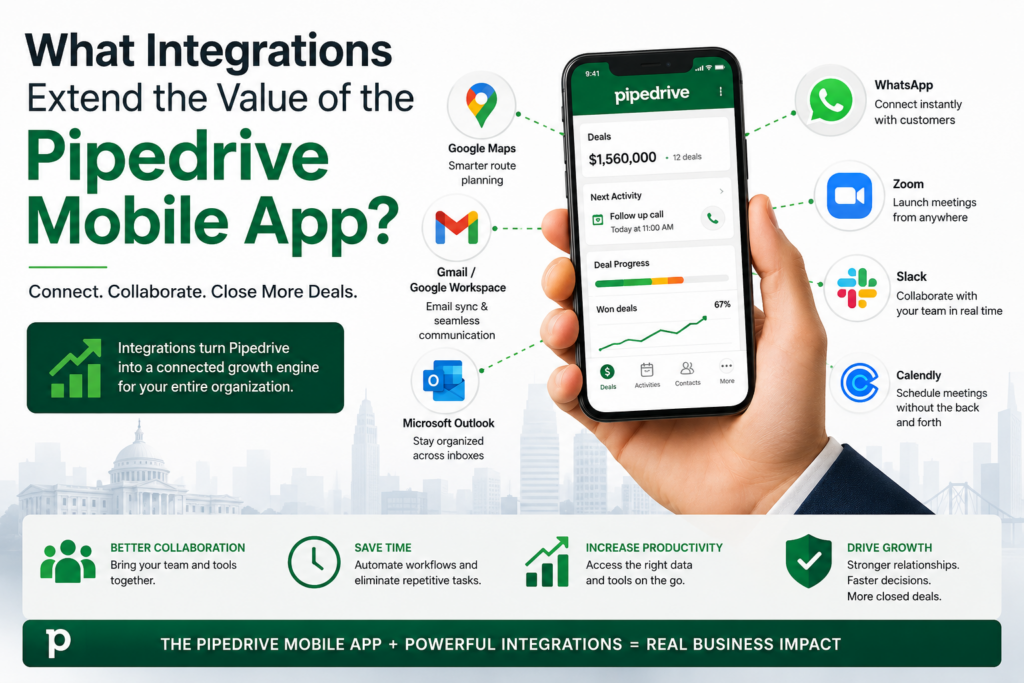
Which Key Integrations Work on Mobile?
Pipedrive’s Marketplace lists over 400 integrations with third-party tools. While some integrations operate primarily at the desktop level, several deliver meaningful mobile value:
| Integration | Mobile Benefit |
|---|---|
| Google Maps | Navigate directly to a contact’s address from the app |
| Gmail / Google Workspace | Send and receive emails within the app; auto-link to deals |
| Microsoft Outlook | Full email sync and calendar activity creation |
| Log WhatsApp conversations as activities on deal records | |
| Zoom | Create and log Zoom meeting links directly from a deal |
| Slack | Receive deal notifications in Slack channels |
| Calendly | Share scheduling links from within deal records |
How Does Calendar Integration Improve Mobile Workflows?
Calendar integration connects Pipedrive activities directly to the device’s native calendar (Google Calendar or Outlook Calendar). When a rep schedules a meeting in Pipedrive, the event appears in their calendar app automatically — with contact details, deal context, and preparation notes included.
Conversely, meetings added in the calendar app sync back to Pipedrive as activities, ensuring that the CRM reflects a rep’s complete schedule rather than only the activities logged directly in Pipedrive. This bidirectional sync eliminates the double-entry problem that frustrates sales reps and reduces CRM data quality.
What Results Can Sales Teams Expect After Adopting the Pipedrive Mobile App?
How Does Mobile CRM Adoption Affect Deal Close Rates?
Research consistently shows that CRM adoption correlates with sales performance outcomes. A study by Nucleus Research found that mobile CRM access increases sales team productivity by an average of 14.6%. When reps update records in real time rather than batching updates, pipeline data stays accurate — and accurate pipeline data enables better coaching, better forecasting, and better resource allocation.
Specifically, teams that adopt mobile CRM tools report:
- Faster deal progression — Updates happen immediately after each interaction, keeping deals moving rather than stalling while reps catch up on data entry
- Higher activity completion rates — Push notifications and mobile activity views keep reps on track with scheduled follow-ups
- Better forecast accuracy — Up-to-date deal data produces more reliable pipeline reports, which improves sales forecasting precision
- Improved manager visibility — Managers see real-time pipeline status and coach more effectively when CRM data reflects current reality
What Do Pipedrive Users Say About the Mobile App?
Pipedrive’s mobile app consistently earns strong ratings from users on both the App Store and Google Play, with reviewers frequently highlighting the clean interface, reliable offline access, and seamless synchronization with the desktop platform. Sales teams particularly value the speed of the app — the ability to open a contact record, review the interaction history, and add a note in under 30 seconds before walking into a meeting.
Users also praise the activity management system, noting that the daily activity view functions as an effective mobile sales planner that keeps them focused on high-priority actions throughout the day.
Conclusions: Should Your Sales Team Adopt the Pipedrive Mobile App?
The answer, for most sales organizations, is an unqualified yes. The Pipedrive mobile app eliminates one of the most persistent friction points in CRM adoption — the requirement to be at a desk to keep records current. By giving sales reps a fast, intuitive, fully featured CRM experience on their mobile device, Pipedrive ensures that field activity translates immediately into pipeline intelligence.
Pipedrive has built the mobile app as a genuine extension of its desktop platform — not a simplified viewer, not an afterthought, but a complete sales tool that reflects the full CRM configuration and delivers AI-powered features that improve with every update. The offline functionality, AI call summaries, contact enrichment, email integration, and activity management system together create a mobile CRM experience that competes with any platform on the market.
Nevertheless, technology alone does not deliver results. Sales teams that configure Pipedrive carelessly, skip proper training, or fail to align the CRM with their actual sales process consistently underperform against the platform’s potential. This is precisely why working with Solution for Guru represents such a sound investment alongside any Pipedrive deployment.
Solution for Guru brings certified Pipedrive expertise, proven implementation methodology, and deep cross-industry experience to every engagement. They configure the platform to match your sales process, train your team on both desktop and mobile workflows, integrate Pipedrive with your existing tool stack, and remain available for optimization as your business evolves.
If your sales team spends significant time away from the office, if CRM data quality suffers because reps batch-update records at the end of the day, or if you want to close the gap between field activity and pipeline visibility — the Pipedrive mobile app, properly implemented with the support of Solution for Guru, delivers exactly the solution you need.
Frequently Asked Questions
The Pipedrive mobile app itself is free to download on iOS and Android. However, using the app requires an active Pipedrive subscription. Pipedrive offers several pricing tiers — Essential, Advanced, Professional, Power, and Enterprise — and all plans include full mobile app access.
The features available in the mobile app correspond to the features included in the user’s subscription tier. For example, AI-powered call summaries and advanced automation features appear only on higher-tier plans. Organizations that want to maximize mobile app capability should evaluate which plan tier aligns with their needs before purchasing.
A 14-day free trial allows teams to test the full Pipedrive platform — including the mobile app — before committing to a subscription.
For most sales reps whose primary focus is client interaction rather than complex administrative tasks, the Pipedrive mobile app handles the vast majority of daily CRM work effectively. Managing deals, logging activities, communicating with contacts, reviewing pipeline status, and accessing reports all work seamlessly on mobile.
However, certain tasks remain better suited to the desktop platform. Building complex automation workflows, configuring new pipeline structures, generating detailed custom reports, and performing bulk data operations work more efficiently on a larger screen with a full keyboard and browser environment. The most effective approach treats mobile and desktop as complementary tools rather than alternatives. Reps use the mobile app throughout the day for all real-time interactions and updates, then spend a few minutes on the desktop each morning or evening for planning, reporting, and administrative tasks. This combination maximizes both productivity and data quality simultaneously.
How Does Solution for Guru Help You Get Maximum Value From Pipedrive Mobile?
Why Do Organizations Partner With Solution for Guru?
Deploying Pipedrive — and driving genuine adoption of its mobile app — requires more than simply purchasing a subscription and downloading an app. Configuration decisions made during setup determine whether the CRM reflects the team’s actual sales process or forces reps to work around an ill-fitted system. Poor configuration leads directly to low adoption, and low adoption defeats the entire purpose of investing in a CRM.
Solution for Guru specializes in helping sales organizations implement, configure, and optimize Pipedrive to match their specific commercial workflows. Their certified Pipedrive expertise covers the full implementation lifecycle — from initial needs assessment through configuration, integration, training, and ongoing optimization.

What Specific Benefits Does Solution for Guru Deliver?
Working with Solution for Guru provides organizations with a structured path to CRM success:
- Sales process mapping — The team analyzes your actual sales process and configures Pipedrive pipelines, stages, and activity types to reflect how your team truly sells, rather than forcing a generic template
- Custom field configuration — Solution for Guru designs the custom fields and deal structures that capture the information your team actually needs, without cluttering records with irrelevant data
- Integration setup — Connecting Pipedrive to email, calendar, communication tools, and other business systems requires technical knowledge that Solution for Guru handles efficiently and correctly
- Mobile app training — The team delivers hands-on training sessions specifically covering the mobile app, ensuring every rep knows how to update deals, log activities, and use AI features on their device
- Adoption strategies — Solution for Guru develops change management plans that address the most common reasons CRM adoption fails: complexity, poor fit, and insufficient training
- Reporting configuration — Custom dashboards and reports give sales managers the visibility they need to coach effectively and forecast accurately
- Ongoing optimization — As your sales process evolves, Solution for Guru adjusts the Pipedrive configuration to match, preventing the system from drifting out of alignment with actual workflows
How Does Solution for Guru Accelerate ROI?
Organizations that implement Pipedrive without expert support frequently spend months discovering configuration mistakes that an experienced partner resolves in days. Solution for Guru’s structured methodology compresses the implementation timeline, accelerates user adoption, and delivers a properly configured system from day one.
Moreover, Solution for Guru brings cross-industry experience from implementations across sectors including technology, professional services, manufacturing, real estate, and financial services. This breadth means they anticipate industry-specific challenges before they arise and apply proven solutions rather than experimenting at the client’s expense.
Ultimately, partnering with Solution for Guru transforms Pipedrive from a software purchase into a genuine business capability — one that improves pipeline visibility, accelerates deal cycles, and empowers sales reps to perform at their best whether they sit at a desk or stand in a client’s lobby.
Recommended:
- Creatio for Healthcare Organizations: The Complete Guide
- Creatio CRM for Financial Services in the U.S.: Is It the Right Platform for Your Firm?
- Pipedrive for Sales Managers: How to Use Forecasting and Team Performance Reporting
- Extending Creatio with Marketplace Apps
- Zoho CRM API: Complete Guide for Developers
- How Do You Successfully Migrate Your CRM from Salesforce to Zoho CRM?
- How Does Pipedrive Smart Docs Transform Proposals and Contracts with Dynamic CRM Fields?
- Best CRM Mobile Apps in 2026
- CRM Functionality: Top CRM Features in 2026
- Pipedrive AI Sales Assistant
- Pipedrive Campaigns Add-on vs Dedicated Email Marketing Tools
- Pipedrive for B2B vs B2C
- Pipedrive CRM Onboarding and Staff Training: How to Achieve 90%+ Adoption Rates
- Calculating the ROI of Pipedrive CRM
- Connecting Creatio with Marketing Automation Tools
- Best Mortgage CRM Systems for Loan Officers
- Best Automotive CRM Systems in 2026: Top Solutions for Dealership Growth
- Traditional CRM vs Social CRM: Which Approach Wins in 2026?