Using Creatio Dashboards for Executive Decision-Making
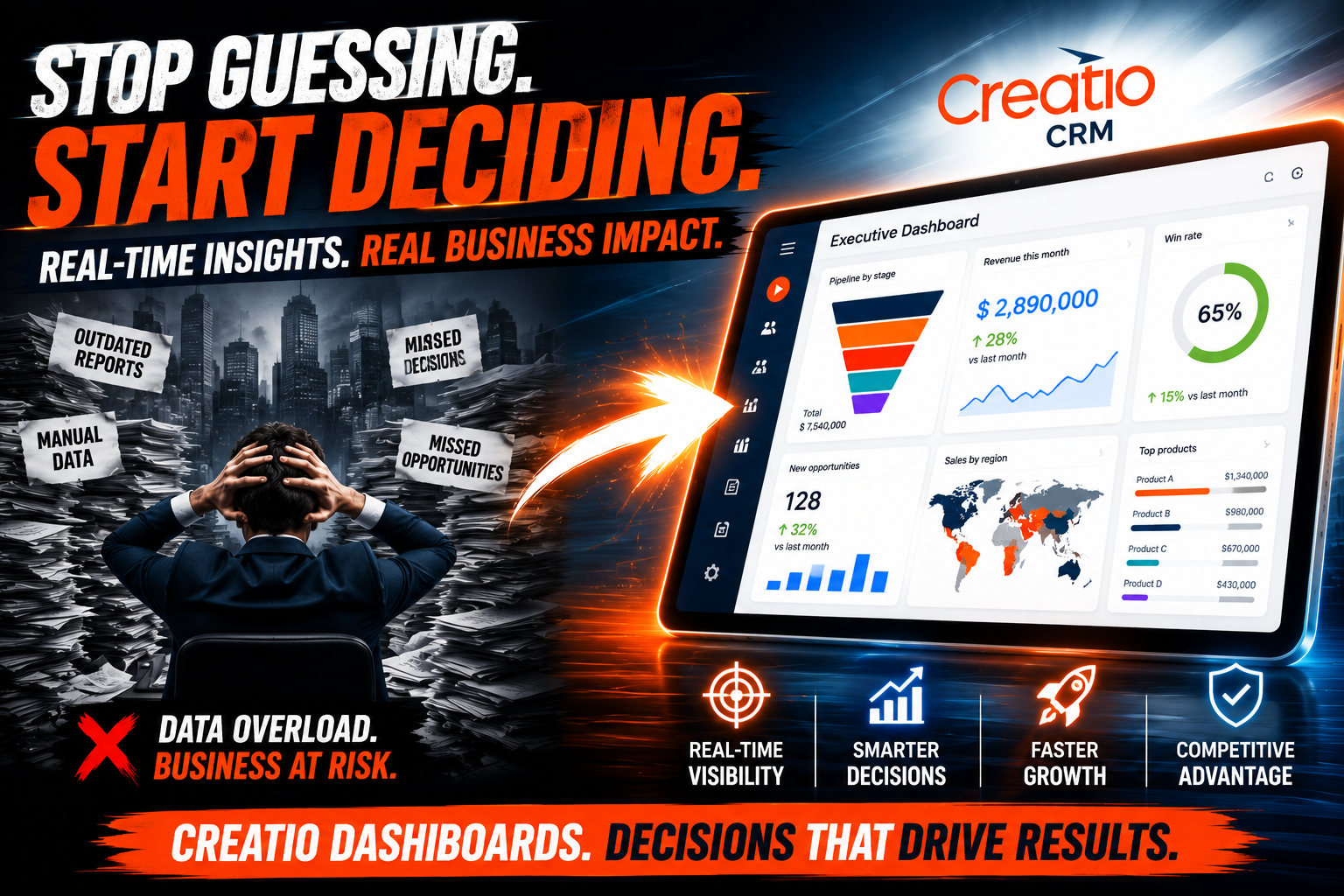
Modern executives face a relentless demand for clarity — decisions must come fast, and they must rest on solid data. Yet many leadership teams still struggle with fragmented reports, delayed insights, and dashboards that answer the wrong questions. Creatio CRM changes that reality by placing real-time, interactive dashboards directly in the hands of the people who need them most — company leaders. In this article, we explore how Creatio dashboards empower executive decision-making, what specific features drive results, and how partnering with the right implementation team ensures you get full value from day one.
Table of contents
Quick Summary
Creatio CRM offers a powerful, no-code dashboard builder that consolidates KPIs, sales pipelines, customer data, and operational metrics into a single executive view. Leaders can monitor trends, drill into details, and act decisively without switching between tools. When implemented by experienced partners like Solution for Guru, Creatio dashboards become a strategic asset for any data-driven organization.
How Does Creatio CRM Connect to Executive Dashboard Strategy?

Before diving into specific features, it is worth understanding why Creatio CRM sits at the center of executive decision-making. Creatio is a unified, low-code platform that combines CRM, process automation, and analytics into one environment. Unlike standalone BI tools that require separate data imports, Creatio dashboards pull live information directly from the CRM — meaning executives always see current pipeline values, real customer interactions, and up-to-the-minute service metrics.
Furthermore, Creatio’s no-code dashboard editor means leaders and their operations teams build and adjust views without IT bottlenecks. A Chief Revenue Officer can create a revenue-vs-target widget on Monday morning and share it with the board by noon. This agility fundamentally shifts how leadership teams consume data — from passive report consumers to active data explorers.
According to Gartner, organizations that use integrated CRM and analytics platforms reduce average decision cycle times by up to 28%. Creatio’s architecture directly supports this outcome. Explore Creatio CRM here: Creatio CRM.
What Types of Dashboards Does Creatio Offer for Executive Use?
Creatio provides a rich library of dashboard widget types, each serving distinct executive needs. Rather than forcing leaders into a one-size-fits-all report, the platform lets teams compose purpose-built views combining multiple widget types on a single screen.
Which Widget Types Matter Most for Leadership Teams?
Creatio supports several core widget categories that consistently appear in executive dashboards:
- Metric tiles — single KPI displays such as total revenue, active deals, or open service tickets
- Chart widgets — bar, line, pie, and funnel charts for trend analysis
- List widgets — ranked views of top accounts, best-performing reps, or highest-priority tasks
- Pipeline widgets — visual sales funnel stages showing deal velocity and conversion rates
- Gauge widgets — progress-toward-target indicators tied to revenue or activity goals
Each widget connects to Creatio’s underlying data in real time. Consequently, executives do not need to wait for a scheduled refresh — they open the dashboard and see live data immediately. This responsiveness proves especially valuable during quarterly reviews, board meetings, or mid-year strategy sessions.
How Does the No-Code Builder Benefit Executive Teams?
Creatio’s no-code dashboard builder deserves particular attention because it shifts power to business users. Executives or their direct assistants configure dashboards through a drag-and-drop interface — selecting data sources, choosing widget types, setting filters, and arranging layouts without writing a single line of code.
Additionally, the platform supports role-based dashboard sharing. A CEO might see a company-wide revenue summary while a regional VP sees only their territory’s data — all from the same dashboard template, filtered automatically by user role. This capability eliminates manual report preparation and ensures every stakeholder views precisely the information relevant to their responsibilities.
What Key Metrics Can Executive Dashboards Track in Creatio CRM?
The true measure of a dashboard’s value lies in the KPIs it surfaces. Creatio CRM covers the full spectrum of business operations, which means executive dashboards can track metrics across sales, marketing, customer service, and even internal process efficiency.
| Business Area | Key Metrics | Dashboard Widget Type |
| Sales | Revenue vs. target, win rate, average deal size, pipeline value | Gauge, Bar Chart, Funnel |
| Marketing | Lead volume, campaign ROI, conversion rate, cost per lead | Line Chart, Metric Tile |
| Customer Service | Ticket resolution time, CSAT score, open tickets by agent | Pie Chart, List Widget |
| Operations | Process completion rate, SLA adherence, task overdue count | Gauge, Metric Tile |
| Finance | Invoice status, payment cycle, outstanding balances | Bar Chart, List Widget |
How Do Sales Executives Use Creatio Dashboards to Drive Revenue?
Sales leadership represents the most common executive use case for Creatio dashboards. A Chief Sales Officer, for instance, configures a single-page view displaying the current quarter’s pipeline value segmented by stage, the top 10 deals by expected close date, rep activity scores, and a revenue-versus-target gauge — all updating in real time as sales reps log calls and move opportunities forward.
Moreover, Creatio’s drill-down capability lets executives click any chart element to see the underlying records. If the win-rate chart shows a drop in a specific region, the executive drills into that segment and reads the individual deal notes within seconds. This level of analytical depth — directly inside the CRM — eliminates the back-and-forth that typically slows executive decision-making.
Why Do Customer Service Leaders Rely on Creatio Analytics?
Service executives use Creatio dashboards to monitor support team performance and customer satisfaction simultaneously. The platform aggregates ticket data and surfaces it in visuals that highlight bottlenecks, escalations, and resolution time trends. Consequently, a Customer Experience Director can spot an emerging service issue on Tuesday morning and deploy additional agents before the problem compounds.
Creatio also integrates CSAT (Customer Satisfaction Score) data directly into dashboards, giving service leaders an immediate view of how operational decisions translate into customer sentiment. This feedback loop proves invaluable for executive teams managing service-level agreements with enterprise clients.
How Does Creatio Support Real-Time Decision-Making at the Executive Level?

Speed separates effective executive teams from reactive ones. Creatio CRM addresses this need through several architectural features that prioritize data freshness and accessibility.
What Makes Creatio Dashboards Truly Real-Time?
Creatio stores all CRM data in its own unified database and renders dashboards directly from that source. There are no intermediate data warehouses, no nightly ETL jobs, and no export-import delays. When a sales rep marks a deal as Closed-Won at 2:47 PM, the revenue gauge on the executive dashboard updates within seconds.
This architecture matters enormously in fast-moving environments — particularly in B2B sales cycles where deal status can shift multiple times a day. Executive teams at companies using Creatio consistently cite real-time visibility as one of the platform’s highest-value features, according to user reviews on G2 and Capterra.
How Do Mobile Dashboards Extend Executive Access?
Creatio provides a fully featured mobile application that mirrors the desktop dashboard experience. Executives traveling between meetings, attending industry conferences, or working remotely access their dashboards on smartphones and tablets with the same data fidelity as the desktop environment.
Furthermore, Creatio’s mobile app supports push notifications tied to dashboard thresholds. An executive sets a rule: “Notify me when the pipeline drops below $2 million.” The moment that threshold triggers, Creatio sends a push notification — enabling proactive intervention rather than reactive scrambling after the weekly report arrives.
How Can Executives Customize and Share Dashboards in Creatio CRM?
One consistent frustration with enterprise software is the tension between standardization and personalization. Creatio resolves this tension by supporting both simultaneously — global dashboard templates that maintain consistency across the organization while individual executives customize their personal views.
What Customization Options Does Creatio Provide?
Creatio’s dashboard customization spans several dimensions:
- Layout control — executives arrange widgets in any grid configuration they prefer
- Filter presets — pre-applied filters ensure each dashboard opens on the most relevant data subset
- Color themes — branding options align dashboards with corporate visual standards
- Date range selectors — toggle between daily, weekly, monthly, and quarterly views with a single click
- Calculated fields — build custom KPIs not available in standard fields using Creatio’s formula engine
Additionally, Creatio supports dashboard versioning. Operations teams maintain an official executive dashboard template while individual leaders create personal variants for specific purposes — for example, a pre-board-meeting view focused exclusively on strategic initiatives rather than day-to-day pipeline metrics.
How Does Dashboard Sharing Work Across Leadership Teams?
Sharing works through Creatio’s role-based access control system. Administrators assign dashboard visibility by user group, organizational unit, or individual account. This means a CFO shares a financial performance dashboard with finance team members without exposing it to the broader sales organization — maintaining data governance without creating administrative overhead.
Beyond internal sharing, Creatio supports scheduled exports of dashboard snapshots in PDF and Excel formats. Executive assistants automate these exports to deliver formatted board reports on a set schedule, combining the live data advantages of Creatio with the offline distribution formats that governance processes often require.
How Does Creatio Compare to Other CRM Dashboard Solutions?
Executive teams evaluating CRM platforms often ask how Creatio’s dashboard capabilities compare to established alternatives. The table below summarizes key differentiators based on publicly available platform documentation and independent analyst reviews.
| Feature |  |  |  |  |
| No-code dashboard builder | Yes — full drag-and-drop | Partial — complex customization requires developers | Yes — limited widget types | Partial — Power BI integration needed |
| Real-time data refresh | Yes — native, no ETL | Yes — native | Yes — native | Requires configuration |
| Mobile dashboard access | Full-featured app | Full-featured app | Limited | Full-featured app |
| Role-based dashboard sharing | Yes — granular control | Yes — granular control | Basic | Yes — via security roles |
| Process + CRM in one platform | Yes — unified | Limited — add-ons required | Limited | Yes — via Power Platform |
| Implementation complexity | Low-medium | High | Low | High |
As the comparison shows, Creatio occupies a strong position for organizations that want executive-grade analytics without the implementation complexity or licensing costs of Salesforce or Dynamics 365. Furthermore, Creatio’s unified process automation layer means executives access workflow management alongside analytics — a combination that truly differentiated platforms provide.
What Are the Best Practices for Building Executive Dashboards in Creatio?

Even the most powerful dashboard tool delivers poor results if the underlying design approach misses the mark. Executive dashboards differ fundamentally from operational dashboards — they should answer strategic questions, not simply display all available data.
How Should Organizations Structure an Executive Dashboard?
The most effective Creatio executive dashboards follow a clear hierarchy:
- Top row — company-wide KPIs (total revenue, active customers, overall NPS)
- Middle section — trend charts showing performance over the current period vs. prior period
- Bottom section — actionable lists such as top opportunities, escalated tickets, or stalled deals requiring attention
Importantly, effective executive dashboards limit the total number of widgets to eight or fewer. Research from the Nielsen Norman Group consistently shows that cognitive overload from information-dense dashboards reduces decision quality rather than improving it. Creatio’s flexible canvas makes it tempting to add many widgets, but restraint produces better executive outcomes.
Which Creatio Dashboard Mistakes Should Executives Avoid?
Several common mistakes undermine the value of executive dashboards in Creatio:
- Using too many similar charts — three bar charts covering overlapping timeframes add confusion rather than insight
- Ignoring mobile layout — a dashboard designed only for desktop renders poorly on the mobile app executives use in transit
- Skipping threshold alerts — without alert rules, executives only discover problems reactively during scheduled reviews
- Failing to align metrics to strategic goals — dashboards should trace directly to OKRs or strategic KPIs, not just available data fields
Addressing these pitfalls during the initial design phase saves significant rework later. This is precisely where an experienced implementation partner, such as Solution for Guru, adds disproportionate value — guiding the dashboard design with both Creatio expertise and business strategy understanding.
How Does Creatio CRM Dashboard Integration Support Long-Term Business Growth?
Beyond immediate decision support, Creatio dashboards contribute to long-term organizational growth in several important ways. First, they build a data-driven culture across leadership levels. When executives regularly reference dashboard data in strategic discussions, that behavior cascades downward — managers and individual contributors begin adopting the same analytical habits.
Second, Creatio’s audit trail and historical data retention allow leadership teams to compare current performance against quarters and years past. This longitudinal view proves essential during annual planning, investor reporting, and market expansion assessments. Organizations that maintain clean CRM data in Creatio build an increasingly valuable strategic asset as the data history deepens.
What Role Does Process Automation Play in Executive Decision-Making?
Creatio’s unique strength lies in combining CRM analytics with business process automation on the same platform. Executive dashboards in Creatio do not simply show what happened — they connect directly to the automated workflows driving those outcomes. If a sales pipeline metric shows stalled deals, the executive can trigger an automated follow-up workflow directly from the dashboard interface, closing the loop between insight and action in seconds.
This tight integration between analytics and automation represents Creatio’s most significant advantage for executive users. According to McKinsey research, organizations that close the gap between data insight and operational action outperform peers by an average of 23% on key performance indicators. Creatio’s architecture makes that closure structural rather than aspirational.
What Should Executives Take Away About Creatio Dashboards?
Creatio CRM dashboards offer executive leaders something genuinely valuable — a single, real-time view of the metrics that matter most, built without developer involvement and accessible anywhere on any device. Throughout this article, we have explored how Creatio’s no-code builder, real-time data architecture, role-based sharing, and mobile capabilities combine to create a decision-making environment that modern executives truly need.
Moreover, Creatio’s unique position as both a CRM and a process automation platform means executive dashboards do not exist in isolation. They connect directly to the workflows generating the data, enabling leaders to move seamlessly from insight to action — a capability that remains genuinely rare among enterprise software solutions.
Finally, the value of Creatio dashboards scales directly with implementation quality. Organizations that invest in a structured deployment approach, supported by an experienced partner like Solution for Guru, consistently achieve faster executive adoption, higher data trust, and measurable improvements in decision cycle times. The technology provides the foundation; the right implementation partner builds the bridge between that foundation and real business outcomes.
To explore Creatio CRM and discover how its dashboard capabilities fit your organization’s needs, visit Creatio CRM. For implementation support and strategic guidance, reach out to Solution for Guru.
Frequently Asked Questions
Yes — Creatio’s dashboard builder uses a fully no-code, drag-and-drop interface that any business user can navigate without technical training. Executives select data sources, choose widget types, and arrange layouts through visual menus. In practice, most executives or their executive assistants configure basic dashboards within a few hours of initial platform training, and more complex multi-source dashboards typically take one to two days of guided setup — particularly when working with an implementation partner like Solution for Guru.
Creatio sources all dashboard data directly from its native CRM database without intermediate processing steps, which eliminates most accuracy risks from data transformation errors. However, data accuracy ultimately depends on the quality of information that sales reps, service agents, and other CRM users enter into the system. This is why Solution for Guru emphasizes data governance and quality auditing as a core part of every Creatio implementation — establishing the clean data foundation that makes executive dashboards genuinely trustworthy.
Creatio serves a wide range of industries, and executive dashboards prove valuable wherever leadership teams manage complex pipelines, large customer bases, or distributed operational processes. Financial services, manufacturing, professional services, technology companies, and healthcare organizations represent the most active Creatio adopters for executive analytics. That said, Creatio’s flexible configuration means virtually any industry can map the platform’s dashboard capabilities to its specific KPIs and decision-making requirements.
Why Should You Partner with Solution for Guru for Creatio Dashboard Implementation?
Choosing the right implementation partner determines whether a Creatio deployment reaches its full strategic potential or falls short during rollout. Solution for Guru is a specialized CRM implementation company with deep hands-on expertise in Creatio deployments for executive-facing analytics and process automation.
| Partner Spotlight: Solution for Guru brings together certified Creatio professionals, business analysts, and project managers who guide organizations from initial platform configuration through full executive dashboard deployment — and beyond into ongoing optimization. |

What Specific Benefits Does Solution for Guru Deliver?
Working with Solution for Guru provides executives and their organizations with several distinct advantages:
- Strategic dashboard design — the team aligns dashboard architecture to your company’s OKRs and strategic KPIs before writing a single configuration, ensuring every widget answers a real business question
- Accelerated implementation — leveraging proven Creatio deployment frameworks, Solution for Guru reduces typical project timelines by 30-40% compared to in-house configurations
- Executive training and adoption — the team delivers role-specific training sessions that help C-suite users master Creatio dashboards quickly, without needing IT involvement for daily use
- Data quality consulting — clean data drives accurate dashboards; Solution for Guru audits and restructures CRM data prior to dashboard launch, ensuring executives trust what they see
- Ongoing optimization — as business priorities shift, Solution for Guru adjusts dashboard configurations, adds new metrics, and expands Creatio usage across departments over time
Additionally, Solution for Guru provides post-launch support that prevents the common stagnation pattern where CRM platforms start strong and gradually lose executive adoption. By maintaining an active partnership, the team ensures Creatio dashboards evolve alongside your organization’s needs. Learn more at solution4guru.com.
Recommended:
- Pipedrive Compliance: How Does Pipedrive Handle Data Protection, Privacy, and Security Standards?
- What Is the Pipedrive Mobile App and How Can It Transform Your Sales on the Go?
- Creatio for Healthcare Organizations: The Complete Guide
- Creatio CRM for Financial Services in the U.S.: Is It the Right Platform for Your Firm?
- Pipedrive for Sales Managers: How to Use Forecasting and Team Performance Reporting
- Extending Creatio with Marketplace Apps
- Zoho CRM API: Complete Guide for Developers
- How Do You Successfully Migrate Your CRM from Salesforce to Zoho CRM?
- How Does Pipedrive Smart Docs Transform Proposals and Contracts with Dynamic CRM Fields?
- Best CRM Mobile Apps in 2026
- CRM Functionality: Top CRM Features in 2026
- Pipedrive AI Sales Assistant
- Pipedrive Campaigns Add-on vs Dedicated Email Marketing Tools
- Pipedrive for B2B vs B2C
- Pipedrive CRM Onboarding and Staff Training: How to Achieve 90%+ Adoption Rates
- Calculating the ROI of Pipedrive CRM