Integrating CRM with Website and SEO: A Guide to Better Leads and Customer Management
A website that ranks well and draws steady organic traffic is only half of the equation. The other half is what happens the moment a visitor decides to fill out a form, start a chat, or request a quote. If that moment isn’t connected to a system that captures, organizes, and follows up on the lead, a business is effectively paying for traffic it can’t fully convert.
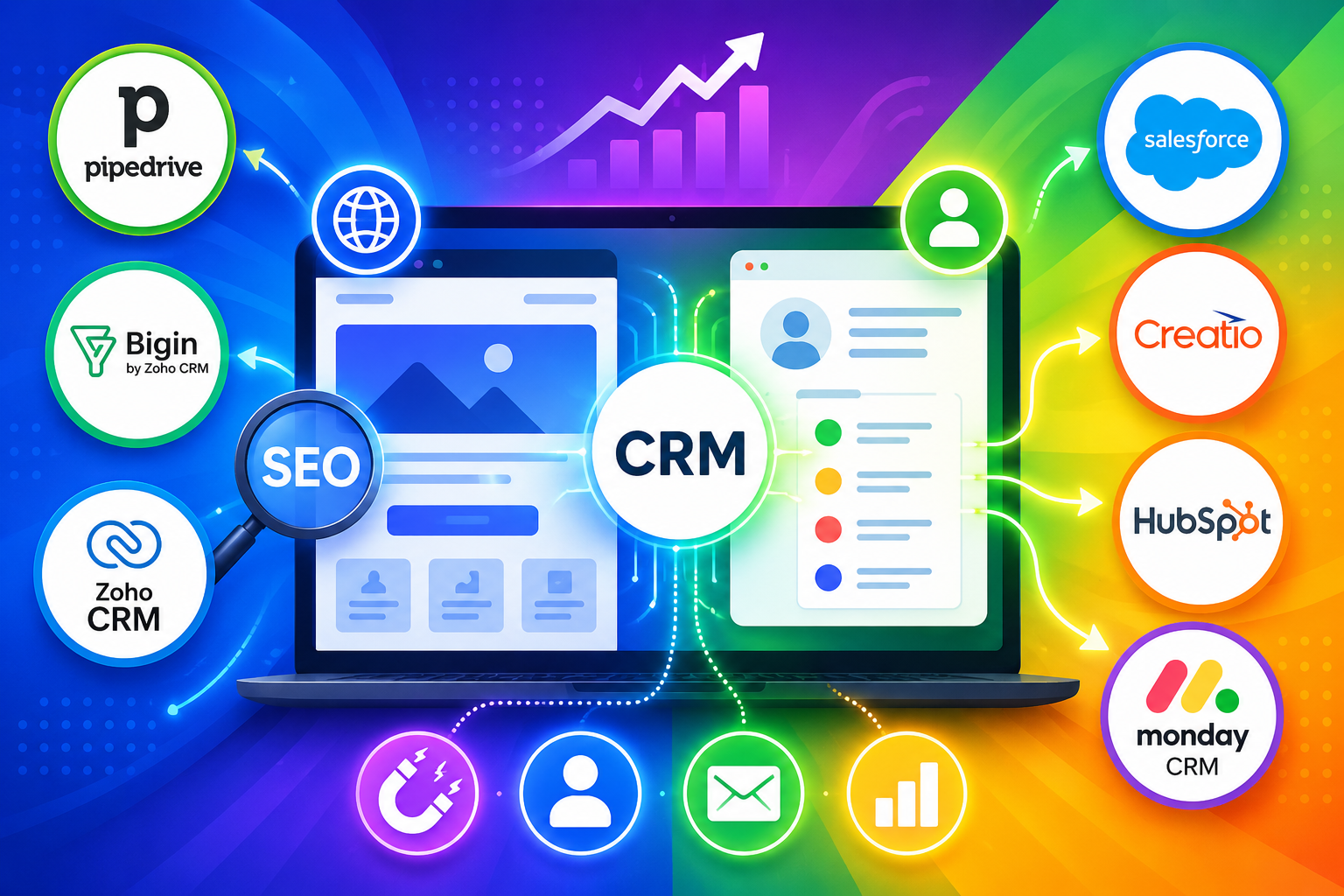
This is exactly the gap that CRM-website integration closes. By connecting a customer relationship management platform directly to a website’s forms, chat tools, and analytics, businesses turn anonymous visits into tracked leads and organized customer records. In this guide, we’ll look at why that connection matters, how it supports both lead generation and SEO strategy, and how seven widely used platforms — Pipedrive, Bigin by Zoho CRM, Zoho CRM, Salesforce, Creatio, HubSpot, and monday.com CRM — each approach the problem differently.
Table of contents
Quick Summary
The core idea: Connecting a CRM to a website turns form submissions, chat interactions, and page visits into structured lead and customer records, instead of scattered inquiries that are easy to lose track of.Why SEO matters here too: The same integration that captures leads also generates the attribution data — which pages, keywords, and campaigns actually produce customers — that shapes a smarter content and SEO strategy over time.The platforms compared: This guide walks through how Pipedrive, Bigin by Zoho CRM, Zoho CRM, Salesforce, Creatio, HubSpot, and monday.com CRM each handle website forms, visitor tracking, and lead routing. Further down, we also cover how working with Solution for Guru can help a business choose and configure the right combination of CRM and website integration from the start.
How Do These CRM Platforms Relate to Website and SEO Integration?

Before comparing features directly, it helps to understand what each of these seven platforms actually is and why it belongs in a conversation about website and SEO integration.
- Pipedrive CRM is a sales-focused CRM built around a visual pipeline. Its Web Forms feature, part of the LeadBooster add-on, lets businesses embed customizable forms directly on a website so that every submission creates a new deal or lead automatically.
- Bigin by Zoho CRM is a simplified, budget-friendly CRM aimed at small businesses and startups. It integrates with Zoho Sites and other website builders through no-code web forms, so a small business can start capturing leads from its site without writing a line of code.
- Zoho CRM is the larger, more configurable sibling to Bigin, built for growing and established businesses. Beyond web-to-lead forms, it connects with Zoho SalesIQ for live visitor tracking and Zoho PageSense for on-site behavior analysis, tying website engagement directly to CRM records.
- Salesforce is an enterprise-grade CRM platform with a long-standing Web-to-Lead feature that generates lead records from website forms, plus deeper API options for organizations that need custom, high-volume integrations.
- Creatio CRM is a no-code CRM and process automation platform. Its Landing Pages and Web Forms module lets marketing teams build and connect web forms to CRM records without developer involvement, while its workflow engine automates what happens after a form is submitted.
- HubSpot CRM combines a free CRM with a full content management system, meaning forms, landing pages, and even on-page SEO recommendations live in the same platform as the customer database, rather than as separate connected tools.
- monday.com CRM grew out of monday.com’s broader Work OS platform, and it captures leads through customizable, drag-and-drop web forms that feed directly into a visual sales pipeline alongside the rest of a team’s project and work tracking.
Taken together, these seven platforms represent a range of approaches, from simple no-code form embedding to full content-and-CRM platforms, which is exactly why comparing them side by side is useful before choosing one.
How Do These CRM Platforms Compare for Website and SEO Integration?
The table below summarizes how each platform approaches the core pieces of CRM-website integration: form capture, visitor tracking, and built-in SEO or content tools.
| Platform | Website Form Capture | Visitor Tracking | Built-In SEO/Content Tools |
 | Web Forms via LeadBooster add-on | Limited; relies on third-party integrations | Not built in |
 | No-code forms via Zoho Sites integration | Not built in | Not built in |
 | Web-to-Lead forms, Zoho Sites integration | Zoho SalesIQ and PageSense integration | Available via connected Zoho apps |
 | Web-to-Lead (up to 500 leads/day) plus custom APIs | Available via Marketing Cloud add-ons | Not built in; requires other Salesforce clouds |
 | No-code Landing Pages and Web Forms module | Available via Google Analytics/Matomo integration | Not built in |
 | Native forms, part of free CRM | Built-in analytics and behavior tracking | In-editor SEO recommendations, schema suggestions |
 | Drag-and-drop web forms | Available via web tracking integrations | Not built in |
No single platform wins on every dimension. HubSpot stands out for combining SEO tooling directly with CRM and forms, while Salesforce and Zoho CRM offer more depth for larger, more complex organizations willing to add supporting tools. Pipedrive, Bigin, Creatio, and monday.com CRM each lean toward simpler, more accessible form-based capture, which suits businesses that want lead capture working quickly without a heavy setup process.
Why Does Connecting Your CRM to Your Website Matter for Lead Generation?
It’s worth stepping back to ask why this integration matters in the first place, since a business can technically operate a website and a CRM as two separate systems.
What Happens When a CRM and a Website Aren’t Connected?
Without integration, every website inquiry has to be manually copied into the CRM, or worse, tracked in a separate inbox or spreadsheet that the sales team checks inconsistently. This creates delays between when a visitor expresses interest and when someone follows up, and delayed follow-up is one of the most common reasons a qualified lead goes cold before a conversation even starts.
How Does Direct Integration Change the Speed of Follow-Up?
When a website form connects directly to a CRM, as it does with Pipedrive’s Web Forms or Zoho CRM’s Web-to-Lead forms, a new lead or deal record appears automatically the moment someone submits information. Sales teams can set up instant notifications so a rep knows about a new inquiry within seconds rather than discovering it during a weekly inbox review. That speed alone often determines whether a lead becomes a customer or moves on to a competitor.
How Does Web Form Integration Turn Visitors into Leads?
Web forms are the most direct and common way that a CRM connects to a website, but the mechanics differ meaningfully across platforms.
How Do Simpler, No-Code Form Tools Work?
Bigin by Zoho CRM and Creatio CRM both prioritize no-code form building, letting a business owner or marketer create a form and place it on a website without writing HTML or involving a developer. Bigin integrates directly with Zoho Sites, so a form built in Bigin can be dropped onto a page with a few clicks, while Creatio’s Landing Pages and Web Forms module lets marketing teams manage web forms directly inside the CRM’s Marketing workspace.
How Do Enterprise Platforms Handle Higher Form Volume?
Salesforce’s Web-to-Lead feature was built with scale in mind, supporting up to 500 new leads generated per day through a standard form before a business needs to move to a custom API-based integration. This matters for larger organizations running multiple campaigns simultaneously, where a simple form tool might not keep up with submission volume or the need for pre-submission validation.
How Does monday.com CRM Approach Form-Based Lead Capture?
monday.com CRM treats web forms as one entry point into a broader visual workflow. A form built for a website feeds directly into the same board-based pipeline used for deal tracking, so a lead captured from a website inquiry sits in the same drag-and-drop interface a sales rep already uses to manage every other stage of the relationship.
How Does Website Visitor Tracking Improve Lead Quality?
Form submissions capture leads who are ready to reach out, but visitor tracking captures the much larger group who are still researching, which is valuable in its own right.
How Does Zoho CRM Use Visitor Tracking?
Zoho CRM connects with Zoho SalesIQ to track which pages a visitor views, how long they spend on each one, and whether they’ve visited before, then pushes that information into the CRM as part of the lead or contact record. A rep following up with a visitor who spent time on a pricing page, for example, can tailor the conversation accordingly instead of starting from zero.
Why Does This Data Matter Beyond the Initial Follow-Up?
Visitor tracking data doesn’t just help with the first conversation; it also feeds into how a business prioritizes leads. A visitor who has returned to a site multiple times and viewed several product pages represents a meaningfully different opportunity than someone who filled out a form after a single visit, and CRM-integrated tracking makes that distinction visible rather than guessed at.
How Does CRM Integration Support SEO and Content Strategy?

The connection between CRM and SEO is less obvious than the connection between CRM and lead capture, but it’s just as important for businesses that rely on organic search traffic.
How Does HubSpot Combine CRM, CMS, and SEO in One Place?
HubSpot CRM is built alongside a content management system, which means forms, landing pages, and blog content all live in the same platform as the customer database. This lets HubSpot offer in-editor SEO recommendations, schema suggestions, and topic cluster guidance directly while content is being created, rather than requiring a separate SEO tool disconnected from lead data.
How Does Closed-Loop Attribution Change Content Decisions?
HubSpot links leads to the pages, keywords, and campaigns that generate them, helping teams identify content that drives conversions—not just traffic. That closed-loop view lets a business double down on the topics and pages that produce real leads, rather than optimizing purely for search rankings or visit counts that don’t translate into revenue.
How Do Other Platforms Handle This Connection?
Zoho CRM extends this idea through PageSense, which analyzes how visitors interact with forms and pages to identify where people drop off before converting. Creatio CRM connects to Google Analytics and Matomo so that landing page performance data flows into the same dashboards used for lead tracking. While these platforms don’t offer built-in SEO writing tools the way HubSpot does, they still make it possible to connect website performance data with the CRM records those visitors eventually become.
How Does Each CRM Approach Website Integration in Practice?
With the general concepts covered, it’s worth looking more closely at how each of the seven platforms actually functions when connected to a website.
How Does Pipedrive Handle Website Lead Capture?

Pipedrive’s Web Forms live inside its LeadBooster add-on, alongside Chatbot, Live Chat, and Prospector tools. After building a form, teams can embed it on their website or share a standalone link, with submissions creating new leads or deals automatically. Because it’s a native Pipedrive feature, there’s no separate system to maintain, though the LeadBooster add-on is a paid upgrade rather than something included in every plan.
How Does Bigin by Zoho CRM Support Small Business Websites?

Bigin targets small businesses that want essential CRM features without enterprise complexity. With Zoho Sites integration, teams can add Bigin web forms to websites via drag and drop, while updates sync automatically. For a small business just establishing its first real online presence, this low-friction setup can be the difference between capturing leads from day one and losing them to an unconnected contact page.
How Does Zoho CRM Extend Beyond Forms Into Deeper Visitor Insight?

Zoho CRM builds on the same web-to-lead foundation as Bigin but adds significantly more depth through its wider app ecosystem. The Zoho SalesIQ integration, referred to as Visitor Tracking within Zoho CRM, logs every website visit and page interaction against the corresponding lead or contact record, while Zoho PageSense adds conversion-focused analytics like scrollmaps and A/B testing. This makes Zoho CRM a natural next step for businesses that have outgrown a simple form-only setup.
How Does Salesforce Scale Website Integration for Larger Organizations?

Salesforce’s Web-to-Lead feature generates a standard HTML form that can be embedded on a website, automatically creating lead records with a source tagged as “web.” For organizations with more complex validation, data enrichment, or automation needs, Salesforce also offers a range of APIs that support fully custom integrations rather than relying on the standard form alone. This flexibility is a major reason larger, more process-heavy organizations tend to gravitate toward Salesforce over simpler form-based tools.
How Does Creatio Combine No-Code Automation With Web Forms?

Creatio’s approach centers on its Landing Pages and Web Forms section, found within the Marketing workspace, where lead registration forms can be built and connected to a website domain without custom development. Beyond capturing the initial submission, Creatio’s no-code workflow engine can automatically qualify, route, and nurture the resulting lead, which means the CRM isn’t just receiving data from the website but actively acting on it.
How Does HubSpot Unify CMS, Forms, and SEO in One Platform?

HubSpot’s forms tool is included as part of its free CRM and Marketing Hub, and every form submission is automatically logged in the contact database along with that visitor’s previous activity on the site. Combined with HubSpot’s landing page builder and in-editor SEO recommendations, this creates a single environment where content creation, lead capture, and CRM records are never truly separate systems, which is a meaningfully different approach from platforms that connect a CRM to an external website builder.
How Does monday.com CRM Turn Its Work OS Into a Lead Capture Hub?

monday.com CRM’s web forms are built using the same customizable, drag-and-drop building blocks that power the rest of the monday.com Work OS platform. A sales team can create a form for website lead capture, then route submissions automatically into a pipeline where leads are assigned to reps based on criteria like market or company size. Because monday.com CRM shares its foundation with the broader work management platform, teams already using monday.com for project tracking often find the CRM extension a natural fit rather than a separate tool to learn.
What Role Does Live Chat and Chatbot Integration Play Alongside Forms?
Forms aren’t the only way a website connects to a CRM. Several of these platforms also route live chat and chatbot conversations directly into lead or contact records, which captures a different type of visitor than a form typically reaches.
How Does This Help With Visitors Who Aren’t Ready to Fill Out a Form?
Many website visitors are willing to ask a quick question through a chat widget long before they’re ready to hand over their contact details on a form. Pipedrive’s LeadBooster add-on bundles Chatbot and Live Chat alongside Web Forms specifically for this reason, so a business can capture and qualify a lead through conversation rather than losing that visitor entirely because a form felt like too much commitment.
Why Does Combining Chat and Form Data Give a Fuller Picture?
When chat interactions and form submissions both feed into the same CRM record, a sales rep sees the complete picture of how a lead engaged with the website, not just the final action that created the record. This matters because a visitor who chatted twice before eventually filling out a form is a meaningfully warmer lead than one who filled out the same form cold, and that context should shape how quickly and how personally the follow-up happens.
How Does Mobile and Multi-Channel Lead Capture Fit Into the Picture?
Website forms remain the most common entry point, but leads increasingly arrive through social ads, mobile apps, and messaging channels as well, so it’s worth considering how these platforms handle sources beyond the desktop website.
How Do These CRMs Handle Social and Ad-Based Leads?
Creatio supports automatic lead registration directly from Facebook lead ads, while monday.com CRM and Zoho CRM both connect with LinkedIn and Meta ad lead sync so that a submission on a social platform creates a CRM record just as reliably as one from the website itself. Salesforce and HubSpot offer similar ad integrations through their respective marketing tool sets, which keeps every channel feeding into one unified pipeline instead of several disconnected ones.
Why Does Channel Consistency Matter for Reporting?
When every channel, whether it’s an organic website form, a paid social ad, or a chat conversation, feeds into the same CRM with consistent source tagging, a business gets an accurate picture of which channels actually produce customers rather than just leads. Without that consistency, marketing budget decisions end up based on incomplete data, since some channels’ contributions simply never make it into the CRM at all.
What Are the Common Challenges When Integrating a CRM with a Website?

Even with the right platform selected, a few recurring challenges tend to show up during setup, and it helps to know about them in advance.
- Duplicate or incomplete lead records — forms that aren’t configured to check for existing contacts can create duplicate entries, which clutters the CRM and confuses follow-up.
- Mismatched fields between the website and the CRM — a form field that doesn’t map correctly to the corresponding CRM field can result in lost or garbled data.
- Delayed notification setup — a form that captures a lead correctly but doesn’t trigger a timely alert to the sales team defeats much of the purpose of real-time integration.
- Inconsistent tracking across marketing channels — when forms, ads, and organic traffic aren’t tagged consistently, it becomes difficult to know which channels are actually producing leads.
Addressing these issues during initial setup, rather than discovering them months later through missing or messy data, tends to save considerably more time than it costs upfront.
How Should a Business Choose the Right CRM for Website and SEO Integration?
With seven capable platforms on the table, the right choice usually comes down to a business’s size, technical resources, and how tightly it wants CRM and content tools connected.
What Matters Most for a Small Business or Startup?
For a small business setting up its first real lead capture system, Bigin by Zoho CRM or Pipedrive tend to offer the fastest path to a working setup, since both prioritize simple, low-cost form embedding over complex configuration. A business that’s also building its website from scratch might lean toward HubSpot, since its free CRM tier includes both website tools and CRM functionality in a single account.
What Matters Most for a Growing or Established Business?
As lead volume and team size grow, Zoho CRM, Creatio, or monday.com CRM offer more room to add visitor tracking, workflow automation, and multi-channel lead routing without needing to switch platforms later. For large organizations with complex sales processes, custom validation needs, or very high form volume, Salesforce’s API-based integration options typically provide the flexibility that simpler tools can’t match.
How Can Businesses Get the Most Out of CRM-Website Integration?

Selecting a platform is only the starting point. A few practices consistently separate integrations that deliver real results from ones that quietly underperform.
Why Does Consistent Field Mapping Matter So Much?
Every website form field should map to a specific, correctly formatted CRM field from the outset, since inconsistent mapping is one of the most common sources of messy CRM data. Validate phone numbers and align dropdown values with your CRM to prevent unnecessary data cleanup.
Why Should Notifications and Routing Be Configured Early?
A CRM that captures a lead perfectly but doesn’t alert the right person quickly still results in a slow follow-up. Setting up automatic notifications and lead-routing rules as part of the initial integration, rather than as an afterthought, ensures the speed advantage of automation actually reaches the sales team.
Conclusion
Connecting a CRM to a website is no longer an optional add-on for businesses that depend on organic traffic and inbound inquiries; it’s the mechanism that turns SEO effort and web traffic into actual pipeline. Each of the seven platforms covered here approaches that connection differently. Pipedrive CRM and Bigin by Zoho CRM favor fast, low-friction form setup. Zoho CRM and Salesforce add deeper visitor tracking and scale for growing and enterprise organizations. Creatio CRM brings no-code workflow automation into the mix. HubSpot goes furthest in unifying CRM, content, and SEO tools in a single platform, and monday.com CRM extends an already familiar work management interface into lead capture.
There isn’t a single correct answer for every business, but there is a consistent principle across all seven: a website and a CRM that don’t talk to each other leave leads, data, and insight on the table. Choosing the right platform, and configuring the integration carefully from the start, is what turns website traffic into a system that actually manages customer relationships rather than just collecting inquiries.
Frequently Asked Questions
It depends on the platform. HubSpot and Bigin by Zoho CRM both offer web form capture on accessible entry-level or free tiers, while Pipedrive’s Web Forms require the LeadBooster add-on and Salesforce‘s more advanced integrations may require additional licensing. It’s worth checking each platform’s current plan details directly, since pricing and included features change periodically.
The integration itself doesn’t directly move search rankings, but it does generate the attribution data that shows which pages and keywords actually produce leads and customers, not just traffic. Platforms like HubSpot go a step further by including on-page SEO recommendations directly alongside content creation and CRM data, which helps teams prioritize the content most likely to both rank and convert.
Switching is manageable but does take planning, since form field mappings, notification rules, and any visitor-tracking history typically need to be rebuilt or migrated. Businesses that start with a platform matched to their current size and technical resources, rather than the biggest name on the market, generally avoid a disruptive switch down the line.
Benefits of Cooperation with Solution for Guru

Choosing among seven capable CRM platforms, each with a different approach to website and SEO integration, is not a decision to make in isolation from how a business actually operates. This is where Solution for Guru adds practical, hands-on value.
As a consultancy focused on CRM and software implementation, Solution for Guru helps businesses evaluate which platform, from Pipedrive to Salesforce to HubSpot, actually fits their lead volume, team size, and technical resources, rather than defaulting to whichever tool is most familiar. That includes configuring web forms correctly, setting up field mapping and lead routing so nothing falls through the cracks, and connecting visitor tracking or SEO tools where a platform supports them.
Because so much of the value in CRM-website integration depends on careful setup rather than the platform choice alone, working with a team that has hands-on experience across multiple CRM ecosystems helps businesses avoid the duplicate records, mismatched fields, and delayed notifications that quietly undercut an otherwise well-chosen platform. For businesses that want their website and CRM working together from day one rather than months into a rollout, that guidance often makes the difference.
Recommended:
- Real-Time Analytics and Reporting in Creatio
- Why CRM Skills Matter More Than Ever in Financial Services
- Is Bigin by Zoho CRM a Good Choice for Small Businesses?
- Bigin by Zoho CRM for First-Time CRM Users: A Beginner’s Guide
- Zoho CRM Webhooks and API Integrations
- Creatio CRM Integration with ERP Systems
- API Capabilities in Creatio: What Developers Should Know
- Using Creatio to Improve B2B Sales Performance
- What Is Pipedrive Pipeline Management and How Does It Help Your Team Close More Deals?
- Pipedrive Google Workspace Integration: How Does It Transform Sales Productivity?
- What Is the Pipedrive LeadBooster Add-On and How Can It Transform Your Sales Process?
- Why Pipedrive Implementations Fail: The Top 7 Mistakes and How to Avoid Them
- CRM Systems: How to Make Your Business More Efficient?
- What Are the Best CRM Systems for Service Businesses?
- Account-Based Marketing Strategies with Creatio
- Modern CRM Teams: How Are Roles Evolving in the Digital Era?
- CRM Automation for Logistics Companies Using Creatio