What Is the Pipedrive LeadBooster Add-On and How Can It Transform Your Sales Process?
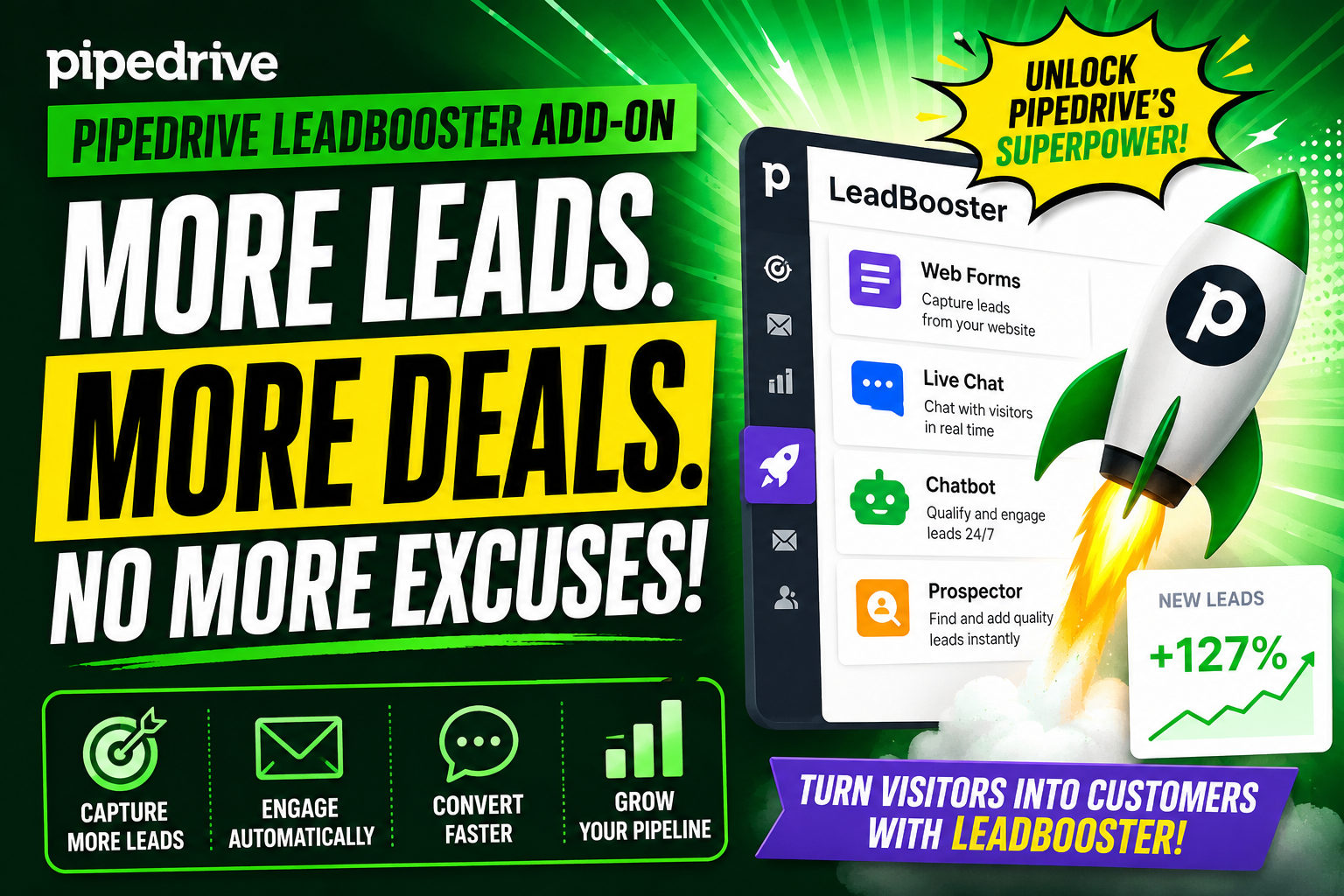
If you run a sales team, you already know that capturing and qualifying leads fast makes the difference between a closed deal and a missed opportunity. Pipedrive’s LeadBooster add-on puts powerful lead generation tools directly inside your CRM — so your team spends less time hunting for prospects and more time closing them.
Furthermore, when you pair LeadBooster with expert CRM implementation guidance from Solution for Guru, you unlock the full potential of the platform from day one.
Table of contents
Quick Summary
| Feature | Details |
|---|---|
| Product Name | Pipedrive LeadBooster Add-On |
| Core Tools | Chatbot, Live Chat, Prospector, Web Forms |
| Best For | Small to mid-size sales teams |
| Billing | Monthly add-on to any Pipedrive plan |
| Integration | Native inside Pipedrive CRM |
| Implementation Partner | Solution for Guru |
What Is Pipedrive and Why Does It Matter for Your Sales Team?

Pipedrive is a sales-focused CRM platform built around the idea that salespeople — not administrators — should drive the software. Founded in 2010, Pipedrive now serves over 100,000 companies in more than 100 countries, according to the company’s own published figures.
Unlike bloated enterprise platforms, Pipedrive centres its design on a visual pipeline that shows every deal at a glance. Sales reps see exactly where each opportunity sits, what action to take next, and which deals need urgent attention. As a result, teams close more deals without drowning in data entry.
The LeadBooster add-on extends this core strength into lead generation — turning Pipedrive from a deal management tool into a full-funnel revenue engine.
How Does the LeadBooster Add-On Work Inside Pipedrive?
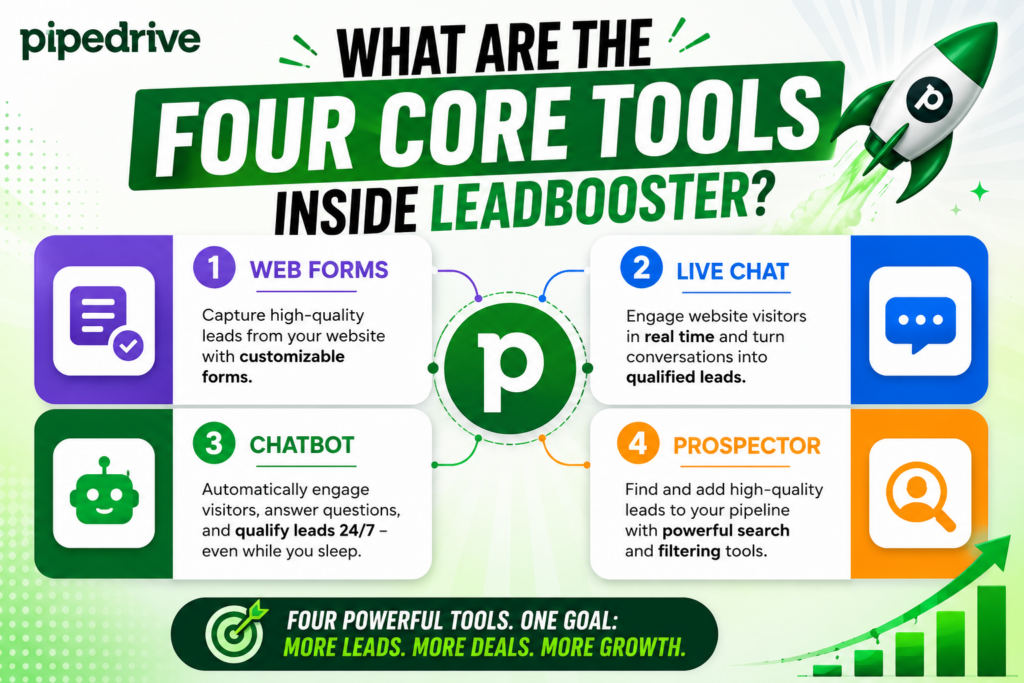
LeadBooster is a paid add-on available on top of any Pipedrive subscription plan. Once activated, it adds four distinct tools to your Pipedrive account. Each tool targets a different stage of the lead capture process, and together they create a seamless flow from first visitor contact to qualified lead inside your pipeline.
Consequently, your team no longer relies on disconnected third-party tools that require manual data transfers. Everything feeds automatically into Pipedrive, keeping your pipeline clean and current.
What Are the Four Core Tools Inside LeadBooster?
Does the Chatbot Replace Your Need for a Live Agent?
The Chatbot is a fully customisable, no-code bot you can deploy on your website. It greets visitors, asks qualifying questions, and routes hot leads directly to the right salesperson — even at 3 AM when your team is offline.
Key capabilities of the LeadBooster Chatbot:
- Custom conversation flows — build branching dialogue without writing code
- Qualification logic — filter out unqualified visitors before they reach your team
- Automatic lead capture — saves contact data directly to Pipedrive
- 24/7 availability — never miss a website visitor again
- Brand customisation — match colours, logos, and tone of voice to your brand
Moreover, the chatbot hands off conversations to live agents when a visitor needs human interaction, making the transition smooth and professional.
When Should You Use Live Chat Instead of the Chatbot?
The Live Chat tool lets your sales reps engage website visitors in real time, directly from the Pipedrive interface. Unlike the chatbot, Live Chat puts a human in the conversation immediately — which works especially well for high-value prospects who want direct answers.
Live Chat benefits your team in several practical ways:
- Real-time notifications alert reps when a visitor starts a chat
- Unified inbox keeps all conversations inside Pipedrive — no separate app needed
- Visitor tracking shows which pages a prospect viewed before reaching out
- Seamless handoff from chatbot to human agent mid-conversation
- Lead auto-creation — new contacts appear in your Pipedrive pipeline instantly
As a result, your team converts more website visitors into qualified leads without ever leaving the CRM.
How Does Prospector Help You Find New Leads Proactively?
Most lead generation tools wait for visitors to come to you. Prospector flips the model. It gives your sales team access to a database of over 400 million business profiles so you can actively search for ideal prospects rather than waiting passively for inbound traffic.
Here is what Prospector allows your team to do:
| Prospector Feature | What It Does |
|---|---|
| Company search | Filter by industry, size, location, and revenue |
| Contact search | Find decision-makers by title, seniority, and department |
| Email reveal | Surface verified email addresses for outreach |
| Direct pipeline push | Add found contacts to Pipedrive deals immediately |
| Credits system | Pay only for the contact details you actually use |
Furthermore, every contact you pull from Prospector goes directly into Pipedrive — no copy-pasting, no CSV imports, no data loss.
Why Are Web Forms Still Powerful for Lead Capture?
Despite the rise of chatbots, well-designed Web Forms remain one of the highest-converting tools for capturing structured lead information. LeadBooster’s Web Forms builder lets you create branded, embeddable forms that push submissions straight into your Pipedrive pipeline.
The Web Forms tool includes:
- Drag-and-drop builder — no developer required
- Custom fields — capture any data your sales process requires
- Conditional logic — show or hide fields based on previous answers
- Pipedrive mapping — submissions create deals, contacts, and notes automatically
- GDPR compliance fields — add consent checkboxes easily
Therefore, every form submission becomes a structured Pipedrive lead — ready for your team to act on immediately.
What Makes LeadBooster Different from Standalone Lead Generation Tools?
Many companies already use standalone chatbots, live chat platforms, or prospecting databases. So why should you consolidate under LeadBooster? The answer lies in native integration.
Does Native CRM Integration Actually Matter?
Yes — significantly. When you use tools that live outside your CRM, every lead capture creates a data transfer problem. Someone must export from tool A, import to tool B, map fields, and check for errors. That process introduces delays, mistakes, and duplicate records.
LeadBooster eliminates this friction entirely because it lives inside Pipedrive. Consider the practical difference:
| Approach | Steps to Add a Lead to Pipeline |
|---|---|
| Standalone chatbot + Pipedrive | Chat → export → import → map → verify → add |
| LeadBooster Chatbot | Chat → automatic pipeline entry |
| Standalone prospecting tool + Pipedrive | Search → copy → paste → create contact → create deal |
| LeadBooster Prospector | Search → click Add to Pipeline |
Consequently, your team saves hours every week on manual data work — and your pipeline data stays accurate.
How Does LeadBooster Pricing Work?
Is LeadBooster Worth the Additional Cost?
Pipedrive offers LeadBooster as a monthly add-on to any existing subscription plan. The add-on price applies per company — not per seat — which makes it particularly cost-effective for growing teams.
Importantly, Prospector uses a credit system. Each month, your account receives a set number of credits, and you spend credits to reveal contact details like verified email addresses or phone numbers. Additional credits are available for purchase if your team needs more outreach capacity.
For the most current pricing, always check the official Pipedrive website or speak with a partner like Solution for Guru, who can clarify exactly what each plan includes for your team size and industry.
How Do You Set Up LeadBooster for Maximum Results?

What Steps Should You Take After Activating LeadBooster?
Activating the add-on is straightforward — but getting maximum value requires deliberate setup. Follow these steps to launch LeadBooster effectively:
Step 1: Define your lead qualification criteria Before building chatbot flows, decide what makes a visitor “qualified.” Consider company size, budget, industry, and timeline. These criteria drive your chatbot’s qualifying questions.
Step 2: Build your chatbot conversation flow Use Pipedrive’s visual chatbot builder to create a conversation that feels natural. Start with an open greeting, ask two or three qualifying questions, then offer a next step — a demo booking, a form, or a live agent handoff.
Step 3: Design your Web Forms Create forms for each acquisition channel — contact pages, blog posts, gated content, and landing pages. Map every field to the correct Pipedrive field to ensure clean data entry.
Step 4: Train your team on Live Chat Set clear expectations around response time. Visitors who receive a live chat response within five minutes are dramatically more likely to convert, according to multiple sales research studies. Build a rota so coverage is consistent.
Step 5: Configure Prospector search filters Work with your sales manager to define your Ideal Customer Profile (ICP). Set Prospector filters to match that profile so reps spend credits on the right contacts.
Step 6: Review and optimise monthly Check chatbot completion rates, form submission rates, and Prospector credit usage. Adjust conversation flows and form designs based on real data.
What Results Can You Realistically Expect from LeadBooster?
How Long Does It Take to See ROI from LeadBooster?
Results vary by industry and team size, but most sales teams see measurable improvements within the first 60 to 90 days of consistent use. Here are the areas where LeadBooster typically delivers the clearest return:
Lead volume: The chatbot and Web Forms capture leads around the clock — including outside business hours. Teams that previously relied on contact forms alone often report a significant increase in monthly lead volume once they add an active chatbot.
Lead quality: Chatbot qualification filters out window-shoppers before they reach your team. Therefore, reps spend their time on prospects who already meet your basic criteria.
Response speed: Live Chat dramatically reduces the gap between a visitor’s first contact and a salesperson’s first response. Faster responses consistently correlate with higher close rates across B2B and B2C sales research.
Pipeline accuracy: Because LeadBooster pushes data directly into Pipedrive, pipeline records stay accurate without manual entry. Your forecast becomes more reliable, and your CRM data stays clean.
How Does LeadBooster Integrate with the Rest of the Pipedrive Ecosystem?
Can LeadBooster Connect with Your Existing Tech Stack?
Pipedrive itself integrates with over 400 third-party tools through its Marketplace, including popular platforms like:
- Slack — receive deal and lead notifications in your team channel
- Zoom — schedule and join video calls from within Pipedrive
- Mailchimp / ActiveCampaign — sync leads to email marketing sequences automatically
- Google Workspace — sync contacts, emails, and calendar events
- Zapier — connect to thousands of additional apps through automation
Moreover, Pipedrive’s open API lets development teams build custom integrations for proprietary systems. LeadBooster leads flow through all of these connections, so the data stays consistent across your entire tech stack.
What Are the Best Practices for Using LeadBooster in a B2B Sales Environment?

How Should B2B Teams Adapt LeadBooster to Their Sales Cycle?
B2B sales cycles typically run longer and involve multiple decision-makers compared to B2C purchases. LeadBooster adapts well to this environment when you apply the right strategies.
Segment your chatbot flows by visitor source. A visitor arriving from a LinkedIn ad likely has different intent than someone who found your site through a Google search. Create separate chatbot flows for each traffic source to deliver more relevant conversations.
Use Prospector to target buying committees. In B2B deals, the end-user and the budget holder are often different people. Use Prospector to find both the technical contact and the financial decision-maker within a target account — then build multi-threaded outreach.
Gate high-value content with Web Forms. Whitepapers, case studies, and research reports attract serious buyers. Place Web Forms in front of this content to capture contact details from prospects who demonstrate buying intent through content consumption.
Combine Live Chat with calendar booking. Configure your Live Chat to include a meeting booking link. When a promising visitor engages, your rep can move directly from chat to a scheduled discovery call — compressing the early sales cycle significantly.
Conclusions: Is Pipedrive LeadBooster the Right Investment for Your Sales Team?
After reviewing all four tools — Chatbot, Live Chat, Prospector, and Web Forms — the case for LeadBooster is straightforward for any team that uses Pipedrive as its CRM.
LeadBooster does not simply add features. It changes where your sales cycle begins. Instead of waiting for leads to arrive through one channel at unpredictable times, LeadBooster actively captures, qualifies, and routes prospects around the clock — feeding your pipeline continuously.
The native integration with Pipedrive eliminates the data transfer problems that plague disconnected tool stacks. Your team works in one platform, your pipeline stays accurate, and your sales managers get reliable forecasts based on clean data.
Moreover, the combination of inbound tools (Chatbot, Live Chat, Web Forms) and outbound tools (Prospector) means LeadBooster serves both reactive and proactive sales strategies. Whether your team waits for buyers to raise their hand or actively hunts new accounts, LeadBooster supports both motions from a single dashboard inside Pipedrive.
Finally, partnering with Solution for Guru transforms a good technology decision into an outstanding one. Their implementation expertise, training programmes, and ongoing optimisation services ensure that your LeadBooster investment delivers measurable revenue results — not just new software on your subscription list.
If you want to generate more leads, qualify them faster, and close more deals without adding headcount, Pipedrive LeadBooster — properly configured by Solution for Guru — is the logical next step.
Frequently Asked Questions
Yes. Pipedrive makes LeadBooster available as an add-on for all subscription tiers, including Essential, Advanced, Professional, Power, and Enterprise. However, certain underlying Pipedrive features — like automation rules that interact with LeadBooster leads — may require a higher plan tier. Therefore, it is worth confirming with a Pipedrive partner like Solution for Guru which plan combination gives you the full capabilities you need for your team size and workflow.
The right number of credits depends on your team’s outbound activity level and your Ideal Customer Profile. A small team running targeted outreach to 50 new accounts per month needs far fewer credits than a large sales development team running hundreds of sequences simultaneously. Solution for Guru helps teams calculate their expected monthly credit consumption during the onboarding process, so you do not over-purchase or run short mid-month.
Pipedrive’s LeadBooster Chatbot supports multiple languages, which makes it suitable for companies that serve international markets. You can build separate chatbot flows for different website language versions, ensuring that visitors receive qualifying conversations in their preferred language. Furthermore, Live Chat agents can respond in any language they speak — the platform itself does not restrict the language of human conversations.
How Can Solution for Guru Help You Get More from Pipedrive LeadBooster?
Why Should You Work with a Pipedrive Partner Instead of Going It Alone?
Setting up Pipedrive and LeadBooster independently is possible — but it often leads to suboptimal configurations that limit your results. Solution for Guru is a specialist CRM consultancy that helps businesses implement Pipedrive correctly from the start.

Here is what working with Solution for Guru delivers for your business:
| Benefit | What It Means for You |
|---|---|
| Expert CRM architecture | Your Pipedrive pipeline reflects your actual sales process — not a generic template |
| LeadBooster configuration | Chatbot flows, Web Forms, and Prospector filters are optimised for your ICP |
| Team training | Your salespeople know how to use every tool effectively from day one |
| Integration setup | Your existing tech stack connects to Pipedrive cleanly without data conflicts |
| Ongoing optimisation | Regular reviews ensure your setup evolves as your business grows |
| Faster ROI | Expert setup compresses the time between activation and measurable results |
Furthermore, Solution for Guru brings cross-industry experience — meaning your team benefits from best practices developed across dozens of successful Pipedrive implementations, not just your own trial and error.
Working with a certified partner like Solution for Guru also means you have direct access to expertise when Pipedrive releases new features or updates. Rather than figuring out changes yourself, your partner interprets them and advises you on how to take advantage immediately.
Recommended:
- Why Pipedrive Implementations Fail: The Top 7 Mistakes and How to Avoid Them
- CRM Systems: How to Make Your Business More Efficient?
- What Are the Best CRM Systems for Service Businesses?
- Account-Based Marketing Strategies with Creatio
- Modern CRM Teams: How Are Roles Evolving in the Digital Era?
- CRM Automation for Logistics Companies Using Creatio
- Using Creatio Dashboards for Executive Decision-Making
- Pipedrive Compliance: How Does Pipedrive Handle Data Protection, Privacy, and Security Standards?
- What Is the Pipedrive Mobile App and How Can It Transform Your Sales on the Go?
- Creatio for Healthcare Organizations: The Complete Guide
- Creatio CRM for Financial Services in the U.S.: Is It the Right Platform for Your Firm?
- Pipedrive for Sales Managers: How to Use Forecasting and Team Performance Reporting
- Extending Creatio with Marketplace Apps
- Zoho CRM API: Complete Guide for Developers
- How Do You Successfully Migrate Your CRM from Salesforce to Zoho CRM?
- How Does Pipedrive Smart Docs Transform Proposals and Contracts with Dynamic CRM Fields?
- Best CRM Mobile Apps in 2026
- CRM Functionality: Top CRM Features in 2026