How can monday.com CRM Improve Sales Team Productivity?

Sales teams do not lose deals because reps lack talent. They lose deals because reps spend too much time on admin, chase scattered data, and miss follow-ups. A CRM should fix those problems, yet many teams struggle to turn software into real productivity gains.
This article explains how monday.com CRM helps sales teams recover selling time, keep pipelines clean, and make faster decisions. It covers features, automation, reporting, costs, limitations, and a practical rollout plan.
Table of contents
What Is the Quick Summary of This Article?
- Sales productivity depends on how much time reps spend selling, so any CRM should cut admin work and keep data current.
- monday.com CRM offers unlimited pipelines, no-code automations, email and calendar sync, dashboards, forecasting, and a flexible board-based layout.
- Automations handle follow-ups, lead routing, and handoffs, which frees reps to talk to buyers.
- Costs depend on seat counts, plan tier, and automation limits, and third-party sources list different prices, so confirm current pricing with the vendor.
- Strong setup, clean data rules, and expert guidance from a partner such as Solution for Guru help teams turn the platform into measurable results.
What Is monday.com CRM, and How Does It Relate to Sales Team Productivity?

monday.com CRM is a customer relationship management platform built on monday.com’s flexible work management system. Teams track leads, deals, contacts, and activities on visual boards instead of rigid forms. Because the boards adapt to any sales process, managers shape the system around their team rather than the other way around.
Why Does Flexibility Matter for Productivity?
Rigid tools force reps into steps that do not match how they sell. Reps then work around the system, and data quality suffers. monday.com CRM takes a different approach. According to monday.com, teams set pipeline stages to match their own sales cycle, and each deal gets an owner, a deal value, and a next-step date. Managers adjust stages and fields as the process evolves, without developer help.
How Does monday.com CRM Connect Directly to Productivity?
Productivity depends on three things: time, focus, and information. The platform addresses each. Automations save time by handling routine updates. Pipeline views create focus by showing which deals need attention. Dashboards deliver information by showing results in real time. Together, these capabilities help reps spend more hours on conversations that move deals forward.
Which Sales Teams Use It Most?
The platform suits small and mid-sized sales teams, marketing-led teams, agencies, and service businesses that value collaboration and customization. Reviewers describe it as a solid choice for teams that want a flexible tool, though they note it suits solo users and very simple needs less well.
Why Do Sales Teams Struggle with Productivity?

Before you evaluate any CRM, you should understand the productivity problem it must solve.
How Much Time Do Reps Really Spend Selling?
Salesforce’s training material on the modern sales landscape reports that sales reps spend only about 40% of their week selling. Activity logging, pipeline updates, research, internal meetings, and administrative work consume the rest. Treat these figures as vendor-published benchmarks, because exact numbers vary by company. Still, the pattern holds across the industry: reps lose too much time to tasks that do not close deals.
What Other Challenges Slow Teams Down?
The same Salesforce material highlights several pressures:
- Buyers complete more than 70% of their purchase decision before they talk to a rep.
- Enterprise deals involve about ten stakeholders and can last six to eighteen months.
- Sales rep turnover averages about 35% each year.
- New reps need roughly nine months to become competent.
These pressures raise the cost of wasted time. If a rep forgets a follow-up or loses context on a deal, the team may lose a buyer who already knows what they want.
What Does Poor Data Cost?
Bad data compounds every problem. Managers cannot forecast, reps repeat questions, and leaders make decisions on outdated numbers. A pipeline review turns into an interrogation about what the CRM should already show. Clean, current data reduces meeting time and builds trust in the numbers.
Which Productivity Problems Does a CRM Solve?
| Problem | What Happens Without a CRM | How monday.com CRM Helps |
|---|---|---|
| Missed follow-ups | Reps rely on memory and sticky notes | Automations create tasks and reminders |
| Scattered contact data | Emails, spreadsheets, and chats hold pieces of the story | Contact cards and timelines gather interactions |
| Unclear pipeline status | Managers ask reps for updates | Pipeline views show every deal and stage |
| Slow lead response | Leads wait for manual assignment | Automatic routing assigns leads to reps |
| Weak forecasting | Guesswork drives numbers | Stage and value data feed forecasts |
| Handoff friction | Sales and onboarding lose context | Automations notify teams when deals close |
How Does monday.com CRM Manage the Sales Pipeline?
A pipeline gives reps a map of their work. monday.com CRM presents that map as a visual board with clear stages and accountable owners.
What Does the Deals Board Include?
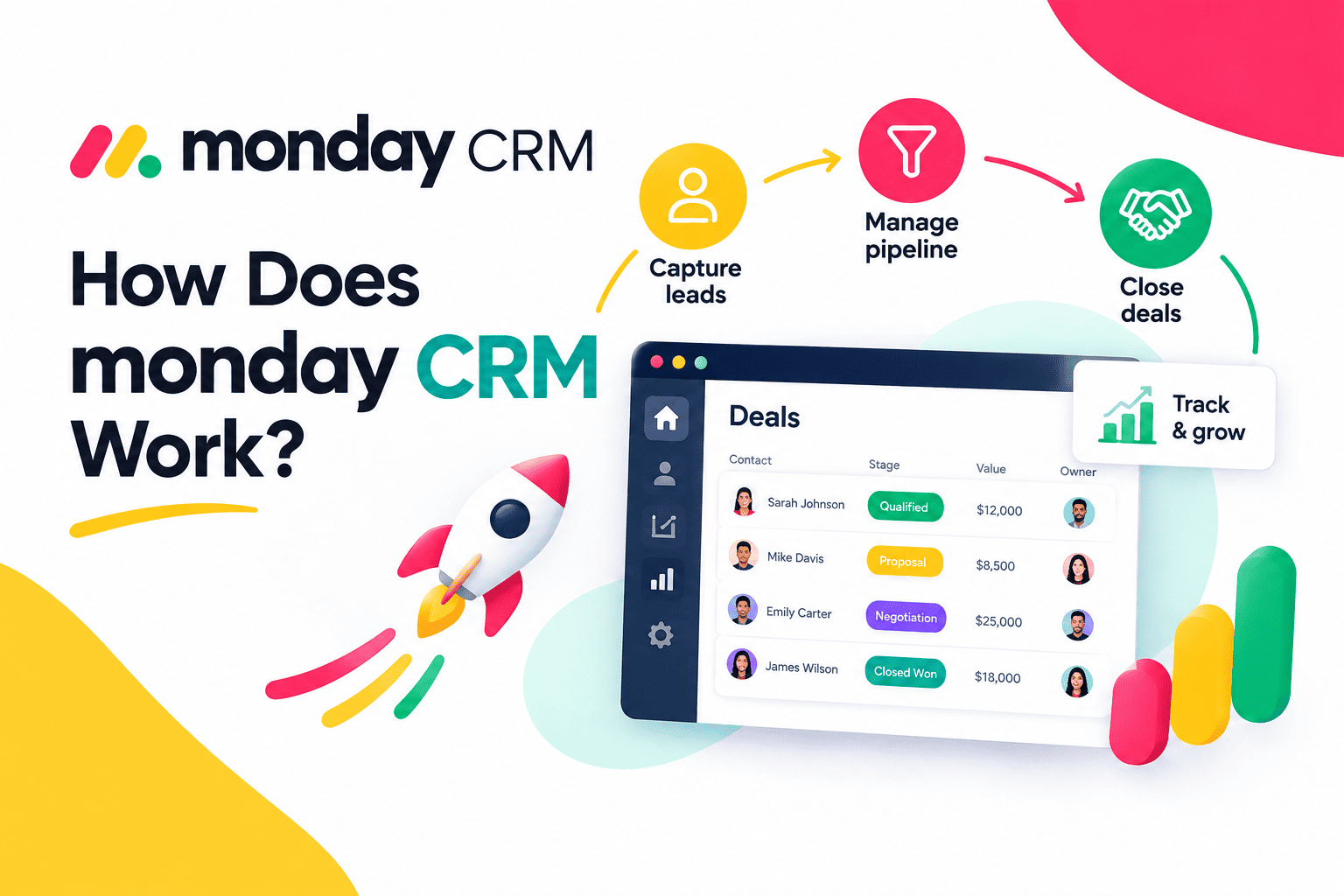
According to monday.com, the platform manages pipelines through a Deals board in a Pipeline view. Each deal carries an owner, a value, and a next-step date. Teams sort deals by priority, size, or expected close date. The page also states that the platform supports unlimited sales pipelines, so a company can run separate pipelines for new business, renewals, and partnerships.
How Do Contacts and Accounts Fit In?
Deals connect to contacts and accounts through linked board columns. Contact cards show related deals, tasks, documents, and activities, while a timeline tracks customer interactions. As a result, a rep who picks up a colleague’s account sees the full history in one place and avoids asking the customer to repeat information.
How Does Email and Calendar Sync Help?
monday.com states that emails, meetings, and logged activities from Gmail and Outlook flow into each deal’s timeline. Reps no longer copy and paste messages into the CRM. This sync saves minutes on every deal, and those minutes add up across a team. It also gives managers a reliable activity record.
How Do Teams Customize Stages and Fields?
Every sales process differs. A software company may use stages such as discovery, demo, proposal, and negotiation, while a consultancy may use qualification, scoping, and contract review. Teams change stages, add columns, and rename fields as they learn. This flexibility keeps the system aligned with reality.
What Does a Sample Pipeline Look Like?
| Stage | Typical Rep Action | Suggested Automation |
|---|---|---|
| New lead | Qualify and respond | Route to rep and create a follow-up task |
| Qualified | Schedule discovery call | Notify the owner and set a next-step date |
| Proposal | Send offer and track questions | Remind the rep if no activity occurs |
| Negotiation | Handle terms and approvals | Alert the manager for large deals |
| Closed won | Hand off to onboarding | Notify the onboarding team with context |
| Closed lost | Record the reason | Prompt for a loss reason and schedule a check-in |
What Does a Productive Day Look Like with monday.com CRM?

Features matter less than daily habits. The sample day below shows how a rep might work when the system carries the routine load.
How Does a Rep Start the Morning?
The rep opens the pipeline view and sorts deals by next-step date. Overdue items stand out immediately, so the rep handles the most urgent conversations first. Instead of searching inboxes, the rep sees every email and meeting in the deal timeline.
How Does the Rest of the Day Flow?
Between calls, the rep updates a stage, and an automation creates the follow-up task. New leads arrive already assigned, so the rep responds within minutes. At day’s end, the rep reviews tomorrow’s tasks and closes the laptop with a clear plan. Meanwhile, the manager checks the dashboard and flags a stalled deal for coaching.
How Do Automations in monday.com CRM Save Reps Time?
Automation delivers the biggest productivity gain because it removes repetitive work that reps dislike and often skip.
Which Tasks Can You Automate?
monday.com describes triggers based on stage changes, inactivity, or dates that can create follow-up tasks, send reminders, or notify owners and managers. Common automations include:
- Assigning new leads to reps through round-robin rules
- Creating a follow-up task when a deal moves to a new stage
- Alerting an owner when a deal sits idle for several days
- Pausing outreach sequences when a prospect replies
- Notifying the onboarding team when a deal closes
Teams build these rules without code. The platform advertises setup in just a few clicks.
How Does Lead Routing Improve Response Time?
Speed matters when a buyer shows interest. Manual lead assignment delays the first reply, and slow replies lose deals. Automatic routing assigns each lead the moment it arrives, using rules such as round robin. Reps therefore respond sooner, and managers distribute work fairly.
How Do Automations Improve Handoffs?
Handoffs fail when information disappears between teams. When a deal closes, an automation can notify the onboarding team and pass along context, according to monday.com. Customers experience a smooth transition, and the sales team avoids repeated emails asking for details.
What Limits Should You Know About?
Automations carry monthly action limits that depend on your plan. One independent pricing review notes that automations pause after a short grace period when usage reaches the limit, and that condition steps count against the quota. Therefore, design your automations carefully, and monitor usage so important workflows keep running.
How Do AI Features Support Sales Productivity?

monday.com now builds AI into its CRM. These features aim to reduce the manual work that surrounds each deal.
What AI Capabilities Does monday.com Describe?
According to monday.com’s pipeline page, AI monitors deal velocity, engagement, and stage duration to ground forecasts in pipeline signals. It also describes an AI notetaker that logs call decisions and next steps, and AI agents that can qualify inbound leads and book meetings. Reviewers also mention AI help with email drafting, timeline summaries, and column autofill.
How Should Teams Use AI Responsibly?
Treat AI output as a starting point. Reps should review drafted emails, confirm call notes, and verify lead qualification before they act. Moreover, managers should check that AI features follow company privacy rules. Test each feature with a small group first, and expand only after the results prove reliable.
Which AI Tasks Deliver the Quickest Wins?
Start with low-risk tasks. Call note summaries, email drafts, and timeline recaps save time without changing how reps sell. After the team trusts these outputs, test lead qualification and meeting booking with a small group, and compare conversion rates against your baseline.
Do AI Features Replace Rep Judgment?
No. AI handles routine work, but reps still build relationships, read buyer emotions, and negotiate terms. The best use of AI frees time for those human skills.
How Do Dashboards and Forecasting Help Managers Lead?
Managers cannot coach what they cannot see. Dashboards give them a clear view of performance without manual reports.
Which Widgets Matter Most?
monday.com lists a Sales pipeline widget, a Sales funnel widget, and a Leaderboard widget. These show stage distribution, conversion rates, and rep performance. A Deal Insights widget flags stalled or at-risk deals. Together, they help managers decide where to focus each week.
How Does Forecasting Work?
Forecasts draw on deal stages and deal values. Teams can add a probability column for a weighted forecast. Independent reviewers describe the reporting as strong for operational tracking, though some note limited depth for advanced strategic forecasting. Larger organizations should test whether the forecasting meets their needs.
Which Metrics Should Sales Leaders Track?
| Metric | What It Reveals | Action to Take |
|---|---|---|
| Pipeline value by stage | Health of the funnel | Add leads where stages run thin |
| Win rate | Quality of qualification | Tighten qualification rules |
| Sales cycle length | Process efficiency | Remove delays between stages |
| Activities per deal | Rep effort and engagement | Coach reps with low activity |
| Stalled deals | Risk of loss | Intervene early |
| Lead response time | Speed to first contact | Adjust routing rules |
How Do Dashboards Improve Meetings?
A pipeline review should focus on decisions, not data gathering. When the dashboard shows current numbers, the manager spends the meeting coaching and solving problems. Teams therefore shorten meetings and improve outcomes.
What Are the Strengths of monday.com CRM for Sales Teams?

Several strengths explain why many teams choose the platform.
Is It Easy to Customize?
Yes. Reviewers highlight easy customization and quick onboarding. Teams build boards, columns, and automations without technical skills, so managers adapt the system as the business changes.
How Well Does It Integrate with Other Tools?
monday.com lists connections with about 34 named tools on its features page, including Salesforce, HubSpot, Pipedrive, Gmail, Outlook, Slack, Google Drive, Stripe, and Shopify. Reviewers also mention API access and Zapier support. These links reduce double entry and keep data consistent.
Does It Support Collaboration?
Yes. Because the CRM sits on a work management platform, sales teams collaborate with marketing, onboarding, and delivery teams in the same environment. Real-time updates keep everyone aligned.
Summary Table of Strengths
| Strength | Benefit for Sales Teams |
|---|---|
| Visual pipelines | Clear view of every deal |
| No-code automation | Less admin work |
| Email and calendar sync | Complete activity records |
| Flexible boards | Process fits the team |
| Dashboards | Faster decisions |
| Broad integrations | Fewer manual transfers |
What Are the Weaknesses and Limitations of monday.com CRM?
No platform fits every team. A fair evaluation looks at the drawbacks too.
Can the Feature Set Overwhelm Smaller Teams?
Yes. Reviewers report that the extensive feature set can overwhelm smaller teams and that navigation feels less intuitive to some users. Setup also takes time, because teams must design boards and workflows. Start with a simple structure and add complexity gradually.
Do Costs Rise as You Grow?
They can. Pricing depends on seat counts and plan tiers, and automation and integration actions carry monthly limits. One independent review notes a minimum of three seats and sales in multiples of five afterward. Because sources differ, confirm the seat rules and limits directly with monday.com.
Is Reporting Deep Enough for Every Team?
Some reviewers describe the reporting as more operational than strategic. Large sales organizations with complex forecasting needs may want additional analytics tools.
Does It Fit Every Industry?
One review says the platform suits finance or legal firms and manufacturers less well, and it may not suit teams that need advanced financial features. Evaluate your specific requirements during the free trial.
Summary Table of Weaknesses
| Weakness | Impact | Possible Workaround |
|---|---|---|
| Large feature set | Learning curve for small teams | Start simple and train users |
| Seat and action limits | Costs and quotas grow | Plan seats and monitor automation usage |
| Operational reporting focus | Limited strategic forecasting | Add analytics tools if needed |
| Setup effort | Slower launch | Use an implementation partner |
| Feature gating by tier | Key tools need higher plans | Compare tiers before you buy |
How Much Does monday.com CRM Cost?

Prices change, and independent sources list different figures. Therefore, use the structure below as a guide and confirm current pricing on the official site.
What Is the Plan Structure?
| Plan | Typical Fit | Notable Points |
|---|---|---|
| Basic | Very small teams | Limited records and boards |
| Standard | Small teams | More records, dashboards, and a limited automation quota |
| Pro | Growing teams | Higher automation limits, sequences, and mass emailing |
| Enterprise or Ultimate | Large organizations | Governance and security controls, quoted individually |
Reviewers agree on a few points: the platform offers no free plan, a 14-day free trial helps teams test it, and annual billing lowers the monthly rate. One review also warns that lower tiers may lack features such as sequences and mass emailing.
How Should You Estimate Total Cost?
Count the seats you need, choose the plan that includes your must-have features, and add any extra products. For example, email campaign tools may carry separate fees. Then add setup and training costs, which often equal or exceed the first-year license fee for complex rollouts.
How Do You Justify the Investment?
Compare the cost against the value of recovered selling time. If automation returns even a few hours each week to every rep, the team gains capacity without hiring. Track the results during your pilot, and update your estimate with real numbers.
How Can You Implement monday.com CRM Successfully?
A smart rollout turns features into habits.
What Steps Should You Follow?
- Define goals. Decide which results matter most, such as faster follow-up or cleaner forecasts.
- Map your sales process. Document each stage and the entry rules for it.
- Build the pipeline. Create boards, stages, and required fields.
- Import your data. Clean contacts and deals before you load them, and note that large spreadsheets may need several import batches.
- Connect email and calendars. Link Gmail or Outlook for automatic activity capture.
- Add automations. Start with lead routing, follow-up tasks, and stalled-deal alerts.
- Build dashboards. Show the five or six metrics that drive decisions.
- Pilot and refine. Run a small group first, then expand.
How Do You Measure Productivity Gains?
Set a baseline before launch. Record average lead response time, activities logged per week, and the share of deals with a current next step. After ninety days, compare the same numbers. Also survey reps about time spent on admin work. Clear before-and-after data proves the value of the investment and shows where to improve next.
How Do You Keep Data Clean?
Set required fields for each stage, name an owner for data quality, and review duplicates monthly. Clean data keeps automations accurate and forecasts credible.
How Do You Drive Adoption?
Show reps what they gain: fewer admin tasks, clearer priorities, and faster handoffs. Provide short training sessions and quick reference guides. Then collect feedback and fix annoyances quickly. People adopt tools that visibly save them time.
What Mistakes Should You Avoid?
- Copying a messy spreadsheet into the CRM without cleaning it
- Building too many stages and fields at the start
- Launching automations without monitoring action limits
- Skipping manager training
- Treating the CRM as a reporting tool only
What Are the Key Conclusions About monday.com CRM and Sales Productivity?
Sales productivity grows when reps spend less time on admin and more time with buyers. monday.com CRM supports that goal through customizable pipelines, email and calendar sync, no-code automations, AI assistance, dashboards, and flexible integrations. These tools reduce missed follow-ups, speed up lead response, and give managers real-time visibility.
However, the platform has trade-offs. Seat and automation limits affect cost, the large feature set can overwhelm small teams, and some reviewers want deeper strategic reporting. Teams should test the platform during the free trial and confirm plan details before they commit.
Therefore, define your goals, start with a focused pipeline, and measure results. Finally, consider partnering with Solution for Guru to configure the system, connect your tools, and train your people, so your investment delivers lasting gains.
Frequently Asked Questions
No. Independent reviews state that the platform has no free plan, although a 14-day free trial lets teams test it, according to monday.com. Confirm the current trial terms on the official site.
Yes. According to monday.com, triggers based on stage changes, inactivity, or dates can create follow-up tasks, send reminders, and notify owners. The platform also routes leads to reps through rules such as round robin. Automation limits depend on your plan.
Yes. monday.com states that emails, meetings, and logged activities from Gmail and Outlook appear in each deal’s timeline. This sync reduces manual logging and gives managers a more complete activity record.
What Are the Benefits of Cooperation with Solution for Guru?
Solution for Guru is a CRM and software implementation consultancy. The company helps businesses select, configure, and connect the systems that run daily operations. For sales teams that adopt monday.com CRM, this experience delivers practical value.
How Does Solution for Guru Support Implementation?
Solution for Guru studies your sales process and configures the platform around it. Consultants design pipelines, build automations, set up dashboards, and define data rules. As a result, your team launches with a system that fits its needs instead of a generic template.
How Does Solution for Guru Connect Your Systems?
Sales teams rarely work in one tool. You may use email, accounting software, marketing platforms, and support systems. Solution for Guru connects these tools so data flows without manual copying. A closed deal can trigger an invoice, and a support ticket can update the customer record.
How Does Solution for Guru Train Your Team?
Software delivers value only when people use it well. Solution for Guru trains reps, managers, and administrators on the features they use daily. Trainers also document your processes, so new hires learn them quickly.

What Business Benefits Can You Expect?
| Benefit | What It Means for Your Sales Team |
|---|---|
| Faster setup | A clear plan shortens the path to your first live pipeline |
| Cleaner data | Consistent rules improve every report |
| Better adoption | Training builds confidence among reps |
| Connected systems | Sales, finance, and support share information |
| Ongoing guidance | A consultant supports you as your team grows |
Visit solution4guru.com to discuss your needs and plan an implementation that fits your team.
Recommended:
- Email Integration in Bigin: Gmail and Outlook for Small Business Sales
- How Does monday CRM Work?
- How Do Bigin’s Automation Features Save Time for Growing Teams?
- What Is monday CRM? A Complete Guide to monday.com CRM
- Bigin Mobile App Review: Managing Sales on the Go
- CRM Proficiency Is the New Digital Literacy: Do You Agree?
- Bigin by Zoho CRM Pricing Explained: Is It Worth It?
- Using Creatio to Standardize Business Processes Across Departments
- Best Pipedrive Reports for Sales Managers
- Pipedrive Insights Explained: How Sales Reporting Works
- Pipedrive Automation Examples for Sales Teams
- Pipedrive Sales KPIs: 15 Metrics Every Team Should Track
- How Pipedrive AI Helps Sales Teams Save Time
- CRM Roles 101: From CRM Administrator to CRM Developer
- Pipedrive MCP Explained: How AI Assistants Connect to Your CRM
- Sales Forecasting and Pipeline Management in Creatio CRM
- Pipedrive Sales Dashboard: How to Track Performance
- Pipedrive Automation Triggers and Actions Explained
- Pipedrive AI vs Traditional CRM Automation: What’s the Difference?
- ERP and ITSM Integration: Improving Operational Visibility Across Departments
- Integrating Endpoint Management Tools with Freshservice