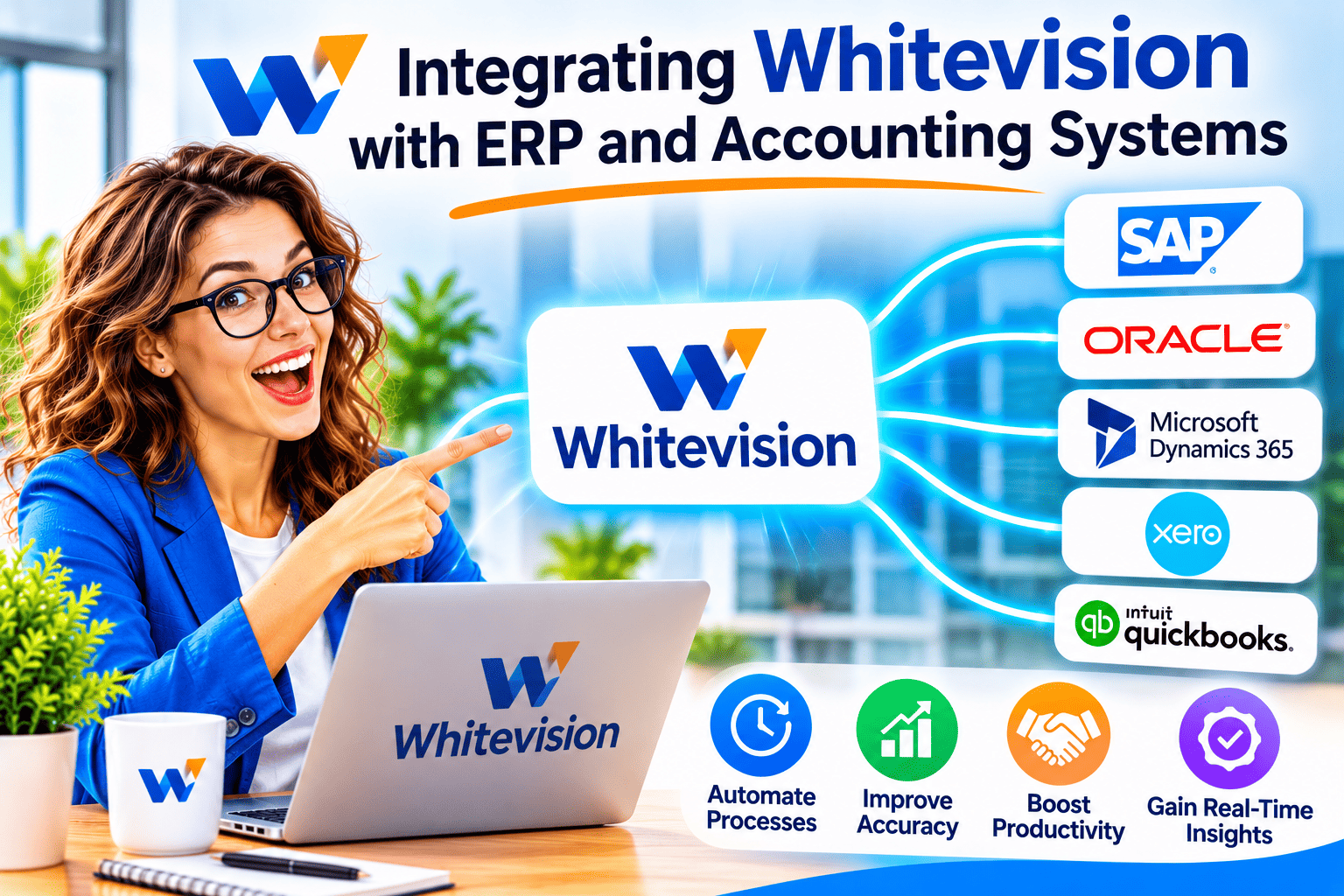
Integrating Whitevision with ERP and Accounting Systems
Finance teams rarely struggle with a lack of software. They struggle with the gaps between tools, where someone retypes an invoice number, re-codes a receipt, or chases an approval by email. Integrating Whitevision with ERP and accounting systems targets those gaps directly. The platform reads incoming documents, routes them for approval, and passes finished data to the system that holds your ledger.
This guide explains how the integration works, which systems Whitevision supports, what to prepare, and where the limits sit.
Table of contents
What Should You Know at a Glance?
- Whitevision processes purchase invoices, e-invoices, delivery notes, and expense claims, then hands the results to your ERP or accounting system.
- Published integration lists include AFAS, AccountView, Exact Online, Exact Globe, Twinfield, 4PS Construct, Admicom, and Syntess Atrium, among others.
- Invoices can be matched against purchase orders and receipts before posting, and mismatches are flagged.
- Employees submit expenses from a smartphone app, and managers approve them before the claim reaches the financial system.
- Whitevision supplements your accounting software. It does not replace it.
- Pricing is not published on the sources reviewed, so you need to request a quote.
How Does Whitevision Relate to ERP and Accounting Integration?

Whitevision is a document and invoice processing platform that emphasizes automation, mobile receipt capture, approval workflows, accounting integrations, and centralized expense visibility. Each of those five capabilities depends on the last one. Automation and approval routing save time, but the savings disappear if a person still rekeys the result into the ledger. The integration layer turns a recognition tool into a finished process.
The platform prepares invoices as complete entries for your ERP or accounting system. The Whitevision Spend page describes the same pattern for expense claims. This article builds on that design: how the connection between Whitevision and your finance system works, and how to set it up well.
Why Do Businesses Connect Whitevision to Their ERP or Accounting Software?

What Problem Does the Integration Solve?
Without an integration, a document processing tool becomes an extra island of data. Staff approve an invoice in one place, then type the same figures into another. That double entry costs time and creates reconciliation errors that surface at month-end.
An integration removes the second step. Whitevision recognizes the invoice, applies the approval rules, and delivers the booking data to your ERP. Your accountants then work from the ERP with complete records. The Whitevision process page describes this as two-way communication with the ERP, which means the platform both sends data and draws on ERP information.
Who Benefits Most from the Integration?
Different roles feel the benefit in different ways. Business owners gain faster, more reliable figures. Finance managers spend less time correcting entries. Administrators handle fewer repetitive tasks. End-users, such as sales staff submitting expenses, save effort because the app fills in details for them.
For example, consider an illustrative company with a field sales team and a procurement department. The sales team submits expenses from phones, while procurement receives supplier invoices by email. Both streams can land in the same ledger through one integration, instead of two manual routines.
When Does the Integration Matter Most?
The integration pays off fastest where document volume is high, and booking logic is consistent. Purchase invoices usually lead this list, because finance teams process them in bulk. Expense claims follow, especially in organizations with many small, scattered purchases.
On the other hand, a business that processes only a handful of invoices a month may see a smaller return. In that case, the decision depends more on growth plans and audit requirements than on current volume.
Which ERP and Accounting Systems Does Whitevision Integrate With?
Which Systems Appear in Published Integration Lists?
Whitevision states that it partners with a range of ERP vendors, so its solutions fit each customer’s ERP environment. Independent directories give more detail. Capterra’s Whitevision profile lists roughly 17 to 18 integrations, and the count varies between pages. The table below summarizes systems named in directory listings.
| System | Type |
|---|---|
| AFAS Software | ERP and finance |
| AccountView | Accounting |
| Exact Online / Exact Globe | Accounting and ERP |
| Twinfield | Cloud accounting |
| 4PS Construct | Construction ERP |
| Admicom | ERP |
| Syntess Atrium | ERP |
| PROACTIS | Procurement and finance |
Capterra also lists Acto, INCONTO, Metacom, Nocore Facilitair, Nocore Flex, PowerAll, and Robaws. Treat this list as a starting point, not a contract, because directory data can lag behind the vendor.
How Can You Confirm That Your System Is Supported?
Verify before you commit. Ask Whitevision for the current connector list for your exact ERP version, since an Exact Online connector differs from one for Exact Globe. Also ask whether the connector covers the document types you plan to process, such as purchase invoices only or expense claims as well.
Then test with real documents. A short pilot with ten to twenty typical invoices reveals coding gaps that a feature list never shows.
What About Systems That Do Not Appear on the List?
Capterra lists an API among Whitevision’s features, which suggests that custom connections may be possible. However, the sources reviewed do not describe the API’s scope or documentation. Therefore, ask Whitevision directly what a custom integration would involve, who would build it, and how long it would take. Do not assume that an unlisted system works out of the box.
How Does Data Flow Between Whitevision and Your ERP?
How Does a Purchase Invoice Travel from Inbox to Ledger?
The flow follows a clear sequence. According to the Whitevision process page, emails, PDFs, or XML documents are automatically read in. The booking page adds that the platform recognizes invoices, extracts the data, and checks it against purchase orders, supplier agreements, and earlier entries.
In practice, the path looks like this:
- An invoice arrives by email, PDF, or XML.
- Whitevision reads the document and extracts fields such as invoice number, supplier, and totals.
- The platform validates the data against ERP information.
- Reviewers approve or correct the invoice.
- Whitevision prepares the entry and sends it to the ERP or accounting system.
The Whitevision Invoice Manager page also describes an Email Handler that copes with the many formats in which invoices arrive.
How Does Matching Against Orders and Receipts Work?
Whitevision’s matching feature compares incoming invoices with orders and receipts. When a discrepancy appears, the platform flags the affected invoice line. This process is known as three-way matching in accounting terms: invoice, purchase order, and goods receipt must agree before payment.
The benefit is control without constant manual checking. Your team reviews exceptions, not every line. If all data is correct, the invoice goes to booking. This depends on your ERP holding clean purchase order data, which makes the integration quality as important as the recognition quality.
How Does the Platform Treat Touchless Processing?
Whitevision describes touchless invoice processing as automating the entire flow for incoming invoices where possible, without losing control where it matters. The phrase “where possible” carries weight. Some invoices will always need a human decision, such as an unusual supplier or an ambiguous cost center.
Set realistic expectations. A good integration raises the share of invoices that pass through untouched, but it does not eliminate review. Track that share over time, because it shows you whether your rules and master data keep improving.
How Do Expense Claims Reach the Financial System?
The Whitevision Spend page describes a three-step expense flow. First, the app scans the receipt and automatically fills in the claim. Second, the claim goes to the manager or budget holder for approval. Third, once approved, the system processes the claim as an invoice in the financial system.
The page adds that date, amount, and cost type link to the correct cost center or department in the ERP. As a result, finance sees spending by employee, project, or department in near real time. A software directory also reports that credit card payments can link automatically to an expense claim, so confirm that feature with Whitevision for your card provider.
What Does Two-Way Communication Add?
One-way transfer sends data out and leaves reconciliation to people. Two-way communication also pulls reference data back in, such as suppliers, cost centers, and order information. That reference data lets Whitevision validate documents before they reach the ledger.
Consequently, errors surface earlier. A wrong supplier or a missing cost center appears during review, not during the month-end close. Ask your implementation partner which master data synchronizes, and how often.
What Should You Prepare Before the Integration?

Which Master Data Needs Cleaning First?
Automation amplifies whatever data you feed it. Duplicate suppliers, outdated cost centers, and inconsistent general ledger accounts all produce poor matches. Therefore, clean the master data before you connect anything.
Start with these items:
- Supplier records, including duplicates and inactive entries
- Cost centers, departments, and project codes
- General ledger accounts and VAT codes
- Open purchase orders and their statuses
- Approval hierarchies and spending limits
How Should You Define Booking and Approval Rules?
Write down how your organization codes and approves documents today. Include the exceptions, because exceptions drive most manual work. For instance, decide who approves invoices above a set amount, and who covers for absent approvers.
Whitevision offers configurable workflow and approval features. Configuration only helps when you know the rules. A one-page rule sheet per document type saves many hours during setup.
Which Technical Requirements Should Technical Staff Check?
Technical staff should confirm connector availability, access rights, and the ERP’s hosting model. Capterra lists both cloud and on-premises deployment options for Whitevision, along with Android, iPhone, and iPad apps. Confirm which combination applies to your environment.
Also check supported languages and countries. Capterra lists Dutch, English, French, and German, and names Belgium, Germany, the Netherlands, the United Kingdom, and the United States as available countries. If you operate elsewhere, ask the vendor before planning.
How Do You Implement the Integration Step by Step?

What Does a Practical Rollout Plan Look Like?
A staged rollout limits risk. The plan below suits most mid-sized organizations, although timelines vary with complexity.
- Define scope. Choose document types and entities for phase one, such as purchase invoices for a single company code.
- Clean master data. Fix suppliers, cost centers, and ledger accounts.
- Configure the connector. Work with Whitevision and your ERP partner to link the systems.
- Set workflows. Build approval routes and matching rules from your rule sheet.
- Run a pilot. Process real documents with a small team and compare results with your manual process.
- Train users. Show approvers and expense submitters the new routines.
- Go live and monitor. Track exceptions, then expand to further document types.
How Do You Run a Useful Pilot?
Select documents that reflect reality, not just easy cases. Include a multi-line invoice, a foreign-currency invoice, a credit note, and an invoice that mismatches its order. Then check each result in the ERP against what your team would have booked by hand.
Record every deviation, and sort the causes into recognition errors, rule gaps, and master data problems. That sorting tells you where to invest effort before go-live.
How Should You Measure Success?
Pick a few measures before launch so you can judge the outcome honestly. Useful candidates include the share of invoices posted without manual correction, the time from receipt to posting, and the number of expense claims approved within a set period. Do not borrow benchmark figures from other companies. Measure your own baseline first, then compare after go-live.
What Limitations and Risks Should You Plan For?
Does Whitevision Publish Its Pricing?
The sources reviewed show no public price list. Whitevision does not publish prices; you must request a quote. Therefore, build a cost estimate from a vendor proposal, and ask what the quote includes: licenses, connector setup, training, and support.
Which Gaps Could Affect Your Project?
Several limits deserve attention:
- Connector coverage varies. A listed system may support some document types but not others.
- Directory data can age. Always confirm against the vendor’s current documentation.
- Data quality caps accuracy. Poor master data reduces matching performance.
- People still review exceptions. Touchless processing applies where rules and data allow it.
- Regional focus matters. The integration list leans toward Dutch and Benelux software, so businesses elsewhere should check fit early.
How Do You Reduce Project Risk?
Assign one owner on the finance side and one on the technical side. Keep the first phase narrow. Document each rule you configure so that a colleague can maintain it later. Finally, agree on a rollback path: if the pilot fails, you must know how to return to the manual process without losing documents.
Who Does What During and After the Integration?

Clear roles prevent the stalls that slow most finance projects. The table below shows a typical split, which you should adapt to your organization.
| Role | Main responsibility |
|---|---|
| Business owner or CFO | Sets scope, budget, and success measures |
| Finance manager | Defines booking and approval rules |
| Accountant or AP clerk | Reviews exceptions and validates postings |
| Technical staff or administrator | Manages connectors, access, and user accounts |
| End-user or approver | Submits expenses and approves documents on time |
After go-live, the finance manager should review exception reports regularly. Frequent exceptions usually point to a fixable rule or dirty master data.
What Is the Bottom Line on Integrating Whitevision with ERP and Accounting Systems?
Integrating Whitevision with ERP and accounting systems works best when you treat it as a process project and not a software installation. Whitevision reads documents, enforces approvals, and delivers clean booking data to your ledger. Your ERP stays the system of record, and Whitevision feeds it. The published connector lists cover many Dutch and Benelux systems, including AFAS, Exact, AccountView, and Twinfield.
To succeed, verify your connector, clean your master data, and pilot with real documents. Then expand in stages. Also confirm pricing and scope with the vendor, because the public sources do not list them. If you do that groundwork, Whitevision can remove rekeying from your finance routine and give you faster visibility into spending.
Frequently Asked Questions
No. Whitevision works alongside your ERP or accounting system. It handles document capture, matching, and approvals, then passes validated data to your ledger. Your accounting system remains the system of record.
Directory listings name AFAS, AccountView, Exact Online, Exact Globe, Twinfield, 4PS Construct, Admicom, and Syntess Atrium, among others. Confirm your exact version with Whitevision, because connector coverage can differ by product and document type.
Yes. According to the Whitevision Spend page, employees submit expenses through a smartphone app, which scans receipts to fill in the claim. Managers then approve the claim before it reaches the financial system.
The sources reviewed do not publish prices. A software directory notes that you request a quote. Ask for a proposal that itemizes licenses, connector setup, training, and support.
No source reviewed gives a standard timeline. Duration depends on your ERP, master data quality, number of document types, and approval complexity. A narrow pilot on one document type usually shows realistic timing before you commit to a full rollout.
What Are the Benefits of Cooperating with Solution for Guru?
Solution for Guru is a CRM and software implementation consultancy. Cooperating with a specialist partner helps most where integration projects tend to stall: requirements, configuration, and adoption.
- Requirement mapping. A partner translates your booking and approval rules into a workable configuration.
- Connector planning. Specialists help you check system compatibility early and avoid late surprises.
- Process design. Experienced consultants spot exception-heavy routines and simplify them before automation.
- Training and adoption. Clear guidance for approvers and end-users raises the share of documents that follow the new process.
- Ongoing support. A partner helps you adjust rules as your business and software stack change.
If you plan to connect Whitevision to your finance stack, contact Solution for Guru to discuss scope and next steps.
Recommended:
- Handling Document Processing Errors in Whitevision Integrations: How Can You Find, Fix, and Prevent Them?
- How Whitevision Can Improve Collaboration Between Finance and IT
- How Whitevision Handles Different Invoice Formats
- How Can Developers Automate Document Routing with Whitevision?
- Best Accounting Integrations for Moss
- How Does Whitevision Support Purchase-to-Pay Automation?
- How Does Whitevision Help Shared Service Centers Automate Document Workflows?
- How Does Moss Simplify Corporate Expense Management?
- AI Document Processing vs. Traditional OCR: What Businesses Need to Know
- How Intelligent Data Extraction Works in Whitevision
- HR Analytics in HoorayHR
- Digital HR Transformation with HoorayHR
- How Whitevision Helps Finance Teams Manage High Document Volumes
- Employee Onboarding Best Practices with HoorayHR
- Integrating Whitevision with Accounts Payable Software
- Whitevision AI Document Processing: Common Business Use Cases
- What KPIs Should You Track in Expense Management?
- Zoho Expense Pricing Explained: Plans, Features, and Costs
- Whitevision vs Moss: Which Platform Fits Your Finance Workflow Better?
- Key Features of HoorayHR
- Zoho Expense Review: Pros, Cons, and Key Features
- HoorayHR ROI: How Businesses Save Time with HR Automation
- How Long Does It Take to Implement HoorayHR?
- HoorayHR Review: Features, Pros, Cons, and Best Use Cases