
Freshservice AI Features: What Can Actually Be Automated?
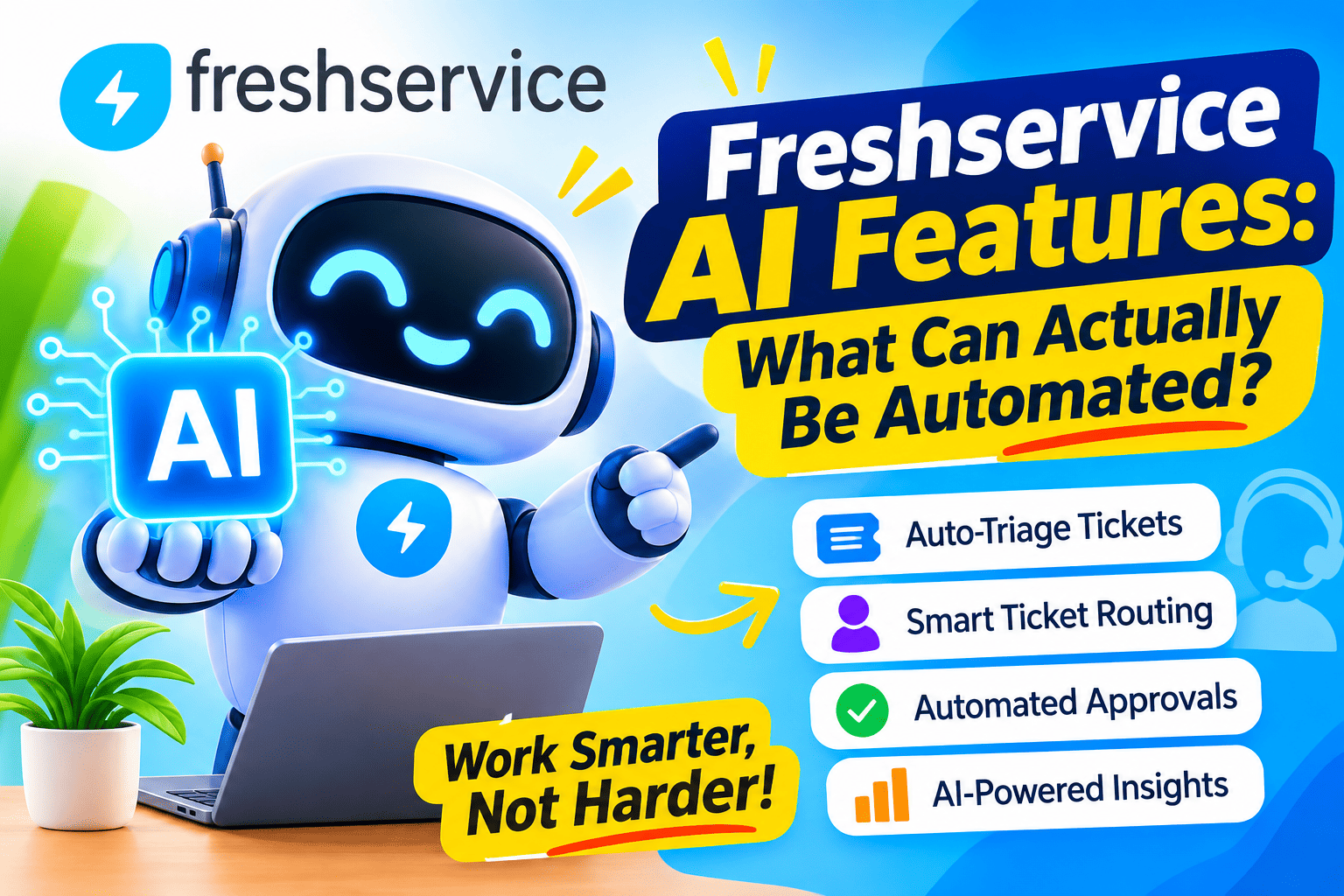
Every IT service desk wants fewer repetitive tickets, faster answers, and less manual sorting. Vendors promise all three with artificial intelligence. However, the real question is more practical: which tasks can your team hand over to software today, and which still need a person? This guide examines Freshservice’s AI features, separates proven automation from partial help, and explains how to prepare your service desk to get real value.
Table of contents
What Is the Quick Summary?
- Freshservice uses an AI layer called Freddy AI, which has three parts: Freddy AI Agent for employee self-service, Freddy AI Copilot for support agents, and Freddy AI Insights for analytics.
- You can automate answers to common questions, ticket routing, request creation, summaries, draft replies, and knowledge article drafts.
- Don’t automate complex diagnosis, sensitive decisions, or approvals that carry financial or security risk.
- AI quality depends on your knowledge base, ticket data, and plan, because some features require paid add-ons.
- A staged rollout with clear metrics works better than switching everything on at once.
How Does Freshservice ITSM Relate to AI Automation?
Freshservice is an IT service management (ITSM) platform from Freshworks. ITSM is the practice of designing, delivering, and supporting IT services, covering incident handling, service requests, change management, and asset tracking. Freshservice brings these functions into one cloud-based system, and it increasingly supports HR and facilities requests through enterprise service management.
That structure matters for AI. An AI model learns from tickets, knowledge articles, and workflows. Because Freshservice stores all of these in one place, its AI features can read the same data your agents use. Freshworks describes Freddy AI as a native layer inside the platform, not a separate integration. As a result, setup is simpler than connecting an outside AI tool.
On the other hand, this design has a trade-off. Freddy AI mainly works with what Freshservice can see. If critical knowledge sits in other systems, the AI may give incomplete answers unless you connect those sources.
What Is Freddy AI in Freshservice?
Freddy AI is the brand name for the AI capabilities across Freshworks products. In Freshservice, it appears as three components:
- Freddy AI Agent: a conversational assistant that handles employee requests.
- Freddy AI Copilot: an assistant that helps human agents write, summarise, and resolve tickets.
- Freddy AI Insights: an analytics layer that highlights trends and problem areas.
To find these options, admins open the Freddy AI section in the Freshservice admin area and turn on the features they want. Freshworks support documentation describes this toggle-based setup.
What Does “Automation” Actually Mean in an IT Service Desk?

The word “automation” covers several different things, and mixing them up is confusing. Before we look at specific features, it helps to define three levels.
What Is Rule-Based Automation?
Rule-based automation follows fixed instructions. For example: “If the requester selects New laptop, create an approval task for the manager.” Freshservice has long offered this through its workflow automator, which runs actions when a ticket meets defined conditions. It requires no AI, and it behaves predictably.
What Is AI-Assisted Work?
AI-assisted work helps a person complete a task faster. The AI drafts a reply, and the agent reviews and sends it. The human stays in control. Most Freddy AI Copilot features fall into this category.
What Is Autonomous Resolution?
Autonomous resolution means the AI completes the task end to end with no human involvement. For instance, an AI agent answers a password-reset question using a knowledge article, and the employee never contacts the service desk. Freddy AI Agent aims at this level, though it works best on well-documented, low-risk topics.
This distinction answers the central question of this article. Some tasks suit full automation, some suit assistance, and some need human judgment.
Which Tasks Can Freddy AI Agent Automate for Employees?
Freddy AI Agent handles the front door of your service desk. Employees ask questions in plain language, and the agent responds or routes the request. Freshworks says the agent uses natural language processing, which is software that interprets everyday human language, to understand what the employee needs.
What Kinds of Questions Can It Answer?
The agent works best on repeatable, well-documented topics. Typical examples include:
- How to reset a password or unlock an account.
- How to connect to the company VPN.
- How to set up email on a phone.
- Where to find a policy, such as the remote work policy.
- How to request software or hardware.
The agent draws its answers from knowledge sources. According to third-party reviews, these sources can include the Freshservice knowledge base, SharePoint, Google Drive, and Confluence. Therefore, the quality of your documentation directly limits the quality of the answers.
Can It Create and Route Tickets?
Yes. When the agent cannot answer a question, it can create a ticket and send it to the right team. In a Slack example described by an independent review, an employee asks for access to a new tool, and the agent creates a service request and routes it to the correct approver.
Freshworks also states that Freddy AI connects with Slack, Microsoft Teams, SharePoint, Google Drive, and Microsoft 365 Copilot. Because employees already work in chat tools, this integration reduces friction.
What Results Does Freshworks Report?
Freshworks publishes figures on its Freddy AI page, such as a 77% decrease in agent workload for some Freddy AI Agent users. These numbers come from the vendor, and they depend on each customer’s setup. Treat them as indicators, not guarantees. Run a pilot and measure your own results.
Which Tasks Can Freddy AI Copilot Automate for Support Agents?
Freddy AI Copilot sits inside the agent workspace. It helps with ticket handling and reduces typing, reading, and screen switching. Independent reviews describe more than a dozen features, grouped into content generation, writing assistance, and intelligent suggestions.
What Can Copilot Generate Automatically?
Copilot can produce several types of content from the ticket context:
- Ticket summaries: A short overview of a long conversation, which helps when an agent picks up a ticket from a colleague.
- Suggested replies: Draft responses that the agent reviews and edits.
- Canned response suggestions: Matches between the ticket and your saved replies.
- Resolution notes: Draft text that records how the agent solved the issue.
- Knowledge article drafts: Content that turns a solved ticket into a reusable article.
How Does Copilot Help With Writing Quality?
Writing assistance features can adjust a message’s tone, correct grammar, and expand or shorten text. For example, an agent can turn a blunt technical note into a polite, customer-friendly message. This feature saves little time on a single ticket. However, across hundreds of tickets, it raises consistency.
Does Copilot Replace the Agent?
No. Copilot supports the agent, who still decides what to send and what to do. That is the right design for complex incidents. An AI summary can miss a nuance, and a draft reply can sound confident while being wrong. As a result, require agents to review every AI-generated message before sending it.
Which Plans Include Copilot?
Pricing and packaging change often. Reviews in 2026 report that Copilot is an add-on for the Pro and Enterprise plans, and that some Copilot features were still in beta. Because details vary, check the current Freshservice pricing page or ask a Freshworks representative before budgeting.
Can Freshservice Automate Ticket Triage and Routing?
Triage is the process of classifying a ticket, assigning its priority, and sending it to the right person or group. Manual triage is slow, and mistakes cause delays. It is also one of the best candidates for automation.
How Does Auto Triage Work?
Third-party guides mention an Auto Triage feature that an admin switches on in the Freddy AI settings. The idea is simple: the AI reads the ticket and predicts fields such as category, priority, or assignment group. The service desk then applies those predictions automatically or suggests them to the agent.
What Does Triage Automation Need to Work?
The AI learns from your historical tickets. Therefore, poor data creates poor predictions. Before you enable triage automation, check the following:
- Your categories are consistent and not overly detailed.
- Agents have used those categories correctly in the past.
- Your assignment groups reflect how work really flows.
- Duplicate and obsolete categories are removed.
For example, if agents use “Network” and “Networking” interchangeably, the AI will treat them as separate patterns. A short data cleanup pays off quickly.
When Should You Keep Humans in the Loop?
Keep human review for tickets that affect many users, involve security, or come from executives. A model can misread urgency. In those cases, route the ticket to a human with a flag instead of an automatic decision.
Which Request Fulfillment Tasks Can Freshservice Automate Without AI?
Not every automation needs generative AI. In many cases, a classic workflow is cheaper and more reliable. Freshservice supports service catalogs, approvals, and workflow automation that handle structured requests well.
What Is a Good Example of Workflow Automation?
Consider employee onboarding. A new hire triggers a chain of tasks:
- The HR system sends a request to Freshservice.
- Freshservice creates tasks for account creation, laptop setup, and software licenses.
- Each task goes to the right team with a due date.
- The manager receives an approval request for any extra equipment.
- The system closes the request when all tasks finish.
No AI interprets language here. The steps are known, so a fixed workflow works better. In contrast, AI adds value when the request arrives as free text, and someone must interpret it.
How Do You Decide Between Rules and AI?
Use a rule when the input is structured, and the outcome is predictable. Use AI when the input is unstructured and varies widely. The table below summarises this choice.
| Situation | Better approach | Reason |
|---|---|---|
| Employee picks an item from a service catalog | Workflow rule | The inputs are structured and predictable |
| Employee types a vague question in chat | Freddy AI Agent | AI interprets natural language |
| New ticket needs a category and priority | AI triage, with review | Patterns exist in historical data |
| Request needs manager approval | Workflow rule | Approval paths should stay explicit |
| Agent must summarise a 40-message ticket | Freddy AI Copilot | Summarising text suits AI |
| Hardware replacement needs financial sign-off | Human decision | Financial control requires accountability |
What Can Freddy AI Insights Automate in Reporting and Analysis?

Freddy AI Insights targets the service desk and leaders. It turns data into explanations, charts, and prompts for action. Freshworks announced in November 2025 that Insights can convert complex analytics into conversational insights and visualizations.
What Questions Can Insights Answer?
Managers can use it to look for patterns, such as:
- Which categories generate the most tickets?
- Which teams have the slowest resolution times?
- How did response times change after Copilot adoption?
- Which Copilot features do agents actually use?
Some reviews describe drill-down options by agent group and before-and-after comparisons. Those options help leaders decide where to train agents and where to improve documentation.
What Are the Limits of Insights?
Insights does not fix problems by itself. It shows them. A manager still needs to decide whether to rewrite an article, change a workflow, or hire another agent. In addition, reviews report that Insights has carried a beta label and needs an admin to enable it. Check its current status before you build a reporting process around it.
Which Freshservice Tasks Still Need Human Judgment?
AI is strong at repeatable work. It is weaker when the context is unclear, the stakes are high, or the answer isn’t documented. Be realistic about these limits.
What Should You Not Fully Automate?
- Complex diagnosis: Intermittent network failures, application bugs, and multi-system incidents need technical reasoning.
- Security incidents: A person must decide how to contain and report a breach.
- Access to sensitive systems: Granting privileged access requires verified approval.
- Employee relations issues: HR and legal questions need empathy and policy knowledge.
- Major incident communication: Messages to the whole company need human review.
Why Can AI Answers Go Wrong?
Three causes appear most often. First, the knowledge base contains outdated or conflicting articles. Second, the employee’s question is ambiguous. Third, the model generates a plausible but inaccurate answer. Therefore, test the agent with real questions before launch, and keep a visible option to reach a human.
What Does an Automation Map for Freshservice Look Like?
The table below shows a practical view of what you can automate in Freshservice and how much human involvement to expect. Treat it as a planning guide, and verify feature availability on your plan.
| Task | Typical tool | Automation level | Human role |
|---|---|---|---|
| Answering password and VPN questions | Freddy AI Agent | High | Maintain articles |
| Creating a ticket from a chat request | Freddy AI Agent | High | Handle the ticket |
| Categorising and prioritising tickets | Auto triage | Medium to high | Review exceptions |
| Routing tickets to groups | Workflow automator or AI | High | Adjust rules |
| Summarising long tickets | Freddy AI Copilot | Medium | Verify accuracy |
| Drafting replies | Freddy AI Copilot | Medium | Edit and send |
| Writing knowledge article drafts | Freddy AI Copilot | Medium | Review and publish |
| Onboarding and offboarding tasks | Service catalog and workflows | High | Handle exceptions |
| Trend reporting | Freddy AI Insights | Medium | Decide on actions |
| Major incident handling | Manual | Low | Lead the response |
How Do You Prepare Freshservice for AI Automation?
AI does not fix a messy service desk. It amplifies what already exists. Good preparation determines most of the result.
How Do You Improve Your Knowledge Base First?
Start here, because the AI agent depends on it. Follow these steps:
- Export your most frequent ticket topics from the last six months.
- Check that each topic has a clear, current article.
- Write articles in plain language, with step-by-step instructions.
- Remove duplicates and outdated guidance.
- Assign an owner and a review date to every article.
For example, if “how to connect to Wi-Fi” is your top request, write that article first. Then test the AI agent with that question before you move on.
How Do You Roll Out AI Safely?
A staged approach reduces risk:
- Phase 1: Enable Copilot for a small group of experienced agents, and collect feedback.
- Phase 2: Launch the AI agent for two or three low-risk topics, such as password help.
- Phase 3: Add auto triage with human review of the predictions.
- Phase 4: Expand to more topics and enable Insights for managers.
The Freshservice flexi-add-on model, described in independent reviews, lets you buy Copilot for a subset of agents. That option suits a pilot.
Which Metrics Prove That Automation Works?
| Metric | What it shows |
|---|---|
| Deflection rate | Share of requests solved without an agent |
| First response time | Speed of the first reply |
| Mean time to resolution | Average time to close a ticket |
| Reassignment rate | How often tickets move between groups |
| Agent satisfaction | Whether staff find the tools useful |
| Employee satisfaction | Whether employees accept AI answers |
Capture these numbers before you start. Without a baseline, you cannot prove improvement.
How Should You Handle Security, Privacy, and Governance?

AI features touch sensitive data, including employee names, device details, and internal procedures. Plan governance from the start.
What Questions Should You Ask Before Enabling AI?
- What data does the AI read, and where does it process it?
- Which roles can turn features on or off?
- How do you review and correct wrong AI answers?
- Does your privacy policy cover AI-generated content?
- Do your regulatory duties, such as GDPR, affect how you use employee data?
Review Freshworks documentation and its trust and security pages for current answers. In addition, involve your security and legal teams early.
How Do You Keep AI Answers Accurate Over Time?
Assign someone to review failed conversations each week. Update articles when the AI struggles, and retire guidance that no longer applies. This simple habit keeps accuracy from drifting as systems change.
What Are the Main Limits and Costs of Freshservice AI?
Independent reviews highlight several practical constraints. First, some Copilot features have appeared as add-ons with separate per-agent fees. Second, AI agent usage is measured in sessions, and reviews report that Enterprise licences include a set number of sessions per year, with extra sessions priced by quote. Third, the AI works best on content inside the Freshservice ecosystem and its connected sources.
Therefore, estimate your expected volume before you commit. For example, a company with 5,000 employees and high chat usage may quickly exceed an included session allowance. Ask Freshworks for written pricing that matches your expected volume.
What Are the Key Conclusions About Freshservice AI Automation?
Freshservice can automate more than many teams expect, but not everything. Freddy AI Agent can answer repeatable questions and create tickets. Freddy AI Copilot can summarise, draft, and polish content for human agents. Also, Freddy AI Insights can surface trends for managers. Classic Freshservice workflows still handle structured requests, such as onboarding, better than AI does.
However, results depend on preparation. Clean up your knowledge base, fix your ticket categories, and start with low-risk use cases. Keep humans in charge of complex, sensitive, and high-impact decisions. Measure your results against a baseline, and verify pricing and feature status with Freshworks before you commit.
If you want expert help with design, integration, or governance, a partner such as Solution for Guru can shorten the path. With the right preparation, Freshservice gives your service desk a practical way to automate routine work and free people for the problems that need them.
Frequently Asked Questions
Not necessarily. Reviews report that AI capabilities vary by plan, and that Copilot is an add-on on some tiers. Freshworks also changes packaging over time. Therefore, confirm current inclusions on the official pricing page or with a Freshworks representative.
It can reduce the number of simple tickets that reach them, especially for documented topics such as password resets. However, it does not replace the need for people. Agents still handle exceptions, complex incidents, and sensitive cases. Many teams shift Level 1 staff toward knowledge management and quality review.
Enabling features can take little time, since admins turn them on in the Freddy AI settings. The longer task is preparing the knowledge base and data. Plan several weeks for a pilot, and allow more time for broader rollout, depending on your content quality and team size.
How Can Solution for Guru Help You Automate With Freshservice?
Solution for Guru is a technology consultancy that provides web development, CRM and SaaS integration, AI and automation solutions, cybersecurity and data protection, and tech consulting. These services align with the challenges teams face when moving from basic ticketing to AI-assisted service management.
A partnership can help in several ways:
- Integration: Specialists can connect Freshservice with HR systems, CRMs, identity tools, and chat platforms so requests flow without manual re-entry.
- Automation design: Consultants can map your processes, decide which tasks suit rules or AI, and build matching workflows.
- Security and data protection: An independent review of permissions, data flows, and AI settings reduces risk.
- Strategy: Advisers can help you set targets, choose metrics, and plan a phased rollout.
- Custom development: When standard features fall short, developers can build connectors or tools that extend your service desk.
An outside team also brings experience from several implementations. That perspective helps you avoid common mistakes, such as automating a broken process or enabling features before the knowledge base is ready. You can contact the company through its website to request a consultation.
Recommended:
- What KPIs Should Every IT Manager Track in ManageEngine?
- How ManageEngine ServiceDesk Plus Supports IT Cost Management
- Using Webhooks and Automation APIs in Freshservice
- Using ManageEngine for IT Change Auditing and Governance
- How ITSM Platforms Support Digital Transformation Initiatives
- Building Advanced Incident Routing Logic in Freshservice
- Using Orchestration Center in Freshservice for IT Automation
- Common Freshservice Implementation Mistakes and How to Avoid Them
- Choosing and Implementing the Right ITSM Model for Your IT Team
- Best Practices for IT Asset Lifecycle Management Using ITSM Platforms
- How to Measure ITSM Success After Implementing Freshservice
- How Automation in Freshservice Helps Prevent IT Bottlenecks
- Multi-Tenant ITSM Architectures: What MSPs Should Know
- How Role-Based Access Control Improves ITSM Security
- How Self-Service Portals Improve Employee Experience in Freshservice
- ERP and ITSM Integration: Improving Operational Visibility Across Departments
- Integrating Endpoint Management Tools with Freshservice
- ManageEngine Asset Management (ITAM): Why Businesses Trust It to Control Their IT Assets
- Why Mid-Sized Companies Choose Freshservice Over Enterprise ITSM Platforms
- Best Reporting and Analytics Dashboards for IT Operations Teams in Freshservice
- How ITSM Platforms Support IT Compliance and Audit Readiness
- How ITSM Tools Support Internal IT Risk Management