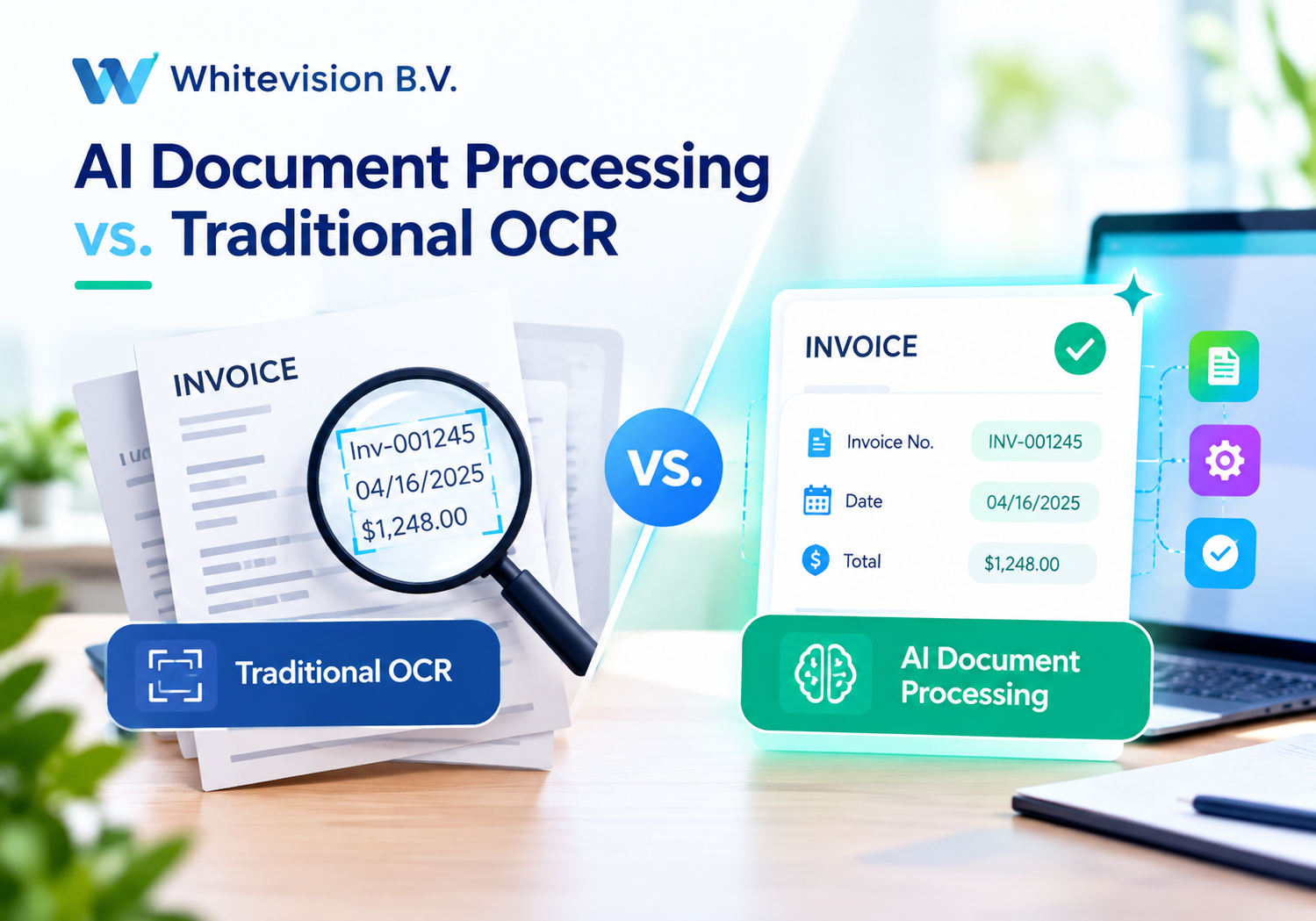
AI Document Processing vs. Traditional OCR: What Businesses Need to Know
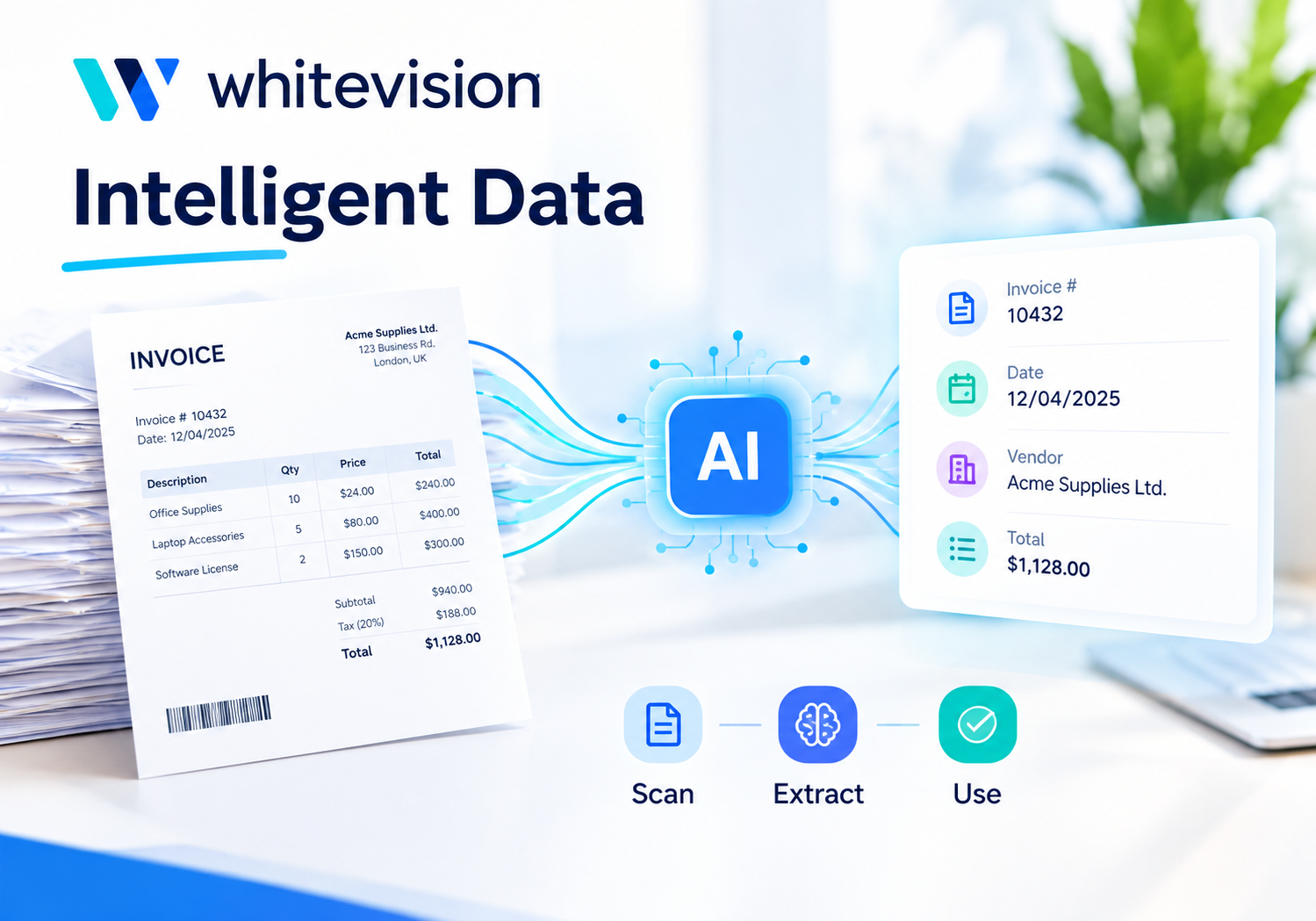
Every business that handles invoices, receipts, contracts, or delivery notes eventually runs into the same bottleneck: paperwork moves slower than the rest of the operation. For decades, Optical Character Recognition (OCR) offered a partial fix by turning scanned text into digital characters. However, today’s businesses generate far more document variety and volume than classic OCR was ever designed to handle. As a result, a new category of technology, AI-powered Intelligent Document Processing (IDP), has moved from a “nice to have” to a genuine competitive advantage.
This article breaks down what separates traditional OCR from AI document processing, why the distinction matters for your bottom line, and how a purpose-built platform like Whitevision B.V. brings the two worlds together for finance and operations teams.
Table of contents
Quick Summary
- Traditional OCR converts scanned images into machine-readable text but struggles with varied layouts, handwriting, and complex tables.
- AI document processing adds machine learning, natural language understanding, and context awareness, so it reads documents the way a trained employee would.
- Accuracy gap: OCR alone often hovers around 60–80% on real-world business documents, while modern AI-driven platforms reach 98–99%+ field-level accuracy.
- Whitevision B.V. combines OCR with AI to automate invoice and expense processing, mobile receipt capture, approval workflows, and accounting integrations, all from one central hub.
- Choosing the right technology depends on document complexity, volume, and how much manual review your team can tolerate.
- Partnering with a digital transformation specialist such as Solution4Guru helps businesses implement, customize, and scale these tools correctly the first time.
How Does Whitevision Fit Into This Conversation?

Before diving into the technical differences, it helps to see how this comparison plays out in a real product. Whitevision B.V. is a Dutch software provider that focuses on intelligent document processing for purchase invoices, expense claims, order confirmations, and delivery notes. Rather than relying on OCR alone, Whitevision layers artificial intelligence on top of recognition technology so that documents are not just scanned, but also understood, validated, and routed automatically.
Consequently, Whitevision’s platform touches every stage of the document lifecycle: it captures receipts through a mobile app, applies AI-driven data extraction, routes documents through configurable approval workflows, and pushes clean, validated data straight into an organization’s accounting or ERP system. Because of this end-to-end approach, finance teams gain centralized visibility over every incoming document instead of chasing paper trails across departments.
This is precisely why the OCR-versus-AI question matters in practice. A business that still relies on legacy OCR alone typically ends up with a partial solution: text gets extracted, but a person still has to check, correct, and manually key it into another system. Platforms like Whitevision illustrate what happens when AI closes that gap, turning a partially automated process into one that runs end to end with minimal human intervention.
With that context established, let’s unpack exactly how traditional OCR and AI document processing differ, and what those differences mean for your business.
What Is Traditional OCR, and How Does It Actually Work?
How Does the Basic OCR Process Function?
Optical Character Recognition scans an image or PDF, detects shapes that resemble letters and numbers, and converts them into editable, searchable text. The workflow is fairly linear: a document is scanned, the image is pre-processed to reduce noise, the software matches character shapes against a trained pattern library, and the extracted text is delivered as output. This approach revolutionized document digitization decades ago because it eliminated manual retyping and made scanned archives searchable for the first time.
Where Does Traditional OCR Fall Short?
Nevertheless, classic OCR has clear limits. Because it depends on templates and predictable layouts, it performs best on standardized, single-format documents. As soon as a supplier changes its invoice layout, adds a new field, or sends a handwritten note, OCR accuracy drops sharply. Furthermore, OCR reads text as a flat stream of characters, so it struggles to preserve the row-and-column structure of tables; a three-column line-item table often becomes a jumbled mess that still needs manual reconstruction. Poor-quality scans, skewed pages, and handwriting compound the problem further, sometimes pushing real-world accuracy well below what vendors advertise in ideal lab conditions.
In short, OCR is a valuable first step, but on its own it rarely delivers a fully automated, hands-off process for the messy, high-variation documents that most businesses actually receive.
What Is AI Document Processing, and How Is It Different?
How Does AI Add “Understanding” to Recognition?
AI document processing, often called Intelligent Document Processing (IDP), treats OCR as just one component in a larger pipeline. On top of basic character recognition, IDP platforms add machine learning, computer vision, and natural language processing so the system can classify document types, understand context, and validate the meaning of extracted data rather than just its shape. For example, an AI-driven system recognizes that a number next to the word “Total” represents an invoice amount, even if that field sits in a different position from one supplier to the next.
Why Does This Matter for Unstructured Documents?
Because AI models learn from patterns rather than fixed templates, they adapt automatically when a new vendor sends a document in an unfamiliar layout. Consequently, businesses that receive invoices, claims, or contracts from hundreds of different senders no longer need a new template for every format. Instead, the AI generalizes what it has learned and applies it to new documents with minimal setup.
What Role Does Human-in-the-Loop Review Play?
Even the best AI systems flag uncertain fields for a quick human check rather than guessing blindly. This “human-in-the-loop” design combines machine speed with human judgment, so exceptions get resolved quickly instead of derailing the entire process. Over time, as the system reviews corrections, it keeps improving, which is something static, rule-based OCR simply cannot do.
How Do OCR and AI Document Processing Compare on Accuracy?

Accuracy is where the two technologies diverge most sharply, so it’s worth laying the numbers out side by side.
| Factor | Traditional OCR | AI Document Processing (IDP) |
|---|---|---|
| Typical accuracy on real-world documents | ~60–80% character-level accuracy | 98–99%+ field-level accuracy |
| Handles varied layouts | No, requires new templates | Yes, adapts automatically |
| Reads tables and line items | Poor, structure often lost | Strong, preserves rows and columns |
| Handles handwriting | Weak, often below 70% accuracy | Improving steadily, especially with review loops |
| Learns and improves over time | No | Yes |
| Best suited for | Simple, standardized, high-volume templates | Complex, mixed-format, high-value documents |
As the table shows, traditional OCR uses character error rate to measure whether it reads individual characters correctly. In contrast, AI document processing uses field-level accuracy to measure whether it captures entire data fields, such as invoice numbers or totals, correctly. This distinction matters a great deal in practice: a 98% character accuracy rate can still corrupt several fields on a ten-field invoice, since one wrong digit renders the whole field useless downstream. Therefore, field-level accuracy is the metric that actually predicts whether your accounting team can trust the extracted data without double-checking it.
What Business Problems Does Each Technology Solve Best?
When Does Traditional OCR Still Make Sense?
Traditional OCR remains a reasonable choice for narrow, well-defined use cases. If your organization processes hundreds of documents that all follow the exact same template, with no variation in supplier, layout, or format, basic OCR can digitize and search that archive at a lower upfront cost. Similarly, OCR is sufficient for simple digitization projects, such as making old paper archives text-searchable, where perfect field-level accuracy is not mission-critical.
When Should a Business Move to AI Document Processing?
On the other hand, most modern businesses deal with far messier realities: invoices from hundreds of vendors, expense receipts photographed on employee phones, contracts that pass between legal and procurement in slightly different versions, and delivery notes that never quite match a fixed template. In these situations, AI document processing becomes the more practical option because:
- It adapts to new senders and formats without manual template building.
- It supports complete automation pipelines, including approval routing and system integration.
- It reduces the manual correction workload that erodes the time savings OCR alone promises.
- It scales without a proportional increase in headcount as document volume grows.
Given these dynamics, it’s not surprising that platforms combining OCR with AI, like Whitevision, have become the default choice for finance departments managing multiple document types across multiple systems and senders.
What Are the Cost and ROI Differences Between OCR and AI Document Processing?
How Should Businesses Think About Upfront Costs?
At first glance, traditional OCR software often looks cheaper, since licensing costs are typically lower and setup can be simpler for a single, standardized document type. However, this initial saving frequently hides a larger cost further down the pipeline: manual correction. When OCR output is unreliable, someone on the team still has to review, fix, and re-key data, which quietly consumes the very labor hours the software was meant to save.
What Does the Long-Term ROI Picture Look Like?
AI document processing generally requires a larger upfront investment, but it pays that back through reduced manual labor, fewer payment errors, and faster processing cycles. Industry research indicates that automated invoice processing can run as much as 81% faster than manual handling, while some organizations have cut invoice turnaround from one to two days down to a single hour after adopting AI-assisted platforms. Beyond speed, faster and more accurate processing also means more opportunities to capture early payment discounts and avoid late-payment penalties, both of which contribute directly to the bottom line.
How Does Whitevision Factor Into the ROI Equation?
Whitevision’s cloud-based model bundles hosting, updates, and AI-driven recognition into a single monthly fee, which removes the need for businesses to maintain their own infrastructure or manually rebuild templates every time a supplier changes format. For organizations processing high volumes of invoices, service notifications, and expense claims, this shift can save a substantial share of the time previously spent on manual invoicing and reconciliation work.
The table below summarizes how the two approaches typically compare across common cost factors.
| Cost Factor | Traditional OCR | AI Document Processing (e.g., Whitevision) |
|---|---|---|
| Upfront licensing cost | Lower | Moderate to higher |
| Manual correction labor | High, grows with document variety | Low, shrinks over time as models learn |
| Template maintenance | Ongoing, per supplier/format | Minimal, adapts automatically |
| Integration with ERP/accounting | Often requires custom development | Frequently built-in or pre-configured |
| Scalability as volume grows | Limited without added headcount | High, automation absorbs growth |
Viewed this way, the true cost comparison rarely favors OCR once correction labor, template maintenance, and integration work are factored in alongside the sticker price.
How Does Whitevision Bridge OCR and AI-Driven Automation?
Whitevision was built around a simple premise: businesses shouldn’t have to choose between “cheap and limited” OCR and “expensive and complex” AI systems. Instead, it blends both approaches into a single, centralized platform. Four capabilities stand out.
How Does Mobile Receipt Capture Simplify Expense Reporting?
Employees can scan receipts directly through the Whitevision smartphone app the moment a cost is incurred. The platform’s smart recognition engine then reads the receipt automatically and pre-fills the expense report, removing the need for manual data entry, lost paper receipts, or delayed reimbursement claims.
How Do Configurable Approval Workflows Keep Processes Moving?
Once a document, whether it’s an expense claim, purchase invoice, or order confirmation, has been captured and recognized, Whitevision routes it through a workflow tailored to the organization’s approval structure. Managers or budget holders can review and approve documents from anywhere, which keeps approvals moving even when staff work remotely or across multiple locations.
How Does Accounting and ERP Integration Reduce Manual Work?
After approval, Whitevision pushes validated data directly into the company’s financial or ERP system, whether that’s AFAS Profit, 4PS Construct, or another platform. Because this integration happens automatically, teams avoid duplicate data entry and reduce the risk of transcription errors that so often accompany manual bookkeeping.
How Does Centralized Visibility Help Finance Teams Stay in Control?
Finally, because every document type, from e-invoices to service orders, flows through one secure hub, finance leaders gain a single, centralized view of what’s incoming, what’s pending approval, and what’s already processed. This visibility makes it far easier to manage budgets, spot bottlenecks, and maintain a clean audit trail, benefits that neither manual processing nor standalone OCR can offer on their own.
How Should a Business Decide Between OCR and AI Document Processing?

Choosing the right approach comes down to a few practical questions rather than a one-size-fits-all rule. Consider the following checklist before making a decision:
- How many document formats do you receive? A handful of standardized templates favors OCR; dozens of varying supplier formats favor AI.
- How costly are extraction errors? If a wrong digit in a payment field could mean overpaying a vendor, AI’s higher field-level accuracy matters more.
- How much manual review can your team absorb? If staff are already stretched thin, AI’s reduced correction workload becomes a decisive advantage.
- Do you need integration with accounting or ERP systems? OCR alone typically stops at text extraction, whereas AI platforms like Whitevision complete the loop by pushing validated data into your financial systems.
- How fast is your document volume growing? AI-driven automation scales more easily without a matching increase in headcount.
Ultimately, most growing businesses find that a hybrid platform, one that uses OCR as a foundation but layers AI on top for classification, validation, and workflow automation, delivers the best balance of cost, accuracy, and scalability.
It also helps to involve both finance and IT stakeholders early in the decision. Finance teams understand which document types cause the most friction and where errors carry the highest cost, while IT teams can assess how well a given platform integrates with existing systems and security requirements. Bringing these perspectives together from the start tends to produce a smoother rollout than treating document automation as a purely technical or purely financial decision.
What Do Real-World Results Look Like Across Industries?
Numbers on a comparison chart are useful, but real deployments show what the shift from OCR to AI document processing actually delivers in practice.
What Happens When Large Enterprises Make the Switch?
Metro AG, one of Europe’s largest wholesale and retail groups, adopted an AI-driven document processing solution to handle its incoming invoices. As a result, the company reduced invoice turnaround time from one to two days down to roughly one hour, a change that also contributed to a reported 400% increase in employee productivity for the teams responsible for invoice handling. This example illustrates a pattern seen across financial services, healthcare, logistics, and legal industries: wherever paperwork volume is high, AI-assisted processing tends to unlock time savings that manual review or basic OCR simply cannot match.
How Do Public-Sector and Mid-Sized Organizations Benefit?
The benefits are not limited to large corporations. Regional organizations such as VRGZ, a fire department and disaster-response coordination body, use Whitevision’s platform to manage purchase invoice processing across multiple support services. Similarly, healthcare mediation agencies coordinating dozens of freelance professionals have turned to automated, AI-supported invoicing to replace error-prone, manual billing processes. In both cases, the common thread is the same: as soon as document volume outgrows what a small back-office team can review by hand, AI-driven automation becomes less of a luxury and more of an operational necessity.
What Do These Examples Suggest for Your Business?
Taken together, these cases suggest that the return on investment from AI document processing tends to grow alongside document volume and organizational complexity. A business receiving a handful of invoices per week may not notice a dramatic difference, but as soon as multiple departments, suppliers, and document types enter the picture, the compounding time savings and error reduction become significant enough to justify the transition.
Conclusion: What’s the Bottom Line for Businesses?
Traditional OCR was a genuine breakthrough for digitizing paper archives, and it still has a place for simple, standardized documents. However, most businesses today handle far more variety and volume than legacy OCR was ever designed to manage. AI document processing closes that gap by adding context, adaptability, and continuous learning to the recognition process, which translates into higher accuracy, less manual correction, and faster processing at scale.
Platforms such as Whitevision B.V. demonstrate what this shift looks like in practice: mobile receipt capture, AI-driven recognition, configurable approval workflows, and direct accounting integration combine into a single, centralized system that gives finance teams real visibility over every incoming document. Meanwhile, working with an experienced digital transformation partner like Solution For Guru ensures that these tools are implemented correctly and connected to the rest of your business systems from day one.
For businesses still relying on manual processing or standalone OCR, the case for upgrading has never been clearer: better accuracy, lower long-term costs, and a document workflow that finally keeps pace with the rest of the organization.
Frequently Asked Questions
Not necessarily. AI document processing outperforms OCR on complex, high-volume, or varied documents, but traditional OCR can still be a cost-effective choice for simple, standardized archives where perfect field-level accuracy isn’t essential. The right choice depends on document complexity, volume, and how much manual review your team can realistically handle.
Implementation timelines vary depending on the ERP system involved and how much preparation has already been done. In general, businesses can expect the core setup to take a few days spread across several contact moments, with the full rollout, including testing and feedback cycles, completed within a couple of months.
AI document processing scales down as well as it scales up. Small and medium-sized businesses often see a faster return on investment because manual document handling represents a larger share of their available staff time. Cloud-based platforms with monthly pricing, rather than large upfront infrastructure costs, make this technology accessible even for smaller finance teams.
Usually not. Most AI document processing platforms, including Whitevision, are designed to integrate with the accounting and ERP systems a business already uses rather than replace them. This means finance teams can layer AI-driven capture, validation, and approval workflows on top of their current infrastructure, connecting cleanly to systems already in place instead of undertaking a disruptive, full-scale software migration.
What Are the Benefits of Partnering with Solution For Guru for Your Digital Transformation?
Selecting the right document processing technology is only half the challenge; implementing it correctly, integrating it with existing systems, and building the surrounding digital infrastructure is just as important. This is where a specialized digital solutions partner such as SolutionFor Guru adds real value.

Solution For Guru focuses on web development, UI/UX design, automation, and AI integration, helping businesses connect the dots between customer-facing systems and back-office processes. Working with a partner like this offers several concrete advantages:
- Tailored implementation: Instead of a generic rollout, Solution For Guru designs digital workflows around your specific business processes, ensuring that document automation tools integrate smoothly with your website, CRM, and internal systems.
- End-to-end digital strategy: Because the company combines web development, automation, and AI integration under one roof, businesses avoid the friction of coordinating multiple vendors for what should be a unified digital transformation.
- Faster time to value: With experience across business process digitalization projects, Solution4Guru helps organizations move from manual, paper-based workflows to integrated, technology-driven systems more quickly than an in-house team might manage alone.
- Scalable, future-proof design: As document volumes and business complexity grow, a well-architected digital foundation makes it easier to add new automation layers, including AI document processing, without a costly rebuild.
- Ongoing support and optimization: Beyond the initial build, Solution4Guru offers continued guidance so that automation and AI investments keep delivering measurable performance gains rather than stalling after launch.
In other words, technology like Whitevision provides the engine for smarter document processing, while a partner like Solution For Guru helps ensure that engine is properly connected to the rest of your digital operations.
Recommended:
- How Intelligent Data Extraction Works in Whitevision
- HR Analytics in HoorayHR
- Digital HR Transformation with HoorayHR
- How Whitevision Helps Finance Teams Manage High Document Volumes
- Employee Onboarding Best Practices with HoorayHR
- Integrating Whitevision with Accounts Payable Software
- Whitevision AI Document Processing: Common Business Use Cases
- What KPIs Should You Track in Expense Management?
- Zoho Expense Pricing Explained: Plans, Features, and Costs
- Whitevision vs Moss: Which Platform Fits Your Finance Workflow Better?
- Key Features of HoorayHR
- Zoho Expense Review: Pros, Cons, and Key Features
- HoorayHR ROI: How Businesses Save Time with HR Automation
- How Long Does It Take to Implement HoorayHR?
- HoorayHR Review: Features, Pros, Cons, and Best Use Cases
- What Is HoorayHR? A Complete Overview
- Best Expense Automation Software: Which Platform Fits Your Business?
- What ROI Can Businesses Expect From Expense Automation Software?
- Multi-Currency Expense Management with Zoho Expense
- What Is Zoho Expense and How Does It Work?
- What Are the Biggest Challenges in Multi-Entity Expense Management?
- Whitevision vs Traditional Invoice Processing: What Changes?