How Pipedrive AI Helps Sales Teams Save Time

A sales rep juggling forty open deals cannot possibly remember which ones need a follow-up today, which prospect went quiet three weeks ago, or which email thread still needs a reply. That mental overhead used to be an accepted cost of the job, but AI has started absorbing much of it instead, quietly flagging what actually matters and drafting the busywork that used to eat into selling time. Pipedrive CRM has built its AI capabilities specifically around this promise, and the results show up in how much less time reps now spend on administrative tasks and how much more time they spend actually closing deals.
This article breaks down exactly how Pipedrive’s AI tools save sales teams time, which specific features drive that time savings, and how a technology partner can help a business configure these tools to get the most value.
Table of contents
Quick Summary
Here is a brief overview of what this article covers:
- The core problem: sales reps lose significant time each week to administrative tasks, manual prioritization, and drafting routine emails from scratch.
- The Pipedrive approach: an AI Sales Assistant analyzes deals, contacts, and emails continuously, surfacing win probability predictions and next-best-action recommendations without manual review.
- The email advantage: an AI email generator drafts personalized messages from deal context in roughly 44 seconds, alongside automatic thread summarization for long conversations.
- The reporting layer: natural-language report generation lets managers pull insights by typing a plain-English prompt rather than building a custom report from scratch.
- The adoption reality: over 60% of active Pipedrive customers already use the AI Sales Assistant, and Pipedrive reports that teams using it close notably more deals than non-users.
- The partner angle: working with a specialist like Solution for Guru helps sales teams configure Pipedrive’s AI tools correctly to maximize the time savings.
How Does Pipedrive CRM Relate to AI-Driven Time Savings for Sales Teams?

Pipedrive CRM sits at the center of this topic because its entire product philosophy centers on removing unnecessary admin tasks from the sales process so reps can close more deals in less time. Founded by sales professionals frustrated with bloated, admin-heavy CRMs, Pipedrive built its platform around an activity-first design, and its AI features extend that same philosophy by automating the specific tasks that traditionally consumed the most rep time without adding real selling value.
This matters directly to the topic of time savings because AI in a CRM only delivers genuine value when it actually reduces the manual work reps have to do, rather than adding another dashboard to check or another tool to learn. Pipedrive’s AI Sales Assistant continuously analyzes deals, contacts, and emails to surface win probability predictions, flag stalled or neglected deals, and recommend next steps, effectively doing the prioritization work a rep would otherwise have to do manually every morning. The sections below walk through exactly how each AI feature contributes to this time savings.
Why Does Manual Prioritization Waste So Much Sales Time?
Before diving into Pipedrive’s specific AI tools, it helps to understand exactly where manual prioritization costs sales teams the most time in a typical day.
What Does Manual Pipeline Review Actually Involve?
Without automated prioritization, a rep managing dozens of open deals has to manually scroll through every pipeline stage each morning, mentally cross-referencing which deals have gone quiet, which have upcoming deadlines, and which contacts have not received a follow-up in too long. This process is not just time-consuming; it is also unreliable, since a busy rep juggling client calls and internal meetings can easily miss a deal that quietly stalled weeks earlier simply because nothing on the screen actively flagged it as urgent.
How Does This Manual Approach Cause Deals to Slip Through the Cracks?
A deal that goes unnoticed for even a week or two often loses momentum entirely, since prospects lose interest or move toward a competitor while waiting for a follow-up that never comes. Because manual prioritization depends entirely on a rep’s memory and diligence, larger pipelines make this problem worse rather than better, precisely at the moment when a growing deal volume should be generating more revenue rather than more missed opportunities.
How Does the AI Sales Assistant Actually Save Time Day to Day?
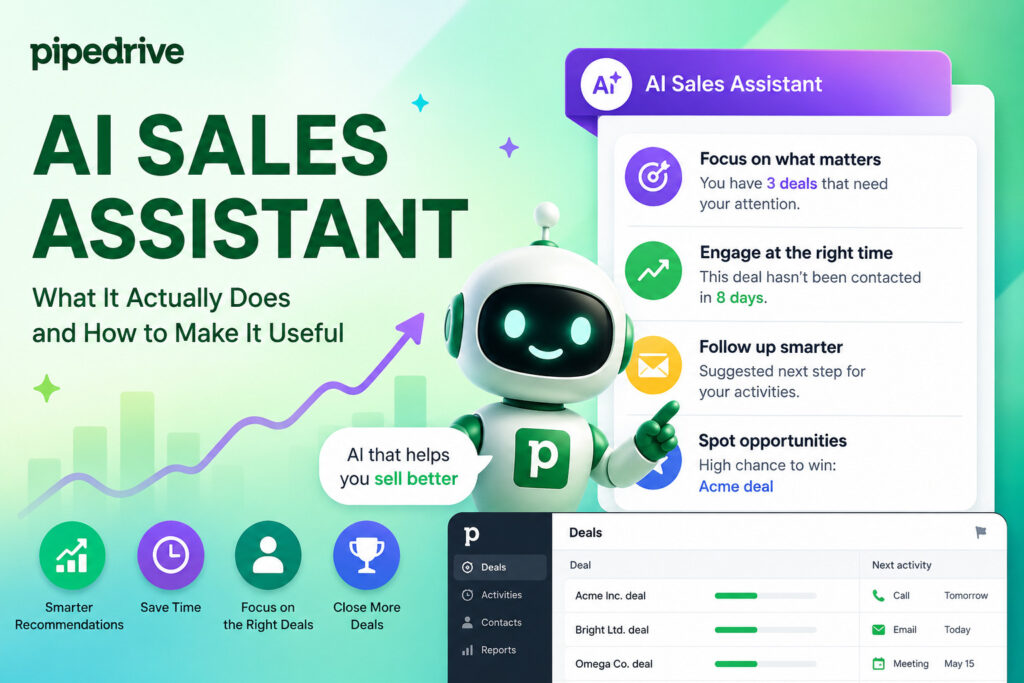
The AI Sales Assistant sits at the core of Pipedrive’s time-saving capabilities, functioning as a continuously running analysis layer across a rep’s entire pipeline.
What Does the Assistant Actually Analyze?
The AI Sales Assistant analyzes sales data, contacts, and deals continuously to generate actionable insights, predicting win odds for individual deals and nudging reps toward high-impact moves, such as reaching out to a lead that has gone quiet. Rather than requiring a rep to manually review every deal each day, the assistant surfaces the specific handful of deals that actually need attention, cutting out the noise of reviewing dozens of deals that are progressing normally and require no immediate action.
How Do Daily Snapshots Compress a Morning Review Into Seconds?
Pipedrive delivers daily snapshots that summarize the health of a rep’s pipeline in one consolidated view, highlighting which deals require attention and which reps are performing particularly well. Instead of manually piecing together this picture from scratch every morning, a rep or manager can review a daily snapshot in a fraction of the time it would take to reconstruct the same insight by scrolling through individual deal records one at a time.
How Widely Have Sales Teams Actually Adopted This Feature?
Over 60% of active Pipedrive customers now use the AI Sales Assistant, and the company reports that teams using it close roughly three times more deals than non-users, though that figure likely reflects some degree of self-selection alongside the feature’s actual efficacy. Regardless of the exact multiplier, this level of adoption suggests the assistant delivers genuine, noticeable value to a large share of the platform’s active user base rather than functioning as a rarely used add-on feature.
How Does AI Email Generation Cut Down on Drafting Time?
Writing personalized sales emails from scratch, over and over, for dozens of prospects at different pipeline stages represents one of the more tedious, time-consuming parts of a sales rep’s day, and this is precisely what Pipedrive’s AI email tools target directly.
How Fast Does the AI Email Generator Actually Work?
Pipedrive’s AI email generator drafts personalized messages from deal context in roughly 44 seconds, pulling relevant details directly from the CRM record rather than requiring a rep to manually recall and re-type information about a prospect’s history. A rep can type a simple prompt, such as “follow-up after a demo,” and the system crafts a personalized email using existing CRM data, effectively compressing what might otherwise take several minutes of thoughtful drafting into less than a minute.
How Does Email Thread Summarization Reduce Information Overload?
Beyond drafting new emails, Pipedrive’s AI provides quick, insightful summaries of long email threads, saving time and reducing the information overload that comes from scrolling back through weeks of back-and-forth correspondence before responding to a prospect. For a rep managing multiple ongoing conversations simultaneously, this summarization feature removes the need to re-read an entire thread history just to understand the current state of a conversation before crafting a reply.
What Do Real Users Say About the Practical Impact of These Tools?
According to Oliver Elm, an International Sales Consultant at Mazepay, these AI tools enable sales teams to create messages and gain quick insights into email threads while suggesting actionable next steps. This kind of direct user feedback reflects exactly the combination of drafting speed and contextual insight that turns email management from a time-consuming chore into a much faster, more manageable part of a rep’s daily workflow.
How Does Predictive Analytics Help Reps Focus Their Time on the Right Deals?
Beyond individual task automation, Pipedrive‘s predictive analytics capabilities help reps and managers direct their limited time toward the deals and activities most likely to actually generate revenue.
Predictive analytics in Pipedrive analyzes historical sales data to identify trends, spot high-performing reps, and flag areas of the pipeline that need attention before they become serious problems. This forward-looking analysis matters because it shifts a rep’s time investment from reactive firefighting, chasing deals that have already gone cold, toward proactive engagement with deals still likely to close if handled correctly.
The table below summarizes how Pipedrive’s core AI features each target a specific category of time-consuming manual work.
| AI Feature | What It Automates | Time Saved On |
|---|---|---|
| AI Sales Assistant | Deal analysis and prioritization | Manual pipeline review and deal triage |
| AI Email Generator | Drafting personalized sales emails | Writing routine follow-up and outreach messages |
| Email Summarization | Condensing long thread histories | Re-reading past correspondence before replying |
| Predictive Analytics | Identifying trends and win patterns | Manually analyzing historical performance data |
| Win Probability Predictions | Scoring individual deals | Guessing which deals deserve priority attention |
How Do Next-Best-Action Recommendations Fit Into This Picture?
Beyond flagging which deals need attention, Pipedrive’s Premium and higher tiers add next-best-action notifications that recommend specific steps a rep should take on a given deal, rather than simply indicating that attention is needed without further guidance. This additional layer of specificity saves time by removing the guesswork a rep would otherwise need to apply after being alerted to a stalled or at-risk deal, since the system suggests a concrete action rather than leaving the rep to figure out the appropriate next step independently.
How Does Natural-Language Reporting Save Managers Time on Analysis?

Sales managers face their own version of the time-consumption problem, typically spending significant time building custom reports to understand team performance, and Pipedrive’s AI reporting tools address this directly.
How Does Typing a Plain-English Prompt Replace Manual Report Building?
Pipedrive supports AI-powered report creation across all plans, letting a manager type a natural-language prompt or select from more than a dozen ready-made prompts rather than manually configuring filters, fields, and visualizations from scratch. This capability transforms report generation from a task that might otherwise require navigating a complex reporting interface into something closer to simply asking a question and receiving an answer.
Why Does This Matter for Managers Without Deep Technical CRM Skills?
Not every sales manager has deep technical familiarity with a CRM’s reporting configuration options, and natural-language report generation removes this barrier entirely, letting a manager focused on sales strategy get the data they need without first becoming proficient in the platform’s underlying report-building mechanics. This democratization of reporting saves time not just in the report creation itself, but in the training and onboarding that would otherwise be needed to get new managers comfortable building their own custom reports.
How Are Newer Agentic AI Capabilities Extending Pipedrive’s Time-Saving Potential?
Pipedrive has continued expanding its AI capabilities beyond the core assistant and email tools, introducing a more autonomous, agentic layer that pushes automation further.
What Does an Agentic AI Experience Actually Do Differently?
Pipedrive’s agentic AI experience, currently in limited beta, introduces voice- and text-enabled agents capable of autonomously drafting emails and prioritizing urgent deals without requiring a rep to initiate each individual action manually. This represents a meaningful step beyond simply surfacing recommendations for a human to act on, moving toward AI that can independently execute certain routine tasks on a rep’s behalf, subject to appropriate oversight and review.
How Does the Pulse Feature Bring These Tools Together in One View?
Pipedrive‘s newer Pulse feature combines a follow-up feed with the AI Sales Assistant panel in a single interface, showing deal cards with company names, contact details, and values, while yellow warning indicators flag deals that have gone stale or have overdue activities. A notification badge provides an ongoing count of AI-generated insights waiting for review, consolidating what might otherwise require checking several separate areas of the CRM into one central hub a rep can scan quickly at the start of a workday.
Why Does Consolidating These Tools Into One Interface Matter for Time Savings?
When AI-generated insights, follow-up reminders, and deal prioritization all live in one consolidated panel rather than scattered across different sections of the CRM, reps spend less time simply navigating the software to find what needs attention. This kind of interface consolidation compounds the time savings already delivered by the underlying AI analysis, since even genuinely useful insights lose some of their time-saving value if a rep has to hunt through multiple screens to actually find them.
How Does Pipedrive’s AI Chatbot Save Time on Lead Qualification?
Beyond helping reps manage their existing pipeline, Pipedrive’s AI extends into the earliest stage of the sales process, capturing and qualifying new leads before a human ever needs to get involved.
What Does the Chatbot Actually Handle Automatically?
Pipedrive lets businesses set up a chatbot that responds to visitor queries and collects customer data around the clock, functioning as an always-available first point of contact regardless of when a prospect happens to visit a company’s website. Because this chatbot operates continuously rather than only during business hours, it captures interest and initial information from prospects browsing outside a typical workday, information that would otherwise be lost entirely or require a rep to follow up cold without any prior context.
How Does This Reduce the Manual Work Involved in Early-Stage Lead Handling?
Without this kind of automated first response, a sales team typically relies on a rep manually reviewing incoming form submissions, following up individually, and asking the same basic qualifying questions repeatedly across every new lead. By automating this initial data collection and query response, the chatbot removes a repetitive, low-value task from a rep’s plate, letting them focus their limited time on leads that have already been minimally qualified rather than starting every conversation completely from scratch.
How Does Pipedrive’s Integration Ecosystem Extend Its Time-Saving Impact?
AI features deliver more value when they can draw on data from across a business’s full tech stack rather than operating in isolation, and Pipedrive’s extensive integration marketplace plays a direct role in this.
How Many Integrations Does Pipedrive Actually Support?
Pipedrive connects to more than 500 apps through its marketplace, including widely used tools like Slack, Zoom, and QuickBooks, streamlining workflows for sales teams that already rely on these platforms for communication, meetings, and financial tracking. Because these integrations sync data automatically, a rep does not need to manually copy information between Pipedrive and a separate tool just to keep both systems current, which represents its own meaningful category of time savings beyond the AI features discussed elsewhere in this article.
How Does AI-Powered Marketplace Search Simplify Finding the Right Integration?
Pipedrive also applies its AI capabilities to the integration marketplace itself, supporting natural-language search that lets a user describe what they need in plain English rather than manually browsing through hundreds of available apps to find a relevant match. This feature saves time during the initial setup and configuration phase, helping a business identify the right integrations for its specific workflow without requiring extensive research into which of the 500-plus available options actually fits its needs.
Why Does This Combination of AI and Integrations Matter for Overall Time Savings?
When AI-driven insights, such as win probability predictions or next-best-action recommendations, can draw on data synced automatically from tools like a calendar, a communication platform, or a financial system, those insights become more accurate and more genuinely useful than they would be if limited strictly to data manually entered into the CRM. This combination of broad integration coverage and AI analysis working together compounds the overall time savings a sales team experiences, since better-informed recommendations require less manual verification before a rep decides to act on them.
What Should a Sales Team Realistically Expect From These AI Tools?

A fair look at Pipedrive’s AI capabilities should include a realistic sense of what these tools do well and where expectations need calibration.
Pipedrive’s AI Sales Assistant is genuinely useful for prioritizing a cluttered pipeline, but it is not equivalent to the kind of predictive scoring that some enterprise competitors run using external behavioral signals gathered across a much broader dataset. Teams evaluating Pipedrive specifically for its AI capabilities should understand that its strength lies in reducing administrative overhead and surfacing clear, actionable prioritization within a rep’s existing deal data, rather than in delivering the kind of deep, externally-informed predictive modeling that a larger enterprise platform might offer at a significantly higher price point.
Conclusion
Sales teams do not need more dashboards; they need fewer manual tasks standing between them and their next conversation with a genuinely interested prospect. Pipedrive CRM delivers exactly this kind of practical time savings through its AI Sales Assistant, rapid email generation, thread summarization, and natural-language reporting, each targeting a specific category of administrative work that traditionally ate into a rep’s actual selling time. With more than 60% of active customers already relying on these AI tools daily, and newer agentic capabilities pushing automation even further, Pipedrive continues to prove that the fastest way to help a sales team close more deals is often simply removing the busywork standing in their way.
Frequently Asked Questions
Pipedrive’s AI email generator drafts personalized messages from deal context in roughly 44 seconds, which represents a significant reduction compared to manually writing a thoughtful, personalized email from scratch for each individual prospect. Across dozens of emails sent per week, this time savings compounds meaningfully, freeing up rep time for actual conversations rather than repetitive drafting work.
The AI Sales Assistant ships in beta on every Pipedrive plan, providing behavior-based tips and win and loss pattern insights regardless of subscription tier. More advanced capabilities, including win-probability predictions, next-best-action notifications, and the AI email writer, are reserved for the Premium tier and above, so teams wanting the fuller AI feature set should evaluate whether an upgrade beyond the entry-level plan makes sense for their needs.
Pipedrive’s AI tools are generally designed to require minimal configuration, with reps starting productively within hours thanks to the platform’s intuitive, drag-and-drop interface and natural-language interaction style for both email generation and reporting. That said, teams often see stronger, faster adoption when they receive some structured guidance on how to interpret AI-generated insights and build daily habits around reviewing recommendations, which is where working with an implementation partner can meaningfully accelerate the process.
What Are the Benefits of Partnering With Solution for Guru?
Getting the full time-saving value out of Pipedrive’s AI tools requires proper configuration, and this is exactly where Solution for Guru adds meaningful value for sales teams adopting the platform.
Solution for Guru specializes in CRM, SaaS, and system integrations, which means the team can help a sales organization configure Pipedrive’s AI Sales Assistant, email automation, and reporting tools to match its specific sales process, rather than relying on generic default settings that may not reflect how the team actually sells. Beyond initial setup, the team can connect Pipedrive with other tools a sales organization already relies on, such as marketing platforms, customer support software, or financial systems, ensuring AI-driven insights draw from the fullest possible picture of each deal and contact.

Working with Solution for Guru offers several concrete advantages:
- Correct initial configuration of pipeline stages and AI settings tailored to a team’s actual sales process.
- Custom integrations between Pipedrive and existing marketing, support, or financial platforms.
- Team training, helping reps and managers build consistent habits around reviewing AI insights and acting on recommendations promptly.
- Ongoing optimization, refining automation rules and AI configuration as the sales team’s needs evolve.
- Strategic guidance, helping leadership interpret predictive analytics and win probability data to make better resourcing and coaching decisions.
Because every sales organization has a different mix of deal complexity, team size, and existing tools, a tailored setup consistently produces stronger time savings and better AI adoption than a generic, self-managed rollout. Partnering with a team that understands both the technical and sales process sides of this work helps a business start saving real time faster and with fewer costly missteps.
Recommended:
- CRM Roles 101: From CRM Administrator to CRM Developer
- Pipedrive MCP Explained: How AI Assistants Connect to Your CRM
- Sales Forecasting and Pipeline Management in Creatio CRM
- Pipedrive Sales Dashboard: How to Track Performance
- Pipedrive Automation Triggers and Actions Explained
- Pipedrive AI vs Traditional CRM Automation: What’s the Difference?
- ERP and ITSM Integration: Improving Operational Visibility Across Departments
- Integrating Endpoint Management Tools with Freshservice
- ManageEngine Asset Management (ITAM): Why Businesses Trust It to Control Their IT Assets
- Why Mid-Sized Companies Choose Freshservice Over Enterprise ITSM Platforms
- Best Reporting and Analytics Dashboards for IT Operations Teams in Freshservice
- How ITSM Platforms Support IT Compliance and Audit Readiness
- How ITSM Tools Support Internal IT Risk Management
- How AI Is Changing ITSM Workflows in Freshservice?
- How ITSM Platforms Like Freshservice Support Digital Transformation
- Freshservice CMDB Explained: Structure, Relationships, and Best Practices
- Freshservice for Remote and Hybrid Work Environments
- Automating Employee Onboarding and Offboarding with Freshservice
- ManageEngine ITSM: Standard vs Professional vs Enterprise — Which Edition Fits Your Team?
- ManageEngine SLA Management: How Does It Help IT Teams Meet Every Deadline?
- Freshservice for Growing Companies: When Is the Right Time to Upgrade ITSM?