How Does monday CRM Centralize Emails, Calls, Meetings, and Notes?
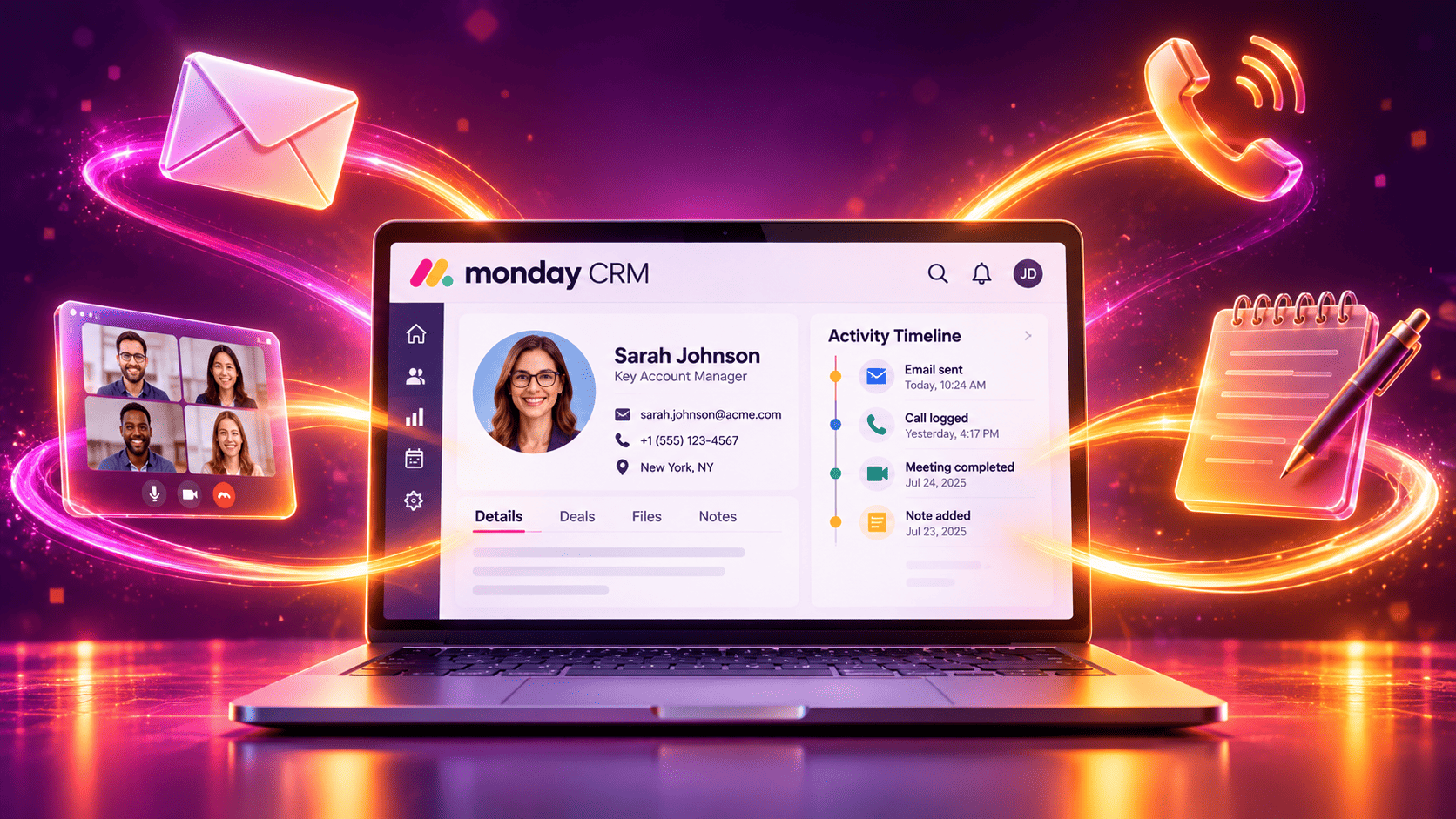
A single customer relationship leaves a trail across many tools. A prospect emails one rep, books a call with another, joins a video meeting, and then mentions a key requirement in a chat message that nobody records. Weeks later, the team cannot reconstruct what happened. monday CRM tackles this problem by gathering emails, calls, meetings, and notes around the customer record, so everyone sees the same story. This guide explains how that centralization works, which features support it, and how you can set it up. It also shows practical examples, tables, and checklists that you can apply right away.
Table of contents
Quick Summary
- The problem: Customer conversations scatter across inboxes, phones, calendars, and notebooks, so teams lose context.
- The solution: monday CRM links emails, calls, meetings, and notes to contacts, accounts, and deals.
- Key tools: Email sync, activity tracking, calendar integrations, call integrations, updates, files, and automations.
- Main benefits: Better context, faster handoffs, fewer missed follow-ups, and cleaner reporting.
- Next step: Audit where your customer conversations live today, connect your mailbox and calendar, and set simple rules for logging calls and notes.
What is monday.com CRM?
monday.com CRM is the central topic of this article. It acts as the hub where customer communication comes together. Instead of forcing reps to remember where a conversation happened, the platform attaches each interaction to the right contact, account, or deal. As a result, anyone who opens a record sees a complete timeline.
This approach matters because customers expect continuity. When a prospect speaks with a second colleague, they do not want to repeat themselves. A shared record lets the second colleague pick up exactly where the first one stopped.
In the sections below, we answer these questions:
- Why does scattered communication hurt sales and service?
- How does monday CRM centralize emails?
- How does it handle calls and meetings?
- How do notes and collaboration work?
- How do automation and reporting add value?
- How can you implement this setup well?
Let’s start with the problem itself.
Why Does Scattered Customer Communication Hurt Teams?

How Much Time Do Teams Lose Searching for Information?
McKinsey Global Institute’s report on the social economy estimated that knowledge workers spend roughly 19% of their workweek searching for and gathering information, and about 28% managing email. Those numbers show how much time disappears into finding and sorting messages. When customer data lives in personal inboxes and private notes, the search time grows even more.
What Happens When Context Disappears?
Lost context creates visible problems. Reps ask customers to repeat information, managers cannot coach without a full picture, and handoffs between sales and customer success lose key details. In addition, when a rep leaves the company, their inbox often takes the history with it.
Why Does Task Switching Add to the Cost?
The American Psychological Association has summarized research showing that switching between tasks carries a mental cost that slows people down and raises error rates. Jumping between an inbox, a phone app, a calendar, and a notes file forces exactly that kind of switching. Centralization reduces it.
What Does a Centralized Record Change?
A centralized record gives the team one place to look. As a result, people spend less time hunting and more time acting on what they find.
How Does monday CRM Build a Single Customer Timeline?
What Records Anchor the Timeline?
monday CRM organizes data around contacts, accounts, and deals. Each record can hold related emails, meetings, notes, files, and tasks. When you open a deal, you see the activity connected to it, rather than a bare list of fields.
How Do Connected Boards Help?
The platform links boards together, so a deal connects to a contact and an account. With these links, you can click from a deal to the person and company behind it. Likewise, activity logged on a contact appears where it matters, so context follows the relationship.
Which Types of Interaction Can You Capture?
| Interaction | How monday CRM Captures It | Where It Appears |
|---|---|---|
| Emails | Mailbox sync and email logging | Contact and deal records |
| Calls | Call integrations, manual logs, and notes | Activity timeline and updates |
| Meetings | Calendar sync and video integrations | Activity timeline and calendar view |
| Notes | Updates, docs, and comments | Item updates section |
| Files | Uploads and cloud storage links | Files column or updates |
Capabilities depend on your plan and setup, so confirm current options in monday.com’s documentation.
How Does monday CRM Centralize Emails?
How Does Mailbox Sync Work?
You connect a supported mailbox, such as Gmail or Outlook, and monday CRM links relevant messages to the matching contacts and deals. Reps can then send and receive emails from within the CRM, and the conversation appears on the record. This approach reduces the need to forward messages or copy text into notes.
What Is the Benefit of Shared Visibility?
When several people work with one customer, shared email history prevents duplicate outreach and conflicting messages. A manager can review a thread before a negotiation, and a new rep can read the full history in minutes. Moreover, the history stays with the account even when team members change.
How Do Templates and Tracking Fit In?
Templates help reps send consistent, professional messages in seconds. Tracking features can show whether recipients open an email or click a link, depending on your plan. These signals help reps choose the best moment to follow up.
Which Email Practices Work Best?
- Use clear subject lines that name the customer need.
- Keep each message focused on one request.
- Respect privacy settings, and sync only the conversations that belong in the CRM.
- Review templates quarterly and retire outdated ones.
How Does monday CRM Handle Calls?

How Do Calls Reach the CRM?
Calls happen outside the CRM, so teams need a bridge. monday.com offers integrations with phone and calling platforms, and teams can also log calls manually or through automation. Options vary, so check the integration center for the latest list.
What Should Reps Record After a Call?
A good call log answers four questions: Who spoke? What did they decide? What happens next? When is the next step due? Reps can capture these details in a deal update and create a follow-up task at the same time.
How Do Automations Reduce Manual Logging?
Automations can create a task after a call outcome, notify the owner, or change a deal status. For example, when a rep sets the status “Call Completed – Interested,” the system can schedule a follow-up reminder. As a result, the team spends less time on admin and keeps the pipeline moving.
What Call Data Helps Managers?
Managers benefit from simple metrics, such as calls per rep, outcomes by stage, and time between calls. These numbers show where coaching helps most.
How Does monday CRM Centralize Meetings?

How Does Calendar Sync Work?
You connect your Google or Outlook calendar, and meetings link to the relevant contacts and deals. Reps see upcoming appointments beside their pipeline, and managers see whether the team schedules enough customer conversations. In addition, calendar views help people avoid conflicts.
How Do Video Meeting Integrations Help?
Integrations with video tools such as Zoom let teams create meeting links from within a deal and keep the meeting record connected to the customer. Some setups also let teams attach recordings or summaries, depending on the tools involved. Always check privacy rules and customer consent before you record any meeting.
What Should Teams Log After a Meeting?
Use a short, repeatable format:
- Attendees: who joined from each side.
- Key points: what the customer cares about most.
- Decisions: what the group agreed.
- Action items: who does what, and by when.
- Next meeting: the date and goal.
This format takes two minutes, yet it preserves information that otherwise vanishes.
How Does Meeting Data Improve Forecasts?
When meetings link to deals, managers see which opportunities have momentum and which have gone quiet. As a result, forecasts rely on real activity instead of optimism.
How Do Notes and Updates Work in monday CRM?
Where Do Notes Live?
Every item in monday CRM has an updates section where team members write notes, attach files, and add comments. Because the updates attach to the record, they stay with the customer instead of floating in a private document. You can also use docs for longer content such as call scripts, account plans, or meeting summaries.
How Do Mentions Improve Collaboration?
Team members can mention colleagues in an update, and the system notifies them. For example, a sales rep can mention a solutions engineer to answer a technical question, and the answer remains visible on the deal. This habit replaces scattered chat messages with a lasting record.
What Makes a Good CRM Note?
Good notes stay short, specific, and useful to a stranger. Include the date, the person, the topic, the decision, and the next step. Avoid vague phrases like “went well,” because they tell the next reader nothing.
How Can Teams Standardize Notes?
Create a simple template and share it in a doc. When everyone writes notes in the same structure, search and review become much easier.
How Does Automation Strengthen Centralization?

Which Automations Support Communication Tracking?
Automation keeps records current without extra effort. Typical examples include:
- Create a follow-up task when a rep logs a meeting.
- Notify the account owner when a customer replies to an email.
- Change a deal status after a key action, such as sending a proposal.
- Alert the manager when a deal has no activity for a set number of days.
How Do Automations Prevent Dropped Follow-Ups?
A missed follow-up can cost a deal. Because automations create reminders and alerts, reps no longer rely on memory. As a result, the team keeps a steady rhythm of contact.
How Much Time Can You Save?
Suppose each rep logs 20 interactions per week and spends two minutes on each manual entry. That adds up to about 40 minutes per rep per week. A team of ten reps spends over six hours weekly on logging alone. Automation and sync can cut much of that time, although results vary by team and process.
| Task | Manual Effort | With Sync and Automation |
|---|---|---|
| Logging emails | Copy and paste | Mailbox sync links messages |
| Scheduling follow-ups | Calendar entries by hand | Automatic tasks and reminders |
| Updating deal status | Manual updates | Triggered by actions |
| Alerting managers | Chat messages | Automatic notifications |
How Do Dashboards Use Centralized Communication Data?
Which Activity Metrics Matter?
Once communication lives in one place, dashboards can measure it. Managers track emails sent, calls made, meetings held, and deals touched in the past week. These numbers reveal effort and consistency across the team.
Which Outcome Metrics Matter?
Activity alone does not prove success. Pair it with outcome metrics, such as win rate, sales cycle length, and revenue by source. This combination shows which activities lead to results.
| Metric | What It Reveals |
|---|---|
| Activities per deal | How much attention each opportunity gets |
| Days since last contact | Which deals risk going cold |
| Response time | How fast the team replies |
| Meetings to close ratio | How many conversations a typical deal needs |
| Win rate by source | Which channels deliver quality leads |
How Do You Avoid Misleading Metrics?
Be careful not to reward quantity over quality. A rep who sends many weak emails does not outperform a rep who has fewer, better conversations. Therefore, review activity data together with deal progress.
What Are the Main Benefits of Centralizing Communication in monday CRM?

Which Benefits Do Reps Notice?
Reps gain time and confidence. They find history quickly, prepare for calls in minutes, and avoid awkward repeated questions.
Which Benefits Do Managers and Customers Notice?
Managers gain visibility and coaching material. Customers gain consistency because every colleague knows the story. The table below summarizes the connection.
| Benefit | How It Happens |
|---|---|
| Better context | One timeline per contact, account, and deal |
| Smoother handoffs | Notes and history stay with the record |
| Fewer missed follow-ups | Automated tasks and alerts |
| Stronger coaching | Managers review real conversations and outcomes |
| Cleaner reporting | Activity data feeds dashboards |
| Lower risk when staff leave | History stays in the company system |
How Do You Measure the Return?
Track the time spent on admin, the number of missed follow-ups, and the speed of handoffs before and after the change. Review the numbers at 30, 60, and 90 days.
Which Teams Benefit Most From This Approach?
Does It Help Sales Teams?
Yes. Sales teams manage many conversations at once, and they gain the most from a shared timeline and automatic reminders.
Does It Help Customer Success and Account Management?
These teams maintain long relationships, so history matters even more. A centralized record helps them spot risks, plan renewals, and keep promises.
Does It Help Agencies and Service Firms?
Agencies juggle clients, projects, and deadlines. Because monday.com also manages work, these teams can connect a deal to a delivery board and keep communication consistent.
Who Needs Extra Planning?
Regulated industries must plan carefully around data retention, consent, and privacy. In those cases, involve your legal or compliance team before you sync communications.
How Do You Protect Privacy and Data Security?
Which Rules Should You Set for Email and Call Data?
Decide which messages and calls belong in the CRM. Keep personal or sensitive conversations out. Document your policy, and share it with every team member.
How Do Permissions Help?
Admins can limit who can see and edit boards, columns, or workspaces. Use permissions to protect sensitive deal details, pricing, and customer notes, and review them whenever roles change.
Which Regulations Might Apply?
Depending on your market, rules such as the EU’s General Data Protection Regulation (GDPR) or call recording consent laws may apply. The European Commission and national data protection authorities publish guidance, and you should check it. Because laws vary by region, consult a qualified professional for your specific situation.
How Can You Set Up Centralized Communication in monday CRM Step by Step?
Step 1: How Do You Audit Your Current Tools?
List every place where customer conversations live today. Include inboxes, phones, calendars, chat apps, and notebooks. This audit shows what you need to connect.
Step 2: How Do You Connect Email and Calendar?
Link each rep’s mailbox and calendar, and test with a few sample contacts. Confirm that messages and meetings land on the right records.
Step 3: How Do You Handle Calls?
Choose a calling integration or a manual logging rule. Then agree on a standard call note format.
Step 4: How Do You Add Automations?
Build two or three automations, such as follow-up tasks after meetings and alerts for stalled deals. Test them, and then expand gradually.
Step 5: How Do You Train and Review?
Run a short training session, explain the benefits, and hold monthly reviews of data quality and user feedback.
What Mistakes Should You Avoid?

Why Does Partial Adoption Fail?
If half the team logs activity and half doesn’t, the timeline has gaps, and nobody trusts it. Set clear expectations, and lead by example.
Why Do Overlong Notes Backfire?
Long, rambling notes discourage readers. Keep entries brief and structured.
Why Should You Not Sync Everything?
Indiscriminate syncing clutters records and raises privacy risks. Sync only relevant, business-related communication.
| Mistake | Better Approach |
|---|---|
| Only some reps log activity | Set shared rules and review compliance |
| Rambling notes | Use a short template |
| Syncing private messages | Define what belongs in the CRM |
| No system owner | Assign an admin |
| Ignoring privacy rules | Involve legal or compliance early |
What Does a Realistic Example Look Like?
How Does a Fifteen-Person Software Reseller Use It?
Imagine a fifteen-person software reseller. Before centralizing, reps keep client emails in personal inboxes, track calls in notebooks, and share meeting notes in chat. When a rep goes on vacation, colleagues scramble to cover her accounts. (This example is illustrative, and results vary.)
After the team adopts monday CRM, mailboxes and calendars sync to deals, and reps log calls with a short template. Meeting notes live in the updates section, and automations create follow-up tasks. When the rep takes a vacation, a colleague opens each deal, reads the timeline, and continues the conversation without missing a beat. Managers use dashboards to review activity and coach the team.
Key Takeaways
monday CRM brings emails, calls, meetings, and notes together around the customer record. It syncs mailboxes and calendars, connects with calling and video tools, stores notes and files with each item, and uses automations and dashboards to keep everything up to date. As a result, teams save time, hand off work smoothly, and give customers a consistent experience.
To recap:
- A single timeline per contact, account, and deal restores lost context.
- Email and calendar sync reduce manual logging.
- Call integrations and standard note formats keep phone conversations visible.
- Automations and dashboards turn communication data into action.
- Success depends on shared rules, privacy awareness, and consistent habits.
If your team still searches several tools for one customer story, explore monday.com CRM and test it with one pipeline. Connect email and calendar first, measure the time you save, and then expand.
Frequently Asked Questions
monday CRM supports common mailbox providers such as Gmail and Outlook, according to the company’s documentation. Features and limits can differ by plan, so confirm the details for your setup before you roll out to the team.
It can, when you connect a supported calling integration or build an automation. Otherwise, reps can log calls manually with a short template. Check the integration center for current options, because the list changes.
It can be, as long as you set clear policies, limit permissions, and follow applicable privacy laws. Review monday.com’s security documentation, and involve your legal or compliance team if you work in a regulated industry.
Why Should You Work With Solution for Guru to Implement monday CRM?
Centralizing communication works only when the setup matches how your team really works. An experienced partner like Solution for Guru helps you design the system, connect your tools, and build lasting habits.
What Benefits Does Cooperation With Solution for Guru Bring?
- Faster launch. Specialists configure boards, email sync, calendar links, and automations correctly from the start.
- Process expertise. A partner reviews your communication flow and recommends practical improvements.
- Tailored configuration. You get fields, views, and note templates that fit your team and customers.
- Integration support. Experts connect monday CRM with your email, calling, video, and marketing tools.
- Data migration. A partner cleans and imports existing contacts and history without duplicates.
- Privacy guidance. Specialists help you set sensible permissions and syncing rules.
- Team training. Your people learn best practices, which raises adoption.
- Ongoing optimization. As you grow, the partner refines automations, dashboards, and workflows.
How Does a Partner Reduce Risk?
Self-built setups often leave gaps, such as unsynced mailboxes or inconsistent notes. An experienced partner finds these gaps early and fixes them. As a result, you protect data quality, shorten timelines, and keep your team focused on customers.

How Can You Get Started?
Contact Solution for Guru to discuss your communication challenges, and pair that conversation with a hands-on look at monday.com CRM. With expert guidance, your team can turn scattered conversations into one clear customer story.
Recommended:
- How Can You Build a Customer Lifecycle Strategy With Bigin?
- Common Mistakes When Implementing Bigin
- What Hidden Salesforce Features Do Most Businesses Not Use?
- When Bigin Stops Being Enough: What Signs Show You Need Full Zoho CRM?
- How Does AI-Powered Customer Support Work With Salesforce Einstein?
- Is Bigin by Zoho CRM the Right CRM for Real Estate Agents?
- How monday CRM Dashboards Help Sales Managers
- How Does monday CRM Help Manage Customer Relationships?
- Top Integrations for Bigin by Zoho CRM
- Why Startups Choose Bigin Over Complex CRM Platforms
- How Can You Improve CRM Proficiency Across Your Organization in 7 Ways?
- How to Track Sales KPIs in monday CRM: What Should You Measure and How Do You Set It Up?
- How Can monday.com CRM Improve Sales Team Productivity?
- Email Integration in Bigin: Gmail and Outlook for Small Business Sales
- How Does monday CRM Work?
- How Do Bigin’s Automation Features Save Time for Growing Teams?
- What Is monday CRM? A Complete Guide to monday.com CRM
- Bigin Mobile App Review: Managing Sales on the Go
- CRM Proficiency Is the New Digital Literacy: Do You Agree?