Common Mistakes When Implementing Bigin

A new CRM promises order, speed, and more closed deals. Yet many small businesses install one, use it for a few weeks, and then drift back to spreadsheets and email threads. The tool rarely causes this failure. Usually, the way the team plans, configures, and adopts the system causes it.
This guide explains the most common mistakes companies make when implementing Bigin by Zoho CRM and shows you how to avoid each one. You will also learn how to improve lead conversion rates with Bigin automation once the foundation is right, with practical workflows, tables, and checklists.
Table of contents
Quick Summary
In short, most Bigin problems come from unclear goals, a messy pipeline, poor data, weak training, and careless automation. You can prevent them with a simple plan: define your sales process first, keep the setup lean, clean your data, train your team, and automate only what you understand.
| Topic | Key Point |
|---|---|
| Biggest risk | Configuring the tool before defining the sales process |
| Most common mistakes | Overcomplicated pipelines, dirty data, no owner, little training |
| Automation risk | Too many messages, wrong triggers, no stop conditions |
| Conversion drivers | Fast response, clear ownership, timely follow-up |
| Best first step | Map the process on paper, then build one pipeline |
| Key habit | Review reports weekly and adjust |
| Helpful partner | An experienced consultant for planning and rollout |
What Is Bigin by Zoho CRM?
What Does Bigin Do?
Bigin by Zoho CRM is a lightweight CRM for small businesses. It stores contacts and companies, tracks deals in visual pipelines, manages tasks and calls, and connects with email and messaging channels. It also offers workflow automation to help teams reduce repetitive work.
Features, plans, and prices change over time. Therefore, confirm the current details on the vendor’s official website before you design your setup.
Why Does Implementation Matter So Much?
A CRM does not improve results on its own. It reflects the process you build into it. If your process is unclear, the tool will store that confusion neatly. If your process is simple and consistent, the tool will multiply your efforts.
Because Bigin is easy to start with, teams sometimes skip planning. They create stages, import contacts, and begin selling within a day. That speed is a strength, but it also hides risks. The following sections show where those risks appear.
How Do Implementation Mistakes Connect to Lead Conversion?
Every setup mistake eventually shows up in your conversion rate — a slow response, a forgotten follow-up, or a duplicate contact all cost sales. Consequently, fixing implementation problems and improving automation go hand in hand, and this article treats them as one topic.
Why Do CRM Implementations Fail in Small Businesses?
What Are the Typical Causes?
Small teams face unique pressures. Nobody has time for a long project, and everyone already carries a full workload. As a result, the CRM becomes “one more thing” instead of the central workspace. The most common causes of failure include:
- No clear goal for the CRM
- No person who owns the system
- A setup that mirrors chaos instead of a defined process
- Poor data quality from the first day
- Too little training and no habit of daily use
- Automation built without testing
Why Does Adoption Matter More Than Features?
A simple CRM that the whole team uses beats a powerful one that people ignore. Adoption depends on trust: employees must believe the data is correct and that logging activity saves them time. When the team sees clear benefits, such as fewer missed follow-ups and cleaner reports, usage grows naturally.
How Does Planning Reduce Risk?
The U.S. Small Business Administration encourages owners to plan carefully for growth and to match tools to real business needs. Apply that advice to your CRM. A short planning session before you configure anything saves far more time than it costs.
What Are the Most Common Mistakes When Implementing Bigin?
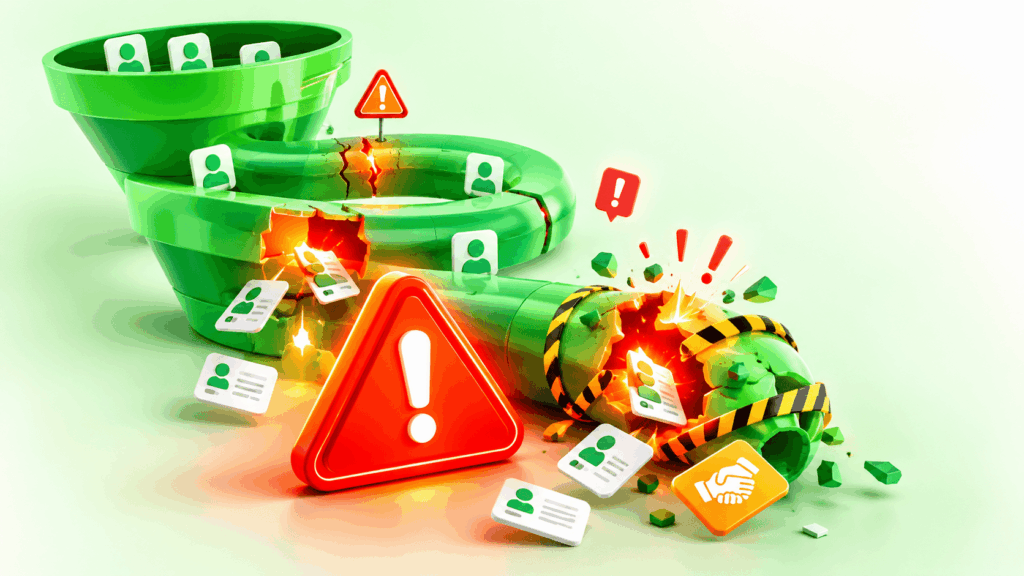
Mistake 1: Why Is Starting Without Clear Goals a Problem?
Many teams install the CRM because “everyone has one.” Without a goal, nobody knows what success looks like. You cannot judge whether the tool works, and you cannot decide which features to configure first.
Fix it by writing two or three measurable goals, such as “reply to every new lead within one business hour” or “reduce the number of forgotten follow-ups to zero.” Link every setup decision to those goals.
Mistake 2: Why Should You Avoid an Overcomplicated Pipeline?
Some teams create ten or twelve pipeline stages because they want to capture every detail. Staff then struggle to decide where a deal belongs, and they stop updating the stages. Reports become unreliable.
Keep the pipeline simple. Five or six clear stages usually suffice, for example, new lead, contacted, qualified, proposal sent, negotiation, and won or lost. Each stage should answer one question: what must happen before the deal moves forward? You can always add detail later.
Mistake 3: How Does Poor Data Import Hurt Your CRM?
Importing old spreadsheets without cleaning them creates duplicates, missing names, wrong phone formats, and outdated contacts. Bad data spreads fast. Staff lose trust in the system, and automated emails reach the wrong people.
Before you import, review your files. Remove duplicates, fix formatting, standardize columns, and delete contacts you no longer need. Then import a small test batch and check the result.
Mistake 4: Why Do You Need a CRM Owner?
When everyone is responsible, nobody is responsible. Without an owner, nobody maintains fields, updates workflows, or answers questions. Small problems pile up, and the system slowly decays.
Assign one person as the CRM owner, even if the role takes only a few hours per month. This person manages users, reviews data quality, and coordinates improvements.
Mistake 5: What Happens When You Skip Training?
Employees who do not understand the system use it inconsistently. One person logs every call, another logs nothing, and the data becomes patchy. Training does not need to be long, but it must be practical.
Run a short session that shows how to add a lead, move a deal, log an activity, and use templates. Then provide a one-page guide and hold a quick review after two weeks.
Mistake 6: Why Should You Limit Custom Fields?
Custom fields help you capture useful details. However, too many fields slow data entry and annoy users. People skip optional fields, and the data becomes incomplete.
Add only the fields that support your goals and reports. If nobody uses a field for three months, remove it.
Mistake 7: How Does Ignoring Integrations Create Extra Work?
If your team copies information between the CRM, email, calendar, and website forms, mistakes follow. Manual copying wastes time and invites errors. Connect your main lead sources and communication channels from the start, and test each connection.
Mistake 8: Why Is Neglecting Reports a Mistake?
Teams often build the CRM and never look at the numbers. Reports show where deals stall, which lead sources work, and which team members need support. Without them, you manage by feeling instead of facts. Set a weekly review of a few simple metrics.
Mistake 9: How Can Weak Security and Privacy Hurt You?

A CRM holds personal data, so careless access rules create risk. Shared passwords, unused accounts, and unclear permissions can expose customer information. Use strong, unique passwords, follow current guidance such as the NIST digital identity guidelines, enable multi-factor authentication where available, and remove access when employees leave.
What Does a Summary of Mistakes and Fixes Look Like?
The table below collects the main mistakes and the matching solutions.
| Mistake | Typical result | Better approach |
|---|---|---|
| No clear goals | Unclear value, low adoption | Set two or three measurable goals |
| Too many pipeline stages | Inaccurate reports | Use five or six simple stages |
| Dirty imported data | Duplicates, wrong emails | Clean and test before import |
| No CRM owner | Decay and confusion | Name one responsible person |
| No training | Inconsistent usage | Run short, practical sessions |
| Too many custom fields | Slow data entry | Keep only essential fields |
| Missing integrations | Manual copying, errors | Connect main channels early |
| No reporting | Decisions by guesswork | Review key metrics weekly |
| Weak security | Data exposure risk | Apply strong access rules |
How Can You Improve Lead Conversion Rates With Bigin Automation?

Once you avoid these setup mistakes, automation becomes your strongest tool for converting leads. Lead conversion measures the share of leads that turn into customers, and even small gains matter, because you already paid for those leads in time or advertising.
Why Does Speed Decide Whether a Lead Converts?
Leads lose interest quickly. A well-known Harvard Business Review study found that companies that responded to online leads quickly were much more likely to qualify them than companies that waited. Exact results vary by industry, but the direction is clear: the first helpful reply often wins the deal.
Automation gives small teams that speed. Bigin by Zoho CRM can create a record, assign an owner, and send a first message the moment a lead arrives.
How Do You Capture and Route Leads Correctly?
Start with one rule: every lead enters the CRM automatically. Connect web forms, email, and messaging channels so nothing depends on memory. Then route each lead to an owner by region, service, or rotation, and create a task with a clear deadline.
To avoid mistakes, test the route with sample leads. Check that the right person receives the task and that the first message arrives correctly.
How Do You Build Follow-Up Sequences That Convert?
Most buyers need more than one touch. Build a short, helpful sequence instead of a long, pushy one. For example:
- Send a personal welcome message within minutes.
- Send a short reminder after two or three days.
- Share a useful resource, such as a case study or guide, after a week.
- Create a task for a personal call if the lead stays quiet.
- Stop the sequence immediately when the lead replies.
The last step matters most. A message that arrives after the customer has already answered makes your business look careless.
How Do Stage-Based Automations Keep Deals Moving?
Link actions to pipeline stages.
When a deal reaches the proposal stage, create a follow-up task for two days later. When it reaches the negotiation stage, remind the owner to prepare the contract. Then, when it closes as won, send a thank-you message and notify the delivery team. Also, when it closes as lost, record the reason and schedule a polite check-in for later.
These rules turn your process into a habit. New employees follow the same path as experienced ones, so quality stays consistent.
How Can Tags and Simple Scoring Improve Focus?
Not every lead deserves the same effort. Use tags or a simple field to mark lead quality, such as hot, warm, and cold, based on budget, urgency, or engagement. Then let automation alert the owner when a hot lead requests a quote or opens several emails. This approach helps your team spend time where the chance of winning is highest.
Which Automation Mistakes Reduce Conversion?
Automation can backfire. Watch for these problems:
- Too many messages: Frequent emails push leads away.
- Generic text: Impersonal wording reduces trust.
- Wrong triggers: A workflow that fires at the wrong moment confuses customers.
- No stop condition: Sequences continue after the lead replies or buys.
- No testing: Errors reach real customers.
- No review: Old workflows no longer match your process.
Which Workflows Should You Build First?
Start small, and expand only when the first workflows work well.
| Workflow | Trigger | Automatic action | Conversion benefit |
|---|---|---|---|
| New lead response | Form submitted | Create record, assign owner, send welcome message | Faster first contact |
| Stalled deal alert | No activity for several days | Notify owner and manager | Fewer forgotten leads |
| Proposal follow-up | Deal moves to proposal stage | Create task and schedule reminder | Higher reply rate |
| Hot lead alert | Lead requests a quote | Notify owner immediately | Quicker action on strong leads |
| Lost-deal recovery | Deal marked lost | Record reason, schedule check-in | Second chance to win |
| Win handover | Deal marked won | Send onboarding message | Smoother customer start |
How Do You Stay Compliant When You Automate Messages?
Which Email Rules Should You Follow?
Automation makes mass communication easy, so legal compliance matters. In the United States, the FTC’s CAN-SPAM guidance explains rules such as accurate sender information, honest subject lines, and a simple opt-out. When you contact people in the European Union, the European Commission’s data protection pages explain how the GDPR affects consent and data use.
How Do You Handle Consent and Opt-Outs?
Collect consent clearly, record it in the CRM, and honor opt-out requests quickly. Keep only the data you need, and delete it when you no longer need it. If your situation is complex, ask a qualified legal advisor for guidance.
How Can You Plan a Correct Bigin Implementation?

What Steps Should You Follow?
Use this order to reduce risk and speed up results:
- Define two or three measurable goals.
- Map your sales process on paper.
- Name a CRM owner.
- Create one simple pipeline.
- Clean and import your contacts in a test batch.
- Connect your main lead sources and channels.
- Build the new-lead workflow and the stalled-deal alert.
- Train your team and collect feedback.
- Review reports weekly and adjust.
What Does a 90-Day Roadmap Look Like?
In the first 30 days, focus on the foundation: goals, pipeline, data, and training. In days 31 to 60, add follow-up templates, reminders, and the first reports. Then, in days 61 to 90, analyze conversion by stage and lead source, test small improvements, and consider a second pipeline if you sell a distinct service. By then, the CRM should feel like a normal part of daily work.
How Do You Measure Success?
Track a small set of numbers and review them regularly.
| Metric | What it shows | Action if weak |
|---|---|---|
| Lead response time | Speed of first contact | Improve routing and alerts |
| Lead-to-customer rate | Overall conversion | Review offers and follow-up |
| Stage conversion | Progress between stages | Fix the weakest stage |
| Follow-up completion | Team discipline | Adjust reminders and training |
| Data quality | Duplicates and missing fields | Schedule a cleanup |
| User adoption | Logins and activity logged | Provide more training |
Key Takeaways
What Should You Remember About Bigin Implementation?
Most Bigin problems start before the first deal enters the system. Unclear goals, complicated pipelines, dirty data, missing ownership, and weak training all reduce the tool’s value. Fortunately, you can avoid each mistake with simple planning and steady habits.
Bigin by Zoho CRM works best when you keep the setup lean and treat automation as a support for your process, not a replacement for it. With fast responses, clear ownership, and thoughtful follow-up, your conversion rate can rise without extra advertising spend.
What Is the Next Step?
Start this week. Write your goals, sketch your pipeline, and choose a CRM owner. Then build your first three automations and measure the results for a month. If you want expert help with planning, setup, or training, consider working with Solution for Guru, so your CRM grows on a solid foundation.
Frequently Asked Questions
The biggest mistake is configuring the tool before defining the sales process. Without a clear process, the pipeline, fields, and automations reflect guesswork. Map your process first, and then build it step by step.
Start with two or three. A new-lead response, a stalled-deal alert, and a proposal follow-up cover the most important needs. Test them carefully, measure the results, and add more only when the first ones work well.
No. Automation handles speed and consistency, but customers still value personal attention. Use workflows to start the conversation and remind your team, and then follow up with human, helpful communication.
What Are the Benefits of Cooperating With Solution for Guru?
A CRM project needs planning, technical setup, and change management. Small teams often lack time for all three. A consulting partner like Solution for Guru can help you avoid the mistakes above and deliver results faster.
How Can Solution for Guru Support Your Implementation?
Solution for Guru reviews your sales process, your tools, and your goals. The team can then design a setup that fits your size and budget, including Bigin by Zoho CRM when it matches your needs. Instead of learning through expensive trial and error, you work from a clear plan.

What Practical Benefits Can You Expect?
Cooperation with the company typically brings these advantages:
- Clear strategy: A CRM plan that connects pipeline stages to business goals.
- Faster setup: Help with configuration, data cleanup, and testing.
- Reliable automation: Workflows that save time without annoying customers.
- Trained staff: Guidance that builds confidence and daily habits.
- Compliance awareness: A review of consent, privacy, and security practices.
- Continuous improvement: Regular reviews that adjust the system as you grow.
These benefits matter most for small companies without a dedicated IT or operations team. Learn more on the Solution for Guru website.
Recommended:
- What Hidden Salesforce Features Do Most Businesses Not Use?
- When Bigin Stops Being Enough: What Signs Show You Need Full Zoho CRM?
- How Does AI-Powered Customer Support Work With Salesforce Einstein?
- Is Bigin by Zoho CRM the Right CRM for Real Estate Agents?
- How monday CRM Dashboards Help Sales Managers
- How Does monday CRM Help Manage Customer Relationships?
- Top Integrations for Bigin by Zoho CRM
- Why Startups Choose Bigin Over Complex CRM Platforms
- How Can You Improve CRM Proficiency Across Your Organization in 7 Ways?
- How to Track Sales KPIs in monday CRM: What Should You Measure and How Do You Set It Up?
- How Can monday.com CRM Improve Sales Team Productivity?
- Email Integration in Bigin: Gmail and Outlook for Small Business Sales
- How Does monday CRM Work?
- How Do Bigin’s Automation Features Save Time for Growing Teams?
- What Is monday CRM? A Complete Guide to monday.com CRM
- Bigin Mobile App Review: Managing Sales on the Go
- CRM Proficiency Is the New Digital Literacy: Do You Agree?
- Bigin by Zoho CRM Pricing Explained: Is It Worth It?
- Using Creatio to Standardize Business Processes Across Departments
- Best Pipedrive Reports for Sales Managers