What Hidden Salesforce Features Do Most Businesses Not Use?

Most companies buy Salesforce for contact records and a sales pipeline. Then they stop exploring. Years later, they still run the same basic setup, even though the platform includes powerful tools for automation, data quality, analytics, and guidance. This article reveals the features that deliver the most value and explains how to start using them. You will learn what each feature does, why teams overlook it, and how to switch it on safely.
Table of contents
What Is the Quick Summary of This Article?
- Salesforce holds far more than most teams use. Built-in tools often solve problems that companies try to fix with spreadsheets and extra software.
- Ten features stand out. They include Flow, Path, duplicate management, validation rules, scheduled reports, Pipeline Inspection, lead scoring, Einstein Activity Capture, Einstein Search, and adoption dashboards.
- Start with data and process. Clean records and guided stages make every other feature work better.
- Add intelligence next. AI-assisted insights help only when your data is reliable.
- Expert help speeds up results. A partner such as Solution for Guru configures the features that match your business and trains your team to use them.
How Is Salesforce CRM Related to Hidden Features?

Salesforce CRM is one of the most feature-rich customer platforms available. That depth creates a paradox. The more capabilities the platform includes, the more likely a business is to ignore many of them. Administrators handle urgent requests, users stick to familiar screens, and new releases arrive three times a year without anyone reading the notes.
Industry writers confirm the pattern. A Pubrio article observes that Salesforce already offers built-in features that solve common lead problems, yet teams often hide, underuse, or misunderstand them. Likewise, a SalesforceBen guide reminds managers that even “vanilla” tools such as reports and dashboards deserve full attention.
Why Do Businesses Overlook These Features?
Several reasons repeat across organizations:
- Limited enablement. Teams receive training at launch, then never again.
- Admin overload. One person often runs the whole platform.
- Fear of breaking things. Users avoid changes to a live system.
- Unclear ownership. No one reviews new releases for useful additions.
- Messy data. Teams distrust the system, so they avoid advanced tools.
What Is the Main Topic: Which Hidden Features Deserve Your Attention?
The main topic of this article is the gap between what Salesforce can do and what most businesses actually do with it. Closing that gap rarely requires new licenses. Instead, it requires awareness, configuration, and a little discipline. The sections below walk through ten features in a logical order: first the foundations (process and data), then analytics, and finally intelligence.
Use the table below as a quick map before you read the details.
| Feature | What It Does | Main Benefit |
|---|---|---|
| Flow Builder | Automates processes without code | Saves hours of manual work |
| Path | Guides users through each stage | Raises process consistency |
| Duplicate management | Warns about or blocks duplicate records | Keeps data clean |
| Validation rules | Enforces required data at the right time | Improves report accuracy |
| Scheduled reports and dashboards | Delivers insights automatically | Saves manager time |
| Pipeline Inspection | Shows deal changes and risks | Sharper forecasting |
| Lead scoring | Ranks leads by fit and behavior | Better prioritization |
| Einstein Activity Capture | Logs emails and events automatically | Less manual entry |
| Einstein Search | Finds records faster with smarter results | Faster navigation |
| Adoption dashboards | Tracks user activity and data quality | Higher user engagement |
How Can Flow Builder Automate Your Daily Work?
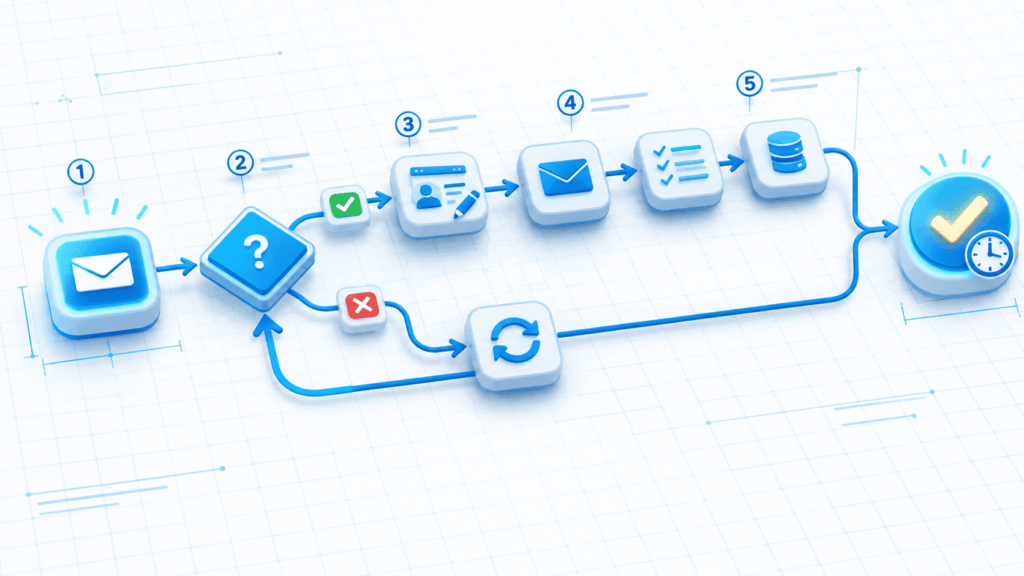
Flow Builder is Salesforce CRM’s main automation tool. It replaces many older tools and lets administrators build automation visually, not through code. Despite its power, many businesses use it only for simple tasks, if at all.
What Can Flow Actually Do?
Flow handles far more than basic alerts. You can use it to:
- Create and update records when a deal changes stage.
- Automatically assign tasks to the right owner.
- Guide users through screens that collect data step by step.
- Send notifications to teams when a high-value event occurs.
- Run scheduled jobs that clean or update data overnight.
Salesforce keeps adding native Flow capabilities, many inspired by user feedback. As a result, workarounds you built two years ago may now have simpler, native replacements.
How Do You Start Using Flow Safely?
Begin with one small, high-volume task, such as assigning new leads to owners. Build the flow in a sandbox, test it with sample records, and document its purpose. Then activate it in production and monitor the results. Avoid building many overlapping automations on the same object, because conflicts slow the system and confuse users.
How Does Path Guide Users Through the Sales Process?
Path adds a visual progress bar to a record and shows guidance at each stage. It looks simple, yet it changes behavior. Users see exactly what to do next without searching through documents or asking colleagues.
What Does Path Display at Each Stage?
For every stage of an opportunity, lead, or case, administrators can show:
- Key fields that users must complete
- Guidance text with tips, scripts, and links
- Reminders about compliance or pricing rules
- Celebration prompts when a team closes a deal
Because the guidance appears inside the record, adoption improves. Salesforce study guides also recommend Path guidance as a gentler alternative to hard validation rules in some cases, since not every data problem needs a blocking error.
Why Does Path Improve Consistency?
New hires especially benefit. Instead of learning the process through trial and error, they follow the same steps as experienced reps. As a result, managers gain more predictable pipelines and cleaner forecasts. Pair Path with a few well-chosen required fields, and you create a clear standard for every deal.
How Does Duplicate Management Protect Your Data?
Duplicate records cause real damage. They split activity history, confuse reps, inflate reports, and annoy customers who receive the same email twice. Fortunately, Salesforce includes tools to prevent them.
How Do Matching and Duplicate Rules Work?
Salesforce duplicate management uses two building blocks. Matching rules define how the system decides that two records look alike, such as similar names and identical email addresses. Duplicate rules define what happens next: warn the user, block the save, or log the match for review. The SalesforceBen guide explains that these tools alert users when a record they create or edit might duplicate another, and users then choose to merge, delete, or continue.
Pubrio also suggests treating duplicate rules as a lead enrichment engine, since each match reveals related data you can combine.
What Is the Best Way to Roll Out Duplicate Rules?
| Step | Action | Tip |
|---|---|---|
| 1 | Review existing duplicates | Use reports to measure the problem |
| 2 | Define matching rules | Start with email and company name |
| 3 | Set rules to warn first | Blocking too early frustrates users |
| 4 | Merge existing duplicates | Choose a master record and keep history |
| 5 | Monitor monthly | Add a data quality dashboard |
Clean data also powers every later feature in this article. In fact, one adoption guide points out that incomplete data makes dashboards unreliable, pushing managers back to spreadsheets and reducing trust in the platform.
How Do Validation Rules Improve Data Quality?
Validation rules check data before Salesforce saves it. If a record breaks a rule, the user sees a message explaining how to fix it. Many businesses either skip these rules or overuse them, which frustrates teams.
When Should You Use a Validation Rule?
Use a rule when a missing or wrong value will break a process or report. Good examples include:
- Requiring a close date on every open opportunity
- Requiring a loss reason before marking a deal as lost
- Preventing discounts above a set limit without approval
- Requiring a valid country code for routing
Study materials for Salesforce administrators advise matching the tool to the problem. Not every issue deserves a hard validation rule. Sometimes a default value, picklist, duplicate warning, Path guidance, or targeted Flow screen works better.
How Do You Avoid Frustrating Users?
Write clear error messages that tell users exactly what to do. Apply rules only at the stage where the data becomes necessary. In addition, test rules with real users before launch. A well-designed rule saves time; a poorly designed one creates workarounds and resentment.
How Can Scheduled Reports and Dashboards Save Time?

Reports and dashboards feel ordinary, yet most teams use only a fraction of their abilities. Salesforce lets you automate delivery so insights find your team instead of waiting in a folder.
Which Report Features Do Teams Miss Most?
- Subscriptions and scheduled runs that email results on a set day.
- Dashboard filters that let managers change the view without building a new dashboard.
- Conditional highlighting that flags numbers outside a target range.
- Joined and summary reports that compare different data sets.
- Report types tailored to your custom objects.
The SalesforceBen guide explains the difference clearly: reports show raw data much like a spreadsheet, while dashboards present that data visually. Use both together, and schedule the results.
What Should a Manager Dashboard Include?
| Dashboard Component | Question It Answers |
|---|---|
| Pipeline by stage | Where do deals sit today? |
| Deals closing this month | What revenue is near? |
| Stale opportunities | Which deals have no recent activity? |
| Lead response time | How quickly do reps reply? |
| Win rate by source | Which channels deliver customers? |
| Activity by rep | Who needs coaching? |
What Is Pipeline Inspection and Why Should You Use It?
Pipeline Inspection gives sales managers a live view of their pipeline and shows how it changes over time. It highlights deals that moved, slipped, or grew, helping managers focus on the deals that matter.
How Does Pipeline Inspection Help Forecasting?
Salesforce Ben describes Pipeline Inspection as a combination of Einstein Deal Insights and tiered Einstein Opportunity Scores. Together, they flag at-risk deals and highlight opportunities that look strong. Managers can see changes in amount, close date, and stage without building custom reports.
Because forecasts rely on current data, this feature works best when reps update records consistently. Therefore, pair it with Path and validation rules.
Why Do Reps Miss Out on This Feature?
According to a Gruve whitepaper, reps often miss features like pipeline inspection and opportunity scoring because of poor enablement. A short training session and a weekly pipeline review that uses the tool can fix this quickly. Teams that review pipeline changes together usually spot risks sooner.
How Can Lead Scoring Help You Prioritize Better?
Sales teams cannot call every lead at once. Lead scoring ranks leads so reps contact the best ones first. Pubrio lists scoring rules as the first hidden lead-generation feature many businesses leave unused.
What Signals Should a Score Include?
Combine two groups of signals:
- Fit signals: industry, company size, job title, location, and budget
- Behavior signals: email opens, page visits, form submissions, and meeting requests
Assign points for each signal, then set a threshold that marks a lead as sales-ready. Review the model quarterly, because customer behavior changes.
How Do You Keep Scoring Fair and Useful?
Start simple. Use five to eight signals that sales and marketing agree on. Compare high-scoring leads against actual wins, and adjust the points. Furthermore, share the logic openly so reps trust the score. Scores that nobody understands rarely change behavior.
How Does Einstein Activity Capture Reduce Manual Entry?
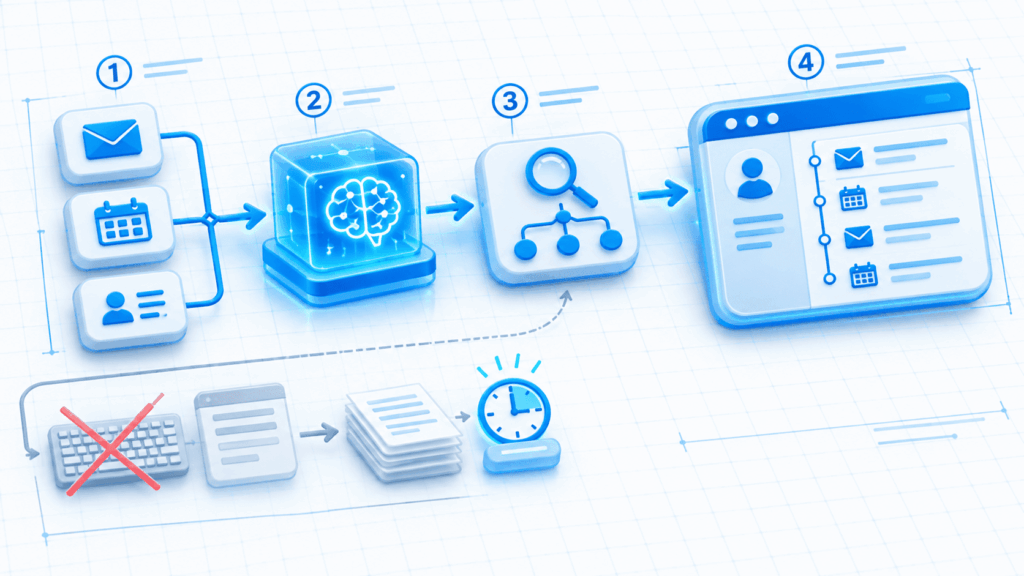
Reps hate logging emails and meetings. Einstein Activity Capture (EAC) automates that task by syncing emails and calendar events with Salesforce. It saves time and gives managers a more complete view of customer contact.
What Changed With Recent Releases?
Historically, captured data lived outside standard reports, dashboards, and Flows. The Summer ’25 release changed this. With the right option enabled, EAC writes emails as native Salesforce email message records, so standard reports and automation can reach them. Check your current settings, because older configurations may still limit reporting.
What Should You Consider Before Switching It On?
Review privacy settings, user permissions, and data retention policies first. Explain to reps what the tool captures and why. Transparency builds trust. Then test with a small group and confirm that the activity timeline shows what you expect.
How Does Einstein Search Make Navigation Faster?
Search frustrates users when it returns long, irrelevant lists. Einstein Search improves results by learning from user behavior and by understanding natural language. It also supports recent records and personalized suggestions.
Who Benefits Most From Smarter Search?
Service agents, account managers, and executives all gain time. Agents find cases faster. Managers locate accounts by typing partial details. Admins can also tune which objects and fields appear in results. Several blogs list Einstein Search among the features most users never explore, so it deserves a quick review during your next admin session.
How Can You Improve Search Results Further?
Standardize naming conventions, fill in key fields, and remove stale records. Good data produces better search results. Meanwhile, train users on shortcuts, filters, and saved list views. Small habits add up to large time savings.
How Can Adoption Dashboards Boost User Engagement?
A feature delivers no value if people avoid it. Adoption dashboards show how your team uses Salesforce and highlight where to coach.
What Metrics Should You Track?
Salesforce AppExchange offers free adoption dashboard packages with pre-built reports on login trends, record creation, and user activity. In addition, track data quality metrics:
| Metric | Why It Matters |
|---|---|
| Login frequency | Shows who actually uses the system |
| Field completeness | Reveals data gaps |
| Duplicate rate | Measures data hygiene |
| Stale opportunity share | Signals pipeline risk |
| Task completion rate | Shows follow-up discipline |
How Do You Turn Metrics Into Action?
Share the dashboard openly. Celebrate teams that improve, and offer coaching to those who struggle. When reps see clean data produce accurate forecasts, they update records more willingly. Trust rebuilds gradually, but it compounds.
How Can You Choose Which Hidden Features to Enable First?

You do not need to launch everything at once. Prioritize by impact and effort.
A Sensible Rollout Order
| Phase | Focus | Features |
|---|---|---|
| 1 (Weeks 1–4) | Data foundation | Duplicate rules, validation rules, field cleanup |
| 2 (Weeks 5–8) | Process guidance | Path, Flow automations for assignment and tasks |
| 3 (Weeks 9–12) | Visibility | Scheduled reports, dashboards, adoption metrics |
| 4 (Months 4–6) | Intelligence | Pipeline Inspection, lead scoring, Einstein Activity Capture, Einstein Search |
What Mistakes Should You Avoid?
- Turning on AI before cleaning data. Poor data produces poor predictions.
- Skipping a sandbox. Test every change before it reaches users.
- Overbuilding. Complex automation becomes hard to maintain.
- Neglecting training. Users ignore features they do not understand.
- Ignoring release notes. Salesforce ships updates regularly; scan them each time.
What Are the Conclusions About Hidden Salesforce Features?
Salesforce CRM offers far more than most businesses use. Flow automates routine work. Path guides users through consistent processes. Duplicate management and validation rules protect data quality. Scheduled reports and dashboards deliver insight without effort. Pipeline Inspection, lead scoring, Einstein Activity Capture, and Einstein Search add intelligence on top of a solid foundation. Adoption dashboards then keep everyone accountable.
To make progress, follow this short plan:
- Audit what your team uses today and what it ignores.
- Clean your data first.
- Add process guidance and automation.
- Schedule reports and track adoption.
- Introduce AI-assisted features once your data is reliable.
- Review each new release for additional opportunities.
- Partner with an expert such as Solution for Guru to move faster and avoid mistakes.
Every feature above already sits inside the platform you pay for. The real investment is attention, and attention pays back quickly.
What Are the Frequently Asked Questions?
Not always. Many features, such as Flow, Path, duplicate management, validation rules, and reports, come with standard Salesforce editions. However, some tools, including Einstein capabilities and Pipeline Inspection, depend on your edition and add-ons. Check your license details with Salesforce or your partner before you plan a rollout.
Start with data quality. Duplicate rules and a few well-designed validation rules improve every report, forecast, and automation that follows. After that, add Path to guide users, then build a small Flow for a repetitive task. This order delivers quick wins while it builds a stable base.
Is It Safe to Turn On New Features in a Live Org?
It is safe when you follow good practice. Build and test in a sandbox, document each change, and train users before launch. Roll out to a pilot group first when possible. If your team lacks the time or experience, a Salesforce partner can manage the process and reduce risk.
How Can Solution for Guru Help You Unlock Salesforce?
A specialist partner helps you find and activate the features that fit your goals. Solution for Guru supports businesses with CRM implementation, customization, integration, and training.

What Are the Benefits of Working With Solution for Guru?
- Platform audit. Experts review your current setup and identify unused features with real value.
- Prioritized roadmap. You receive a clear plan that matches features to your business goals.
- Safe configuration. Consultants build and test automation, rules, and dashboards before launch.
- Data cleanup. Specialists reduce duplicates and standardize fields, which strengthens every feature.
- User training. Your team learns the new tools through practical sessions.
- Ongoing support. Continuous reviews keep your system aligned with each new release.
Why Does Expert Guidance Pay Off?
Internal admins often juggle daily requests and cannot dedicate time to exploration. A partner brings focus and experience from many similar projects. As a result, you avoid costly mistakes, shorten the learning curve, and see returns sooner. Moreover, you gain a team that tracks platform changes for you.
Recommended:
- When Bigin Stops Being Enough: What Signs Show You Need Full Zoho CRM?
- How Does AI-Powered Customer Support Work With Salesforce Einstein?
- Is Bigin by Zoho CRM the Right CRM for Real Estate Agents?
- How monday CRM Dashboards Help Sales Managers
- How Does monday CRM Help Manage Customer Relationships?
- Top Integrations for Bigin by Zoho CRM
- Why Startups Choose Bigin Over Complex CRM Platforms
- How Can You Improve CRM Proficiency Across Your Organization in 7 Ways?
- How to Track Sales KPIs in monday CRM: What Should You Measure and How Do You Set It Up?
- How Can monday.com CRM Improve Sales Team Productivity?
- Email Integration in Bigin: Gmail and Outlook for Small Business Sales
- How Does monday CRM Work?
- How Do Bigin’s Automation Features Save Time for Growing Teams?
- What Is monday CRM? A Complete Guide to monday.com CRM
- Bigin Mobile App Review: Managing Sales on the Go
- CRM Proficiency Is the New Digital Literacy: Do You Agree?
- Bigin by Zoho CRM Pricing Explained: Is It Worth It?
- Using Creatio to Standardize Business Processes Across Departments
- Best Pipedrive Reports for Sales Managers
- Pipedrive Insights Explained: How Sales Reporting Works
- Pipedrive Automation Examples for Sales Teams
- Pipedrive Sales KPIs: 15 Metrics Every Team Should Track
- How Pipedrive AI Helps Sales Teams Save Time
- CRM Roles 101: From CRM Administrator to CRM Developer