Driver Safety Monitoring with Azuga: How Can Fleets Reduce Risk and Build Safer Habits?

Every fleet manager faces the same worry: one preventable crash can hurt people, damage reputation, and raise insurance costs for years. Telematics now gives managers a clear view of what happens behind the wheel, and Azuga stands out as one of the platforms built around that goal. This article explains how driver safety monitoring with Azuga works, which tools matter most, and how to turn raw data into safer habits. It also shows how a digital partner such as Solution for Guru can help you publish and promote this kind of expertise.
Table of contents
Quick Summary: What Should You Know Before You Read On?
- Azuga scores drivers daily on a 0 to 100 scale, based on events such as speeding, braking, acceleration, and idling.
- Supervisors choose the events that feed the score, so each fleet can match its own policy.
- Real-time alerts, coaching, and rewards help managers correct habits quickly.
- AI-powered dash cams and driver tools add context to the numbers.
- A mobile app lets drivers track their own scores and compare results.
- Success depends on culture. Technology only works when managers use the data fairly and consistently.
| Feature | What it does | Main benefit |
|---|---|---|
| Driver Score | Rates daily driving behavior | Clear, comparable metric |
| Real-time alerts | Flags unsafe events as they happen | Faster correction |
| Dash cams | Adds video evidence and context | Fair coaching and claims support |
| FleetMobile app | Shows drivers their own results | Self-coaching and engagement |
| Rewards | Recognizes safe driving | Positive motivation |
What Is Azuga, and How Does It Relate to Driver Safety Monitoring?

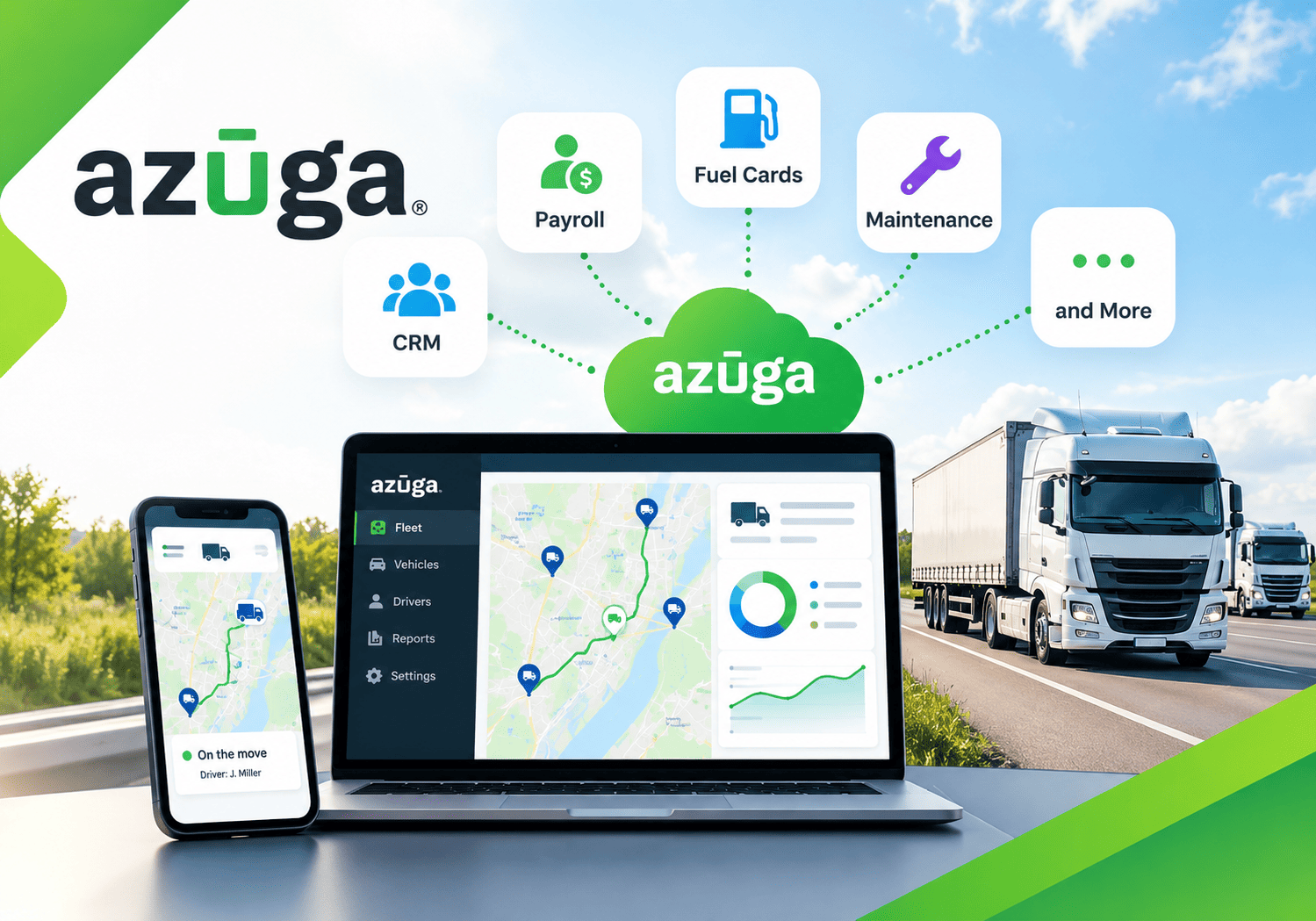
Azuga – Fleet Management Software & GPS Fleet Tracking Solutions is a cloud-based platform that helps businesses track vehicles, monitor driver behavior, and manage fleet operations. Safety sits at the center of its offering, which explains why it fits this article’s topic so well.
TechRadar describes Azuga as a cloud-based fleet management platform founded in 2013 and based in San Jose, California, with GPS tracking, driver safety monitoring, asset tracking, maintenance management, and fuel card integration. In other words, the company combines vehicle location data with behavior data, so managers see both where a vehicle goes and how the driver handles it.
Why does this combination matter? Location alone tells you very little about risk. A truck might follow the perfect route while the driver brakes hard and speeds on every trip. By contrast, behavior data reveals patterns that lead to crashes. Azuga therefore turns telematics readings into a score, an alert, or a coaching opportunity.
Throughout this article, you will see how Azuga handles each step of the safety process. You will learn what the system measures, how managers respond, and how drivers join the effort.
Why Does Driver Safety Monitoring Matter for Fleets?
Fleet safety affects more than accident counts. It shapes costs, compliance, and employee well-being.
What risks do unsafe habits create?
- Collisions: Speeding and hard braking raise crash risk.
- Injury and liability: Serious accidents can bring legal action.
- Higher insurance premiums: Insurers price risk, and poor records cost money.
- Vehicle wear: Aggressive driving increases fuel use and maintenance needs.
- Downtime: Damaged vehicles leave routes uncovered.
How does monitoring help?
Monitoring replaces guesswork with evidence. Instead of relying on complaints from the public, managers see exactly which events occur and when. Consequently, they can coach early, before a small habit becomes a costly incident.
Why do insurers care?
Telematics data also interests insurers. Azuga says its scoring algorithm reflects driving risk and draws on data from more than 3,500 commercial fleets, 4 billion cumulative miles, and 300 million cumulative trips, along with accident reports. Treat these figures as vendor claims, and ask the company for current numbers. Still, they show that the scoring model rests on a large dataset rather than a simple rule of thumb.
How Does the Azuga Driver Score Work?
The Driver Score forms the backbone of safety monitoring with Azuga. It converts many small events into one number that managers and drivers can understand.
What does the score measure?
The Azuga Driver Score measures how safely and responsibly a driver operates a vehicle on a 0 to 100 scale, where higher scores reflect safer driving. A driver with no violations can reach a perfect 100.
Which events count?
Default events include braking, speeding, acceleration, and idling, and customers may also enable cornering and seatbelt compliance. Another Azuga help article adds that supervisors choose which events feed the score. That flexibility lets each fleet focus on its biggest risks.
| Event | Why it matters |
|---|---|
| Speeding | Raises crash severity and fines |
| Hard braking | Often signals tailgating or distraction |
| Sudden acceleration | Wastes fuel and shows aggressive habits |
| Idling | Burns fuel and adds engine wear |
| Cornering | Can indicate unsafe speed in turns |
| Seatbelt use | Protects drivers and supports policy compliance |
How often does the score update?
According to the company’s help documentation, Azuga computes scores every day for the previous day’s trips. This rhythm gives managers fresh data for daily or weekly check-ins.
How does event magnitude affect the score?
Not every event carries equal weight. Azuga’s app explains that the score reflects the magnitude of events, giving the example that a hard brake means a speed change of 8 to 12 MPH in one second. Therefore, a severe event lowers the score more than a mild one.
How Does Azuga Turn Driver Scores Into Risk Insights?
A number only helps when it points to action. Azuga designs its scoring to compare drivers, track trends, and highlight risk.
What does the algorithm produce?
The algorithm generates a daily Driver Score, plus component scores for braking, speeding, and acceleration. Component scores matter because they show why a driver scored low. For example, a driver may speed rarely but brake hard often. Managers can then tailor the conversation.
How do managers use trends?
Azuga notes that the daily score, averaged over time, gives a metric for assessing risk across a period, and it lets managers compare drivers with each other and the same driver across time. Consider these practical comparisons:
- Compare a driver’s score this month with last month.
- Compare drivers who run the same route.
- Compare new hires with experienced staff.
- Compare depots or regions to find uneven practices.
Why avoid one-day judgments?
A single low score may reflect traffic, weather, or an unusual route. Averages smooth these effects. Therefore, review trends before you decide on discipline or training.
Which questions should managers ask?
- Does the drop follow a route or schedule change?
- Do several drivers show the same pattern?
- Did the vehicle or equipment change?
- Does video confirm what the data suggests?
How Do Real-Time Alerts Improve Driver Safety?
Scores show patterns over time. Alerts, on the other hand, help you respond in the moment.
What alerts can managers set?
Azuga’s FleetMobile app lets users set up alerts and receive automatic notifications when safety issues, such as speeding or hard braking, are detected. Managers can decide which events deserve an immediate message and which belong in a weekly report.
What additional safety tools exist?
TechRadar notes that the company’s safety features include SpeedSafe, distracted driving prevention, panic alerts, and tire pressure monitoring. Plan details vary, so confirm which tools your subscription includes before you build a policy around them.
How should you handle alert volume?
Too many alerts create fatigue. Start with a small set, such as severe speeding and repeated harsh braking. Then, adjust thresholds after two or three weeks. As a result, your team responds to meaningful events instead of ignoring noise.
| Alert approach | Risk | Recommendation |
|---|---|---|
| Alert on everything | Alert fatigue | Avoid |
| Alert on severe events only | May miss patterns | Pair with weekly reports |
| Tiered alerts by severity | Requires setup time | Best for most fleets |
How Do AI Dash Cams Support Azuga Driver Safety Monitoring?

Telematics data tells you what happened. Video helps explain why.
What do dash cams add?
TechRadar highlights Azuga’s AI-powered dash cams and its ELD compliance module as part of a solution that focuses on safety and compliance. Video clips give context to harsh events. A hard brake might look like poor driving in the data, yet the clip may show another car cutting in. Consequently, managers coach fairly and protect drivers who did nothing wrong.
How can video help beyond coaching?
- Claims defense: Footage can clarify fault after an incident.
- Policy checks: Clips can reveal distracted driving or missing seatbelt use.
- Training material: Anonymized examples help teach defensive driving.
- Fraud prevention: Evidence can challenge false claims.
What privacy steps should you take?
Cameras raise legitimate privacy concerns, especially for in-cab recording. Before you deploy them, do the following:
- Check local and national laws on workplace recording.
- Write a clear policy that explains what you record and why.
- Tell drivers before you switch cameras on.
- Limit who can view footage.
- Set a retention period and delete clips on schedule.
Handle video as a coaching tool first, not a surveillance tool. That approach builds trust and improves results.
How Does the Azuga FleetMobile App Engage Drivers?

Safety programs fail when drivers feel watched but not supported. Azuga addresses this problem with a driver-facing mobile app.
What can drivers do in the app?
Drivers can track their safety scores, see how they compare with others, and coach themselves toward safer and more efficient driving. This self-service view turns the score from a managerial tool into a shared goal.
How do rewards fit in?
The company designed FleetMobile to reward drivers for good behavior, and rewards can also be distributed through Azuga Fleet. Rewards might include gift cards, small bonuses, or public recognition. Positive reinforcement often works better than penalties because drivers feel respected.
What else does the app offer?
The app includes built-in utilities such as vehicle health monitoring, navigation, tracking, and parked vehicle location. Managers also gain a mobile view of fleet status and driving behavior. According to the listing, every Azuga Fleet GPS tracking subscription includes FleetMobile.
How can you boost adoption?
- Introduce the app during onboarding.
- Explain how scores work in plain language.
- Share weekly leaderboards, but keep them friendly.
- Celebrate improvement, not only top scores.
- Ask drivers for feedback on the tool.
How Can You Build a Driver Safety Program Around Azuga?
Technology alone does not change behavior. A clear program turns data into lasting habits.
What steps should you follow?
- Set goals. Choose targets such as fewer speeding events or a higher average score.
- Select scored events. Pick the behaviors that match your biggest risks.
- Communicate openly. Explain what you measure and why.
- Establish a baseline. Collect two to four weeks of data before you judge anyone.
- Coach regularly. Hold short, constructive one-on-one reviews.
- Reward progress. Recognize improvement with real incentives.
- Review and adjust. Update thresholds and goals each quarter.
What does a coaching rhythm look like?
| Frequency | Activity |
|---|---|
| Daily | Check severe alerts |
| Weekly | Review scores and share leaderboards |
| Monthly | Hold coaching conversations with lower scorers |
| Quarterly | Review program goals, thresholds, and rewards |
How do you handle repeat issues?
Start with coaching, then move to refresher training. Reserve formal discipline for repeated, serious violations after fair warnings. Document each step so the process stays consistent and defensible.
How Can Azuga Data Support Insurance and Claims?

Safer driving does not only prevent crashes. It also strengthens your position with insurers.
How does telematics help with premiums?
Insurers value evidence of active risk management. Scores, coaching records, and falling incident counts show that your fleet takes safety seriously. Azuga also states that its driver scoring benefits commercial fleet insurers. Ask your insurer whether it offers discounts for telematics programs and what data it needs.
How does data help after an incident?
Azuga says telematics can support claims through real-time crash detection, faster resolution, and unbiased, data-driven evidence for liability decisions. Quick access to speed, location, and video data shortens investigations and reduces disputes.
What should you document?
- Policies and training records
- Coaching notes and follow-up actions
- Score trends before and after interventions
- Incident reports linked to telematics data
Good records show insurers and courts that you act, not just collect data.
What Are the Strengths and Limits of Azuga for Driver Safety?
No platform fits every fleet. A balanced view helps you decide.
Where does Azuga perform well?
- Clear scoring: A 0 to 100 scale is easy to explain.
- Flexible policy: Supervisors choose which events count.
- Driver engagement: The app and rewards support positive coaching.
- Safety breadth: Alerts, dash cams, and compliance tools cover many needs.
Where should you be careful?
| Consideration | Why it matters |
|---|---|
| Plan differences | Features vary by subscription |
| Hardware needs | Devices and cameras add cost and installation work |
| Privacy rules | Laws on monitoring differ by region |
| Change management | Drivers need training and trust |
| Data overload | Too many alerts reduce attention |
How should you evaluate it?
Run a pilot with 10 to 20 vehicles. Track the baseline score, alert volume, and incidents for 60 to 90 days. Then compare results with a second vendor if you can. Independent reviews, such as the one from TechRadar, can add outside perspective, but your own pilot data carries the most weight.
What Are the Key Conclusions About Driver Safety Monitoring with Azuga?
Driver safety monitoring works best when data, coaching, and culture work together. Azuga – Fleet Management Software & GPS Fleet Tracking Solutions supports this approach with a daily Driver Score, real-time alerts, AI dash cams, and a driver app that rewards good habits. Supervisors choose which events matter, so each fleet can match the system to its own risks.
Remember these takeaways:
- Define your policy first. Decide which behaviors you want to change.
- Use trends, not single events. Averages show real patterns.
- Coach before you punish. Positive feedback builds trust.
- Respect privacy. Explain cameras and data use clearly.
- Pilot before you scale. Real fleet data beats marketing claims.
Finally, if you want to share your fleet or telematics knowledge with a wider audience, consider working with Solution for Guru for SEO, content, and website support.
Frequently Asked Questions
The score rates how safely a driver operates a vehicle on a 0 to 100 scale. By default, it covers braking, speeding, acceleration, and idling. Customers can also add cornering and seatbelt compliance, and supervisors decide which events count toward the score.
Yes. The FleetMobile app lets drivers view their scores, compare results with colleagues, and receive alerts about unsafe events. Managers can also use the app to monitor fleet status and send rewards. Azuga states that every Fleet GPS tracking subscription includes the app.
Yes. TechRadar reports that the platform includes AI-powered dash cams alongside its GPS tracking and compliance tools. Availability and pricing depend on your plan, so ask Azuga which camera options fit your fleet. Also check local privacy laws before you install in-cab cameras.
What Are the Benefits of Cooperating With Solution for Guru?
Safe fleets build strong reputations, and strong reputations need visibility. Solution for Guru helps companies share their expertise online.
What services does the company provide?
Its HubSpot partner listing shows services such as search engine optimization, content creation, website design and development, inbound marketing, custom API integration, and social media. The listing also shows remote delivery, English-language support, and service to EMEA and the Americas.

How can this help fleet and safety businesses?
- SEO-focused content: Articles like this one target the questions fleet buyers ask.
- Conversion-focused websites: The company describes its sites as tools that turn visitors into clients.
- Technical integration: Custom API work can connect forms, CRM tools, and analytics.
- Flexible budgets: The listing states that the team works with any budget.
- Ongoing monitoring: Metric reviews help you refine campaigns over time.
Why does this matter for telematics content?
Fleet technology topics attract competitive search results. A partner that combines SEO, content, and web development helps you reach decision makers, explain complex features clearly, and capture leads. Consequently, your team spends less time managing separate vendors and more time serving customers.
Recommended
- Benefits of Using Samsara for Fleet Management
- How Verizon Connect Helps Reduce Insurance Premiums
- How Motive Helps Reduce Insurance Costs
- How Verizon Connect Improves Fleet Productivity
- How Motive Detects Distracted Driving
- Managing Mixed Fleets with Verizon Connect
- How Verizon Connect Improves Driver Accountability
- How Motive Helps Schedule Preventive Maintenance
- How Samsara Improves Fleet Productivity
- How Fleet Managers Use Motive for Compliance Reporting
- How Motive Improves Dispatcher Efficiency
- How Motive Helps Reduce Fleet Operating Costs
- Azuga Review: Features, Pros, Cons, and Best Use Cases
- What Is Azuga Fleet Management Software? A Complete Guide
- Top Reasons Businesses Choose Motive Fleet Management
- Samsara Review: Features, Pros, Cons, and Best Use Cases
- What Is Samsara GPS Fleet Tracking Software?
- Verizon Connect Review: Features, Pros, Cons, and Best Use Cases
- What Is Verizon Connect Fleet Management Software?
- Motive Pricing Plans Explained: How Much Does Motive Cost?
- What Is Motive Fleet Management?
- Offline Tracking: How Do Devices Store Data Without Connectivity?