Azuga Integrations: CRM, Payroll, Fuel Cards, Maintenance, and More
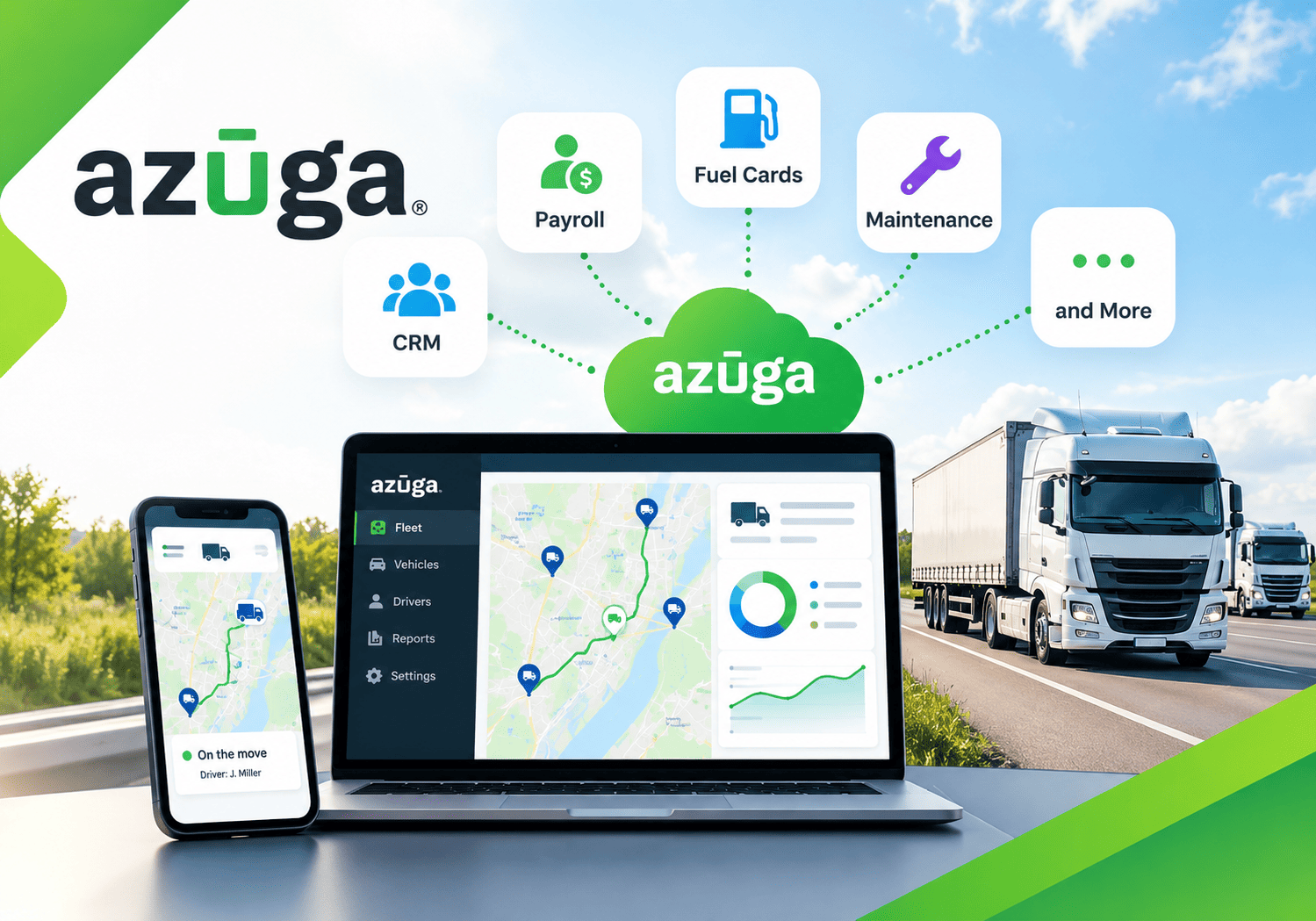
Fleet data becomes far more valuable when it flows into the tools your team already uses. A GPS location on its own tells you where a vehicle is, but a GPS location connected to your CRM, payroll, fuel card, and maintenance systems tells you what to bill, whom to pay, what to fix, and where to save. Azuga, a fleet management and GPS tracking platform, builds its value on this idea of connected data. This article explains how Azuga integrations work, which business systems they can link, and how to plan a rollout that delivers measurable results.
Table of contents
What Is the Quick Summary?
Here is the short version before we go deeper.
- The topic: Azuga integrations connect fleet telematics data with business systems such as CRM, payroll, fuel cards, maintenance, and accounting.
- The problem: Disconnected systems force staff to copy data by hand, which creates delays and errors.
- The solution: A connected platform moves vehicle, driver, and job data automatically between tools.
- The platform: Azuga offers fleet management software and GPS fleet tracking solutions that support this connected approach.
- The payoff: Fleets can reduce admin work, control fuel and maintenance costs, and improve customer service.
- Implementation help: Solution for Guru can support planning, integration, and training.
What Is Azuga and How Does It Relate to Fleet Integrations?

Azuga – Fleet Management Software & GPS Fleet Tracking Solutions provides telematics for businesses that run vehicles, from small service fleets to larger commercial operations. Its platform typically combines GPS tracking, driver behavior monitoring, route and dispatch tools, compliance support, and reporting. Azuga operates as part of the Bridgestone group, which gives it a strong presence in the tire and fleet services market.
Integrations form the bridge between this telematics data and the rest of your business. Without a bridge, fleet data stays in one dashboard, and staff must copy it into spreadsheets, invoices, and payroll files. With integrations, the data travels on its own. Consequently, the topic of this article sits at the heart of what makes a fleet platform useful beyond simple tracking. Because products and partnerships evolve, always confirm the current integration list and plan details on the Azuga website.
What Are Fleet Integrations and Why Do They Matter?
How Do Fleet Integrations Work?
An integration is a connection that lets two software systems share data. In fleet management, the connection usually moves information such as vehicle location, trip history, driver hours, fuel transactions, and diagnostic codes. Some integrations run through ready-made connectors, while others use an application programming interface (API) that developers configure. Either way, the goal stays the same: enter data once and use it everywhere.
Why Do Integrations Matter for Fleet Performance?
Fleet operations generate large amounts of data every day. Yet value only appears when someone acts on that data. Integrations help in three ways:
- They save time. Staff stop retyping information between systems.
- They improve accuracy. Automated transfers avoid typos and missed entries.
- They speed up decisions. Managers see a complete picture instead of fragments.
The American Transportation Research Institute (ATRI) regularly reports on the operational costs of trucking, and fuel, driver pay, and maintenance consistently rank among the largest line items. Integrations touch all three.
What Problems Do Disconnected Fleet Systems Cause?

Which Pain Points Do Fleet Managers Report?
Many fleets still run on separate tools. Dispatch uses one system, payroll uses another, and maintenance lives in a spreadsheet. As a result, several problems appear:
- Dispatchers cannot see which vehicle is nearest to a new job.
- Payroll staff rebuild timesheets from paper logs and phone calls.
- Fuel receipts do not match vehicle activity, which hides misuse.
- Maintenance reminders depend on someone remembering the mileage.
- Customer service teams lack live arrival times.
- Reports require hours of manual consolidation.
How Do These Problems Affect the Bottom Line?
Each manual step adds labor cost and error risk. Moreover, delays compound. A late maintenance check can cause a breakdown, and a breakdown can cause a missed delivery. Meanwhile, billing disputes arise when invoices rely on estimated rather than recorded times. Connected systems reduce these risks because every department works from the same facts.
Which Business Systems Can Azuga Connect With?
The table below summarizes the main integration categories and what each one delivers. Availability depends on your plan and region, so verify specifics with Azuga before you commit.
| Integration area | Data that moves | Business benefit |
|---|---|---|
| CRM | Customer jobs, arrival times, service history | Better service and faster updates to customers |
| Payroll and timekeeping | Driver hours, trips, on-duty time | Accurate pay and less manual timesheet work |
| Fuel cards | Fuel transactions matched with vehicle activity | Lower fuel costs and fewer unauthorized purchases |
| Maintenance | Mileage, engine hours, diagnostic alerts | Fewer breakdowns and longer vehicle life |
| Accounting and billing | Job data, mileage, time on site | Faster, more accurate invoices |
| Dispatch and routing | Live locations and job queues | Shorter routes and quicker response |
| Compliance | Driver logs and inspection data | Easier audits and fewer violations |
The following sections explore the most important areas in detail.
How Do Azuga CRM Integrations Improve Customer Service?
Why Connect Fleet Data to a CRM?
A customer relationship management (CRM) system stores customer details, job requests, and communication history. Fleet data adds the missing piece: where your vehicles and technicians are right now. When the two connect, a sales or service representative can answer the classic customer question, “When will you arrive?”, with real information instead of a guess.
What Practical Benefits Can You Expect?
A connected CRM and fleet platform can support several useful workflows:
- Accurate arrival windows: Customer-facing staff see live vehicle positions and estimated arrival times.
- Proof of service: Records show when a vehicle reached a site and how long the crew stayed.
- Faster dispatching: New jobs automatically reach the closest suitable vehicle.
- Better follow-up: Service history stays attached to each customer record.
These benefits matter because customer expectations keep rising. Research from firms such as Salesforce on customer experience consistently highlights fast, transparent communication as a driver of loyalty. Check which CRM platforms Azuga currently supports, or ask whether an API connection can link your own system.
How Do Payroll Integrations Reduce Errors and Disputes?

Why Is Payroll a Sensitive Area for Fleets?
Drivers and field technicians often work irregular hours, travel between sites, and start or end their day away from the office. Manual timesheets struggle to capture this reality. Errors lead to underpayment, overpayment, and disputes, and these problems damage trust.
How Does Telematics Data Support Payroll?
Telematics records when a vehicle starts, stops, arrives, and departs. When this information flows into payroll or timekeeping tools, payroll staff can verify hours against actual activity. Consequently, they spend less time chasing corrections and more time on exceptions.
In the United States, the U.S. Department of Labor sets wage and hour rules under the Fair Labor Standards Act, and employers must keep accurate time records. Other countries have their own requirements. A connected system helps you maintain reliable records, but you should consult a payroll or legal professional to confirm how the rules apply to your business.
What Should You Check Before Connecting Payroll?
- Data mapping: Make sure driver IDs match across systems.
- Time rules: Define how the system treats breaks, travel time, and overtime.
- Privacy: Limit access to location and hours data.
- Testing: Run a parallel payroll cycle before you switch over.
How Do Fuel Card Integrations Help Control Fuel Costs?
Why Is Fuel the Biggest Target for Savings?
Fuel often represents one of the largest operating expenses for a fleet. Even small percentage savings add up across many vehicles. At the same time, fuel spending invites misuse, such as personal purchases, card sharing, or fueling a vehicle that never left the yard.
How Does Matching Fuel and Vehicle Data Work?
When a fuel card integration links transaction data with telematics, the system can compare each purchase with the vehicle’s actual location and activity. For example, it can flag a transaction that occurs when the vehicle sits miles away or when the purchased volume exceeds the tank’s capacity. Managers then investigate only the exceptions rather than reviewing every receipt.
Azuga has offered fuel-related capabilities within its ecosystem, so check the current details on its website, including supported fuel card providers and any program requirements.
Which Other Fuel Savings Does Telematics Support?
The U.S. Department of Energy provides guidance on idle reduction and fuel-efficient driving, and fleets can apply these practices with telematics data. Useful actions include:
- Monitor excessive idling and coach drivers.
- Reduce harsh acceleration and speeding.
- Plan shorter routes.
- Compare fuel use across similar vehicles.
- Remove vehicles from service when data points to a mechanical problem.
How Do Maintenance Integrations Prevent Breakdowns?
Why Does Maintenance Need Live Data?
Traditional maintenance schedules rely on calendars or driver reports. However, vehicles wear out based on use, not on dates. Telematics tracks mileage, engine hours, and diagnostic trouble codes, so maintenance can follow actual usage.
What Can a Maintenance Integration Do?
A maintenance integration can:
- Trigger service reminders at set mileage or engine hours.
- Alert managers when a diagnostic code appears.
- Store service records against each vehicle.
- Link inspection reports to repair work.
- Show which vehicles are due for service next.
As a result, fleets move from reactive repairs to preventive care. The Federal Motor Carrier Safety Administration (FMCSA) requires inspection, repair, and maintenance for commercial motor vehicles in the United States, and a clear digital record supports that duty. Preventive maintenance also reduces roadside breakdowns, which protects both safety and customer commitments.
Which Other Azuga Integrations Can Add Value?
How Do Accounting and Billing Connections Help?
Accounting integrations carry job data, mileage, and time on site into invoices. When billing reflects recorded activity, clients dispute fewer charges, and your team invoices faster. Cash flow improves as a result.
How Do Dispatch and Routing Tools Fit?
Dispatch tools use live vehicle locations to assign the nearest vehicle and build efficient routes. Connecting them to the job system removes double entry and shortens response times.
How Does Compliance Data Fit In?
In the United States, the FMCSA’s electronic logging device (ELD) rule requires many commercial drivers to record hours of service electronically. Fleet platforms can support this requirement, and exporting or sharing the data with other systems simplifies audits. Always check which regulations apply to your fleet and region.
What Role Do APIs Play?
When no ready-made connector exists, an API lets developers build a custom link. For example, a company might feed vehicle locations into its own customer portal. Custom work takes more effort, but it offers flexibility for unique processes.
How Do You Choose the Right Integrations for Your Fleet?

Which Questions Should You Ask First?
Do not integrate everything at once. Instead, start with the biggest pain point. Ask these questions:
- Which manual task wastes the most time today?
- Which cost category grows fastest?
- Which systems must share data to serve customers better?
- Which integrations does Azuga support out of the box?
- Which ones require custom API work?
- Who will own each integration after launch?
How Should You Prioritize?
The table below offers a simple way to rank integration projects.
| Priority | Typical project | Why start here |
|---|---|---|
| High | Fuel card matching | Quick savings and clear results |
| High | Maintenance reminders | Prevents costly breakdowns |
| Medium | Payroll and timekeeping | Reduces errors but needs careful testing |
| Medium | CRM connection | Improves service but needs process changes |
| Lower | Custom API projects | Offers flexibility but needs development effort |
Your order may differ, so adjust it to your business.
How Do You Protect Data Security and Privacy?
Why Do Integrations Raise Security Questions?
Every connection creates a path for data. Vehicle location and driver hours count as sensitive information, especially when they relate to identifiable people. In Europe, the General Data Protection Regulation (GDPR) governs personal data, and in California, the CCPA sets similar duties. Regulations differ by location, so consult a legal adviser about your obligations.
Which Practices Strengthen Security?
- Limit access: Give each user only the data needed for their role.
- Use strong authentication: Require multi-factor authentication where available.
- Review connections: Audit which systems receive fleet data.
- Inform employees: Explain what the system tracks and why.
- Set retention rules: Delete data you no longer need.
Transparent communication also builds trust with drivers, who often worry about monitoring.
How Do You Implement Azuga Integrations Step by Step?

What Does a Practical Rollout Look Like?
Successful projects follow a clear sequence:
- Audit your current systems. List every tool, owner, and data flow.
- Define goals. Choose measurable targets, such as fewer payroll corrections.
- Select the first integration. Start with the highest-impact project.
- Map the data. Match vehicle IDs, driver IDs, and job codes.
- Test in a pilot. Use a small group of vehicles first.
- Train the team. Show dispatchers, payroll staff, and mechanics how the new flow works.
- Go live and monitor. Watch for errors during the first weeks.
- Expand. Add the next integration after the first one proves its value.
How Do You Win Support from Drivers and Staff?
People accept new systems when they see personal benefits. Explain that accurate hours mean accurate pay, and that maintenance alerts mean safer vehicles. Moreover, invite feedback early and respond quickly. Visible wins build momentum across the organization.
Which KPIs Show That Your Integrations Work?

Capture a baseline before launch, then compare results after a few months.
| KPI | What it measures | Desired direction |
|---|---|---|
| Manual data entry hours | Staff time spent retyping data | Down |
| Payroll correction rate | Share of timesheets needing fixes | Down |
| Fuel cost per vehicle | Fuel spending per unit | Down |
| Unplanned downtime | Days vehicles sit out of service unexpectedly | Down |
| On-time arrival rate | Share of jobs reached within the promised window | Up |
| Invoice turnaround | Days from job completion to invoice | Down |
Share these numbers with leadership. They prove value and guide the next investment.
What Mistakes Should Fleets Avoid with Integrations?
Which Errors Appear Most Often?
- Integrating too much at once: Teams lose focus and overwhelm staff.
- Ignoring data quality: Wrong vehicle or driver IDs corrupt every connected system.
- Skipping a pilot: Problems reach the whole fleet instead of a few vehicles.
- Forgetting ownership: Nobody maintains the connection when something changes.
- Neglecting communication: Drivers feel watched rather than supported.
How Can You Prevent Them?
Start small, clean your data, and name an owner for every connection. In addition, document how each integration works, so new staff can maintain it. These habits keep the system reliable as your fleet grows.
What Is the Bottom Line on Azuga Integrations?
Fleet data creates the most value when it moves freely between systems. Azuga – Fleet Management Software & GPS Fleet Tracking Solutions supports this idea by connecting telematics with CRM, payroll, fuel cards, maintenance, accounting, dispatch, and compliance workflows. Each integration removes a manual step, reduces errors, and gives managers a clearer view of the business.
To get the best results, start with your biggest pain point, test with a pilot, protect data privacy, and measure the outcome. Furthermore, consider cooperating with Solution for Guru to plan the project, build custom connections, and train your team. If your staff still copies fleet data between systems by hand, now is a good time to explore what Azuga integrations can do for you.
What Questions Do Readers Ask Most About Azuga Integrations?
Azuga supports connections with business tools in areas such as CRM, payroll, fuel cards, maintenance, and accounting, and it offers API options for custom links. However, the exact list changes over time and varies by plan and region. Review the current integration details on the Azuga website or ask a representative before you decide.
Not always. Ready-made connectors usually need configuration rather than coding. Custom API work does require development skills. An implementation partner such as Solution for Guru can handle the technical side if your team lacks the capacity.
The timeline depends on the number of systems, the quality of your data, and the complexity of your processes. A simple connector can go live quickly after testing, while custom projects take longer. Starting with a pilot helps you set realistic expectations.
What Are the Benefits of Cooperating with Solution for Guru?
Why Add an Implementation Partner?
Integrations succeed when the technical work matches the business process. Solution for Guru can act as that partner. An experienced technology team helps you map requirements, connect systems, and avoid common mistakes such as poor data mapping or unclear ownership. Check the company’s website for its current services and references, and confirm the scope of any engagement in writing.

Which Benefits Can You Expect?
- Objective guidance: Specialists match integrations to your real needs rather than to a vendor pitch.
- Faster setup: Experts translate your process into working connections quickly.
- Custom development: Technical partners build API links where ready-made connectors fall short.
- Data quality support: A partner helps clean and map vehicle, driver, and job data.
- Training and adoption: Guided onboarding builds confidence among dispatchers, payroll staff, and mechanics.
- Ongoing support: A partner adjusts connections as your fleet and software change.
How Does the Partnership Work with Azuga?
The roles complement each other. Azuga provides the telematics platform and its integration options. Solution for Guru helps you plan, connect, and refine those integrations so they match your business. Together, they shorten the path from isolated dashboards to a connected fleet operation.
Recommended
- How Verizon Connect Helps Reduce Insurance Premiums
- How Motive Helps Reduce Insurance Costs
- How Verizon Connect Improves Fleet Productivity
- How Motive Detects Distracted Driving
- Managing Mixed Fleets with Verizon Connect
- How Verizon Connect Improves Driver Accountability
- How Motive Helps Schedule Preventive Maintenance
- How Samsara Improves Fleet Productivity
- How Fleet Managers Use Motive for Compliance Reporting
- How Motive Improves Dispatcher Efficiency
- How Motive Helps Reduce Fleet Operating Costs
- Azuga Review: Features, Pros, Cons, and Best Use Cases
- What Is Azuga Fleet Management Software? A Complete Guide
- Top Reasons Businesses Choose Motive Fleet Management
- Samsara Review: Features, Pros, Cons, and Best Use Cases
- What Is Samsara GPS Fleet Tracking Software?
- Verizon Connect Review: Features, Pros, Cons, and Best Use Cases
- What Is Verizon Connect Fleet Management Software?
- Motive Pricing Plans Explained: How Much Does Motive Cost?
- What Is Motive Fleet Management?
- Offline Tracking: How Do Devices Store Data Without Connectivity?