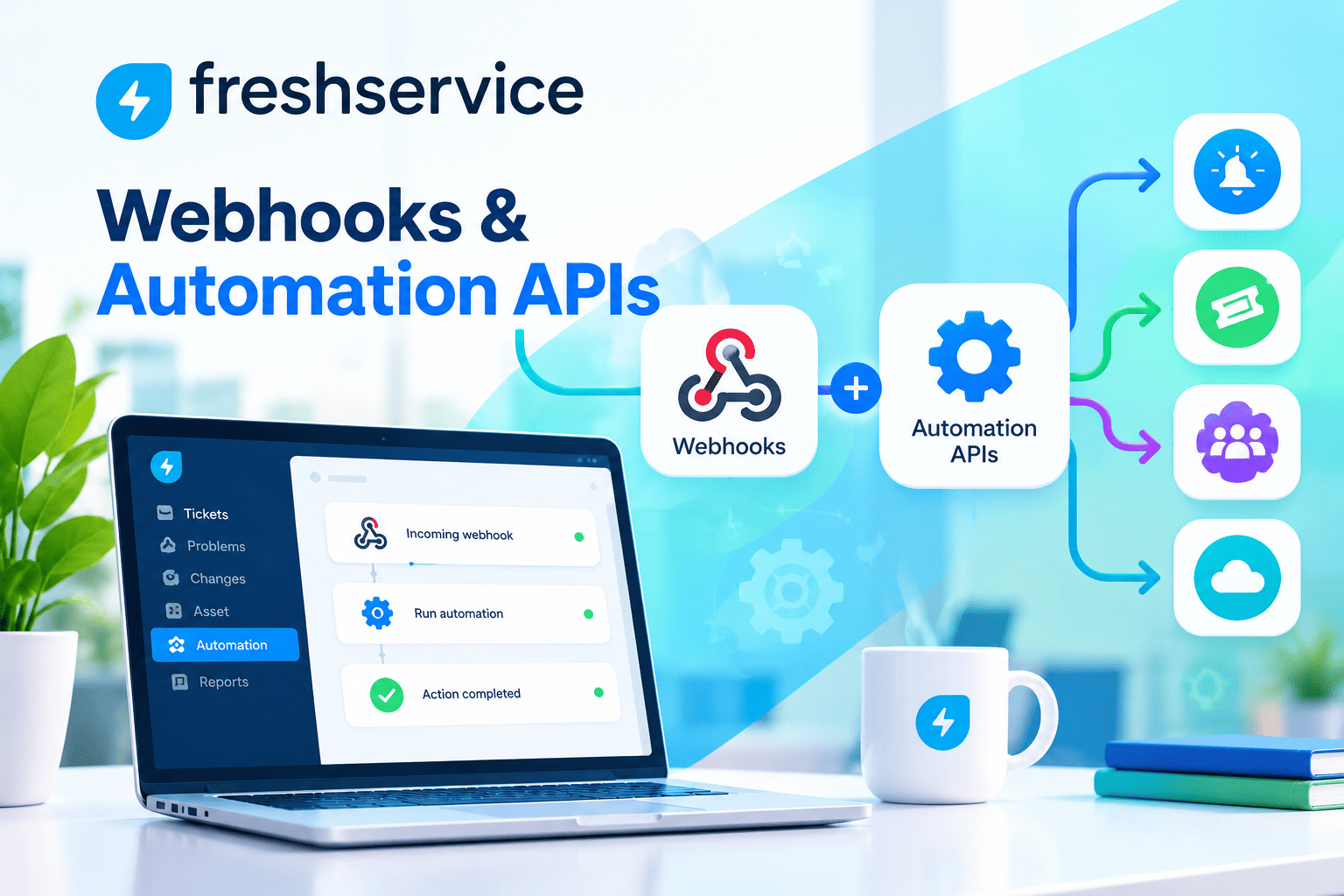
Event-Driven ITSM: How Do You Connect Monitoring Alerts to Automated Ticketing?
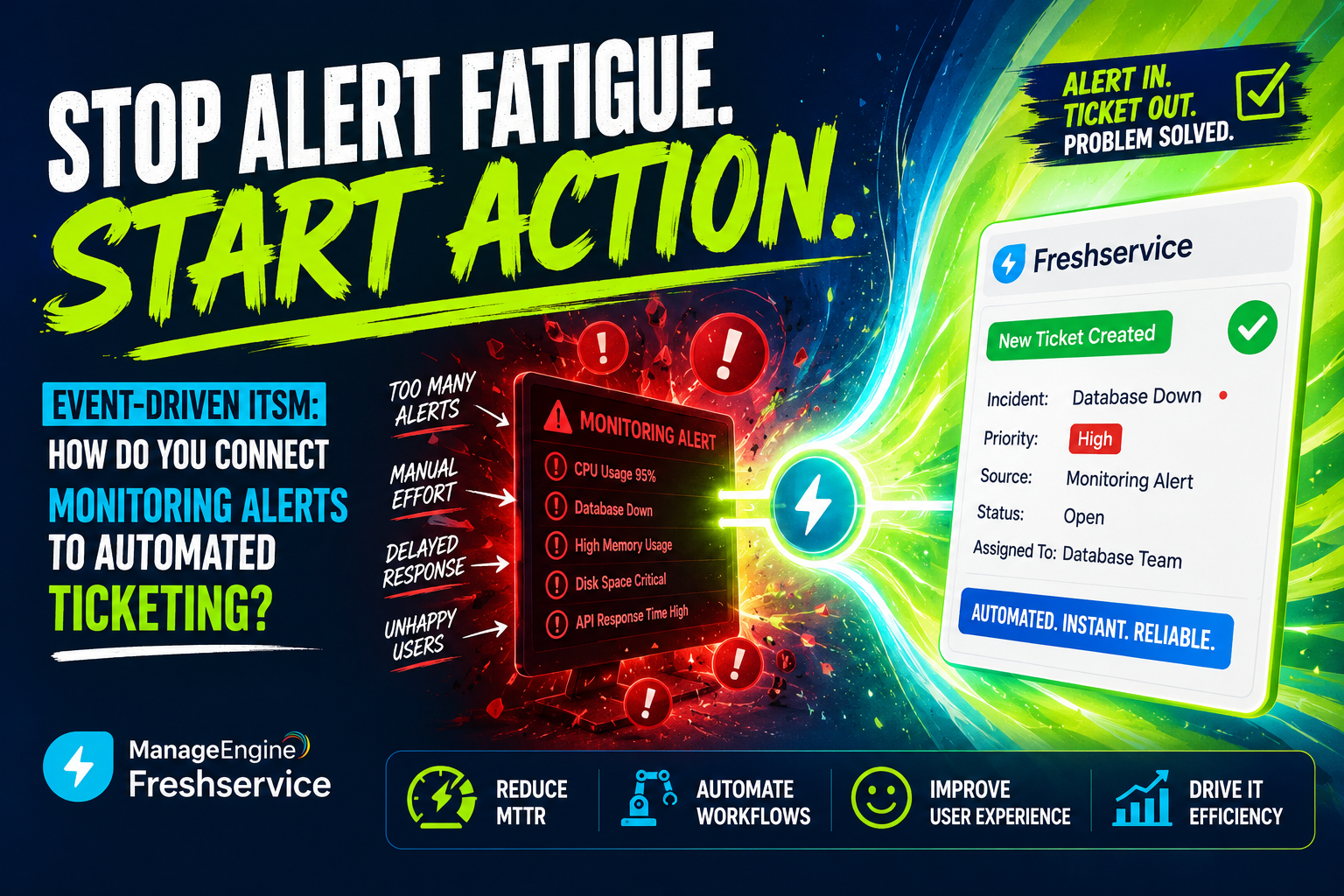
Modern IT environments generate thousands of monitoring alerts every day. Without an intelligent, automated system to convert those alerts into structured IT service management tickets, operations teams drown in noise, miss critical incidents, and waste valuable time on manual triage. Event-driven ITSM solves this problem by building a direct, automated bridge between monitoring infrastructure and ticketing workflows, ensuring that every meaningful alert becomes an actionable ticket — instantly, consistently, and without human intervention.
This approach transforms how IT teams respond to infrastructure events. Instead of reacting manually to alerts scattered across monitoring dashboards, teams work within structured ITSM processes that automatically prioritize, assign, and escalate incidents based on predefined rules. The result is faster resolution times, fewer missed alerts, and dramatically lower operational risk.
Table of contents
Quick Summary: What Will You Learn in This Article?
| Section | Key Takeaway |
|---|---|
| What is Event-Driven ITSM? | Definition, core concepts, and why it matters for modern IT teams |
| How ManageEngine & Freshservice fit in | How both platforms enable alert-to-ticket automation |
| Architecture of event-driven pipelines | Components, data flow, and integration patterns |
| ManageEngine vs Freshservice comparison | Side-by-side feature, pricing, and capability analysis |
| ROI and business impact | Measurable benefits of automated ticketing from monitoring events |
| Solution for Guru partnership benefits | How expert guidance maximizes implementation success |
| FAQs | Answers to the most common questions about event-driven ITSM |
How Do ManageEngine and Freshservice Relate to Event-Driven ITSM?
What Role Does ManageEngine Play in Alert-to-Ticket Automation?

ManageEngine — delivers one of the most comprehensive ITSM suites available, with ServiceDesk Plus at its core. ManageEngine specifically addresses event-driven ITSM through its native integration with OpManager, its enterprise network monitoring platform, and through robust API and webhook capabilities that connect to third-party monitoring tools like Nagios, Zabbix, Datadog, and SolarWinds.
ManageEngine’s approach centers on bidirectional integration. When OpManager detects a network anomaly, server outage, or performance threshold breach, it automatically creates a structured incident ticket in ServiceDesk Plus — complete with device details, alert severity, affected CI (Configuration Item) data from the CMDB, and suggested resolution steps. This tight coupling between monitoring and ITSM eliminates the lag between detection and response that plagues manual workflows.
Furthermore, ManageEngine’s event management rules engine allows ITSM administrators to define sophisticated correlation logic. Rather than creating a ticket for every individual alert, the system groups related alerts from the same incident into a single ticket, dramatically reducing alert noise and preventing duplicate work. This event correlation capability represents one of ManageEngine’s strongest differentiators in the event-driven ITSM space.
How Does Freshservice Enable Automated Ticketing from Monitoring Events?

Freshservice — takes a cloud-native, API-first approach to event-driven ITSM that particularly suits organizations operating modern DevOps and cloud infrastructure environments. Freshservice’s Alerts Management module serves as the central hub for receiving, processing, and converting monitoring events into ITSM tickets automatically.
Freshservice integrates natively with a wide range of monitoring and observability platforms, including AWS CloudWatch, Azure Monitor, Google Cloud Operations, PagerDuty, New Relic, Datadog, and Prometheus. When any connected monitoring tool fires an alert, Freshservice’s alert management engine evaluates the event against configured rules and automatically generates an incident or problem ticket with appropriate priority, assignment group, and linked assets from the Freshservice CMDB.
Additionally, Freshservice leverages Freddy AI, its built-in artificial intelligence engine, to enhance event-driven workflows. Freddy analyzes incoming alert patterns, suggests probable root causes, and recommends assignment to the most capable available agent based on historical resolution data. Consequently, Freshservice not only automates ticket creation but also accelerates resolution by routing incidents intelligently from the moment they appear.
What Exactly Is Event-Driven ITSM and Why Does It Matter?
How Does Traditional ITSM Differ from Event-Driven ITSM?
Traditional ITSM relies heavily on human observation and manual ticket creation. A monitoring tool fires an alert, an operations engineer notices it on a dashboard, evaluates its severity, and manually creates a ticket in the ITSM platform. This process introduces multiple points of delay and inconsistency. Engineers miss alerts during peak alert volumes, prioritize incorrectly under pressure, or create inconsistently formatted tickets that slow down downstream resolution workflows.
Event-driven ITSM eliminates these manual steps entirely. The monitoring platform and the ITSM system communicate directly through APIs, webhooks, or native integrations. When an event meets predefined criteria — a server CPU exceeding 95% for more than five minutes, a network link going down, or a failed deployment triggering error rate spikes — the ITSM system creates a ticket automatically, without any human action required.
| Factor | Traditional ITSM | Event-Driven ITSM |
|---|---|---|
| Ticket creation trigger | Manual — engineer creates the ticket | Automatic — monitoring event triggers creation |
| Detection-to-ticket time | Minutes to hours | Seconds |
| Consistency | Varies by engineer and shift | 100% consistent based on defined rules |
| Alert coverage | Limited by human attention span | Complete — no alert goes unprocessed |
| Noise management | Manual deduplication | Automated correlation and suppression |
| Scalability | Limited by headcount | Scales with infrastructure growth |
| Out-of-hours coverage | Requires on-call rotation | Fully automated, 24/7 |
What Are the Core Components of an Event-Driven ITSM Architecture?
Building an effective event-driven ITSM pipeline requires several interconnected components working in harmony. Understanding each component helps IT leaders design integrations that perform reliably at scale.
- Monitoring & Observability Layer: Tools like Nagios, Zabbix, Datadog, Prometheus, or vendor-native monitors (AWS CloudWatch, Azure Monitor) that continuously observe infrastructure health and fire events when thresholds breach
- Event Ingestion & Normalization: A middleware layer — often the ITSM platform itself or an integration broker like PagerDuty or Zapier — that receives raw events and normalizes them into a consistent schema
- Alert Correlation Engine: Logic that groups related alerts from the same root cause into a single incident, preventing ticket storms during major outages
- ITSM Ticketing Platform: ManageEngine ServiceDesk Plus or Freshservice, which receives normalized events and creates structured tickets with proper priority, category, assignment, and CMDB linkage
- CMDB (Configuration Management Database): The asset repository that links tickets to affected configuration items, enabling impact analysis and change history review
- Automation & Orchestration: Workflow rules that route tickets, notify stakeholders, trigger runbooks, or escalate incidents based on ticket attributes and SLA parameters
- Bi-directional Sync: The ability for the ITSM platform to send status updates back to the monitoring tool, closing alerts when tickets resolve and preventing duplicate reopen cycles
How Do You Build an Alert-to-Ticket Integration Pipeline?
What Integration Patterns Work Best for Event-Driven ITSM?
Organizations implement alert-to-ticket automation through several architectural patterns, each suited to different infrastructure scales and complexity levels. Choosing the right pattern determines how resilient, maintainable, and scalable the integration becomes over time.
| Pattern | Description | Best Suited For |
|---|---|---|
| Direct API Integration | Monitoring tool calls ITSM API directly on each alert | Simple environments, single monitoring tool |
| Webhook Push | Monitoring tool pushes event payload to ITSM webhook endpoint | Cloud-native stacks, fast event volume |
| Message Queue (Kafka/RabbitMQ) | Events queue before reaching ITSM, enabling buffering and replay | High-volume, enterprise-scale environments |
| Integration Platform (iPaaS) | Middleware like Zapier, Workato, or MuleSoft normalizes and routes events | Multi-tool environments needing transformation |
| Native Integration | Built-in connector between monitoring and ITSM (e.g., OpManager + ServiceDesk Plus) | ManageEngine ecosystems, unified vendor stacks |
| SIEM-Mediated | Security events flow through SIEM before reaching ITSM for enrichment | Security-focused operations (SecOps/NOC) |
What Steps Does a Typical Event-to-Ticket Workflow Follow?
Regardless of the integration pattern chosen, the logical workflow that converts a monitoring event into a resolved ITSM ticket follows a consistent sequence. Understanding this sequence helps teams configure ManageEngine and Freshservice correctly from the start.
- Event Detection: The monitoring tool identifies a condition that exceeds a defined threshold (e.g., disk space above 90%, HTTP response time above 2 seconds, service health check failure)
- Event Filtering & Deduplication: The monitoring tool or integration layer suppresses duplicate alerts from the same source within a defined time window to prevent ticket storms
- Event Normalization: The raw alert payload normalizes into a consistent structure containing severity, affected asset, alert description, timestamp, and source system
- Correlation Check: The ITSM platform checks whether an existing open ticket already covers this event; if so, it updates the existing ticket rather than creating a duplicate
- Ticket Creation: If no matching ticket exists, the system creates a new incident with auto-populated fields including priority, category, assignment group, and linked CMDB item
- Notification & Escalation: The assigned team receives instant notification via email, SMS, or collaboration tools like Slack or Microsoft Teams
- Automated Remediation Trigger: Where runbooks exist, the system automatically triggers first-response actions such as service restarts, cache flushes, or scaling events
- Resolution & Sync: When the engineer resolves the ticket, the ITSM platform sends a resolution signal back to the monitoring tool, closing the alert and logging resolution details
How Do ManageEngine and Freshservice Compare for Event-Driven ITSM?

What Are the Core Strengths of Each Platform?
Both ManageEngine ServiceDesk Plus and Freshservice deliver strong event-driven ITSM capabilities, but they target different organizational profiles and technical environments. ManageEngine excels in on-premises and hybrid enterprise environments with complex network monitoring needs. Freshservice thrives in cloud-native, DevOps-oriented organizations that prioritize rapid deployment and AI-assisted workflows.
Understanding the specific strengths of each platform helps organizations make an informed selection based on their infrastructure, team structure, and long-term ITSM strategy.
ManageEngine vs Freshservice: Which Platform Fits Your Needs?
| Feature / Capability |  | |
|---|---|---|
| Deployment model | On-premises, cloud, or hybrid | Cloud-only (SaaS) |
| Native monitoring integration | Deep native integration with OpManager, NetFlow Analyzer | Native integrations with AWS, Azure, GCP, Datadog, New Relic |
| Alert management module | Event management via OpManager bridge; configurable rules | Dedicated Alerts Management module with smart grouping |
| AI/ML capabilities | Zia AI assistant for basic predictions | Freddy AI for smart routing, root cause suggestions, auto-categorization |
| CMDB depth | Comprehensive CMDB with advanced CI relationship mapping | Strong CMDB with visual dependency maps |
| Event correlation | Rule-based correlation via OpManager; suppression policies | AI-assisted correlation and noise reduction |
| Workflow automation | Business rules engine; scripted automation | Visual workflow builder; Orchestration Center for runbooks |
| API & webhook support | REST API; webhook support; ITSM integration suite | REST API; webhooks; 1,000+ app marketplace integrations |
| SLA management | Advanced SLA with multi-level escalations | SLA with business hours, escalation policies |
| Pricing model | Per technician; tiered editions (Standard, Professional, Enterprise) | Per agent; tiered plans (Starter, Growth, Pro, Enterprise) |
| Best for | Enterprise, on-prem/hybrid, network-heavy environments | Cloud-native, DevOps teams, rapidly scaling organizations |
| Ease of setup | Moderate — more configuration required | High — guided setup, intuitive UI |
| Support & community | Extensive documentation; active community forums | Strong support; Freshworks Academy training portal |
Which Platform Handles High-Volume Alert Environments Better?
High-volume alert environments — such as large-scale cloud infrastructure or global network operations centers — stress-test any event-driven ITSM integration. Both ManageEngine and Freshservice address this challenge, but through different mechanisms.
ManageEngine handles high alert volumes primarily through OpManager’s event correlation and suppression rules. Administrators define policies that group alerts by device, CI type, or alert category, preventing ticket floods during major outages. For example, if a core router fails and triggers 200 downstream alerts, OpManager correlates all related events into a single parent incident ticket, while child alerts link as related records. This approach keeps the ITSM environment clean and actionable even during major infrastructure events.
Freshservice addresses high-volume environments through its AI-powered alert grouping within the Alerts Management module. Freddy AI automatically clusters alerts that share probable root causes, learns from historical incident patterns, and reduces noise intelligently without requiring administrators to manually define every correlation rule. This machine-learning approach particularly benefits organizations whose alert patterns evolve rapidly as infrastructure scales.
What Business Benefits Does Event-Driven ITSM Deliver?

How Does Automation Improve Incident Response Times?
Incident response time represents one of the most critical KPIs in IT operations. Every minute an incident goes unaddressed increases the blast radius — more users affected, more revenue lost, and more reputational damage accumulated. Event-driven ITSM directly attacks this problem by compressing the time between event detection and ticket creation from minutes or hours to seconds.
Research from Gartner indicates that IT downtime costs enterprises an average of $5,600 per minute. Even modest improvements in mean time to detect (MTTD) and mean time to respond (MTTR) translate directly into significant financial savings. Organizations that implement event-driven ITSM with platforms like ManageEngine or Freshservice consistently report MTTR reductions of 30 to 60 percent within the first six months of deployment.
| KPI | Before Event-Driven ITSM | After Event-Driven ITSM | Typical Improvement |
|---|---|---|---|
| Mean Time to Detect (MTTD) | 5 – 30 minutes | Under 60 seconds | 80 – 97% reduction |
| Mean Time to Respond (MTTR) | 2 – 8 hours | 30 – 90 minutes | 40 – 75% reduction |
| Alert-to-ticket conversion rate | 60 – 75% | 99 – 100% | Near-complete coverage |
| Duplicate tickets per incident | 3 – 10 duplicates | 0 – 1 per event | 90 – 100% reduction |
| After-hours incident coverage | Dependent on on-call staff | Full automation, 24/7 | 100% coverage |
| Engineer time on manual triage | 4 – 8 hours/day | Under 30 minutes/day | 85 – 95% reduction |
How Does Event-Driven ITSM Support Proactive Problem Management?
Beyond reactive incident management, event-driven ITSM enables proactive problem management — identifying and resolving underlying root causes before they generate repeated incidents. Both ManageEngine and Freshservice support this by maintaining historical records of all auto-created incident tickets, enabling problem managers to analyze patterns and identify recurring failure points.
ManageEngine’s reporting engine lets problem managers query incident history by CI, alert type, time period, and resolution category. When the same configuration item generates five incidents in a week, the system flags it for problem investigation, and the problem manager opens a linked problem record with full incident history attached. This workflow prevents the same issue from recurring indefinitely, progressively improving infrastructure stability.
Freshservice enhances this capability with Freddy AI’s predictive analytics, which proactively suggests problem records when incident clustering patterns suggest a common root cause. Additionally, Freshservice’s change management module integrates directly with problem records, allowing teams to plan, approve, and implement infrastructure changes that address root causes — all within the same ITSM platform.
Why Does Expert Implementation Make the Difference in Event-Driven ITSM Success?
What Challenges Do Teams Face When Implementing Event-Driven ITSM Without Guidance?
Implementing event-driven ITSM independently exposes organizations to several costly pitfalls that erode the value of their platform investment. The most common challenge involves alert noise management. Without proper correlation and suppression rules configured from the start, automated ticketing generates overwhelming alert storms during major incidents. Instead of reducing workload, a poorly configured system creates more tickets than engineers processed manually — defeating the entire purpose of automation.
Additionally, CMDB accuracy presents a persistent challenge. Event-driven ticketing only delivers its full value when tickets link correctly to affected configuration items. If the CMDB contains outdated or incomplete asset records, auto-created tickets attach to wrong CIs or fail to populate asset fields entirely, forcing engineers to manually investigate relationships that the system should handle automatically.
Furthermore, integration architecture decisions made early in implementation determine long-term scalability. Teams that connect monitoring tools directly to ITSM platforms without considering event volume, deduplication logic, or failover handling create brittle pipelines that break under load or generate massive duplicate ticket backlogs during major outages.
How Does Solution for Guru Help Organizations Implement Event-Driven ITSM Successfully?

Solution for Guru — brings specialized expertise in ManageEngine and Freshservice implementations that directly addresses the most common pitfalls of event-driven ITSM deployment. Rather than offering generic IT consulting, Solution for Guru focuses specifically on ITSM platform optimization, which means their team understands the precise configuration decisions that separate high-performing automated ticketing systems from noisy, unreliable ones.
Partnering with Solution for Guru delivers measurable advantages throughout the implementation lifecycle:
- Platform Selection Advisory: Solution for Guru analysts assess your infrastructure environment, team structure, monitoring tool stack, and long-term ITSM goals to recommend whether ManageEngine or Freshservice better fits your specific context — removing guesswork and protecting budget
- Monitoring Integration Architecture: Their specialists design the event ingestion pipeline, defining which monitoring events trigger ticket creation, which suppression rules prevent alert storms, and how correlation logic groups related events into parent incidents
- CMDB Population & Maintenance: Solution for Guru manages CMDB build-out and ongoing accuracy, ensuring that auto-created tickets always link to correct, current configuration items — which is the foundation of effective event-driven ITSM
- Correlation Rule Configuration: Their team configures sophisticated event correlation rules in ManageEngine or Freshservice that reduce noise by 70-90%, ensuring engineers receive focused, actionable tickets rather than raw alert floods
- Workflow Automation Design: Solution for Guru designs end-to-end automation workflows — from initial alert receipt through assignment, escalation, runbook triggering, and resolution sync back to the monitoring tool
- Training & Adoption Programs: They deliver role-specific training for administrators, tier-1 engineers, and problem managers, ensuring teams fully leverage automation capabilities rather than reverting to manual workarounds
- Ongoing Optimization & Support: As infrastructure evolves and alert patterns change, Solution for Guru provides continuous tuning services that keep event-driven workflows performing at peak efficiency
Solution for Guru Service
| Solution for Guru Service | What It Delivers | Impact on Event-Driven ITSM |
|---|---|---|
| Platform selection advisory | Data-driven ManageEngine vs Freshservice recommendation | Right platform chosen from day one |
| Integration architecture design | Scalable, resilient event-to-ticket pipeline | Zero ticket storms, reliable automation |
| CMDB build & management | Accurate, current CI records | Tickets always link to correct assets |
| Correlation rule configuration | Smart alert grouping and suppression | 70 – 90% noise reduction |
| Workflow automation design | End-to-end incident lifecycle automation | MTTR reduced by 40 – 75% |
| Training & adoption programs | Role-based platform enablement | High adoption, full feature utilization |
| Ongoing optimization | Continuous tuning as infrastructure evolves | Sustained performance over time |
What Are the Key Conclusions About Event-Driven ITSM?
Event-driven ITSM represents a fundamental shift in how IT operations teams manage infrastructure incidents. By connecting monitoring platforms directly to ITSM ticketing systems, organizations eliminate the manual detection-to-response lag that allows incidents to escalate unnecessarily. The result is faster mean time to detect, faster mean time to resolve, and dramatically lower operational risk across the entire infrastructure estate.
ManageEngine ServiceDesk Plus and Freshservice both deliver compelling event-driven ITSM capabilities, but they serve different organizational profiles. ManageEngine excels in enterprise environments with complex on-premises or hybrid infrastructure and deep network monitoring requirements, particularly when organizations already use the ManageEngine ecosystem. Freshservice excels in cloud-native, DevOps-oriented organizations that prioritize AI-assisted workflows, rapid deployment, and seamless integration with modern cloud monitoring platforms.
The data consistently supports investment in event-driven automation. Organizations that implement properly configured alert-to-ticket pipelines see MTTR reductions of 40 to 75 percent, near-complete alert coverage, and substantial reductions in engineer time spent on manual triage. These improvements compound over time as teams refine correlation rules, expand automation coverage, and leverage problem management insights to prevent recurring incidents.
However, the technical complexity of building resilient, noise-managed event-driven pipelines makes expert implementation guidance essential. Solution4Guru’s deep specialization in ManageEngine and Freshservice ensures that organizations navigate platform selection, CMDB accuracy, correlation configuration, and workflow design correctly from the start — protecting their investment and accelerating time to value. When you combine the right ITSM platform with expert implementation, event-driven ITSM delivers a transformative improvement in IT operational excellence.
Frequently Asked Questions
Yes, both ManageEngine and Freshservice support simultaneous integration with multiple monitoring tools. Most enterprises run several monitoring platforms in parallel — for example, Datadog for application performance monitoring, Nagios for infrastructure health, and AWS CloudWatch for cloud services. Both ITSM platforms accept events from all these sources through their API and webhook endpoints, normalizing events from different schemas into a consistent ticket format. The key configuration challenge involves deduplification — ensuring that the same underlying incident reported by multiple monitoring tools creates a single ticket rather than duplicates.
Alert storms — where a single major incident triggers hundreds or thousands of individual monitoring alerts — represent the most serious noise management challenge in event-driven ITSM. ManageEngine addresses this through OpManager’s event suppression and correlation rules, which group alerts by root CI, network segment, or alert type into a single parent incident ticket. Freshservice uses its AI-powered Alerts Management module to automatically cluster related alerts using machine learning models trained on historical incident patterns. Both approaches significantly reduce ticket volume during major outages, but the configuration sophistication required differs. ManageEngine’s rule-based approach gives administrators precise control but requires extensive upfront configuration. Freshservice’s AI-assisted approach reduces configuration burden but requires historical data to train the correlation models effectively.
Recommended:
- Integrating Monitoring Tools with ManageEngine or Freshservice for Proactive Support
- Freshservice Asset Management vs ManageEngine Asset Discovery
- On-Premise vs Cloud ITSM: Choosing Between ManageEngine and Freshservice Architectures
- Freshservice for Internal IT Support: What Problems Does It Solve?
- How Does Freshservice Simplify IT Service Management for Modern Organizations?
- How Do Businesses Integrate Slack and Microsoft Teams with ITSM Platforms?
- Automating Software License Tracking with ITSM Solutions: How Can You Take Control?
- Best Microsoft 365 Integrations for ManageEngine and Freshservice
- Integrating Endpoint Management Tools with ITSM Systems
- Aligning ITSM Processes with ISO 20000 Standards
- How Long Does an ITSM Implementation Really Take? Key Factors Explained
- ManageEngine vs Freshservice
- Top ITSM Best Practices Using ManageEngine
- Improving IT Governance and Compliance with ManageEngine ITSM
- Cloud vs On-Premise ManageEngine ITSM: Which Should You Choose?
- Integrating ManageEngine with Microsoft 365