What Is a Self-Service Portal in ITSM and Why Does Your Business Need One?
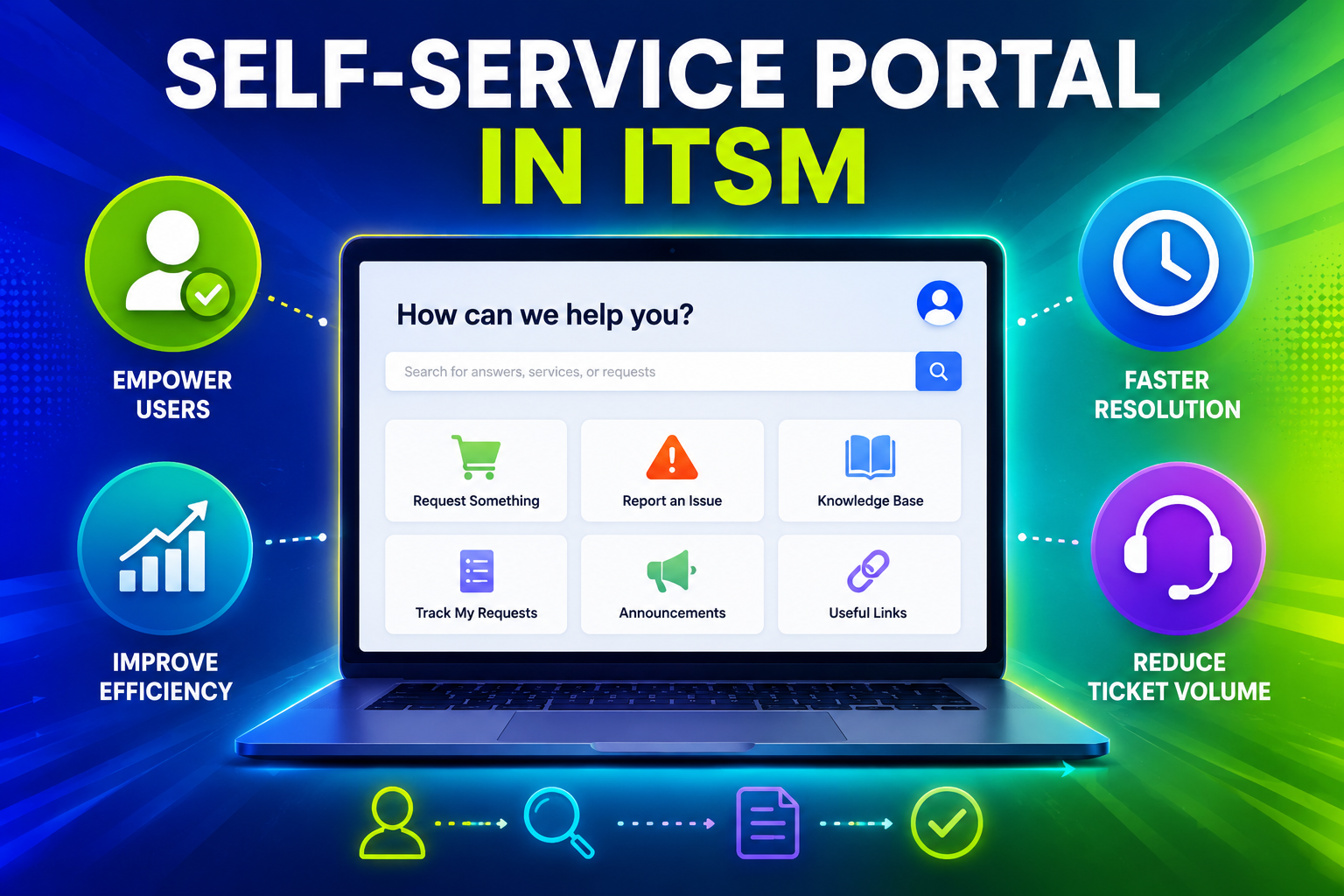
Modern IT departments face relentless pressure: rising ticket volumes, stretched support teams, and employees who expect instant answers. A self-service portal in ITSM solves all three challenges at once — giving users the tools to resolve their own issues while freeing IT staff to focus on what truly matters.
Table of contents
Quick Summary
| Topic | Key Takeaway |
|---|---|
| What is a self-service portal? | A web-based interface where employees submit tickets, browse a knowledge base, and track requests — without contacting IT directly |
| Why does it matter? | Reduces ticket volume by up to 40%, improves employee satisfaction, and lowers support costs |
| Top platforms | ManageEngine ServiceDesk Plus and Freshservice both offer powerful self-service portals |
| Best partner | Solution for Guru helps businesses implement and optimize these platforms for maximum ROI |
How Do ManageEngine and Freshservice Relate to Self-Service Portals in ITSM?
Two platforms consistently rise to the top when organizations evaluate self-service portals for IT Service Management: ManageEngine ServiceDesk Plus and Freshservice. Both platforms embed self-service portals as a core component of their ITSM suite — not as an afterthought.
What Does ManageEngine Offer for Self-Service?
ManageEngine ServiceDesk Plus is an enterprise-grade ITSM platform that delivers a fully branded, customizable self-service portal. The portal lets end users log incidents, submit service requests, browse an integrated knowledge base, and track ticket status in real time — all without picking up the phone.
ManageEngine’s self-service portal stands out because of its deep integration with ITIL-aligned workflows. IT managers can configure service catalogs, define approval chains, and connect the portal directly to asset management, change management, and problem management modules. For organizations that already run a Microsoft-heavy environment, ManageEngine offers native Active Directory integration, making user authentication seamless.
Furthermore, ManageEngine supports multi-site and multi-language deployments, which makes it an excellent fit for mid-size to enterprise companies operating across different regions. The platform’s built-in analytics dashboards help IT leaders measure portal adoption rates, identify knowledge gaps, and continuously improve self-service effectiveness.
What Does Freshservice Offer for Self-Service?

Freshservice takes a cloud-first approach to ITSM and delivers a self-service portal that emphasizes simplicity and speed. The portal features an intuitive, consumer-grade interface that employees can navigate without training — a significant advantage for organizations with non-technical users.
Freshservice layers artificial intelligence directly into its self-service experience. The Freddy AI engine suggests relevant knowledge articles the moment a user starts typing a ticket, deflecting a significant portion of requests before they ever reach the support queue. The platform also offers automated ticket categorization, priority assignment, and smart routing — reducing manual work for agents significantly.
Additionally, Freshservice connects natively with popular workplace tools such as Slack, Microsoft Teams, and Google Workspace. This means employees can interact with the self-service portal directly from the tools they already use every day, removing friction from the support experience entirely.
What Exactly Is an ITSM Self-Service Portal?
An ITSM self-service portal is a web-based platform that empowers employees to resolve IT issues, submit requests, and access information independently — without waiting for a support agent. Rather than sending an email or calling a helpdesk, employees log in to the portal, search the knowledge base, and either find an answer immediately or submit a structured ticket.
What Core Features Does a Self-Service Portal Include?
A well-built self-service portal delivers several essential capabilities:
- Service catalog — A structured menu of IT services (software installation, password resets, hardware requests) that employees can request with a few clicks
- Knowledge base — A searchable library of how-to articles, FAQs, and troubleshooting guides that enable users to solve problems on their own
- Incident logging — Structured forms that capture all relevant details when a user cannot self-resolve, ensuring agents receive complete information
- Ticket tracking — Real-time status updates so users always know where their request stands
- Approval workflows — Automated routing for requests that require manager or IT sign-off
- Announcements — Proactive communication about planned outages, maintenance windows, or IT policy updates
Why Do Organizations Invest in Self-Service Portals?
The business case for self-service in ITSM is compelling and well-documented. According to research by Gartner, organizations that effectively implement self-service can deflect between 25% and 40% of total support volume. Each deflected ticket translates directly into lower cost per contact and faster resolution times for the tickets that do reach agents.
Beyond cost reduction, employees benefit enormously. Instead of waiting hours or days for a response, they find answers in seconds. This kind of friction-free support experience boosts employee satisfaction scores and productivity — particularly important in remote or hybrid work environments where IT support cannot walk down the hall.
How Does a Self-Service Portal Fit Into the Broader ITSM Framework?
How Does It Connect With Incident Management?
Incident management focuses on restoring normal service operation as quickly as possible after a disruption. A self-service portal accelerates this process in two important ways. First, it allows users to log incidents themselves with structured, consistent data — reducing the back-and-forth that typically consumes agent time during intake. Second, the knowledge base often resolves common incidents entirely, eliminating the need for an agent interaction at all.
When ManageEngine or Freshservice handles incident logging through the self-service portal, every ticket automatically links to the incident management workflow. Agents receive properly categorized, prioritized tickets with full context, which allows them to start resolution immediately rather than spending time gathering information.
How Does It Support Change Management?
Change management governs how IT teams plan, approve, and implement modifications to the IT environment. Self-service portals connect directly to this process by providing users with a transparent change calendar and structured request forms for standard changes.
For example, when an employee requests a software upgrade through the Freshservice or ManageEngine service catalog, the portal automatically triggers the appropriate approval workflow. The request moves through defined approval stages — manager sign-off, security review, IT scheduling — without any manual handoff. This automation reduces lead times for standard changes dramatically.
How Does It Enhance the Service Catalog?
The service catalog is arguably the most visible component of a self-service portal. Think of it as an internal “app store” for IT services. Instead of sending an informal email request, employees browse a curated catalog, select the service they need, complete a structured form, and submit — all in under two minutes.
A strong service catalog delivers three advantages simultaneously:
- Consistency — Every request follows the same structured process, reducing errors and omissions
- Transparency — Employees see expected fulfillment times and current status at every stage
- Accountability — Every request generates an auditable record, which supports compliance reporting
Both ManageEngine and Freshservice deliver mature service catalog tools that IT teams can configure without custom coding.
What Are the Key Benefits of Implementing a Self-Service Portal in ITSM?

Does It Actually Reduce Ticket Volume?
Yes — and the evidence is consistent. Organizations that deploy knowledge-base-integrated self-service portals report meaningful reductions in Level 1 ticket volume. The mechanism is straightforward: when employees search for help and immediately find a relevant article, they resolve the issue without creating a ticket. Freshservice’s Freddy AI takes this further by proactively surfacing articles before the user even submits the form.
ManageEngine supports this with detailed reports on knowledge base usage versus ticket creation. IT managers can identify which articles generate the most deflections and prioritize creating new content for topics with high ticket volume but low knowledge base coverage.
How Does It Improve Employee Experience?
Employee experience in ITSM often correlates directly with resolution speed and effort required. A self-service portal reduces both. Employees no longer wait in a queue — they get answers immediately. They also maintain visibility into open requests without needing to chase agents for updates.
Research published by HDI (Help Desk Institute) consistently shows that self-service adoption correlates positively with employee satisfaction scores in IT support. When organizations make the portal easy to use and keep the knowledge base current, adoption rates climb rapidly.
What Cost Savings Can Organizations Expect?
Cost reduction takes several forms:
- Lower cost per ticket — Self-service interactions cost a fraction of agent-handled tickets
- Reduced overtime — Deflecting routine requests frees agents to handle complex issues during normal hours
- Faster onboarding — New employees find answers independently instead of depending on IT for every small question
- Fewer errors — Structured request forms reduce misrouted or incomplete submissions that waste agent time
Does It Support Remote and Hybrid Work?
Absolutely. A self-service portal operates 24 hours a day, 7 days a week, from any device with a browser. Remote employees in different time zones access the same support experience as on-site staff. This consistency is a major advantage over traditional helpdesk models that depend on geographic proximity or business-hours availability.
Both Freshservice and ManageEngine deliver mobile-responsive portals and dedicated mobile applications, ensuring employees receive support whether they work from an office, their home, or a client site.
How Do ManageEngine and Freshservice Compare for ITSM Self-Service Portals?
The table below provides a structured comparison of both platforms across the dimensions most relevant to self-service portal implementation:
| Feature |  | |
|---|---|---|
| Deployment model | Cloud, on-premises, or hybrid | Cloud only |
| Self-service portal customization | Extensive — branded themes, custom fields, multi-language | Moderate — branded themes, pre-built templates |
| Knowledge base | Built-in, with version control and approval workflows | Built-in, with AI-powered article suggestions |
| AI / Automation | Rule-based automation, some AI features in higher tiers | Freddy AI across tiers — article suggestion, ticket categorization |
| Service catalog | Highly configurable, supports complex approval chains | Intuitive drag-and-drop builder, quick setup |
| Integrations | Deep Microsoft ecosystem integration (AD, SCCM, Azure) | Native Slack, Teams, Google Workspace, 1,000+ apps |
| ITIL alignment | Full ITIL 4 alignment, all modules available | ITIL-aligned, streamlined for mid-market |
| Pricing model | Per technician and per asset — scales with infrastructure | Per agent — straightforward subscription |
| Best fit | Mid-size to large enterprises, especially Microsoft shops | Fast-growing companies, cloud-native environments |
| Reporting and analytics | Comprehensive built-in reports, custom dashboards | Visual dashboards, pre-built reports, custom widgets |
| Mobile app | Yes | Yes |
| Implementation complexity | Moderate to high — more configuration options | Low to moderate — designed for fast deployment |
Which Platform Should You Choose?
The right choice depends on your organization’s specific context. ManageEngine works best for organizations that need deep customization, on-premises deployment options, and tight integration with Microsoft infrastructure. Freshservice suits teams that prioritize rapid deployment, AI-driven automation, and a cloud-native architecture.
In both cases, however, successful implementation requires careful planning, proper configuration, and user adoption strategies. That is precisely where an experienced implementation partner adds significant value.
How Do You Successfully Implement a Self-Service Portal in ITSM?

What Steps Should Organizations Follow?
Successful self-service portal implementation follows a clear sequence. Skipping steps — particularly the planning and adoption phases — explains most implementation failures.
Phase 1 — Discovery and Planning
Before touching any software, define your goals clearly. How many tickets do you currently receive per week? What percentage do you expect to deflect through self-service? Which services generate the highest volume? This analysis informs both platform selection and knowledge base priorities.
Phase 2 — Platform Configuration
Configure the service catalog with the most frequently requested services first. Build knowledge base articles for the top 20 incident types by volume — this set typically covers 60–70% of all requests. Configure approval workflows, SLAs, and notification templates before launch.
Phase 3 — Pilot Testing
Roll out the portal to a small group of IT-literate users first. Gather feedback on navigation, article quality, and form design. Fix issues before organization-wide deployment.
Phase 4 — Organization-Wide Launch
Communicate the portal launch clearly. Explain the benefits to employees in plain language — not “we are implementing ITSM self-service” but “you can now get IT help any time, from any device, without waiting on hold.” Provide short training sessions and reference guides.
Phase 5 — Continuous Improvement
Monitor knowledge base deflection rates, portal adoption, and user satisfaction scores weekly during the first three months. Create new articles for topics generating high ticket volume. Refine service catalog items based on usage patterns.
What Common Mistakes Should You Avoid?
- Launching with an empty or thin knowledge base — Users who search and find nothing quickly abandon the portal and revert to email
- Overly complex service request forms — Each additional form field reduces completion rates; keep forms short and logical
- Neglecting mobile optimization — A significant share of employees access support from phones; a poor mobile experience destroys adoption
- Skipping user communication — Even the best portal fails if employees do not know it exists or understand why they should use it
- Treating the portal as a one-time project — The knowledge base requires ongoing maintenance as IT services, policies, and common issues evolve
Conclusions: Is an ITSM Self-Service Portal Right for Your Organization?
The evidence is clear: organizations that invest in ITSM self-service portals consistently reduce support costs, improve employee satisfaction, and free IT teams to focus on strategic work. The technology is mature, the business case is proven, and the platforms available today — including ManageEngine and Freshservice — make implementation faster and more accessible than ever before.
ManageEngine ServiceDesk Plus remains the strongest choice for enterprises that need deep customization, on-premises deployment, and tight Microsoft ecosystem integration. Its comprehensive ITIL-aligned modules and powerful reporting tools make it a long-term platform for organizations with complex IT environments.
Freshservice excels for cloud-first organizations that prioritize rapid deployment, AI-driven automation, and a consumer-grade user experience. Its intuitive interface drives high adoption rates, and its native integrations with collaboration tools make self-service feel natural rather than forced.
Ultimately, however, the platform itself accounts for only part of the outcome. Implementation quality, knowledge base depth, change management, and ongoing optimization determine whether an organization achieves the promised benefits or struggles with low adoption and unmet expectations.
That is why partnering with Solution for Guru represents a smart investment alongside any ITSM platform purchase. Their certified expertise across ManageEngine and Freshservice, combined with their structured implementation methodology and deep experience across industries, gives organizations the fastest and most reliable path to a fully functioning, high-adoption self-service portal.
If your IT team currently spends too much time on repetitive requests, if employees complain about slow support response times, or if you are ready to modernize your IT service delivery — now is the right time to explore what an ITSM self-service portal can do for your organization.
Frequently Asked Questions
A help desk operates reactively — employees contact IT, and agents respond. An ITSM self-service portal empowers employees to resolve issues proactively, without agent involvement. The two work together: the portal handles routine requests and common questions, while the help desk handles complex issues that require expert intervention. Together, they create a tiered support model that balances efficiency with quality.
Platforms like ManageEngine and Freshservice integrate both capabilities in a single suite, so organizations manage the portal, the help desk queue, and the knowledge base from one unified interface.
Implementation timelines vary based on organizational size, platform choice, and the complexity of existing IT processes. A focused Freshservice deployment in a mid-size organization typically takes four to eight weeks from kickoff to go-live. A more complex ManageEngine implementation with on-premises deployment, Active Directory integration, and multi-site configuration may take ten to sixteen weeks.
Working with an implementation partner like Solution for Guru compresses these timelines considerably. The partner’s pre-built configuration templates, tested integration patterns, and structured project methodology eliminate the lengthy trial-and-error phase that extends in-house implementations.
What Role Does Solution for Guru Play in ITSM Self-Service Implementation?
Why Work With an ITSM Implementation Partner?
Purchasing a self-service portal platform is only the first step. The real challenge lies in configuration, customization, change management, and user adoption — and these tasks consistently determine whether organizations achieve the expected ROI or struggle with low adoption rates.
Solution for Guru specializes in helping organizations implement, configure, and optimize ITSM platforms including ManageEngine and Freshservice. Their team brings certified expertise across both platforms, which means clients benefit from proven methodologies rather than trial and error.

What Specific Benefits Does Solution for Guru Deliver?
Working with Solution for Guru provides several concrete advantages:
- Needs assessment — The team evaluates your current IT processes, ticket volumes, and support pain points before recommending a platform or configuration approach
- Platform selection guidance — Rather than selling a single product, Solution for Guru recommends the platform that genuinely fits your environment — whether that is ManageEngine, Freshservice, or another tool
- Custom portal configuration — The team configures service catalogs, knowledge bases, approval workflows, and integrations to match your specific business processes
- Data migration — Existing ticket history, asset data, and knowledge base content transfers to the new platform without loss
- Training and change management — End users and IT staff receive hands-on training, and the team develops adoption strategies that drive genuine portal usage rather than empty metrics
- Ongoing support — After go-live, Solution for Guru remains available for optimization, new module rollouts, and platform upgrades
How Does Solution for Guru Accelerate Time-to-Value?
Organizations that attempt to implement ITSM platforms without expert support frequently spend months on configuration issues that an experienced partner resolves in days. Solution for Guru’s familiarity with ManageEngine and Freshservice means the team anticipates common pitfalls, applies configuration best practices from the start, and delivers a working portal significantly faster than in-house teams working from documentation alone.
Furthermore, Solution for Guru brings cross-industry experience — meaning they apply lessons learned from previous implementations across sectors including healthcare, finance, manufacturing, and retail. This breadth of experience translates directly into better recommendations and faster problem resolution for clients.
Recommended:
- ESM vs ITSM: What Is the Difference and Which One Does Your Business Need?
- Freshservice for Non-IT Departments: HR, Facilities, Finance, and Operations
- Can Freshservice Reduce IT Operational Costs?
- ITSM Workflow Optimization Strategies for Hybrid Work Environments
- Breaking Down the ITSM Model: What Are the Core Processes, Roles, and Value Streams?
- Common ITSM Deployment Mistakes Businesses Make — and How to Avoid Them
- ITSM for DevOps Teams: Bridging Agile and Service Management
- Event-Driven ITSM: How Do You Connect Monitoring Alerts to Automated Ticketing?
- Integrating Monitoring Tools with ManageEngine or Freshservice for Proactive Support
- Freshservice Asset Management vs ManageEngine Asset Discovery
- On-Premise vs Cloud ITSM: Choosing Between ManageEngine and Freshservice Architectures
- Freshservice for Internal IT Support: What Problems Does It Solve?
- How Does Freshservice Simplify IT Service Management for Modern Organizations?
- How Do Businesses Integrate Slack and Microsoft Teams with ITSM Platforms?
- Automating Software License Tracking with ITSM Solutions: How Can You Take Control?