How Self-Service Portals Improve Employee Experience in Freshservice
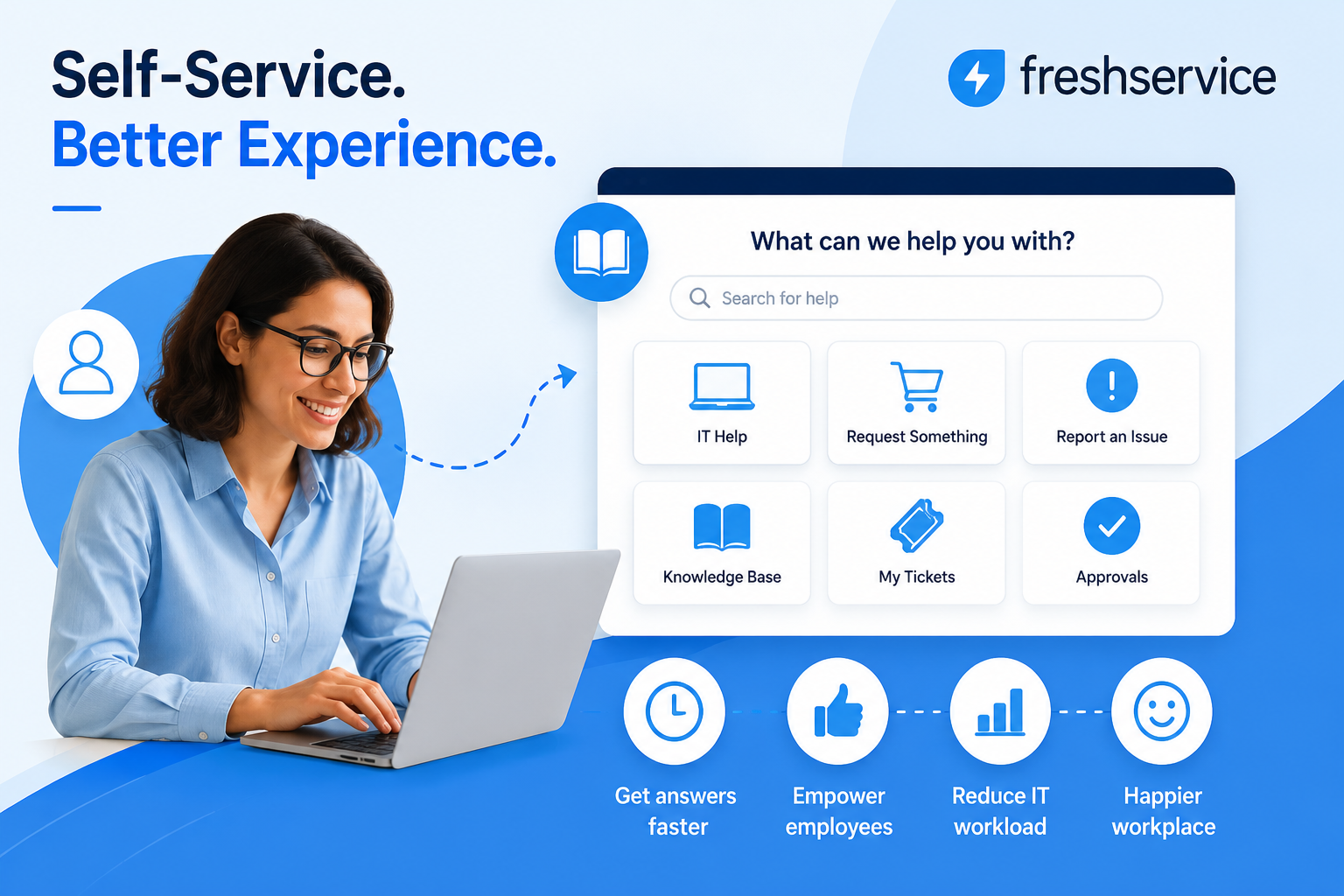
Employees rarely enjoy filing a ticket and then waiting for a reply that may not arrive until the next business day. Consequently, small IT requests, like a password reset or a new software license, end up competing with major incidents for the same overworked support queue, and morale quietly erodes every time a simple task takes days instead of minutes. A self-service portal changes that dynamic by giving employees a place to find answers and request help on their own, at any hour, without waiting on an agent. Freshservice builds this capability directly into its ITSM platform, and this article explains how its self-service portal actually improves the day-to-day employee experience, what features drive that improvement, which metrics prove it is working, and how businesses can roll one out successfully.
Table of contents
Quick Summary
Before diving into the details, here is the short version of what this article covers and why it matters for any organization evaluating self-service.
- A self-service portal gives employees a single place to raise tickets, browse a service catalog, and search a knowledge base without contacting IT directly.
- Freshservice combines a support portal, searchable knowledge base, and standardized service catalog with Freddy AI to deflect routine requests before they become tickets.
- Employees benefit from 24/7 availability, real-time ticket tracking, and faster resolution of common requests.
- IT teams benefit from a lighter ticket queue, freeing agents to focus on complex issues instead of repetitive password resets or access requests.
- A successful rollout depends on understanding actual employee pain points, testing the mobile experience, and integrating identity and communication tools rather than launching the portal in isolation.
How Does Freshservice’s Self-Service Portal Work?
What is the Freshservice self-service portal, exactly?
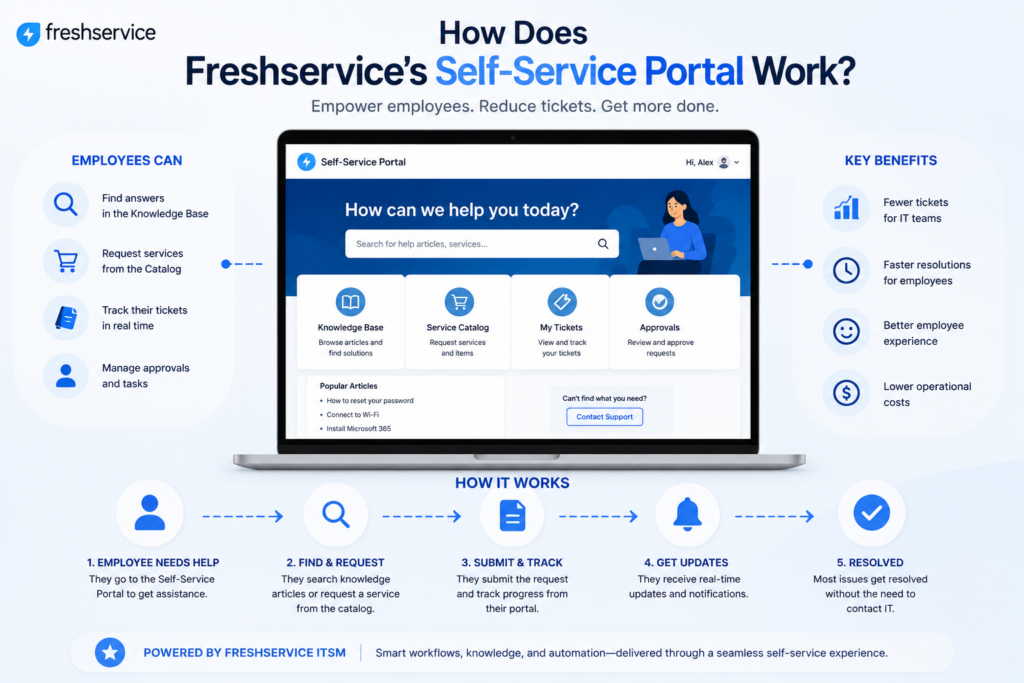
At its core, the Freshservice self-service portal is a centralized hub where employees can find answers, request services, and track their tickets without contacting IT directly. It functions as the front door to the IT department, except it stays open around the clock and does not require a person to staff it. Employees reach the portal through a browser, a mobile app, or channels such as Slack and Microsoft Teams, and from there they can search for help, submit a request, or check on something they already reported.
Because the portal consolidates several previously separate tools into one interface, employees no longer need to remember which system handles which type of request. A single search bar, positioned at the top of the portal, spans the knowledge base, service catalog, and past tickets simultaneously, so an employee typing a vague description of their problem is likely to land on the right answer or form without needing to know Freshservice’s internal categories in advance.
Which core components make up the portal?
- Knowledge base: a searchable library of help articles and troubleshooting guides, supported by smart-suggest so employees see relevant answers as they type.
- Service catalog: a shopping-like experience where employees browse and request standardized IT services, from software installs to new equipment.
- Ticket tracking: real-time status updates so employees see progress without needing to email and ask, “where’s my ticket?”
- Freddy AI virtual agent: an AI layer that answers routine questions and can deflect a request before it ever becomes a ticket.
Together, these components turn what used to be a purely reactive support model into something employees can navigate on their own terms, which is exactly why the portal has become central to how Freshservice frames the modern employee experience. None of the four pieces works especially well in isolation; it is the combination of a searchable knowledge base, a structured catalog, transparent tracking, and an AI layer that produces a genuinely different experience compared with a bare-bones ticketing form.
Why Does Self-Service Directly Improve Employee Experience?

How does 24/7 availability change employee expectations?
Traditional support desks operate on business hours, but employees do not always run into problems during those hours. Someone working late on a proposal or logging in from a different time zone still needs a way to reset a password or request access. Because the portal is available at any time, employees no longer have to wait until the next morning for something that a self-service flow can resolve in minutes. Over time, this availability shapes expectations: employees start to assume that routine requests will be quick, and that assumption alone reduces the frustration that used to build up around IT support.
How does faster resolution affect day-to-day productivity?
When an employee can find an answer in the knowledge base or submit a catalog request in under a minute, they lose far less time than they would waiting in an email thread. Multiplied across an organization with hundreds or thousands of employees, this time savings adds up quickly, and it is one of the more measurable ways self-service improves the broader employee experience rather than simply the IT experience.
How does visibility into ticket status reduce frustration?
Uncertainty is often more frustrating than the wait itself. An employee who has no idea whether their request was received, ignored, or already in progress tends to send a follow-up email out of anxiety rather than genuine need, which adds noise to an already busy queue. Because the Freshservice portal shows real-time status on every open ticket, employees can simply check the portal instead of guessing, which removes a significant source of everyday frustration even when the underlying issue takes time to resolve.
What Specific Freshservice Features Drive a Better Experience?
Beyond the general concept of self-service, several concrete Freshservice features are responsible for the experience improvements employees actually notice day to day. Understanding each one helps explain why the portal performs differently from a generic ticketing form bolted onto an email inbox.
How does the knowledge base reduce repetitive questions?
Freshservice’s knowledge base acts as a unified repository for policy and process documentation, so employees are not stuck guessing where to look for an answer. The smart-suggest feature surfaces relevant articles as employees type their request, which means many questions get answered before a ticket is ever created. For IT teams, this steadily lowers the volume of repetitive password reset or how-to questions that used to consume agent time. Articles can also be tagged and categorized so that new hires, for example, see onboarding-specific guidance rather than being shown the entire library.
How does the service catalog simplify requests?
Rather than emailing IT with a vague description of what they need, employees select from a structured catalog of pre-approved services, whether that is provisioning a laptop, requesting software, or submitting an expense reimbursement. Standardized forms collect the right information upfront, which speeds up fulfillment and cuts down on the back-and-forth clarifying questions that slow tickets down. Approval workflows can also be attached directly to catalog items, so a manager sign-off happens automatically as part of the request rather than as a separate email chain.
How does Freddy AI extend self-service further?
Freddy AI powers a more conversational layer of self-service, answering routine questions directly and routing more complex issues to the right team automatically. Because Freshservice offers different AI capabilities across its pricing tiers, businesses should check which conversational features each plan includes before expecting a specific automation out of the box. Even when lower tiers offer limited AI capabilities, the core portal, knowledge base, and service catalog still provide most of the benefits of self-service.
What Changes for Employees Before and After a Self-Service Rollout?
The table below compares the typical employee experience before and after a Freshservice self-service portal goes live, illustrating why the shift tends to be noticeable almost immediately.
| Task | Before Self-Service | After Self-Service |
|---|---|---|
| Password reset | Email or call IT, then wait for a reply. | Resolved through a self-service flow in minutes. |
| Software request | Informal email with unclear approval steps. | Standardized catalog form with built-in approvals. |
| Checking ticket status | Follow-up email asking for an update. | Real-time status visible in the portal. |
| Finding a how-to answer | Search shared drives or ask a colleague. | Smart-suggest surfaces the article instantly. |
The pattern across every row is the same: tasks that once required waiting on another person now resolve through a self-directed flow. That shift is subtle on any single request, but across an entire workweek it changes how employees perceive IT support altogether, from a slow, ticket-driven process to something closer to an on-demand utility.
What Metrics Show a Self-Service Portal Is Working?
Improved employee experience is not just a feeling; it shows up in measurable service desk data. IT teams typically track a handful of indicators to confirm the portal is actually being used and delivering value, rather than sitting idle after launch.
| Metric | What It Indicates |
|---|---|
| Ticket deflection rate | The share of questions resolved through the knowledge base or Freddy AI instead of becoming a ticket. |
| Portal adoption rate | The percentage of employees actively using the portal instead of emailing IT directly. |
| Average resolution time | How quickly requests submitted through the catalog get fulfilled compared with informal email requests. |
| Knowledge base search success rate | Whether employees find a relevant article without needing to escalate to a ticket. |
| Employee satisfaction (CSAT) score | Direct feedback collected after a ticket or self-service interaction closes. |
Reviewing these metrics on a regular cadence, rather than only at launch, helps IT teams catch a portal that is quietly falling out of use before adoption drops too far to recover easily.
How Does Self-Service Also Benefit IT and Support Teams?

Employee experience is only half of the story. The same self-service portal that helps employees also reshapes how the IT and support teams behind the scenes spend their time, which indirectly feeds back into a better experience for everyone.
Why does ticket deflection matter for agent workload?
Every question answered through the knowledge base or resolved through Freddy AI is a ticket an agent never has to touch. That deflection directly lightens the queue, and it means agents spend more of their time on incidents that genuinely require human judgment, such as diagnosing a network outage, instead of resetting the same password for the tenth time that week. Over a full quarter, even a modest deflection rate can free up a meaningful share of an agent’s total working hours.
How does this shift affect service quality overall?
With fewer low-complexity tickets competing for attention, response times on higher-priority issues tend to improve as well. This creates a positive cycle: employees experience faster support for the issues that genuinely need a person, which reinforces their trust in the support organization even when self-service alone cannot solve the problem. That trust matters, since employees who believe IT is responsive are also more likely to use the self-service portal for the next request, rather than defaulting back to email out of frustration.
What Challenges Should Businesses Anticipate When Launching Self-Service?

No rollout goes perfectly on the first attempt. Recognizing the most common obstacles in advance makes it easier for IT teams to plan around them instead of being caught off guard once the portal is already live.
Why do some employees keep emailing IT anyway?
Old habits are difficult to break, and some employees will keep emailing a familiar IT contact even after a portal exists, simply because it is what they have always done. Without a clear cutover message and some gentle redirection, usage of the new portal can stay lower than expected for months, undermining the deflection benefits the IT team was counting on.
What happens if the knowledge base falls out of date?
A knowledge base that is not maintained becomes a liability rather than an asset, since outdated articles send employees down the wrong troubleshooting path and erode trust in the portal overall. Assigning clear ownership for keeping articles current, and retiring ones that no longer apply, keeps the self-service experience reliable over time.
How can businesses avoid an overly complex catalog?
A service catalog with too many overlapping categories can be just as frustrating as no catalog at all, since employees waste time figuring out which option applies to their request. Starting with a small set of the most common requests, then expanding gradually based on actual usage data, tends to produce a cleaner and more usable catalog than trying to anticipate every possible request from day one.
How Should a Business Roll Out a Self-Service Portal Successfully?
Rolling out an employee self-service portal takes more than switching on a feature. A technically configured portal can still sit unused if employees don’t understand how to use it. This wastes the investment and leaves the original ticket volume largely unchanged. Freshservice recommends a structured approach to encourage portal adoption and ensure employees actually use it.
- Survey employees to understand their most common requests, then build the service catalog and knowledge base around those actual pain points, not assumptions about what IT thinks employees need.
- Test the mobile experience thoroughly, since hybrid and remote employees will access the portal from a range of devices.
- Connect identity providers such as Azure AD or Okta, along with communication tools like Slack and Teams, so the portal fits into tools employees already use daily.
- Document the portal clearly with a short glossary and walkthrough guide, so first-time users are not left guessing how to navigate it.
- Announce the launch broadly, including a simple email explaining what has changed and where to go for help.
Skipping any of these steps tends to show up later as low adoption, where employees revert to emailing IT directly out of habit even though a faster option now exists. Consequently, IT teams should treat the launch itself as an ongoing communication effort rather than a single announcement, following up periodically with reminders and highlighting new catalog items or knowledge base articles as they are added.
Can Self-Service Extend Beyond IT Departments?
Although self-service began as an IT concept, the same underlying model applies naturally to other internal departments that field repetitive employee requests. Recognizing this helps businesses see the portal as a broader employee experience investment rather than a narrow IT tool.
Which other departments use the same portal model?
Freshservice’s service management capabilities extend to HR, Facilities, Legal, and Finance, which means these departments can build their own custom service catalogs and automate their own internal requests through the same personalized portal experience. An HR team, for example, can use the same underlying framework to handle onboarding paperwork or leave requests that IT uses for password resets, while Facilities might handle desk moves or building access requests through an identical structure.
Why does this matter for the overall employee experience?
When every department uses a similar self-service model, employees don’t need to learn a different process for each team they work with. This consistency reduces friction across the entire organization, not just within IT, and helps position self-service portals as an employee experience initiative rather than a purely technical solution. A new hire, for instance, can request a laptop, submit HR paperwork, and book a desk through the same familiar interface, all before their first day even begins.
What Cost Impact Does Self-Service Have on the Business?

Employee experience improvements are the primary motivation for most self-service rollouts, but the financial impact is worth understanding as well, particularly when justifying the project internally.
How does ticket deflection translate into cost savings?
Each ticket an agent resolves manually carries a real, if often unmeasured, labor cost. When a meaningful share of requests get deflected to the knowledge base or resolved through Freddy AI, the organization effectively increases its support capacity without adding headcount. For growing companies, this means the support team can absorb more employees and more requests without a proportional increase in staffing costs.
Does self-service reduce costs outside of IT as well?
Once other departments such as HR and Facilities adopt the same portal model, the cost savings extend beyond the IT budget. Standardized, self-service requests reduce the administrative overhead across every department that adopts the model, and the consistency of a single platform also reduces the training cost of onboarding new staff into multiple disconnected request systems.
Conclusion
A self-service portal changes the relationship employees have with their support desk, replacing long waits and repetitive emails with instant answers, standardized requests, and visible progress on every ticket. Freshservice brings this capability together through its support portal, knowledge base, service catalog, and Freddy AI, giving employees a single place to get help while giving IT teams room to focus on the issues that truly need their attention.
The benefits are not limited to IT either, since HR, Facilities, Legal, and Finance can extend the same model to their own recurring requests, creating one consistent experience across the whole organization. Businesses that plan the rollout carefully, basing the portal on real employee pain points rather than guesswork, tend to see the improvement in employee experience almost as soon as the portal goes live, and that improvement tends to compound as adoption grows and the knowledge base matures.
Frequently Asked Questions
No, it does not replace agents; it filters out the requests that do not need a person in the first place. Routine questions and standardized requests get resolved through the portal, while agents remain available for incidents and requests that genuinely require human judgment, such as diagnosing an unusual technical problem. In practice, this means agent headcount tends to scale more slowly relative to employee growth, rather than disappearing altogether.
Most employees can navigate a well-organized portal intuitively, particularly if the knowledge base and catalog are built around their actual requests. That said, a short walkthrough guide and a clear announcement at launch meaningfully improve adoption, since employees are more likely to use a tool they already understand than one they have to figure out on their own. Revisiting that documentation periodically, especially after major portal updates, helps sustain adoption over time rather than letting it fade after the initial launch excitement wears off.
Yes. Freshservice’s service management features extend to HR, Facilities, Legal, and Finance, so these teams can create their own catalogs and automate requests through the same portal employees already use for IT support, which keeps the experience consistent across the organization. This also means employees only need to learn one interface, regardless of which department is actually fulfilling their request.
Benefits of Cooperation with Solution for Guru

Configuring a self-service portal that employees actually want to use takes more than enabling a default template. Solution for Guru helps businesses plan, configure, and launch Freshservice implementations that reflect how their employees actually work, rather than a generic out-of-the-box setup. Partnering with an experienced implementation team offers several concrete advantages:
- Guided discovery sessions that identify the most common employee requests before the catalog and knowledge base are built.
- Hands-on configuration of Freshservice’s service catalog, workflow automation, and Freddy AI features to match existing approval processes.
- Integration support for identity providers, Slack, Microsoft Teams, and other tools employees already rely on daily.
- Change management guidance, including rollout communication and training, so adoption does not stall after launch.
- Ongoing support as the organization’s service needs evolve, from adding new catalog items to extending self-service into HR or Facilities.
For businesses considering a Freshservice self-service rollout, partnering with Solution for Guru turns the project from a purely technical configuration task into a well-planned initiative that employees notice and actually use. Instead of guessing at what employees need or discovering gaps in the catalog after launch, businesses get a structured path from initial discovery through go-live and beyond, with someone accountable for the outcome rather than just the setup.
Recommended:
- ERP and ITSM Integration: Improving Operational Visibility Across Departments
- Integrating Endpoint Management Tools with Freshservice
- ManageEngine Asset Management (ITAM): Why Businesses Trust It to Control Their IT Assets
- Why Mid-Sized Companies Choose Freshservice Over Enterprise ITSM Platforms
- Best Reporting and Analytics Dashboards for IT Operations Teams in Freshservice
- How ITSM Platforms Support IT Compliance and Audit Readiness
- How ITSM Tools Support Internal IT Risk Management
- How AI Is Changing ITSM Workflows in Freshservice?
- How ITSM Platforms Like Freshservice Support Digital Transformation
- Freshservice CMDB Explained: Structure, Relationships, and Best Practices
- Freshservice for Remote and Hybrid Work Environments
- Automating Employee Onboarding and Offboarding with Freshservice
- ManageEngine ServiceDesk Plus for Mid-Size Business: Is It the Right ITSM Fit?
- ManageEngine ITSM: Standard vs Professional vs Enterprise — Which Edition Fits Your Team?
- ManageEngine SLA Management: How Does It Help IT Teams Meet Every Deadline?
- Freshservice for Growing Companies: When Is the Right Time to Upgrade ITSM?
- Freshservice Change Management: Real-World Configuration Strategies
- What Are the Best Automation Use Cases for ITSM Platforms in Growing Businesses?
- How Does Freshservice Support Compliance and Audit Readiness?