Pipedrive AI vs Traditional CRM Automation: What’s the Difference?
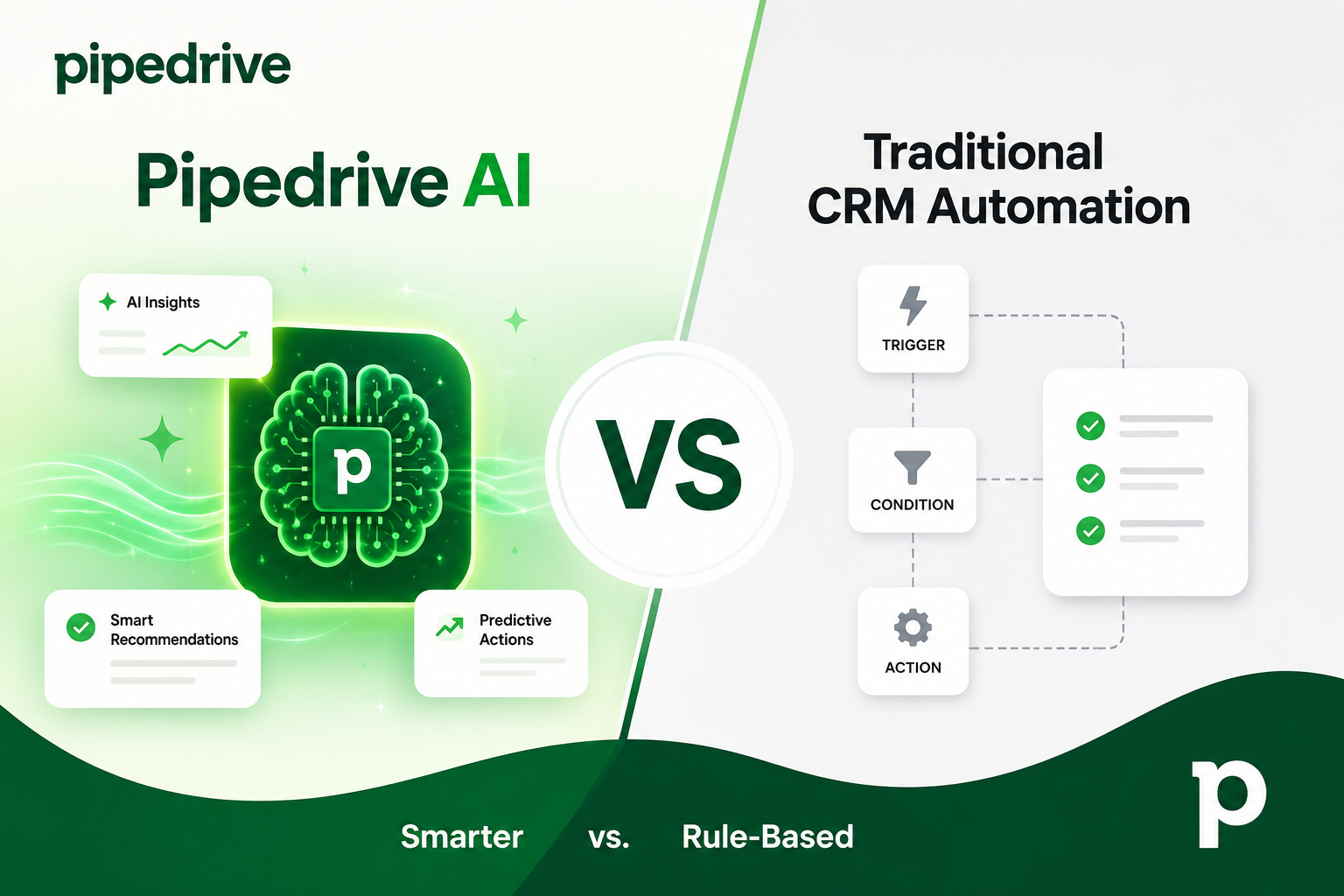
Sales teams hear “automation” and “AI” used almost interchangeably these days, but the two concepts work quite differently under the hood. Traditional CRM automation follows fixed rules: if a deal moves to a certain stage, then an email goes out. AI-powered automation, on the other hand, learns from patterns in your data and makes judgment calls a human rep might otherwise have to make manually. Understanding this distinction matters because it directly affects how much manual setup your team needs, how adaptable your sales process becomes, and ultimately how many deals you close.
This article breaks down the practical differences between Pipedrive AI and traditional CRM automation, so you can decide which approach — or which combination of both — fits your sales process best.
Table of contents
Quick Summary
- Traditional CRM automation relies on predefined “if this, then that” rules. It’s predictable, easy to audit, but it can’t adapt to new patterns on its own.
- Pipedrive AI uses machine learning to analyze deals, contacts, and emails, then makes recommendations, predictions, and even drafts content based on real sales behavior.
- Pipedrive combines both approaches: rule-based Automations for repetitive admin tasks, plus an AI Sales Assistant for judgment-based recommendations like win probability and next-best actions.
- AI features generally sit on Pipedrive’s higher-tier plans, while rule-based automation is available starting from the Growth plan.
- Businesses that want the benefits of both without the setup headache often turn to a certified partner, such as Solution For Guru, to configure and optimize the system correctly from day one.
Pipedrive CRM: What Sits at the Center of This Comparison?

Before comparing automation styles, it helps to know what Pipedrive CRM actually is. Pipedrive is a sales-focused customer relationship management platform built around a visual, drag-and-drop pipeline. Instead of just storing contact records, it nudges sales reps toward the next action — a call, an email, a follow-up task — that will move a deal forward.
Founded by sales professionals who were frustrated with bloated, admin-heavy CRMs, Pipedrive was designed to be activity-first. That philosophy still shapes the product today. Reps see exactly where every opportunity sits in the pipeline, and the system prompts them on what happens next.
Why Does This Matter for the AI vs Automation Debate?
Because Pipedrive doesn’t force you to choose one approach over the other. It layers rule-based Automations for routine admin work on top of an AI Sales Assistant that handles the more judgment-heavy tasks. This hybrid setup is exactly why the comparison between “AI” and “traditional automation” is worth examining closely — most teams end up using both, and knowing where each one fits changes how effectively you configure your CRM.
What Is Traditional CRM Automation, Exactly?
Traditional CRM automation is rule-based. A trigger occurs — a deal changes stage, a form gets submitted, a set number of days pass without activity — and a predefined action fires in response. There’s no learning involved. The system does precisely what it was configured to do, every time, without deviation.
How Does Rule-Based Automation Actually Work?
Most rule-based automation follows a simple structure:
- Trigger — an event happens in the CRM (deal stage change, new contact added, email opened).
- Condition (optional) — a filter narrows down when the rule applies (only deals over $10,000, only contacts tagged “enterprise”).
- Action — the system executes a task: sends an email, creates an activity, updates a field, notifies a team member.
For example, when a deal moves into “Negotiation,” a rule-based workflow might automatically schedule a follow-up call and alert the sales manager. This is useful, consistent, and completely transparent — anyone on the team can open the automation and see exactly what it does.
What Are the Strengths of Traditional Automation?
- Predictability. The same trigger always produces the same result.
- Transparency. Rules are easy to read, audit, and explain to stakeholders.
- Low computational overhead. No model training, no data science required.
- Compliance-friendly. Regulated industries often prefer deterministic systems they can fully document.
What Are the Limitations of Traditional Automation?
- It cannot detect patterns you haven’t explicitly told it to look for.
- Every new scenario requires a human to build a new rule.
- It doesn’t improve over time; it only executes what’s configured.
- Complex sales processes can end up with dozens (or hundreds) of overlapping rules that become difficult to maintain.
Common automation rules – what do they look like in practice?
To make this concrete, here are examples of the kind of rules a sales team typically builds inside a rule-based automation system:
- New lead assignment. A lead submitted through a web form is automatically assigned to the next available rep in a round-robin rotation.
- Stage-change follow-up. When a deal moves to “Proposal Sent,” the system schedules a follow-up call three business days later.
- Idle deal alert. If no activity has been logged on a deal for seven days, the system notifies the deal owner and their manager.
- Post-sale handoff. When a deal is marked “Won,” the system creates an onboarding task and notifies the customer success team.
Each of these examples works well precisely because the trigger and outcome are known in advance. Nothing about them requires interpretation — they simply need to fire consistently, every time the condition is met.
What Is Pipedrive AI and How Does It Differ?
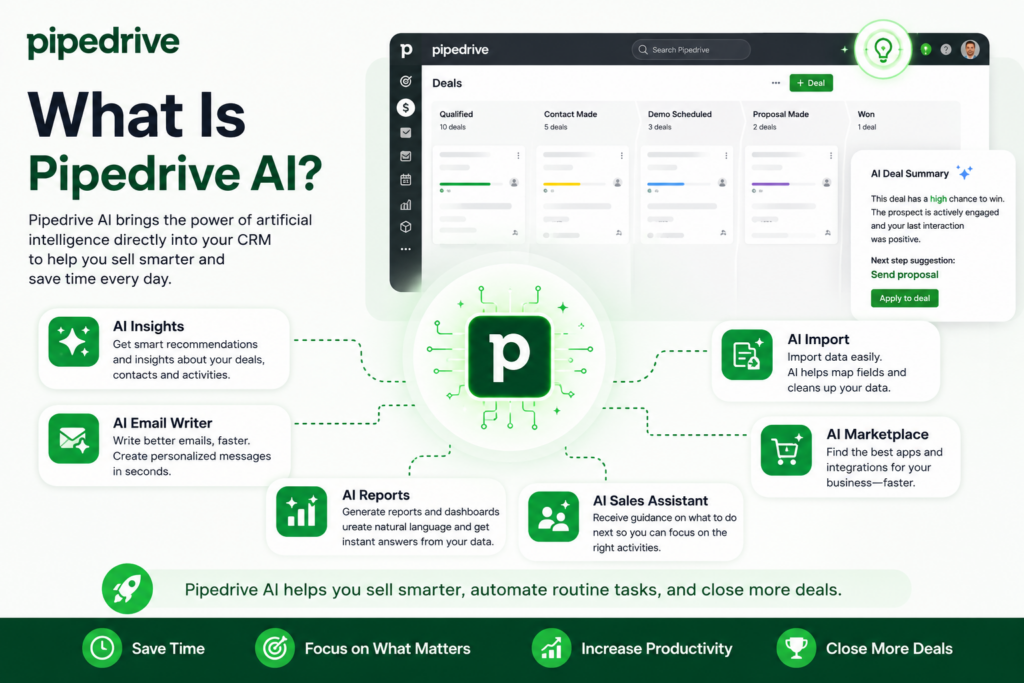
Pipedrive AI centers on the AI Sales Assistant, a feature that uses machine learning to continuously analyze deals, contacts, activities, and emails. Rather than waiting for a specific trigger, it looks for patterns across your entire pipeline and surfaces insights a rep might otherwise miss.
What Does the AI Sales Assistant Actually Do?
Instead of firing a fixed action, the Assistant makes recommendations based on probability and historical behavior. According to Pipedrive’s own product materials, the AI Sales Assistant analyzes CRM activity to automate key tasks at each sales cycle stage, alerts sales reps about missing deal values, identifies overlooked opportunities, and suggests specific actions to move deals forward. It also identifies deals with a fair or high probability of closing and recommends the next best action for the rep to take.
This is fundamentally different from a static rule. The Assistant isn’t just checking “has this deal been idle for 5 days” — it’s weighing multiple signals (deal age, past win/loss patterns, email engagement, activity frequency) to produce a probability score and a recommendation.
What Other AI-Powered Features Does Pipedrive Offer?
| Feature | What It Does | Traditional Equivalent |
|---|---|---|
| AI Sales Assistant | Analyzes deals and suggests next-best actions with win probability scores | Manual pipeline review |
| AI Email Generator | Drafts personalized emails from deal context in roughly a minute | Manually writing each email |
| Email Summarization | Condenses long email threads into quick digests | Reading full thread history |
| Win Probability Prediction | Scores each deal’s likelihood of closing based on historical patterns | Gut-feel forecasting |
| Data Enrichment | Automatically pulls and updates contact/company information | Manual research and data entry |
When Do Deals Get Flagged for Attention?
The Assistant pays particularly close attention to deals nearing the finish line. Pipedrive notes that when deals reach the final stages, the AI prompts immediate action to prevent stalling and maintain momentum. That’s a judgment call based on stage, timing, and historical deal velocity — not a simple “if X, then Y” rule a human configured in advance.
How Do Pipedrive AI and Traditional Automation Compare Side by Side?
Seeing the two approaches next to each other makes the practical differences clearer.
| Aspect | Traditional CRM Automation | Pipedrive AI |
|---|---|---|
| Logic | Fixed rules (“if this, then that”) | Pattern recognition and probability scoring |
| Setup | Manual rule configuration per scenario | Learns from existing CRM data automatically |
| Adaptability | Static until manually updated | Adjusts recommendations as new data comes in |
| Output | Executes a predefined action | Suggests actions, ranks priorities, drafts content |
| Transparency | Fully visible rule logic | Recommendations based on probability, less rule-visible |
| Best for | Repetitive admin tasks, notifications, data entry | Prioritization, forecasting, content generation |
| Plan availability | From the Growth plan upward | Premium and Ultimate plans |
Which One Should Handle Repetitive Tasks?
Traditional automation is still the better tool for repetitive, well-defined tasks. Sending a confirmation email after a form submission, creating a follow-up activity when a deal changes stage, or notifying a manager when a high-value deal is created — these don’t need machine learning. A simple rule does the job reliably and transparently.
Which One Should Handle Judgment Calls?
Anything that requires weighing multiple variables — should this rep call this lead first, is this deal actually likely to close, what should the next email say — benefits from AI. These are the tasks that used to require a manager’s experience or a rep’s gut feeling, and AI can now surface a data-backed suggestion instead.
How Does Pricing Compare Across Plans?

Understanding where each capability sits in Pipedrive’s plan structure helps clarify the practical cost of choosing one approach over another.
| Plan | Approximate Price (per user/month, billed annually) | Automation Access | AI Sales Assistant Access |
|---|---|---|---|
| Lite | $14 | Limited | Not included |
| Growth | $39 | Full rule-based Automations | Not included |
| Premium | $59 | Full rule-based Automations | Included |
| Ultimate | $79 | Full rule-based Automations | Included, with expanded reporting |
This structure reflects the two capabilities’ different levels of complexity. Rule-based automation, being simpler to build and maintain on the backend, is accessible from the mid-tier Growth plan. AI features, which require ongoing model analysis across a customer’s data, are reserved for the higher Premium and Ultimate tiers. Teams evaluating the jump from Growth to Premium should weigh the added cost against the time currently spent on manual forecasting and pipeline review, since that’s typically where the AI tier delivers the clearest return.
What Are the Real Business Benefits of Each Approach?
Why Might a Business Prefer Traditional Automation?
Some organizations, particularly in regulated industries, need to explain exactly why a system did what it did. Traditional automation offers that clarity. It’s also cheaper to run since it doesn’t require the higher-tier plans that unlock AI features, and it’s simpler for smaller teams to configure without specialized training.
Why Might a Business Prefer AI-Driven Features?
Growing sales teams often reach a point where manual pipeline review becomes unsustainable. A rep managing 150 active deals cannot mentally track win probability for each one. This is where AI adds real value — it does that background analysis continuously and surfaces only what needs attention.
Furthermore, self-selection aside, Pipedrive has reported that teams using the AI Sales Assistant close notably more deals than non-users, with over 60% of active Pipedrive customers now using the feature. That adoption rate suggests the AI layer has become a standard part of how sales teams operate on the platform, not a niche add-on.
Can the Two Approaches Work Together?
Yes, and for most teams, this is the ideal setup. Rule-based automation handles the repetitive administrative layer — data entry, scheduling, notifications — while AI handles prioritization and forecasting on top of that clean, consistently updated data. Neither approach replaces the other; they operate at different layers of the sales process.
What Do These Differences Look Like in Real Sales Scenarios?
Abstract comparisons are useful, but seeing how each approach plays out in an actual sales scenario makes the distinction more tangible.
Scenario One: A Lead Goes Quiet After the Demo
With traditional automation alone, a rule might simply flag the deal as “idle” after seven days of no activity and notify the rep. That’s helpful, but it treats every idle deal the same way regardless of size, stage, or history.
With Pipedrive AI layered on top, the same idle deal gets weighed against similar past deals — how often deals at this stage, of this size, with this level of prior engagement actually closed after going quiet. The Assistant can then recommend a specific next step, such as reaching out to a secondary stakeholder, rather than a generic “follow up” nudge.
Scenario Two: A Rep Is Juggling 40 Active Deals
Rule-based automation ensures nothing falls through the cracks procedurally — reminders fire, activities get created, notifications go out. But it can’t tell the rep which five of those 40 deals deserve their attention first thing Monday morning.
This is where the AI Sales Assistant’s prioritization and win-probability scoring adds value that rules alone cannot replicate. It ranks deals by likelihood to close and recent momentum, giving the rep a starting point instead of a flat list.
Scenario Three: Drafting Follow-Up Emails at Scale
Traditional automation can send a templated email automatically, but the message is identical for every recipient unless someone builds multiple template variants manually. Pipedrive’s AI email generator instead drafts a personalized message pulled from the actual deal context — the contact’s role, recent conversation history, and deal stage — in roughly a minute, without requiring a rep to build separate templates for every scenario in advance.
What Should You Consider Before Choosing an Approach?

How Complex Is Your Sales Process?
Simple, linear sales cycles with few variables often don’t need AI at all. A handful of well-configured rules can cover most scenarios. Complex, multi-stage processes with many reps and high deal volume benefit far more from AI’s pattern recognition, since no single person can manually track every variable across hundreds of deals.
What Is Your Budget for CRM Tools?
Rule-based automation is available on Pipedrive’s Growth plan, while AI features require Premium or Ultimate. Weigh the cost difference against the time your team currently spends on manual pipeline review and forecasting. If reps are losing hours each week to manual prioritization, the AI tier often pays for itself quickly.
How Much Historical Data Do You Have?
AI-driven recommendations are only as good as the data feeding them. A brand-new CRM with little deal history will produce less accurate win-probability scores than one with years of consistent activity logging. Teams migrating from spreadsheets or another CRM should plan for a data cleanup and import process before expecting strong AI recommendations.
Do You Have the Internal Resources to Configure Everything Correctly?
Both automation and AI features require correct setup to deliver value. Automation rules need to reflect your actual sales process, not a generic template. AI recommendations improve when custom fields, deal stages, and activity types are configured to match how your team actually sells. Misconfigured stages or inconsistent data entry weaken both systems equally.
How Will You Measure Whether Either Approach Is Working?
It’s worth defining success metrics before rolling anything out, rather than after. For rule-based automation, useful metrics include the percentage of leads assigned within a set time window, the number of manual admin tasks eliminated, and consistency of follow-up timing across reps. For AI features, teams typically track how closely predicted win probabilities match actual outcomes over time, how often reps act on AI-suggested next steps, and whether average deal cycle length shortens as prioritization improves. Without these benchmarks, it’s difficult to tell whether the investment in a higher-tier plan is actually paying off.
What Happens as Your Team Scales?
A configuration that works well for five reps may not hold up at fifty. Automation rules built around a small, informal process often need to be rebuilt once multiple teams, territories, or product lines get involved. AI models, by contrast, tend to improve as data volume grows, since more historical deals give the system more patterns to learn from. This is one reason many growing companies plan for a scheduled review of their CRM setup every few quarters rather than treating the initial configuration as permanent.
How Can a Sales Team Implement Both Approaches Successfully?

Rolling out automation and AI at the same time can feel overwhelming, especially for teams migrating from spreadsheets or a less structured CRM. Breaking the process into clear phases makes it far more manageable.
What Should Happen Before Any Automation Is Built?
Before configuring a single rule, the sales process itself needs to be mapped out. That means defining pipeline stages that reflect how deals actually move through your business, identifying which fields are mandatory at each stage, and agreeing on what “activity logged” actually means for your team. Skipping this step is the most common reason automation rules end up conflicting with each other or producing confusing results.
Which Tasks Should Be Automated First?
Start with the highest-frequency, lowest-complexity tasks. These typically include:
- Lead assignment and routing.
- Follow-up reminders after key pipeline stages.
- Internal notifications for high-value or stalled deals.
- Post-sale handoffs to customer success or onboarding teams.
Once these are running reliably, teams can layer in more nuanced rules, such as conditional email sequences based on deal source or industry.
When Should AI Features Be Introduced?
AI recommendations work best once there’s a reasonable amount of historical data in the system — generally a few months of consistent activity logging. Introducing AI features too early, before reps have built the habit of logging calls, emails, and meetings, tends to produce weaker recommendations simply because the model has less signal to work with. Once data flows consistently, the AI Sales Assistant’s win-probability scores and next-action suggestions become noticeably more accurate.
Why Do So Many Teams Underuse These Features?
In practice, a large share of CRM implementations only use a fraction of what’s available. Automations get built once and never revisited as the sales process evolves. AI recommendations get ignored because reps weren’t trained on how to interpret them. This is less a limitation of the software and more a symptom of rushed, self-service setup — which is exactly the gap a specialized implementation partner is designed to close.
Conclusion
Traditional CRM automation and AI-powered features solve different problems. Rule-based automation is dependable and transparent — perfect for repetitive administrative work that doesn’t change from deal to deal. AI, meanwhile, brings pattern recognition and predictive insight to tasks that used to depend entirely on a rep’s intuition or a manager’s spot-check.
Pipedrive CRM doesn’t ask you to pick a side. It combines dependable, rule-based Automations with an AI Sales Assistant that continuously analyzes your pipeline and recommends what to do next. For sales teams that want both consistency and intelligence built into their day-to-day workflow, that combination is difficult to beat.
Getting the most out of either system, however, depends on correct setup — clean data, well-mapped pipeline stages, and automation rules that actually reflect how your team sells. This is where working with an experienced implementation partner makes a measurable difference. Solution For Guru specializes in configuring Pipedrive for real-world sales teams, helping businesses avoid the common setup mistakes that quietly limit both automation reliability and AI accuracy. Instead of guessing at configuration or leaving AI features underused, teams that partner with Solution For Guru get a CRM that’s tailored to their process from day one — turning Pipedrive’s automation and AI capabilities into an asset that consistently supports revenue growth, not just another tool sitting half-configured in the background.
Frequently Asked Questions
No. AI and rule-based automation serve different purposes within Pipedrive. Automations handle repetitive, predictable tasks like sending follow-up emails or creating activities when a deal changes stage. The AI Sales Assistant handles judgment-based tasks like prioritizing deals and predicting win probability. Most effective setups use both together rather than replacing one with the other.
The AI Sales Assistant is available on Pipedrive’s Premium and Ultimate plans, starting from $49 per user per month. Rule-based Automations, by contrast, are available starting from the Growth plan, making them accessible to smaller teams that don’t yet need AI-driven insights.
Results depend largely on data quality and volume. Since the AI Sales Assistant learns from historical deal and activity data, teams with consistent, well-logged CRM usage typically see meaningful recommendations within the first few weeks. Newer accounts with limited history may need a longer ramp-up period before predictions become reliably accurate, which is one reason a proper implementation and data migration process matters from the start.
Recommended:
- ERP and ITSM Integration: Improving Operational Visibility Across Departments
- Integrating Endpoint Management Tools with Freshservice
- ManageEngine Asset Management (ITAM): Why Businesses Trust It to Control Their IT Assets
- Why Mid-Sized Companies Choose Freshservice Over Enterprise ITSM Platforms
- Best Reporting and Analytics Dashboards for IT Operations Teams in Freshservice
- How ITSM Platforms Support IT Compliance and Audit Readiness
- How ITSM Tools Support Internal IT Risk Management
- How AI Is Changing ITSM Workflows in Freshservice?
- How ITSM Platforms Like Freshservice Support Digital Transformation
- Freshservice CMDB Explained: Structure, Relationships, and Best Practices
- Freshservice for Remote and Hybrid Work Environments
- Automating Employee Onboarding and Offboarding with Freshservice
- ManageEngine ServiceDesk Plus for Mid-Size Business: Is It the Right ITSM Fit?
- ManageEngine ITSM: Standard vs Professional vs Enterprise — Which Edition Fits Your Team?
- ManageEngine SLA Management: How Does It Help IT Teams Meet Every Deadline?
- Freshservice for Growing Companies: When Is the Right Time to Upgrade ITSM?
- Freshservice Change Management: Real-World Configuration Strategies
- What Are the Best Automation Use Cases for ITSM Platforms in Growing Businesses?
- How Does Freshservice Support Compliance and Audit Readiness?