CRM Roles 101: From CRM Administrator to CRM Developer
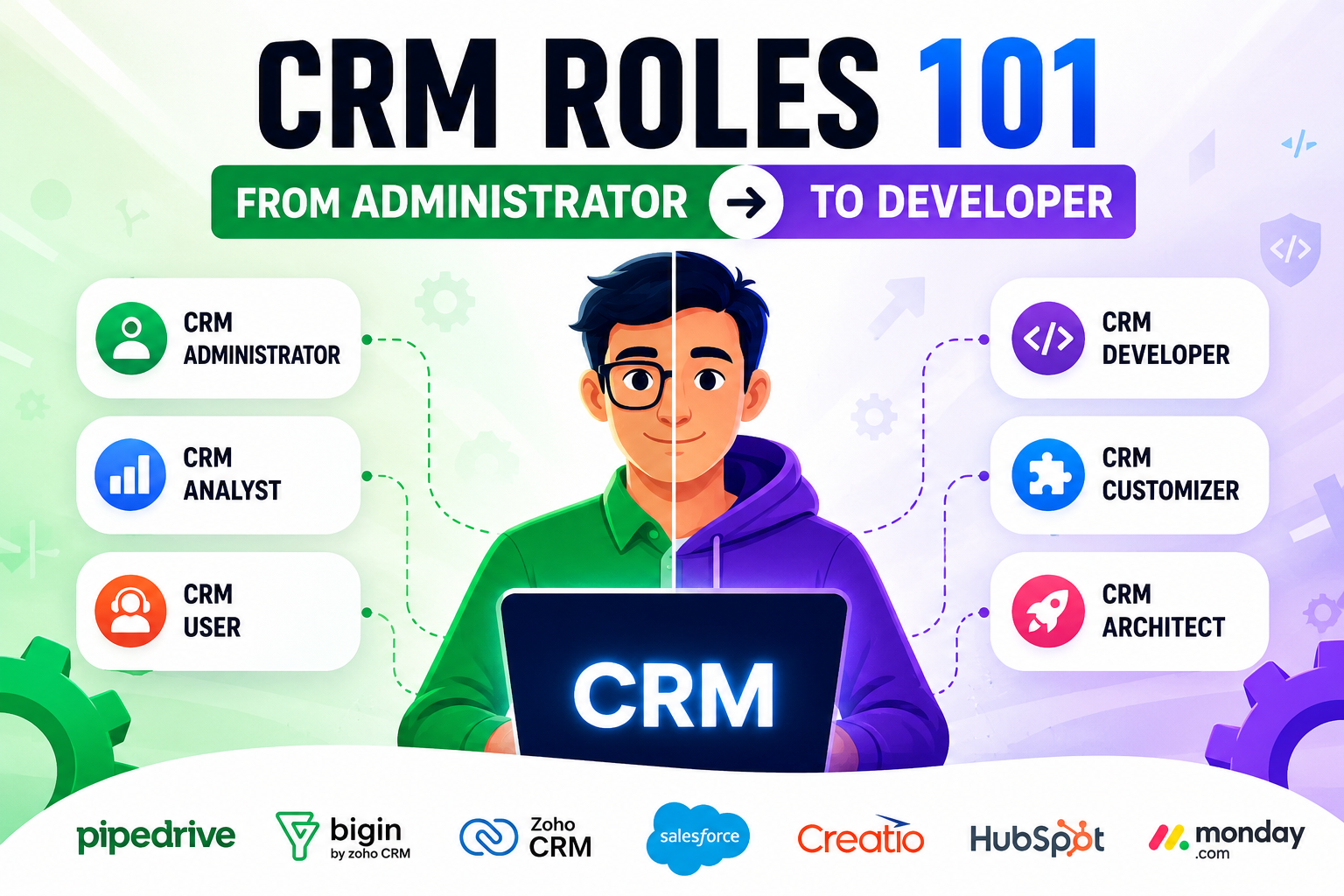
Every business that adopts a CRM platform eventually asks the same question: who is actually going to run this thing? A CRM is only as effective as the people configuring, maintaining, and extending it, yet the roles behind that work are often poorly understood. Some businesses assume one generalist can handle everything; others discover too late that certain platforms genuinely require a developer’s touch.
This article breaks down the full spectrum of CRM roles, from the administrator who keeps daily operations running smoothly to the developer who builds custom functionality on top of the platform. Along the way, we’ll look at how seven widely used CRM platforms, Pipedrive CRM, Bigin by Zoho CRM, Zoho CRM, Salesforce, Creatio, HubSpot, and monday.com CRM, shape the roles a business actually needs to hire or train for.
Table of contents
Quick Summary
- CRM roles span a spectrum, from administrators focused on configuration and data quality to developers who write custom code and build integrations.
- Simple, no-code platforms like Pipedrive CRM, Bigin by Zoho CRM, and monday.com CRM often let a single admin or even a business owner manage the system without developer support.
- More complex platforms like Salesforce, Zoho CRM, and Creatio offer deep customization, but that power typically requires dedicated administrators and, eventually, developers.
- HubSpot sits in between, combining an accessible admin experience with a robust API and developer platform for teams that outgrow out-of-the-box features.
- Choosing the right CRM platform directly determines whether your business needs a part-time admin, a full-time administrator, or a combined admin-and-developer team.
- Partnering with a digital solutions provider such as Solution For Guru helps businesses configure, customize, and scale their CRM without the trial and error of building an in-house team from scratch.
What Do Today’s Leading CRM Platforms Have to Do With CRM Roles?
CRM roles don’t exist in a vacuum. The platform a business chooses largely determines how much configuration, customization, and ongoing development that system will require, which in turn shapes the team needed to support it. This is exactly why understanding CRM roles and understanding CRM platforms go hand in hand.
Consider the range across the market. Pipedrive CRM was built around simplicity and visual pipeline management, so most small sales teams can configure it themselves without a dedicated administrator. Bigin by Zoho CRM takes that accessibility even further, targeting small businesses that want CRM functionality without any of the complexity, often letting a single non-technical person manage the entire system. monday.com CRM follows a similar no-code philosophy, built on the flexible Work OS foundation so that admins can build and adjust pipelines, automations, and dashboards without writing a line of code.
On the other end of the spectrum, Salesforce and Zoho CRM offer far deeper customization, supporting custom objects, scripting languages, and complex workflow automation, but that flexibility generally demands a trained administrator and, as needs grow, a developer who can extend the platform through code. Creatio occupies a distinctive middle ground with its low-code philosophy, empowering “citizen developers” to build sophisticated processes visually while still leaving room for professional developers to extend the platform with custom code when needed. HubSpot, meanwhile, pairs an approachable admin interface with an extensive developer API, making it a popular choice for businesses that start simple but plan to scale into custom integrations later.
With this landscape in mind, let’s look at the table below, which compares these seven platforms specifically through the lens of the roles required to run them.
How Do These Seven CRM Platforms Compare for Admin and Developer Needs?
| CRM Platform | Admin-Friendliness | Developer/Customization Depth | Best Suited For |
|---|---|---|---|
 | High — configurable by non-technical users in hours | Moderate — REST API and Marketplace for deeper needs | SMBs wanting a fast, visual sales pipeline |
 | Very high — set up in about 30 minutes | Low — limited customization by design | Small businesses moving off spreadsheets |
 | Very high — no-code automations and dashboards | Moderate — built on Work OS, extensible via apps | Teams wanting visual flexibility without IT support |
 | Moderate — many modules, steeper learning curve | High — custom functions via Deluge scripting | Growing businesses needing scalable customization |
 | Moderate — requires certified admin for full control | Very high — Apex, Flow, and a vast developer ecosystem | Enterprises with complex, multi-object CRM needs |
 | Moderate — no-code Studio reduces IT dependency | High — low-code plus .NET/JavaScript for professional developers | Mid-market and enterprise teams needing deep process automation |
 | High — intuitive interface for daily admin tasks | High — extensive API and Operations Hub for developers | Businesses scaling from simple CRM use into custom integrations |
As this comparison shows, no single platform fits every business. Instead, the right choice depends on how much configuration your team can handle internally versus how much custom development your processes genuinely require.
What Exactly Is a CRM Role, and Why Does Every Business Need One?
How Broad Is the Term “CRM Role,” Really?
“CRM role” is something of an umbrella term. It covers everyone from the manager who owns the CRM strategy to the developer who writes code that extends the platform’s functionality. Between those two ends sit administrators, analysts, and specialists, each contributing a different mix of technical and business-facing skills. Without clearly assigned ownership, CRM systems tend to drift: data quality declines, workflows go unmaintained, and the tool that was supposed to save time ends up creating extra work instead.
Why Does Ownership Matter More Than Job Titles?
In smaller organizations, one person frequently wears several hats at once, acting as CRM manager, administrator, and even light developer alongside another primary job. What matters isn’t the formal title but making sure someone is accountable for clean data, well-maintained workflows, and consistent user adoption. As the business grows and the CRM platform becomes more central to operations, these responsibilities typically split into more clearly defined roles.
How Do These Roles Map to Platform Complexity?
A business running Bigin by Zoho CRM for a five-person sales team may never need a dedicated administrator at all, since the platform is designed for quick setup and minimal maintenance. However, a business running Salesforce across multiple departments almost always needs at least one certified administrator, and often a developer as well, simply because the platform’s flexibility comes with a corresponding level of configuration complexity.
What Does a CRM Administrator Actually Do Day to Day?

How Does an Administrator Keep the System Running Smoothly?
The CRM administrator is the technical owner of the platform on a daily basis. This role configures the system, manages user access and permissions, maintains data quality, and troubleshoots issues as they arise. In practice, this means setting up new user accounts, adjusting picklists and page layouts, building basic automation, and responding quickly when something in the system breaks or behaves unexpectedly.
What Does Data Governance Look Like in This Role?
Beyond day-to-day configuration, administrators play a central role in data governance. They design data management strategies, create user roles and permission sets, and continuously monitor for duplicate or incomplete records. This responsibility becomes especially important in platforms like Zoho CRM and Salesforce, where dozens of modules and objects can otherwise become disorganized without consistent oversight.
How Does the Administrator Bridge Business Needs and Technical Capability?
Administrators also serve as the primary point of contact between business teams and the CRM platform itself. When a sales manager wants a new field added or a marketing team needs a different report, the administrator translates that request into an actual system change. This bridging function is precisely why administrators need both technical platform knowledge and a solid understanding of how sales, marketing, and customer service teams actually work.
What Does a CRM Analyst or CRM Manager Bring to the Table?
What Does a CRM Analyst Focus On?
While administrators keep the system running, CRM analysts focus on what the data inside that system actually means. They assess patterns, customer behaviors, and market trends, then turn that analysis into insights that help sales and marketing teams make better decisions. This role sits between technical and commercial responsibilities, applying both skill sets on a daily basis.
What Does a CRM Manager Own?
As the product owner for the software, the CRM manager oversees the overall implementation and ongoing strategy behind the platform. This includes setting priorities for new features, coordinating between departments that rely on the CRM, and ensuring the system continues to align with broader business goals as those goals evolve. Managers tend to lean strategic, while administrators lean technical, though the two roles work closely together.
How Do These Roles Interact With Platform Choice?
On simpler platforms like Pipedrive CRM or monday.com CRM, the manager and administrator functions often merge into a single person, since the platforms themselves are visual and intuitive enough that heavy technical oversight isn’t necessary. On more complex platforms like Creatio or Salesforce, these roles are more likely to be separated, with a manager setting direction while a certified administrator handles the technical execution.
What Does a CRM Developer Do, and How Is It Different From an Administrator?

What Technical Work Falls Under the Developer Role?
A CRM developer is responsible for designing, customizing, and extending CRM systems beyond what standard configuration allows. This typically involves writing code, whether that’s Apex and JavaScript within Salesforce, Deluge scripting within Zoho CRM, or custom API integrations built on HubSpot‘s developer platform. Developers build the custom objects, complex integrations, and specialized functionality that business requirements sometimes demand but out-of-the-box tools can’t deliver.
How Do Developers Work With APIs and Integrations?
Modern CRM developers spend much of their time connecting the CRM to other systems: accounting software, marketing platforms, e-commerce tools, or internal databases. On HubSpot, for example, developers use REST-based APIs to automate processes across 28 or more object types, build custom applications, and ensure real-time data synchronization between HubSpot and external tools. Similarly, developers working with Creatio‘s low-code environment can extend the platform using .NET and JavaScript to build complex integrations or custom UI components that go beyond what the no-code Studio provides on its own.
Why Is Developer Work Sometimes Considered “Optional” for Smaller Businesses?
Not every business needs a CRM developer, and that’s by design for platforms built with simplicity in mind. Bigin by Zoho CRM, for instance, deliberately limits deep customization in favor of a fast, spreadsheet-like setup that small businesses can manage without technical support. In contrast, a growing enterprise using Salesforce to manage complex, multi-object workflows will almost certainly need developer involvement at some point, since the platform’s full potential depends on custom logic that configuration alone cannot achieve.
Where Do the Boundaries Blur Between Admin and Developer Roles?
How Has the Line Between These Roles Shifted Over Time?
Although administrators and developers have distinct core responsibilities, the boundary between them has become increasingly blurry. Many administrators now write basic automation logic, build custom functions, and even dabble in light coding, tasks that would have been left entirely to developers in the past. This shift is especially visible in platforms with strong no-code and low-code tooling, since these features let administrators accomplish tasks that once required a developer’s involvement.
How Do Low-Code Platforms Accelerate This Convergence?
Creatio exemplifies this convergence directly. Its no-code Studio allows business analysts to configure the system, design custom objects, and build automated workflows using a visual designer, all without developer involvement. At the same time, professional developers can still extend the platform using .NET and JavaScript when a project requires functionality beyond what the visual tools support. This dual approach means the same platform can serve a citizen developer and a professional developer simultaneously, depending on the complexity of the task at hand.
What Does This Mean for Hiring and Team Structure?
For hiring managers, this blurring boundary means job descriptions increasingly list both administrative and light development skills as requirements, even for roles titled simply “CRM Administrator.” Businesses evaluating candidates should look beyond job titles and instead assess actual skill sets: familiarity with automation builders, comfort with basic scripting, and experience configuring the specific platform in question, whether that’s Zoho CRM, Salesforce, or another system entirely.
How Does the Right CRM Platform Shape Which Roles You Actually Need?
Choosing a CRM platform is, in many ways, choosing a staffing strategy. The table below breaks down what kind of role each platform typically demands.
| If Your Business Uses… | You’ll Likely Need… | Because… |
|---|---|---|
| A part-time admin or power user | Setup and maintenance are fast and largely visual |
| No dedicated technical role | Designed for non-technical small business owners |
| An in-house no-code admin | Automations and dashboards are built without coding |
| A trained administrator, developer as you scale | Deep customization requires Deluge scripting knowledge |
| A certified administrator and, eventually, a developer | Full platform power depends on Apex and Flow expertise |
| A citizen developer, with professional developers for complex builds | Low-code Studio handles most needs, code covers the rest |
| An admin initially, a developer as integrations grow | API-driven customization becomes valuable at scale |
This breakdown highlights an important truth: businesses shouldn’t select a CRM platform based on features alone. They also need to honestly assess their internal technical capacity, since a mismatch between platform complexity and available talent is one of the most common reasons CRM implementations underdeliver.
What Skills Should a CRM Administrator Build?

Which Technical Skills Matter Most for Administrators?
Strong CRM administrators combine platform-specific technical knowledge with broader data management skills. This includes configuring user permissions, building basic workflow automation, managing data imports and exports, and maintaining consistent data quality across the system. For platforms like Salesforce, this also means pursuing relevant certifications, since Salesforce Administrator and Advanced Administrator credentials validate the specific skills employers look for.
Which Soft Skills Round Out the Role?
Beyond technical ability, administrators need strong communication skills, since they constantly translate between business requests and system configuration. Problem-solving ability matters just as much, given how often administrators troubleshoot unexpected issues under time pressure. Finally, a solid understanding of the customer journey helps administrators configure systems that actually reflect how sales, marketing, and service teams operate day to day, rather than generic, one-size-fits-all setups.
How Should Administrators Prepare for Increasingly Blurred Role Boundaries?
Given how much administrator responsibilities now overlap with light development work, building basic scripting literacy has become a valuable addition to the traditional administrator skill set. Learning the fundamentals of a platform’s native scripting language, such as Deluge for Zoho CRM or Apex basics for Salesforce, positions administrators to handle more advanced requests without immediately escalating to a developer.
How Can Administrators Continue Growing Into More Advanced Roles?
Many CRM administrators eventually progress toward developer or architect-level roles by gradually taking on more technical projects. This career path often starts with configuring basic automation, then moves toward writing simple custom functions, and eventually leads to managing complex integrations across systems. Platforms like Zoho CRM and Salesforce both offer structured certification tracks that support this progression, giving administrators a clear roadmap for building the deeper technical skills a developer role demands.
What Skills Should a CRM Developer Build?
What Core Technical Skills Define a CRM Developer?
CRM developers need proficiency in the programming languages relevant to their platform of choice: Apex and JavaScript for Salesforce, Deluge for Zoho CRM, or REST API development for HubSpot and Creatio. Beyond language-specific skills, developers also need a strong grasp of data modeling, since custom objects and relationships form the backbone of most advanced CRM customizations.
How Important Is Integration Experience?
Because so much developer work involves connecting the CRM to external systems, experience with API authentication, webhook management, and third-party integration patterns is essential. A developer working across HubSpot‘s ecosystem, for example, needs familiarity with OAuth flows and bulk operation handling to build stable, high-performance integrations rather than fragile, one-off connections.
How Should Developers Approach Collaboration With Administrators?
The most effective CRM developers understand system administration well enough to anticipate how their customizations will affect overall performance and user experience. This collaborative mindset matters because developers typically build functionality in a sandbox environment before handing it over to an administrator to test and deploy, a workflow common across Salesforce implementations and increasingly standard practice on other platforms as well.
How Should Businesses Decide Whether They Need an Admin, a Developer, or Both?

Deciding on the right team structure comes down to a few practical questions. Consider this checklist before making a hiring or staffing decision:
- How complex are your customer-facing processes? Simple, linear sales processes fit well with Pipedrive CRM or Bigin by Zoho CRM, requiring minimal technical support.
- How many systems does your CRM need to connect with? Heavy integration needs point toward platforms like HubSpot or Creatio, and eventually a developer.
- How large and fast-growing is your team? Larger, multi-department organizations using Salesforce or Zoho CRM typically need a dedicated administrator from the start.
- Do you have in-house technical talent already? If not, a no-code platform like monday.com CRM reduces the immediate need to hire specialized staff.
- How much customization do you realistically expect to need in the next two years? Anticipating future complexity now can prevent a costly platform migration later.
Answering these questions honestly helps businesses avoid two common mistakes: overpaying for enterprise-grade customization they’ll never use, or underestimating the technical support a growing, complex CRM implementation will eventually require.
What Does a Phased Approach to Staffing Look Like in Practice?
Many businesses find success by staffing their CRM incrementally rather than committing to a full admin-and-developer team from day one. A common pattern starts with a single power user managing a simpler platform, such as Pipedrive CRM or Bigin by Zoho CRM, during the early growth stage. As transaction volume and process complexity increase, that role often evolves into a dedicated administrator position, sometimes accompanied by a migration to a more customizable platform like Zoho CRM. Only once the business reaches a point where native configuration options are genuinely insufficient does a dedicated developer role, whether in-house or contracted, typically enter the picture.
How Do Budget Constraints Factor Into This Decision?
Budget realities also shape staffing timelines. Hiring a certified Salesforce administrator or an experienced Creatio developer represents a significant investment, one that’s difficult to justify for a business still refining its sales process. In these earlier stages, platforms like HubSpot or monday.com CRM offer a practical middle path, providing enough built-in flexibility to avoid custom development costs while still leaving room to bring in specialized help later, once the return on that investment becomes clearer.
Conclusion: What’s the Bottom Line for Businesses Building a CRM Team?
CRM roles exist on a spectrum, and understanding where your business falls on that spectrum matters just as much as choosing the right software. A small team running Pipedrive CRM or Bigin by Zoho CRM may never need more than a single motivated power user, while a growing enterprise on Salesforce, Zoho CRM, or Creatio will almost certainly need a dedicated administrator and, eventually, a developer to unlock the platform’s full potential.
Platforms like monday.com CRM and HubSpot sit comfortably in between, offering enough no-code flexibility for lean teams while still providing a robust developer path for businesses that eventually need custom integrations. No matter which platform your business chooses, the underlying lesson stays the same: CRM success depends less on the software itself and more on having the right people, whether that’s one generalist or a full admin-and-developer team, actually configuring, maintaining, and extending it.
For businesses unsure where to start, working with an experienced partner like Solution For Guru removes much of the guesswork, ensuring that whichever platform you choose is implemented correctly and supported as your CRM needs grow more sophisticated over time.
Frequently Asked Questions
Yes, particularly in smaller businesses or on simpler platforms like Pipedrive CRM or monday.com CRM, where the line between configuration and light customization is thin. However, as CRM complexity grows, especially on platforms like Salesforce or Zoho CRM, most businesses eventually separate these responsibilities, since deep custom development requires dedicated time and specialized coding skills that a busy administrator often can’t sustain alongside daily maintenance work.
Not usually. Platforms like Bigin by Zoho CRM and monday.com CRM are specifically designed to minimize or eliminate the need for developer involvement, relying instead on visual configuration tools that a non-technical admin can manage. That said, if your integration needs grow beyond what native connectors support, occasional developer help for custom API work can still add value.
Common signs include administrators spending excessive time on manual workarounds, recurring requests for functionality the platform can’t natively support, and growing frustration from teams trying to force complex processes into a simple system. If these patterns sound familiar, it may be time to consider a more customizable platform like Zoho CRM, Creatio, or Salesforce, along with the developer support needed to unlock that added flexibility.
What Are the Benefits of Partnering With Solution For Guru for CRM Implementation and Development?
Even after choosing the right platform, and correctly identifying whether you need an administrator, a developer, or both, actually implementing that decision takes specialized expertise many businesses don’t have in-house. This is where a digital solutions partner such as Solution For Guru adds real, measurable value.

Solution For Guru focuses on web development, automation, and AI integration, which makes it well positioned to support CRM implementation across the full complexity spectrum, from simple platforms like Bigin by Zoho CRM to highly customizable systems like Salesforce or Creatio. Partnering with a team like this offers several concrete advantages:
- Right-sized implementation: Instead of over-engineering a simple setup or under-resourcing a complex one, Solution For Guru configures each CRM platform based on your actual business processes and technical capacity.
- Bridging the admin-developer gap: Because Solution For Guru’s expertise spans both configuration and custom development, businesses don’t need to hire separate specialists just to get their CRM fully operational.
- Faster time to value: With hands-on experience across digital transformation projects, Solution For Guru helps teams move from CRM selection to a fully functioning system considerably faster than trial-and-error, in-house implementation.
- Seamless integrations: Whether connecting HubSpot to a company website, linking Zoho CRM to accounting software, or building custom API connections for Salesforce, Solution For Guru’s cross-disciplinary expertise ensures systems talk to each other cleanly.
- Ongoing support as needs evolve: As a business grows and its CRM requirements shift from simple configuration toward custom development, Solution For Guru provides continued support rather than leaving businesses to rebuild their setup from scratch.
In short, the right CRM platform provides the foundation, while a partner like Solution For Guru ensures that foundation is built, connected, and maintained correctly from day one.
Recommended:
- Pipedrive MCP Explained: How AI Assistants Connect to Your CRM
- Sales Forecasting and Pipeline Management in Creatio CRM
- Pipedrive Sales Dashboard: How to Track Performance
- Pipedrive Automation Triggers and Actions Explained
- Pipedrive AI vs Traditional CRM Automation: What’s the Difference?
- ERP and ITSM Integration: Improving Operational Visibility Across Departments
- Integrating Endpoint Management Tools with Freshservice
- ManageEngine Asset Management (ITAM): Why Businesses Trust It to Control Their IT Assets
- Why Mid-Sized Companies Choose Freshservice Over Enterprise ITSM Platforms
- Best Reporting and Analytics Dashboards for IT Operations Teams in Freshservice
- How ITSM Platforms Support IT Compliance and Audit Readiness
- How ITSM Tools Support Internal IT Risk Management
- How AI Is Changing ITSM Workflows in Freshservice?
- How ITSM Platforms Like Freshservice Support Digital Transformation
- Freshservice CMDB Explained: Structure, Relationships, and Best Practices
- Freshservice for Remote and Hybrid Work Environments
- Automating Employee Onboarding and Offboarding with Freshservice
- ManageEngine ITSM: Standard vs Professional vs Enterprise — Which Edition Fits Your Team?
- ManageEngine SLA Management: How Does It Help IT Teams Meet Every Deadline?
- Freshservice for Growing Companies: When Is the Right Time to Upgrade ITSM?