Integrating Verizon Connect with ERP Systems
Fleet data rarely lives where a business actually needs it. Vehicle mileage sits in a telematics dashboard, driver hours sit in a compliance spreadsheet, and maintenance costs sit in a third tool entirely, while finance and operations teams wait for someone to stitch it all together manually. Consequently, month-end close slows down, compliance audits take longer than they should, and dispatchers end up fielding customer calls that a connected system could have answered automatically.
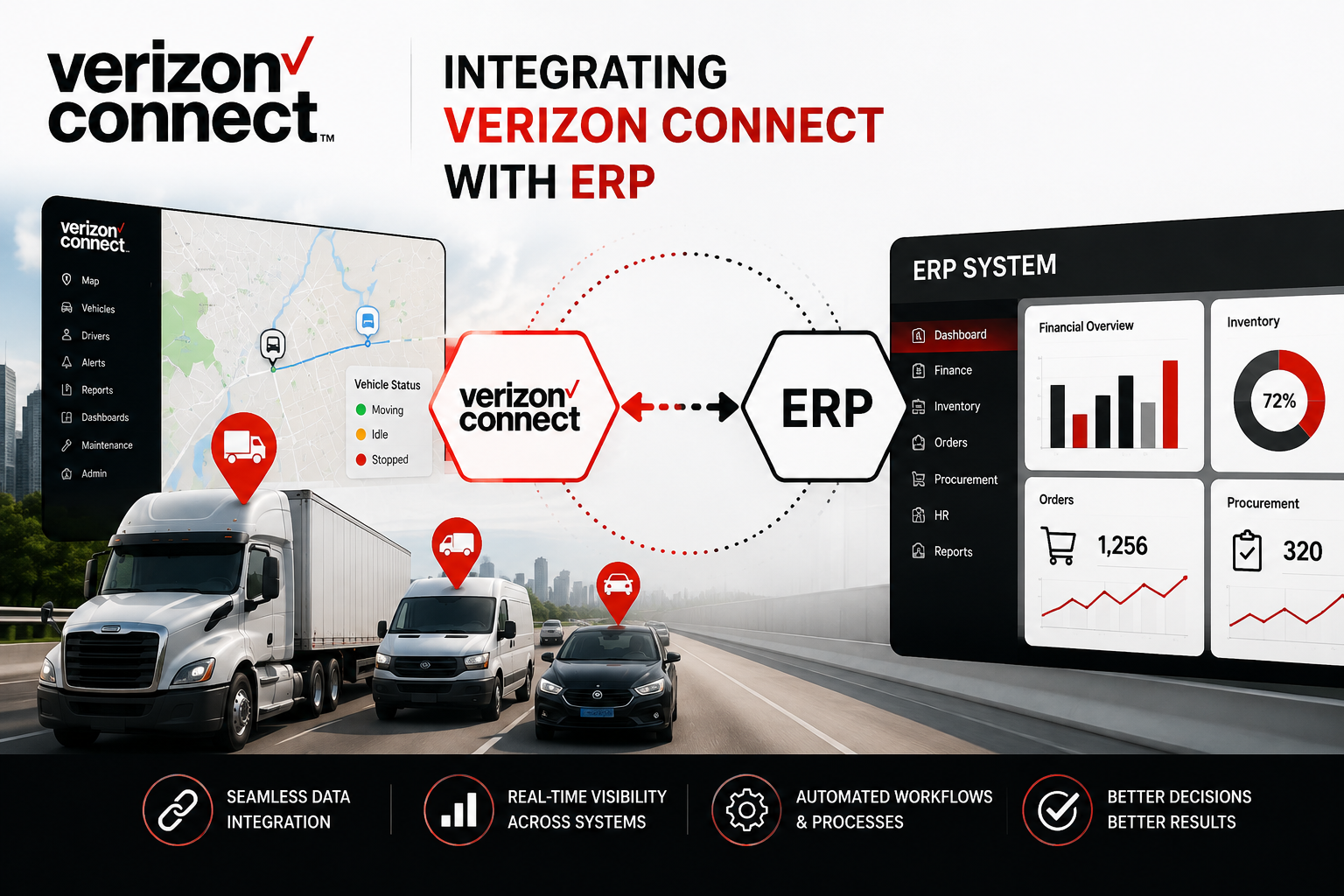
Connecting a telematics platform directly to an enterprise resource planning (ERP) system removes that manual step, and it is exactly the problem Verizon Connect: Fleet Management Software and Solutions was built to solve. This article explains what Verizon Connect ERP integration involves, which enterprise platforms it supports, how the underlying API toolkit works, what challenges to plan for, and how the right implementation partner can shorten the path from a fragmented tech stack to a fully connected one.
Table Of Contents
Quick Summary
- Verizon Connect offers a dedicated API toolkit and Developer Portal built specifically to connect fleet tracking data with ERP, accounting, HR, and CRM platforms.
- Common ERP integration targets include SAP (ECC and S/4HANA), Oracle, Microsoft Dynamics 365, and NetSuite, typically connected through REST APIs or approved middleware.
- Integration automates mileage-based depreciation, HOS compliance logging, route and delivery data, and driver safety event reporting.
- Successful projects require careful data mapping, stakeholder alignment across IT, finance, and fleet teams, and a phased rollout rather than a single large migration.
- Working with an experienced implementation partner such as Solution for Guru shortens the timeline and reduces the risk of costly configuration mistakes.
What Is Verizon Connect and Why Does ERP Integration Matter?

What does Verizon Connect fleet management software actually do?
Verizon Connect is a fleet tracking and mobile resource management (MRM) platform used by businesses to monitor vehicle location, driver behavior, fuel usage, and maintenance schedules in real time. Beyond live GPS tracking, the platform provides route optimization, dashcam-based safety monitoring, hours-of-service (HOS) compliance tools, and work order management. Fleet managers use the Reveal dashboard to see, at a glance, which vehicles are on schedule, which drivers are approaching an HOS limit, and which assets are due for preventive maintenance. On its own, this data already helps dispatchers and fleet managers make faster decisions. However, the real operational value tends to appear once that data leaves the fleet dashboard and starts feeding the systems that finance, HR, and procurement teams rely on every day.
Why do businesses need to connect fleet data with ERP systems?
As companies grow, fleet operations, finance, dispatch, and HR often end up running on separate platforms. That fragmentation creates gaps where mileage, maintenance costs, or compliance records get re-entered by hand, or worse, never reach the teams that need them. An ERP integration closes that gap by letting fleet data flow automatically into the general ledger, asset register, or HR system, so decisions about depreciation, billing, or compliance are based on current information rather than a spreadsheet someone updated last week.
For fleet-dependent businesses, this connection is quickly becoming less of a convenience and more of an operational requirement. As fleets scale from a handful of vehicles to hundreds, the manual reconciliation that once took an afternoon each week can grow into a full-time job for someone on the finance team. Moreover, disconnected systems tend to produce conflicting numbers: the fleet platform reports one mileage figure, the ERP reports another, and reconciling the difference eats into time that could otherwise go toward analysis. Integration removes that ambiguity by establishing a single source of truth that every connected department can rely on.
How Does Verizon Connect’s API Toolkit Enable ERP Integration?
Verizon Connect provides a REST-based API toolkit, documented through a Developer Portal that follows common standards such as Swagger/OpenAPI. This lets in-house engineers or third-party developers build custom connections between the fleet platform and other business software, instead of relying on flat file exports or manual reconciliation. Because the toolkit is standards-based, teams already familiar with REST API development can generally get a proof-of-concept integration running without needing Verizon Connect-specific expertise from day one, which lowers the barrier for businesses evaluating whether to build the connection in-house.
What data can be exchanged through the API?
- Vehicle and driver location, journey summaries, and status updates for dispatch, GIS, or CRM systems.
- Mileage and usage data that ERP systems use to calculate asset depreciation for accounting purposes.
- Hours-of-service and compliance status, which back-office systems use to verify hours worked and regulatory compliance.
- Harsh driving, speeding, and other safety events that feed into fleet safety programs.
- Route and delivery information, including start and stop times or ETAs, which can flow back to an ERP system for customer billing or notifications.
Not every integration needs to use all of these data points. Many businesses start with just one or two, such as mileage and HOS status, and expand the connection once the initial sync has proven reliable.
How does the Developer Portal support custom integrations?
The Developer Portal gives engineering teams structured documentation, sample endpoints, and authentication guidance so they are not reverse-engineering the connection from scratch. Businesses that would rather not build the integration internally can also work with an approved partner network that specializes in extending Verizon Connect’s functionality into industry-specific ERP and back-office systems, which is often the faster and lower-risk path for mid-sized fleets. Additionally, the portal documents webhook support for alert and GPS events, meaning integrations do not always need to poll the API on a schedule; instead, the ERP or middleware layer can simply receive a push notification the moment a relevant event occurs, such as a vehicle crossing a geofence or a driver exceeding an HOS limit.
Which ERP Systems Can Be Integrated With Verizon Connect?

Most enterprise ERP platforms can be connected to Verizon Connect through its API, either directly or with the help of a middleware layer for older, on-premise systems. The table below summarizes the platforms most commonly integrated with fleet telematics data and where each tends to fit best.
| ERP Platform | Typical Fit | Common Integration Method |
| SAP (ECC / S/4HANA) | Large multinational and Fortune 500 fleets needing consolidated global finance and procurement. | REST API with middleware adapters for legacy on-premise modules. |
| Oracle (EBS / Fusion Cloud) | Enterprises with complex subsidiaries and global operations. | Native REST API connections. |
| Microsoft Dynamics 365 | Mid-market to large fleets already using Microsoft tools such as Power BI and Teams. | REST API, often paired with Power Automate flows. |
| NetSuite | Fast-growing mid-market companies wanting a single cloud ERP with fast deployment. | REST API and a mature connector marketplace. |
It is worth noting that the platform fit shown above is a general guideline rather than a hard rule. A mid-sized company running Dynamics 365 today may migrate to NetSuite as it grows, or a division of a larger SAP enterprise may need its own lighter-weight integration. Because the underlying API toolkit is not tied to a specific ERP vendor, the integration itself can usually be rebuilt against a new target platform without needing to replace the telematics side of the connection.
What Do Real-World Verizon Connect ERP Integration Scenarios Look Like?
Abstract descriptions of API endpoints only tell part of the story. Looking at how different industries actually apply Verizon Connect ERP integration makes the value easier to picture, since the same underlying API can be configured very differently depending on what a business actually needs to automate.
How does a logistics or delivery company use the integration?
A regional delivery company running dozens of routes daily can use the API to export route and stop data into its route planning workflow, then send the resulting ETAs and delivery confirmations back into the ERP for automatic customer invoicing. Instead of a billing clerk manually confirming that a delivery happened before issuing an invoice, the ERP receives that confirmation the moment the driver marks the stop complete, which shortens the billing cycle and reduces disputes over delivery timing.
How does a field service or utilities fleet use the integration?
Field service organizations often need to tie vehicle location and job status together for accurate customer communication. By feeding location and status data into the ERP’s service module, dispatchers can automatically update customers with a technician’s estimated arrival time, while the same data supports payroll by confirming time spent on-site rather than relying on a technician’s manual timesheet entry.
How does a construction or heavy-equipment fleet use the integration?
Mixed fleets of vehicles and heavy equipment benefit from AEMP 2.0-compatible data sharing, which standardizes how equipment usage and location are reported. When that data flows into an ERP’s asset management module, project managers can allocate equipment costs to the correct job or cost center automatically, instead of estimating usage at the end of a project and adjusting the books after the fact.
These scenarios share a common thread: in each case, a task that used to require a person manually checking one system and re-entering data into another now happens automatically, in the background, as part of the normal flow of business. That shift is ultimately what makes ERP integration worth the upfront investment.
How Should You Choose an Integration Method?
Not every business needs the same integration approach. The right method depends on internal engineering capacity, the complexity of the target ERP, and how quickly the integration needs to go live. The comparison below outlines the three most common paths.
| Approach | Best For | Trade-off |
| In-house API development | Businesses with an existing engineering team and a well-documented target ERP. | Full control over the build, but requires ongoing maintenance as either platform changes. |
| Middleware or iPaaS layer | Companies connecting several systems at once, or working with a legacy on-premise ERP. | Faster to configure than custom code, though it adds a licensing cost and another system to monitor. |
| Implementation partner | Businesses that want the integration live quickly without building internal expertise. | Shifts technical risk to a specialist, typically at a lower total cost than a failed in-house attempt. |
Many businesses ultimately land on a hybrid approach, using a middleware layer to handle the bulk of the data transformation while an implementation partner manages the initial setup and any custom logic the ERP requires. Whichever path is chosen, the decision is easier to make once the business has a clear picture of which fleet data actually needs to reach the ERP, rather than attempting to sync everything from day one.
What Business Processes Benefit from Verizon Connect ERP Integration?

How does integration improve accounting and asset depreciation?
Vehicle mileage and usage data feeding directly into the ERP allows finance teams to calculate depreciation and operating costs without manually importing spreadsheets. This also improves the accuracy of cost-per-mile reporting, since the numbers come straight from the vehicle rather than a driver’s end-of-week log. Over a full fiscal year, that accuracy compounds: instead of correcting estimated figures during a year-end audit, finance teams work from numbers that were correct the first time, which shortens close cycles and reduces the back-and-forth with auditors.
How does integration streamline HR and compliance workflows?
Driver data, including moving violations, HOS status, and any defined exceptions such as vehicles leaving a designated area, can flow into HR systems automatically. Instead of compliance staff cross-checking fleet reports against HR records, the two systems stay synchronized, which reduces the administrative load during audits. This same data stream can also support driver scorecards, feeding safety incentive programs or insurance renewal negotiations with documented, system-generated records rather than anecdotal reports.
How does integration support dispatch, billing, and customer service?
Route optimization data generated in Verizon Connect can be exported to plan deliveries, and the resulting route information, including start and stop times or ETAs, can then be sent back to the ERP for customer billing or notifications. Customer service teams gain visibility into shipment progress without needing to call dispatch for a manual update, which shortens response times considerably. As customer expectations around real-time visibility keep rising, this kind of automated status flow is becoming a competitive differentiator rather than a nice-to-have feature.
What Are the Key Benefits of Integrating Verizon Connect with Your ERP?
Taken together, the process-level improvements described above add up to a broader operational shift. Instead of departments working from separate, sometimes conflicting versions of fleet data, everyone from dispatch to finance draws on the same continuously updated numbers. The specific benefits businesses report after integration tend to fall into a consistent pattern:
- Eliminates duplicate data entry between fleet, finance, and HR teams, reducing transcription errors.
- Provides real-time visibility into vehicle costs, driver compliance, and delivery status across departments.
- Speeds up month-end close by feeding accurate mileage and maintenance data directly into the general ledger.
- Supports better-informed decisions by giving every connected team access to the same current information.
- Extends the value of fleet data beyond fleet operations into finance, HR, dispatch, and customer service.
None of these benefits require a company to overhaul its entire fleet or ERP setup at once. Even a narrow integration, focused on a single data type, tends to demonstrate enough value that departments start asking for the next connection on their own.
What Challenges Should Businesses Anticipate During Integration?
What are common data mapping pitfalls?
Fleet operations and ERP systems, particularly SAP, frequently rest on different assumptions. ERP platforms often favor structured, batch-oriented processes, while fleet data flows continuously and follows events as they happen. Teams that underestimate how much mapping they need between vehicle records, cost centers, and general ledger accounts often push integration projects over budget or timeline. A vehicle that changes departments mid-year, for example, requires updates to its cost allocation rules on both sides, and if the team doesn’t define that mapping logic upfront, the resulting reports quietly misstate departmental costs for months before anyone notices.
How can businesses manage change and stakeholder alignment?
A successful integration typically needs coordination between fleet managers who understand daily operations, IT teams managing ERP infrastructure, finance teams that define the chart of accounts, and procurement teams that control purchasing workflows. Skipping this alignment early tends to create rework later, once a department discovers the integration does not match how they actually operate. Regular check-ins between these groups during the build phase, rather than only at kickoff and go-live, tend to catch mismatches while they are still cheap to fix.
How Do You Set Up an API Integration With Verizon Connect?
Businesses using Verizon Connect’s Reveal platform can request an API integration directly from the account interface, without waiting on a lengthy vendor onboarding process. The request flow is designed so that a fleet administrator, rather than only a developer, can initiate the connection, though a developer will still need to complete the technical build once credentials are issued. The typical process looks like this:
- Open the Marketplace from the user icon menu and select API Integrations, then Manage Integrations.
- Click Get Started and enter the third-party company name, a unique integration name, and the developer’s name and email.
- Review and accept the Data Access Consent Form to authorize data sharing with the developer.
- Confirm the request; Verizon Connect then emails the developer credentials and a link to the Developer Portal.
- For webhook-based integrations, submit the required endpoints through the same API Integrations section, or contact Verizon Connect support for alert webhook setup.
What Best Practices Ensure a Successful Verizon Connect ERP Integration?

Most of the risk in an ERP integration project shows up long before go-live, during the planning and testing phases. Businesses that treat these stages as seriously as the technical build tend to avoid the costly rework that derails less-planned projects:
- Start with a business process mapping workshop before writing any code, defining cost centers, GL accounts, and approval workflows in advance.
- Roll out in phases, connecting one data type, such as mileage, before adding maintenance costs and HR data.
- Test webhook and API endpoints in a sandbox environment before pushing data into a live ERP instance.
- Assign clear ownership for data quality on both the fleet and ERP sides, since garbage data flowing in either direction undermines the whole integration.
- Document the integration thoroughly so future upgrades to either the fleet platform or the ERP do not break the connection.
None of these practices require exotic tooling; they mainly require discipline and a realistic timeline. Projects that skip the sandbox testing phase in particular tend to discover data quality issues only after they have already reached the general ledger, which is a far more expensive place to fix them.
Conclusion
Fleet data only becomes a genuine business asset once it reaches the systems that run finance, HR, and customer service, and that is precisely the gap that ERP integration closes. Verizon Connect: Fleet Management Software and Solutions gives businesses a documented API toolkit and Developer Portal capable of connecting fleet tracking data with SAP, Oracle, Microsoft Dynamics 365, NetSuite, and other enterprise platforms. The technology itself is well established; what tends to determine success is the planning that happens before the first API call, including data mapping, stakeholder alignment, and a phased rollout. Businesses that treat integration as a cross-functional project, rather than a purely technical one, are consistently the ones that see the fastest return on their fleet data.
Frequently Asked Questions
In most cases, yes, at least on the API-connection side. Verizon Connect provides the API toolkit and Developer Portal, but a developer, whether in-house or from an approved partner, still needs to build the specific connection to a given ERP system, since every ERP handles cost centers, GL accounts, and workflows differently. Some businesses reduce this development burden by routing the connection through a middleware or iPaaS layer instead of writing every endpoint from scratch, which can shorten the build considerably for simpler use cases such as syncing mileage alone.
Companies most commonly connect SAP, Oracle, Microsoft Dynamics 365, and NetSuite to Verizon Connect, largely because each platform supports REST-based API connections and maintains an established base of fleet-dependent enterprise customers. That said, the API toolkit doesn’t limit itself to these four platforms; developers can generally connect any ERP capable of consuming a REST API, or sitting behind a compatible middleware layer, with the right development effort.
Timelines vary based on scope, but a phased integration covering mileage and maintenance data alone can often take just a matter of weeks, while a full integration spanning finance, HR, and dispatch across a large multinational ERP deployment can take several months, particularly when legacy on-premise systems are involved. Working with an implementation partner that has handled similar projects before tends to compress this timeline, since they’ve already solved much of the data mapping and configuration work for common ERP platforms.
Benefits of Cooperation with Solution for Guru

Planning and executing a Verizon Connect ERP integration internally can strain IT teams that are already stretched across other priorities. Solution for Guru works with businesses to scope, configure, and deploy CRM, ERP, and fleet software integrations without the trial and error that often accompanies a first-time project. Partnering with a dedicated implementation team offers several practical advantages:
- Experience across multiple ERP platforms, including SAP, NetSuite, and Microsoft Dynamics 365, so the integration approach is matched to the system already in place.
- Structured discovery and data mapping workshops that reduce the risk of costly rework after go-live.
- Faster implementation timelines compared with building the integration entirely in-house.
- Ongoing support for configuration changes as fleet operations or ERP requirements evolve over time.
- A single point of contact that understands both the fleet management side and the enterprise software side of the project.
For businesses evaluating whether to integrate Verizon Connect with their ERP system, working with Solution for Guru turns a technically complex initiative into a manageable, well-scoped project. Rather than treating the integration as a one-time technical task, the team helps businesses plan for how fleet, finance, and ERP needs will keep changing, so the connection remains reliable as the company grows, adds vehicles, or brings new departments onto the same data flow.
Recommended
- Best Motive Integrations for Fleet Management
- How Does Samsara Work?
- Is Motive Worth the Investment? ROI for Fleet Operators
- How Motive Improves Dispatcher Efficiency
- How Motive Helps Reduce Fleet Operating Costs
- Azuga Review: Features, Pros, Cons, and Best Use Cases
- What Is Azuga Fleet Management Software? A Complete Guide
- Top Reasons Businesses Choose Motive Fleet Management
- Samsara Review: Features, Pros, Cons, and Best Use Cases
- What Is Samsara GPS Fleet Tracking Software?
- Verizon Connect Review: Features, Pros, Cons, and Best Use Cases
- What Is Verizon Connect Fleet Management Software?
- Motive Pricing Plans Explained: How Much Does Motive Cost?
- What Is Motive Fleet Management?
- What Is the True Cost Breakdown of Fleet Tracking Systems?
- Offline Tracking: How Do Devices Store Data Without Connectivity?
- Real-Time Tracking vs Passive Tracking: What Are the Key Differences?